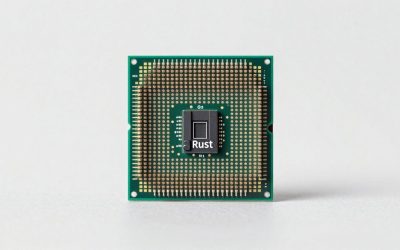
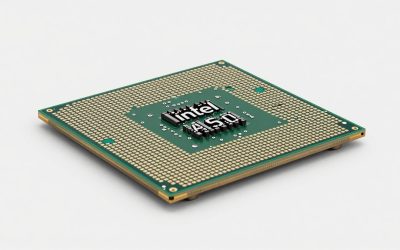
Pairing the right processor with an RTX 5090 matters more than most buyers realize. At 4K, the GPU handles the heaviest lifting, and even midrange CPUs can push playable frame rates. But at 1080p and 1440p, a slow CPU can throttle your 5090’s potential, leaving dozens of frames on the table. Beyond raw performance, platform cost and upgrade longevity shape the decision: AM5 boards carry forward into future Ryzen chips, while LGA 1851 gives Intel buyers a defined window. This 2026 guide covers the processors that make sense alongside Nvidia’s flagship, whether you care about pure gaming framerates, mixed workloads, or long-term value.
Verdict at a Glance
- Fastest gaming CPU for an RTX 5090: AMD Ryzen 7 9850X3D – the highest-clocked X3D chip, a few percent ahead of the 9800X3D in CPU-bound games.
- Best overall: AMD Ryzen 7 9800X3D – near-identical gaming performance to the 9850X3D, usually at a lower tier.
- Best budget for 4K: AMD Ryzen 5 9600X or Ryzen 7 7800X3D – at 4K the RTX 5090 is the limit, so a cheaper CPU loses very little.
- Best for gaming plus heavy work: Ryzen 9 9950X3D (AMD) or Core Ultra 7 270K Plus (Intel, lower tier).
Short answer: match the CPU to your resolution. At 4K, spend on the GPU and monitor. At 1080p and 1440p high refresh, the RTX 5090 is fast enough that only an X3D chip keeps it fully fed.
Quick Picks
| Pick | Tier | Why |
|---|---|---|
| AMD Ryzen 7 7800X3D | Best Value | Delivers near-flagship gaming at a fraction of the cost |
| AMD Ryzen 7 9800X3D | Best Overall | Fastest 1080p and 1440p frames for an RTX 5090 build |
| Intel Core Ultra 7 265K | Best for Mixed Workloads | Strong multicore throughput at a competitive price |
| AMD Ryzen 9 9950X3D | Best for Creator-Gamers | X3D gaming speed plus 16-core rendering power |
| Intel Core Ultra 9 285K | Best Intel Alternative | Top multicore score with competent gaming at lower price than AMD’s flagship |
How We Chose
We weighed CPU-GPU bottleneck severity at three resolutions, platform pricing, thermal and power demands, and forward upgrade paths. A pick only earns a spot if launch and follow-up reviews from outlets like TechPowerUp, Tom’s Hardware, and Hardware Unboxed confirm it can sustain high framerates alongside a 5090 at 1080p or 1440p without a single-digit percentage gap that makes the pairing pointless. We also factored whether the CPU’s multicore headroom justifies its price for buyers who stream, edit video, or run local AI models alongside gaming.
As an Amazon Associate we earn from qualifying purchases at no extra cost to you.



AMD Ryzen 7 7800X3D
Tier: Best Value
For buyers who want most of the top-end gaming experience without paying top-tier CPU prices, the 7800X3D remains the smartest pairing for an RTX 5090. Reviews of the 9800X3D, including Tom’s Hardware’s, show the 7800X3D trailing it at 1080p, with the gap shrinking at 1440p and becoming negligible at 4K. It runs cool on a budget tower cooler and slots into any AM5 board, including budget B650 options. The one drawback: eight cores feel limiting if you also do heavy content creation, making this a pure-gaming-first choice.
AMD Ryzen 7 9800X3D
Tier: Best Overall
The 9800X3D is the definitive gaming CPU to pair with an RTX 5090. TechPowerUp’s launch analysis placed it ahead of every competitor at 1080p, with second-generation 3D V-Cache and a redesigned core layout that lifted clocks well above the 7800X3D. Reviewers also recorded stronger 1% lows than the 7800X3D in competitive titles, which is the window where a 5090 genuinely needs CPU help. At 1440p the gap narrows but still matters in CPU-bound scenarios like open-world traversal or physics-heavy simulation. Its 120W TDP keeps cooling simple. The downside is its higher price than the 7800X3D, which buys diminishing returns if you primarily game at 4K.
Intel Core Ultra 7 265K
Tier: Best for Mixed Workloads
Intel’s Arrow Lake flagship mainstream part makes sense for buyers who game but also render, compile, or run local LLMs. Its 20-core configuration delivers multicore throughput well above the eight-core X3D chips, while its gaming performance sits behind AMD’s X3D parts. Hardware Unboxed found the 265K clearly behind the 9800X3D at 1080p, a noticeable gap that shrinks sharply at 4K. Where it wins is multi-threaded value for the money, and DDR5 support is identical. The single weakness is thermals—this chip can draw up to about 250W under all-core loads, demanding a robust 240mm AIO minimum.
AMD Ryzen 9 9950X3D
Tier: Best for Creator-Gamers
For streamers, video editors, and developers who also want elite gaming, the 9950X3D combines 16 Zen 5 cores with 3D V-Cache stacked on one of its two CCDs. TechPowerUp’s review placed its gaming performance within a few percent of the 9800X3D at 1080p while nearly doubling its multicore throughput. AMD’s chipset driver steers games to the cache-equipped CCD, which keeps gaming performance close to the eight-core X3D chips. If you export 4K footage or compile large projects between play sessions, the time savings justify the premium. The practical downside is cost: it is a premium-tier chip, and pairing it with a strong X870E board and a 360mm cooler pushes total platform spend into premium territory.
Intel Core Ultra 9 285K
Tier: Best Intel Alternative
Intel’s top non-X3D answer to the 9950X3D undercuts AMD on price while offering 24 cores and strong productivity scores. Tom’s Hardware positioned it clearly behind the 9950X3D in gaming at 1080p but competitive in heavily threaded productivity benchmarks. At 4K, TechSpot observed the RTX 5090 masks most of that gap, making it a viable pairing for high-res players who value multicore headroom. Its LGA 1851 platform supports up to DDR5-6400 on quality boards. The key trade-off: gaming is not its strength, and if competitive 1080p framerates matter most, an X3D part still wins. For balanced workloads, however, it delivers exceptional value per dollar.
AMD Ryzen 7 9850X3D

Tier: Fastest Gaming CPU. The Ryzen 7 9850X3D launched on January 29, 2026, after AMD announced it at CES. It keeps the 9800X3D’s formula of eight Zen 5 cores, 16 threads, 96MB of L3 cache with the 3D V-Cache die beneath the cores, and a 120W TDP on AM5. The boost clock rises to 5.6GHz, 400MHz higher than the 9800X3D.
Who it is for: RTX 5090 owners who play at 1080p or 1440p on 240Hz-plus monitors, where the 5090 renders frames so quickly that the CPU sets the ceiling.
Strengths: Tom’s Hardware named it the fastest gaming processor at launch. Wccftech reported gains of up to about 7% over the 9800X3D in individual games, and it reaches 5.6GHz at stock without PBO. It drops into any AM5 board with updated firmware.
Drawbacks: Gamers Nexus measured an average advantage of at most about 4% over the 9800X3D, and some games showed no difference. A PBO-tuned 9800X3D closes most of that gap. It also runs warm under all-core loads, so reviewers recommend a 240-360mm AIO or a top air cooler.
Compared with the existing picks: it edges out the 9800X3D as the fastest pure gaming option. If the price gap is meaningful, the 9800X3D remains the better buy.
AMD Ryzen 5 9600X

Tier: Budget (4K-focused). The 9600X is a six-core, 12-thread Zen 5 chip with a 5.4GHz boost, 32MB of L3 cache and a 65W default TDP on AM5. Pairing a budget CPU with a flagship GPU sounds odd, but at 4K the RTX 5090 is the limiting factor in almost every game. Outlets including Hardware Unboxed have found only small gaps between CPU tiers at that resolution.
Who it is for: 4K and ultrawide players who want every spare part of the budget to go into the GPU, monitor or storage, and who plan to drop in an X3D chip later.
Strengths: very low power draw and heat (a basic tower cooler is enough), a cheap B650 or B850 board is fine, and AM5 gives a straightforward upgrade path to a 9800X3D, 9850X3D or later AM5 chip.
Drawbacks: at 1080p and 1440p it leaves a lot of RTX 5090 performance unused, and six cores are tight for streaming or heavy multitasking while gaming.
Compared with the existing picks: it is a lower budget step than the 7800X3D. Choose the 7800X3D if you sometimes play at 1440p, and the 9600X if you play strictly at 4K.
Intel Core Ultra 7 270K Plus

Tier: Best Intel for Mixed Workloads. Released in March 2026 as part of the Arrow Lake Refresh, the 270K Plus has 24 cores (8 P-cores and 16 E-cores), a 5.5GHz boost, 36MB of L3 cache and a faster die-to-die link than the first Arrow Lake chips. Specification-wise it is very close to the Core Ultra 9 285K, but it sits a tier lower. It uses LGA 1851 and 800-series boards, which may need a BIOS update.
Who it is for: RTX 5090 owners who use the GPU for rendering, video work or local AI as well as gaming, and who want a strong multi-threaded CPU without paying for a 16-core Ryzen 9 or the 285K.
Strengths: TechPowerUp measured its gaming performance level with the Ryzen 7 9700X, a clear step up from the 265K. Notebookcheck found its multi-threaded results comparable to the Ryzen 9 9950X, and Intel’s Binary Optimization Tool adds a few percent in supported games.
Drawbacks: it is still behind every X3D chip in gaming, especially at 1080p with an RTX 5090. Power can reach about 250W under all-core loads, and the LGA 1851 platform has no announced future CPUs.
Compared with the existing picks: it makes the Core Ultra 7 265K hard to recommend and undercuts the 285K. For gaming first, the 9800X3D still wins.
Platform Costs to Budget For
Don’t overlook the tax beyond the CPU. AM5 boards range from budget B650 models that pair fine with the 7800X3D to premium X870E options for the 9950X3D. Capable LGA 1851 Z890 boards start in the mid-range. All the picks require DDR5; 32GB kits at DDR5-6000 remain the sweet spot for gaming. Cooling needs scale with TDP: the 7800X3D and 9800X3D run well on a quality air cooler, while the 265K and 285K demand a 240mm AIO or larger, and the 9950X3D benefits from a 360mm unit. Budget for these supporting components on top of the CPU price.
Bottleneck Check by Resolution
At 4K, the CPU choice matters little; the RTX 5090 is GPU-bound in virtually every scenario, and outlets like Hardware Unboxed show only small separation between these chips. At 1440p, the X3D chips pull ahead in CPU-sensitive titles, while the Intel parts sit in a tight cluster. At 1080p, where competitive players chase 400+ fps, the 9800X3D and 9950X3D hold clear leads, and Intel’s 285K trails both by a noticeable margin. Choose your resolution first, then let that dictate whether the CPU tier matters or the GPU does all the work.
RTX 5090 Bottleneck by Resolution, With Platform Cost
With an RTX 5090, the CPU decides how many frames you see at lower resolutions, and the GPU decides at 4K. This table summarizes the ranges reported by the outlets in our Sources section, alongside the full platform cost tier: CPU, motherboard, DDR5 and cooler.
| CPU tier | Example chips | 1080p (high refresh) | 1440p | 4K | Platform cost tier |
|---|---|---|---|---|---|
| Budget 6-core | Ryzen 5 7600 / 9600X | Large CPU limit; much of the 5090 unused | Clear limit in CPU-heavy games | Small (a few percent) | Budget |
| Intel mixed-workload | Core Ultra 7 265K / 270K Plus, Core Ultra 9 285K | Noticeable limit vs X3D | Moderate limit | Minimal | Mid-range to premium (Z890 board, 240-360mm AIO) |
| Value X3D | Ryzen 7 7800X3D | Small limit | Small limit | Negligible | Mid-range |
| Top gaming X3D | Ryzen 7 9800X3D / 9850X3D | Lowest available | Minimal | None | Mid-range to premium |
| Creator X3D | Ryzen 9 9950X3D | Close to 9800X3D | Minimal | None | Premium (X870E board, 360mm AIO) |
Even with the fastest CPU, many games become CPU-bound at 1080p on an RTX 5090. If you play at that resolution, consider a higher-refresh 1440p monitor so you get more out of the GPU.
Building Around an RTX 5090: Practical Notes
- Check PCIe lane sharing. The RTX 5090 runs at PCIe 5.0 x16. On some AM5 and Z890 boards, filling certain M.2 slots drops the main GPU slot to x8. At PCIe 5.0 that costs very little, but read the motherboard manual before choosing which M.2 slot to use.
- Plan for case heat. The 5090 can dump up to 575W into the case. An X3D CPU on an air cooler will run warmer than usual if the GPU’s exhaust blows straight at it, so prioritize strong front intake and top or rear exhaust.
- Memory sweet spot. On AM5, a 32GB DDR5-6000 CL30 kit is the usual gaming target. 64GB helps only if you run local AI models, large video projects or many background applications.
- Update firmware first. The 9850X3D and Intel’s Core Ultra 200 Plus chips need recent BIOS versions, so update before swapping CPUs.
- Use a native 12V-2×6 cable from an ATX 3.1 power supply, push it in until it is fully seated, and avoid sharp bends near the GPU connector.
Match the CPU to Your Monitor
The fastest way to choose is to start from your display, not the CPU charts.
- 4K at 120-144Hz (or 4K/240Hz with frame generation): the RTX 5090 is the limit in nearly every game. A Ryzen 5 9600X, Ryzen 7 7800X3D or Core Ultra 7 270K Plus is enough. Spend the difference on a better OLED monitor or a larger SSD.
- 3440×1440 ultrawide or 1440p at 165-240Hz: the CPU starts to matter in open-world, strategy and simulation games. The Ryzen 7 9800X3D or 7800X3D is the sensible target.
- 1440p or 1080p at 360Hz and above (esports): the CPU sets the ceiling almost everywhere. Choose the Ryzen 7 9850X3D or 9800X3D, and pair it with fast, low-latency DDR5.
- Gaming plus rendering, video or local AI: the Ryzen 9 9950X3D gives X3D gaming with 16 cores. The Core Ultra 7 270K Plus or Core Ultra 9 285K are the Intel alternatives, and they are weaker in games.
Multi Frame Generation on the RTX 5090 can raise the displayed frame rate far above what the CPU alone could deliver. It does not improve input responsiveness, though, and it works best when the CPU can already sustain a solid base frame rate. A faster CPU still makes a difference in competitive play.
Our Verdict
For most RTX 5090 buyers, the 9800X3D is the best overall pick, keeping the GPU fed at 1080p and 1440p. Buyers who play strictly at 4K will find the 7800X3D the smartest allocation of their budget, freeing funds for a faster SSD or a bigger monitor. If gaming and production share equal priority, the 9950X3D or Intel’s 285K are the correct answers depending on whether your workflow favors AMD or Intel ecosystems.
FAQ
Does the RTX 5090 need a top-tier CPU?
No. At 4K, the 7800X3D holds back the 5090 only slightly in most titles, according to outlets such as Hardware Unboxed. You only need a higher-tier chip if you play at lower resolutions or run CPU-intensive workloads alongside gaming.
Is AM5 or LGA 1851 the better upgrade path?
AM5 has longer confirmed support. AMD has stated Zen 6 will remain on AM5, giving buyers a defined forward path. LGA 1851 received the Core Ultra 200 Plus refresh in 2026, but Intel has not announced further CPUs for it, making AM5 the safer long-term investment.
Will a 7800X3D bottleneck a 5090 at 1440p?
Mildly in CPU-bound titles. Reviews show a modest gap versus the 9800X3D at 1440p in select games. In most AAA titles at high settings, the difference is hard to notice during gameplay.
Do I need a 360mm cooler for any of these CPUs?
The 7800X3D and 9800X3D run comfortably on a quality dual-tower air cooler. The 9950X3D, 265K, and 285K all push past 200W under load and benefit meaningfully from a 360mm AIO, especially in cases with restricted airflow.
Is the Ryzen 7 9850X3D the best CPU for an RTX 5090?
For pure gaming, yes, but only narrowly. It shares the 9800X3D’s cores, cache and 120W TDP and adds a 400MHz higher boost clock. Gamers Nexus found it at most about 4% faster, so the 9800X3D remains the better value when it costs noticeably less.
Can a Ryzen 5 9600X really handle an RTX 5090?
At 4K, largely yes. The RTX 5090 is the bottleneck in most games at that resolution, so a six-core Zen 5 chip loses only a little. At 1080p and 1440p it holds the 5090 back significantly, and an X3D chip is the better match.
What power supply does an RTX 5090 build need?
Nvidia recommends a 1000W system power supply for the RTX 5090. With a Ryzen 7 X3D chip, a quality 1000W ATX 3.1 unit with a native 12V-2×6 cable is enough. With a 250W-class CPU such as the 285K or 270K Plus, or with the 9950X3D, a 1200W unit gives more comfortable headroom.
Sources and Methodology
Performance ranges referenced in this guide reflect launch and follow-up reviews published by TechPowerUp, Tom’s Hardware, Gamers Nexus, Hardware Unboxed, and TechSpot. Figures are aggregated approximate ranges, not original measurements from this site. When outlets disagreed, we widened the stated range to encompass the spread.