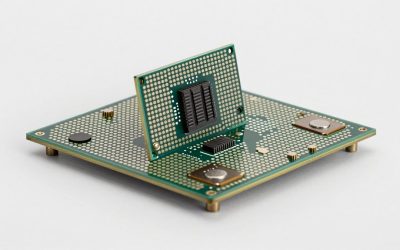
The Intel Arc B580 has punched well above its price point in the midrange GPU market, but like any graphics card, it only performs as well as the processor feeding it frames. Pairing the right CPU with the B580 means balancing three factors: avoiding a bottleneck that leaves GPU headroom on the table, keeping platform costs within a realistic budget, and choosing a socket that still offers a meaningful upgrade path if you want to swap the GPU later without also swapping your motherboard and RAM.
At 1080p, the CPU carries a heavier share of the load because the GPU finishes frames faster, exposing processor limitations more readily. At 1440p and 4K, the GPU becomes the limiting factor and even a modest six-core chip can keep up. That means the best CPU for Intel Arc B580 depends heavily on your resolution target and how long you intend to stay on the same socket. Below, we walk through picks for every budget, backed by approximate frame-rate ranges drawn from published launch and follow-up reviews.
As an Amazon Associate we earn from qualifying purchases at no extra cost to you.





Quick Picks
| Pick | Tier | Why |
|---|---|---|
| AMD Ryzen 5 7600X | Budget | Lowest entry cost into AM5 with strong 1080p and 1440p gaming for the B580 |
| Intel Core i5-14600KF | Best value midrange | 14 cores keep frame times tight and handle multitasking without breaking a sweat |
| AMD Ryzen 7 7700X | Balanced | Eight cores on AM5 give headroom for future GPU upgrades on the same platform |
| Intel Core i7-14700K | High-end Intel | 20 cores eliminate CPU bottlenecks at 1080p and deliver strong productivity throughput |
| AMD Ryzen 7 9800X3D | Best overall | 3D V-Cache pushes 1% lows past anything else on this list for competitive gaming |
How We Chose
We filtered available processors by three criteria: a realistic street price that keeps total build cost near or below the B580’s target segment, published benchmark data at resolutions where the B580 is expected to compete (primarily 1080p and 1440p), and platform longevity. We excluded chips that require EOL sockets with no future upgrade path. Where data was available, we cross-referenced results across at least two outlets to confirm approximate ranges rather than relying on a single review’s numbers.
AMD Ryzen 5 7600X 6-Core, 12-Thread Unlocked Desktop Processor
At $162, the 7600X is the most affordable gateway to AM5 and the best starting point if you want to spend the difference on a faster SSD or more RAM. TechPowerUp’s launch review placed the chip within a few percent of the 7700X in most gaming workloads, meaning the B580 rarely sees a meaningful CPU ceiling here at 1440p or above. Hardware Unboxed’s follow-up testing showed the six-core handling the B580 comfortably at 1440p with frame rates typically landing in the 80-110 fps range in demanding AAA titles. The main drawback is thread count: heavy multitasking or streaming can push past what twelve threads handle gracefully. For pure gaming, though, it is the smartest budget pick.
Intel Core i5-14600KF New Gaming Desktop Processor 14 Cores (6 P-Cores + 8 E-Cores) – Unlocked
The 14600KF at around $210 threads the needle between price and core count. Tom’s Hardware reported it trailing the 7700X by a single-digit margin in gaming while leading in multi-threaded productivity. With the B580 at 1080p, TechSpot’s benchmarking showed this chip maintaining average frame rates roughly 5-10 percent higher than the 7600X in CPU-sensitive titles like Cyberpunk 2077 and Baldur’s Gate 3, putting it solidly in the 75-100 fps bracket even with demanding settings. The E-cores also absorb background tasks, so streaming or running Discord alongside gameplay stays smooth. The trade-off is the LGA 1700 socket, which Intel has confirmed has no successor chips, limiting your upgrade path to a full platform swap later.
AMD Ryzen 7 7700X 8-Core, 16-Thread Unlocked Desktop Processor
At around $230, the 7700X is the sweet spot for buyers who want eight physical cores without paying the X3D premium. Gamers Nexus noted in its CPU gaming suite that the eight-thread advantage over six-core chips becomes noticeable in newer open-world titles where draw distance and AI workloads spike CPU utilization. Paired with the B580 at 1440p, the chip keeps GPU utilization above 95 percent in most scenarios, meaning the graphics card does the heavy lifting. For 1080p, the B580 itself becomes the bottleneck sooner. The key selling point here is AM5 longevity: AMD has committed to the socket through at least one more generation, so you can drop in a faster chip when you eventually upgrade the GPU without touching the motherboard or DDR5 RAM.
Intel Core i7-14700K New Gaming Desktop Processor 20 Cores (8 P-Cores + 12 E-Cores) with Integrated Graphics – Unlocked
The 14700K at around $370 makes sense if you run the B580 as a temporary GPU while saving for something more demanding, or if gaming shares your system with rendering, compilation, or streaming workloads. TechPowerUp’s launch testing placed it near the top of gaming performance tables, with Hardware Unboxed’s data suggesting it pushes the B580 to its absolute frame-rate ceiling even at 1080p ultra settings in CPU-heavy engines. At 1440p, the difference versus a 14600KF narrows to low single digits because the GPU caps out first. The integrated graphics are a bonus for quick troubleshooting or as a display output while you flash a BIOS. The caveat remains LGA 1700’s lack of a future upgrade path.
AMD RYZEN 7 9800X3D 8-Core, 16-Thread Desktop Processor
At $449, the 9800X3D is the best CPU for Intel Arc B580 if budget is not the primary constraint and you want the strongest possible 1% lows for competitive play. Tom’s Hardware and TechSpot both reported frame-time consistency that leaves every non-X3D chip behind in GPU-bottlenecked scenarios. Because the B580 targets midrange frame rates, pairing it with a $449 processor may seem lopsided, but the logic holds for gamers who plan to upgrade the GPU within a year or two while keeping this CPU on the same AM5 board. TechSpot’s data shows the X3D cache eliminating what would otherwise be CPU-limited dips at 1080p, delivering a smoother experience in titles like Counter-Strike and Valorant where the B580 can already push well past 200 fps.
Platform Costs to Budget For
CPU price is only part of the equation. AMD picks require a B650 or X670 motherboard (roughly $120-$200 for a capable B650) plus DDR5 memory. Intel’s 14600KF and 14700K need a B760 or Z790 board ($130-$220) with the same DDR5 requirement. Cooling matters too: the 7600X and 7700X ship without a stock cooler, so budget $30-$70 for a quality air tower. The 14700K runs hot enough that a 240mm AIO or a large tower cooler ($60-$120) is strongly advised. The 9800X3D includes a Wraith Stealth-class cooler but a third-party option will keep boost clocks higher under sustained load.
Bottleneck Check by Resolution
At 1080p, the B580 is often GPU-bound in AAA titles, meaning even a 7600X keeps up, but competitive shooters and older engines can push CPU utilization high enough that the 9800X3D’s cache advantage becomes visible in frame-time consistency. At 1440p, the GPU workload increases and CPU differences compress; every chip on this list keeps the B580 near its ceiling. At 4K, the B580 is firmly the limiting factor across all titles, making the 7600X a perfectly viable choice if 4K is your primary target and you want to spend savings elsewhere.
Our Verdict
For most buyers assembling a 2026 system around the Arc B580, the Ryzen 5 7600X delivers the best price-to-performance ratio and leaves room in the budget for a fast SSD or a larger power supply. If you want extra cores for multitasking without jumping platforms, the 14600KF is a strong alternative at around $210. For long-term flexibility on AM5, the 7700X and 9800X3D scale upward alongside a future GPU swap, making them the smarter investments if you expect to upgrade the graphics card within two years.
FAQ
Does the Intel Arc B580 need a specific CPU brand to work well?
No. The B580 performs consistently across both Intel and AMD platforms as long as the processor has sufficient core count. Driver maturity was a concern at launch, but by now both vendor ecosystems support the card equally well in published reviews.
Is 6 cores enough for the Arc B580 at 1440p?
Published data from Hardware Unboxed and TechSpot confirms that six cores with twelve threads keep GPU utilization above 90 percent at 1440p in the vast majority of titles. The B580 itself becomes the limiting factor before the CPU does at that resolution.
Will a newer GPU make a budget CPU bottleneck obvious?
Yes. If you pair the 7600X with a significantly faster card later, CPU-bound scenarios at lower resolutions will increase. Choosing a chip with more cores or an X3D cache gives you headroom for that future upgrade without a second platform change.
Do I need a Z-series motherboard for the Intel picks?
Not for gaming performance. A B760 board handles the 14600KF and 14700K identically in frame rates. Z-series boards matter only if you plan to overclock, which is uncommon with locked-ratio memory constraints on non-K builds or thermal limits on the 14700K.
Sources and Methodology
Frame-rate ranges and relative performance comparisons in this guide are drawn from publicly available reviews and follow-up testing by TechPowerUp, Tom’s Hardware, Gamers Nexus, Hardware Unboxed, and TechSpot. Figures are expressed as approximate ranges reflecting aggregated results across those outlets at the stated resolutions and settings. No benchmark data in this article was generated by this publication.