

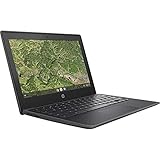
- Top Pick: Dell Chromebook 11 3100 11.6" Chromebook – 1366 x 768 – Celeron N4020-4 GB RAM – 16 GB Flash Memory – Chrome OS – Intel HD Graphics – English (US) Keyboard – Bluetooth (Renewed)
- Best Value: Phatom 15.6" FHD Laptop Computer 4GB RAM 128GB SSD Windows 11 Compatible | Student Laptop for School | Business Laptops 2026 | 1080P IPS Display | Lightweight 3.46 lb,Cooling Fan,HDMi,2MP Webcam, WiFi
- Premium Choice: HP 14" HD Chromebook Laptop for Students, Intel Quad-Core N4120(> N4020), 4GB RAM, 64GB eMMC, WiFi, Webcam, HDMI, USB-A&C, 14 Hours Battery Life, Zoom, Chrome OS, CUE Accessories
A school laptop has one job: open the class portal, run a browser with a dozen tabs, handle a word processor, and survive a backpack. That is why the best budget machines look nothing like gaming rigs. They lean on modest Celeron and MediaTek chips, 4GB of memory, and eMMC storage, and the real decision is which operating system and screen size your classroom actually needs. A Chromebook that your district manages is a very different purchase from a Windows laptop for a college freshman.
This guide is for parents buying for a middle or high schooler, students shopping on their own, and anyone replacing a worn-out family laptop. All nine picks come from listings that name their processor, memory, and storage, so you can compare real numbers instead of marketing adjectives. Because 2026 coursework leans on web apps, video calls, and cloud documents, the sections below stress screen quality, storage that will not fill up in a semester, and a keyboard you can live with.
Quick Picks
As an Amazon Associate we earn from qualifying purchases at no extra cost to you.




| Product | Best for | Key spec from the title |
|---|---|---|
| Dell Chromebook 11 3100 (Renewed) | Compact classroom use | 11.6 inch, 1366 x 768, Celeron N4020, 16GB flash |
| Phatom 15.6 inch Laptop | Larger FHD screen on Windows | 1080P IPS, 4GB RAM, 128GB SSD |
| HP 14 inch HD Chromebook (N4120) | Ports and long battery | Quad-core N4120, 64GB eMMC, 14 hours listed |
| HP Chromebook 14 (14a) | Thin everyday carry | Celeron N4120, 4GB, 64GB eMMC |
| HP Essential Laptop | Windows with bundled software | 128GB storage, Windows 11, Office 365 listed |
| Lenovo Flagship Chromebook 14 | Touch input and Wi-Fi 6 | 14 inch FHD touchscreen, 8-core MediaTek Kompanio 520 |
| HP Chromebook 11A G8 Education (Renewed) | Younger students | 11.6 inch, AMD A4-9120C, 32GB eMMC |
| Amzboy 15.6 inch Laptop | Charging flexibility | FHD, N4020, 128GB eMMC, 45W PD charging |
| 15.6 inch N4020 Laptop | Expandable storage | 4GB DDR4, 128GB eMMC, 1TB TF card support |
How to Choose
Pick the operating system your school expects
Many districts standardize on Chrome OS because it is easy to manage and sign in with a school account. Five of the nine machines here are Chromebooks by name, and the other four are Windows 11 laptops. Windows models suit students who need desktop software, a full file manager, or Office-style programs, while a Chromebook is the lower-maintenance route when assignments live in the browser. Some schools block Windows laptops from their managed network, so a short email to the teacher can prevent a return. Check the syllabus or ask the IT office before you buy, because switching later means buying again. Note that a listing saying “Windows 11 Compatible” is not quite the same as saying Windows 11 is installed.
Screen size and resolution matter more than they seem
An 11.6 inch panel at 1366 x 768 is light and easy to carry but cramped for split-screen work. A 14 inch or 15.6 inch screen gives you room for two windows, and FHD (1920 x 1080) is clearly sharper than the HD resolution on the smaller models. If the laptop travels daily, stay near 11 to 14 inches. If it mostly stays on a desk, 15.6 inches is more comfortable for long reading.
Memory and storage set the ceiling
Four gigabytes of RAM is the entry level here and works for a browser plus a document. Do not go below it. Storage ranges from 16GB flash on the Dell to 128GB on several Windows models. Sixteen gigabytes is tight even for a Chromebook, because downloaded files, offline documents, and app data all share that space, and a Windows laptop would need far more just for the system itself. Aim for 64GB or higher, or choose a model with TF card support, as two of the listings state, so extra files have somewhere to go. If most work lives in cloud documents, a smaller drive is easier to forgive.
Look at battery, ports, and build
One HP lists 14 hours of battery life, which is the only runtime claim in the set, so treat it as a manufacturer figure rather than a promise. Look for USB-C, HDMI for presentations, and a webcam for video classes. Budget laptops often cut corners on keyboard feel, trackpad quality, and screen brightness, so a renewed unit with a seller warranty can be a reasonable compromise. Two of the nine here are sold renewed. Whatever you choose, make sure the charger is included, and check how the keyboard is described, since a student types more on this device than on anything else they own.
The 9 Best Options
Dell Chromebook 11 3100 (Renewed)
A small Chromebook with an 11.6 inch 1366 x 768 screen, Celeron N4020 processor, 4GB of RAM, and 16GB of flash storage. It is sold renewed, and the title includes Bluetooth and a US keyboard. It suits younger students or anyone who wants a very light machine for web apps, essays, and video calls. Because it is a renewed unit, ask the seller what warranty applies and whether the battery has been checked.
- Strength: compact 11.6 inch size.
- Strength: Chrome OS keeps setup simple for school accounts.
- Trade-off: 16GB storage fills fast.
Skip it if you store many offline files or need a bigger screen.
Phatom 15.6 inch FHD Laptop
This Windows-compatible laptop pairs a 15.6 inch 1080P IPS display with 4GB of RAM and a 128GB SSD. The title adds a cooling fan, HDMI, a 2MP webcam, and a weight of 3.46 pounds. It is aimed at students who want a roomy desktop-style screen and a solid state drive.
- Strength: FHD IPS panel with wide viewing angles.
- Strength: SSD storage at 128GB.
- Trade-off: 3.46 pounds is heavier than the 11 inch Chromebooks.
Skip it if the laptop travels daily or if you need confirmed Windows installed, since the title says “compatible.”
HP 14 inch HD Chromebook (N4120)
A student-focused Chromebook with a quad-core Intel N4120, 4GB of RAM, 64GB eMMC, and a 14 inch HD display. The title lists WiFi, webcam, HDMI, USB-A and USB-C ports, and 14 hours of battery life. That port selection makes it handy for classroom projectors and flash drives.
- Strength: both USB-A and USB-C plus HDMI.
- Strength: 64GB storage is double some rivals.
- Trade-off: HD resolution rather than FHD.
Skip it if you want touch input or a sharper display.
HP Chromebook 14 (14a-na0226nr)
Another 14 inch HP with a Celeron N4120, 4GB of RAM, 64GB eMMC, and Chrome OS. The listing stresses a thin design and long battery life without stating hours. It is a straightforward pick for essays, research, and video classes, where nothing demanding runs.
- Strength: thin 14 inch body.
- Strength: familiar HP keyboard layout and Chrome OS simplicity.
- Trade-off: HD display and no stated battery figure.
Skip it if you prefer the extra ports listed on the other HP.
HP Essential Laptop
A Windows 11 machine with an unspecified Intel processor, 128GB of storage, an LED display, and a bundle of Copilot AI, Office 365, and 1TB of cloud storage in the listing. It comes in Willow Green and is described as portable and lightweight. It fits a student who wants Windows and bundled office tools without hunting for software separately. Because the title omits several core specs, ask the seller for the full sheet before ordering.
- Strength: Windows 11 with productivity software named.
- Strength: 128GB local storage.
- Trade-off: the title leaves out the exact processor, RAM, and screen size.
Skip it if you need to compare detailed specs before buying.
Lenovo Flagship Chromebook 14
The most capable Chromebook here on paper: a 14 inch FHD touchscreen, an 8-core MediaTek Kompanio 520, 4GB of RAM, 64GB eMMC, and Wi-Fi 6. Touch input makes note-taking apps and tablet-style use easier. It is a good fit for older students who want a sharper screen and a Chromebook that handles split windows more comfortably than the HD models. The Flagship label is a product name, not a performance guarantee.
- Strength: FHD touch display.
- Strength: Wi-Fi 6 for busy school networks.
- Trade-off: 4GB RAM is still the entry level.
Skip it if you want a Windows-only program.
HP Chromebook 11A G8 Education (Renewed)
An education-edition Chromebook with an AMD A4-9120C, 4GB of DDR4-1866 memory, 32GB eMMC, and an 11.6 inch WLED HD display with webcam. The Education label suggests classroom deployment, and it is sold renewed. It suits elementary and middle school students.
- Strength: classroom-oriented model.
- Strength: 32GB storage is double the Dell.
- Trade-off: older AMD A4 processor and HD screen.
Skip it if you plan to keep it past a few school years.
Amzboy 15.6 inch Windows 11 Laptop
A 15.6 inch FHD Windows 11 laptop with an N4020, 4GB of RAM, and 128GB eMMC. The title highlights 45W USB-C Power Delivery charging, a 180-degree lay-flat hinge, a privacy camera, Wi-Fi 5, and 1TB TF card support. Lay-flat is useful for group work, and a camera shield suits families who care about privacy during remote classes.
- Strength: USB-C Power Delivery charging.
- Strength: privacy camera shutter and lay-flat hinge.
- Trade-off: Wi-Fi 5 is older than the Lenovo’s Wi-Fi 6.
Skip it if you want a lighter 14 inch body.
15.6 Inch N4020 Laptop
A no-frills 15.6 inch Windows 11 laptop with an N4020, 4GB DDR4, 128GB eMMC, and an FHD LCD. The title says it supports 1TB TF card expansion and targets students and home offices. Little else is stated, so it is best seen as the plain, large-screen option for a student who mostly types, browses, and joins video calls.
- Strength: expandable storage.
- Strength: FHD screen on a large panel.
- Trade-off: no brand named in the title.
Skip it if brand support matters to you.
Which One Fits Your Situation
Your school uses Google accounts
The HP 14 inch HD Chromebook is a smart pick. It has the broadest port selection and 64GB of storage.
You want the sharpest screen with touch
Go for the Lenovo Flagship Chromebook 14. Its FHD touchscreen and Wi-Fi 6 stand out.
You need Windows and a big display
The Phatom 15.6 inch is the candidate, with an SSD and FHD IPS panel, as long as you confirm Windows is installed.
A young child needs a light classroom machine
Choose the HP Chromebook 11A G8 Education. Its 11.6 inch body and education branding suit younger users.
Common Mistakes
- Ignoring whether the school requires Chrome OS or Windows.
- Choosing 16GB of storage and running out by October.
- Assuming “Windows 11 compatible” means Windows is preinstalled.
- Buying a heavy 15.6 inch laptop for a student who walks to class.
- Skipping the warranty on a renewed unit.
Related guides
- Combination Smoke And Carbon Monoxide Detectors
- Aio Liquid Coolers For High Performance Gaming
- Graphics Cards For Low Wattage Power Supplies
Frequently Asked Questions
Is 4GB of RAM enough for school?
For browsing, documents, and video calls, yes, though you will notice slowdowns with many tabs. It is the minimum, not a comfortable target.
Chromebook or Windows laptop?
A Chromebook is simpler and easier for schools to manage. Windows fits students who need desktop apps. Check what your classes require before deciding.
Is a renewed laptop a good idea?
It can be, if a warranty is included and the battery holds charge. Read the seller terms carefully.
Does eMMC storage matter?
eMMC is slower than an SSD but fine for light work. Capacity matters more for a student than speed.









