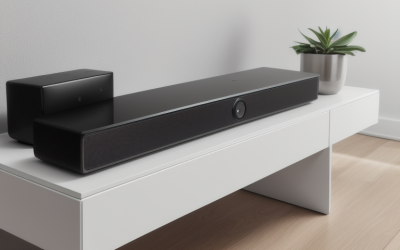
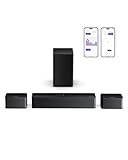
- Top Pick: Sony HT-S40R 5.1ch Home Theater Soundbar System,black
- Best Value: ULTIMEA 5.1 TV Sound Bar with Subwoofer, Virtual Surround Sound System | Poseidon D50 Pro Sound Bar for Smart TV, 320W Peak Power, Adjustable Rear Speakers & Subwoofer, APP Control (2026 New Model)
- Premium Choice: Samsung B-Series Soundbar HW-B750F 5.1 ch Subwoofer (2025 Model) Voice Enhance Mode, Q-Symphony, Adaptive Sound
A 5.1 soundbar is a different purchase from a plain two-channel bar. The “5.1” means six audio paths: front left, center, front right, two rear channels and a low-frequency channel. In practice that usually means a main bar, a separate subwoofer and a pair of rear speakers that sit behind the couch. If your living room has a wall or sofa behind the seating position, that layout can pull effects from in front of you to around you, which is what a gaming rig hooked to a TV or a movie night actually benefits from.
This guide is for buyers who already decided a single bar will not do and want true rear speakers without wiring a full receiver setup. We compared the listed specs of nine 5.1-class systems, from compact entry bars to a bigger JBL unit with a 10-inch sub, and sorted them by who each one suits. Everything below is based on what the product titles state, so check the spec sheet for the exact connection and room details before ordering in 2026.
Quick Picks
As an Amazon Associate we earn from qualifying purchases at no extra cost to you.



| Product | Best for | Key spec from the title |
|---|---|---|
| Sony HT-S40R | Simple, recognizable-brand setup | 5.1ch home theater soundbar system |
| ULTIMEA Poseidon D50 Pro | App-controlled budget surround | 320W peak power, adjustable rear speakers |
| Samsung HW-B750F | Dialogue clarity and Samsung TVs | Voice Enhance Mode, Q-Symphony |
| LG S6FTR | LG TV owners who want one remote | Dolby Audio, TV Synergy, HDMI ARC |
| ULTIMEA Skywave F40 | Height effects on a tight layout | 5.1.2ch with Dolby Atmos, HDMI eARC |
| TCL S65K | Atmos and DTS:X with wireless rears | Dolby Atmos, DTS:X, auto room calibration |
| Hisense HS5100 | Dedicated center channel for speech | Center speaker, Bluetooth 5.3, HDMI ARC |
| ULTIMEA Poseidon D50 | Entry-level virtual surround | 320W peak power, APP control |
| JBL Bar 500MK2 | Big-room, bass-heavy listening | 750W with 10-inch subwoofer, Dolby Atmos |
How to Choose
Check the channel label, not just the “5.1”
A label of 5.1 means five main channels plus one sub. A label of 5.1.2 adds two upward-firing or height channels, which is what Dolby Atmos content uses. Those extra channels matter only if your sources send Atmos, so confirm that your streaming device or console can pass it before you commit to it. Many streaming apps default to standard surround unless the Atmos option is switched on in the device audio menu, so a quick settings check saves disappointment. Also note that a few listings say “virtual surround,” which means the bar simulates width through processing; a model with physical rear speakers placed behind the seats usually separates sounds more clearly.
Match the HDMI port to your TV
Look for HDMI ARC at minimum, and eARC if you want lossless or Atmos audio from the TV itself. If your TV has only an optical output, a bar with optical input will still work but cannot carry higher-bitrate formats. Make sure the bar has a passthrough or the TV has a free ARC-labeled port, since the wrong port is the most common setup frustration.
Think about where the rear speakers live
Rear speakers need power. Some systems connect them wirelessly to the sub or bar but still need an outlet, and others run a cable. Measure the distance from the bar to the back of your sofa, and decide whether a cable along the wall is acceptable. Titles that mention “wireless” tell you what they link, so read which element is wireless, because it is not always the rears.
Ignore peak wattage; value the extras
Peak power figures such as 320W or 750W are manufacturer maximums and do not translate into real loudness comparisons across brands. A calibration feature, a dedicated center speaker for dialogue, app control and Bluetooth for casual music are more practical differences. Budget systems usually trim two things: the amount of physical driver hardware and the quality of the app and calibration tools, so a feature-rich title does not always match a premium finish.
The 9 Best Options
Sony HT-S40R
The listing keeps things simple: a 5.1ch home theater soundbar system in black. It suits buyers who prefer a familiar brand and do not want to read a wall of feature names. The title does not list a codec or wattage, so you will need the spec sheet for detail.
- Strength: described as a full 5.1ch system, so rear channels are part of the package.
- Strength: clean title with no virtual-only wording, which suggests a conventional layout.
- Trade-off: the title offers little to compare against feature-heavy rivals.
Skip it if you need Atmos or app control and want the title to confirm them. It also makes less sense for anyone who enjoys comparing a long list of named audio modes, since this listing leaves those details to the manufacturer’s page.
ULTIMEA Poseidon D50 Pro
This one is aimed at the buyer who wants lots of controls without a premium badge. The listing states virtual surround, a subwoofer, 320W peak power and adjustable rear speakers, plus app control. It reads as a value-oriented kit for a bedroom or small den.
- Strength: adjustable rear speakers help with awkward seating.
- Strength: app control for sound tweaks without a remote hunt.
- Trade-off: “virtual surround” wording means some of the width comes from processing.
Skip it if you want certified object-based audio or a recognizable big-name logo on the cabinet. Compare it closely with the base D50, since both use similar wording in their titles.
Samsung HW-B750F
Built around Samsung’s own tools: Voice Enhance Mode, Q-Symphony and Adaptive Sound. Q-Symphony is designed for use with compatible Samsung TVs, so this pairing makes the most sense for someone already in that ecosystem. The 5.1 ch subwoofer arrangement covers the base layout.
- Strength: Voice Enhance Mode targets spoken dialogue.
- Strength: Adaptive Sound adjusts output to the content playing.
- Trade-off: Q-Symphony benefits depend on owning a compatible Samsung TV.
Skip it if your TV is another brand and you want features that travel with you to a future television. A bar tied to one maker’s TV tools gives up some of its appeal when the screen changes.
LG S6FTR
A strong fit for LG television owners. The title lists Dolby Audio, rear speakers, a wireless subwoofer, TV Synergy, the WOW Interface and AI Sound Pro, plus HDMI ARC, Bluetooth streaming and the ThinQ app. That mix gives it both integration and day-to-day convenience.
- Strength: wireless subwoofer eases placement.
- Strength: HDMI ARC, Bluetooth and an app cover most connection needs.
- Trade-off: Dolby Audio is listed, but Atmos is not mentioned.
Skip it if height channels are a priority, or if you want a bar that is not tied closely to a particular TV brand’s menu and remote behavior.
ULTIMEA Skywave F40
The 5.1.2ch layout puts this model in a different class from the plain 5.1 entries. The title adds Dolby Atmos, two surround speakers, a subwoofer, Bluetooth 5.4 and HDMI eARC, which is the newer connection that handles richer audio.
- Strength: height channels and Atmos support in a compact-brand package.
- Strength: eARC support future-proofs the TV connection.
- Trade-off: Atmos effects depend on having Atmos source material, so it pays off mainly for streaming and disc fans.
Skip it if your content is mostly stereo broadcast TV, or if you prefer a name you already know from living-room audio shelves.
TCL S65K
This is a feature-dense choice. The title promises Dolby Atmos, DTS:X, a wireless subwoofer, wireless surround speakers, Bluetooth music streaming and AI Sonic Auto Room Calibration. Wireless rears and automatic room tuning address the two biggest setup annoyances.
- Strength: supports both Dolby Atmos and DTS:X formats.
- Strength: auto room calibration reduces manual adjustment.
- Trade-off: wireless speakers still need power, so plan outlets.
Skip it if you want the simplest possible hookup with minimal speaker count, or if you plan to move the system between rooms often, since two rear speakers and a sub are a lot to carry around.
Hisense HS5100
The distinguishing point here is a center speaker, which is a separate channel for dialogue. Add a wireless subwoofer, rear surround speakers, Dolby Audio, DTS Virtual:X, HDMI ARC and Bluetooth 5.3 with a remote control, and you have a conventional, readable package.
- Strength: dedicated center channel supports clearer speech.
- Strength: Bluetooth 5.3 is a current wireless version.
- Trade-off: HDMI ARC is listed rather than eARC, which limits the top audio formats.
Skip it if you want eARC and lossless audio from the TV, or if you want object-based height effects, since the title does not list Atmos.
ULTIMEA Poseidon D50
The base sibling of the Pro. It shares the virtual surround wording, 320W peak power, adjustable surround speakers and subwoofer, and APP control. It is the one to look at when you want the same kit idea and are comparing the two listings closely.
- Strength: adjustable surround speakers fit different rooms.
- Strength: app control for quick changes.
- Trade-off: nearly identical feature wording to the Pro, so differences are hard to read from the title.
Skip it if you want Atmos or a center channel. If the two ULTIMEA Poseidon titles look interchangeable, confirm the differences on the product page before choosing.
JBL Bar 500MK2
The largest system in the group on paper. The title lists Dolby Atmos, MultiBeam 3.0, PureVoice 2.0, 750W and a 10-inch subwoofer, along with easy sound calibration and compatibility with voice-assistant speakers. This suits a larger room where low-end weight matters.
- Strength: 10-inch subwoofer is the biggest woofer mentioned in this group.
- Strength: PureVoice 2.0 and calibration address dialogue and room tuning.
- Trade-off: a larger sub needs more floor space and may be too much for apartments.
Skip it if neighbors share a wall, or if the cabinet space beside your TV is limited, because a 10-inch sub needs floor room of its own.
Which One Fits Your Situation
You game and watch movies in a mid-size room
The TCL S65K covers Atmos, DTS:X, wireless rears and auto calibration, which suits a mixed gaming and film setup where you do not want to tune manually.
You own a Samsung or LG TV
Match the bar to the TV: the Samsung HW-B750F with Q-Symphony for Samsung sets, or the LG S6FTR with TV Synergy for LG sets. Integration is the main benefit here.
You are working with a small budget
The ULTIMEA Poseidon D50 or D50 Pro give you subwoofer, adjustable surround speakers and app control in the budget tier. Read the virtual surround wording first.
You have a big living room and love bass
The JBL Bar 500MK2 with its 10-inch subwoofer and 750W figure is the stand-out, with the ULTIMEA Skywave F40 as a smaller alternative if you want Atmos height channels. Because the sub is the largest in the group, it makes the most sense in a space where low-end weight will not annoy anyone nearby.
Common Mistakes
- Assuming a 5.1 label guarantees physical rear speakers; read for words like “virtual.”
- Forgetting to confirm the TV has an HDMI ARC or eARC port before buying.
- Buying Atmos hardware for a TV and console that never send Atmos.
- Placing the rear speakers beside the bar instead of behind the listening seat.
- Comparing peak wattage across brands as if it measured real volume.
Related guides
- Combination Smoke And Carbon Monoxide Detectors
- Aio Liquid Coolers For High Performance Gaming
- Graphics Cards For Low Wattage Power Supplies
Frequently Asked Questions
Is a 5.1 soundbar worth it over a normal soundbar?
If you sit in a defined spot and have space behind you, rear speakers add separation that a single bar cannot reproduce. If you listen from many positions or have limited room, a single bar with a sub may be simpler.
Do I need Dolby Atmos?
Only if your sources carry it. Atmos models like the Skywave F40, TCL S65K and JBL Bar 500MK2 benefit from compatible streaming or disc content, while Dolby Audio models cover standard surround material.
What is the difference between HDMI ARC and eARC?
ARC carries compressed audio back from the TV to the bar. eARC supports higher-bandwidth formats, so it matters for lossless audio and Atmos from the TV.
Are wireless rear speakers truly wireless?
They usually connect to the bar or sub without a signal cable but still require power. Plan for an outlet near each rear speaker.