The ASUS X870 MAX Gaming WiFi 7 is a mainstream AMD AM5 motherboard that adds Wi-Fi 7, USB4 and a PCIe 5.0 graphics slot to an ATX layout. Amazon carries it in three listings: a standard version and two white-PCB versions. This review reads those listings against ASUS’s published documentation, compares four alternatives from the same results, and gives you a lane-planning table so the board’s M.2 slots do not surprise you.
- Platform overview and the three listings
- What this board is for
- Power delivery and thermals
- PCIe lanes, M.2 slots and the sharing catch
- Worked example: a three-drive build
- Connectivity: Wi-Fi 7, 2.5Gb LAN and USB
- Alternatives from the same results
- Compatibility and installation checklist
- Who should buy and who should skip
- Memory, cooling and case choices
- What the titles do not tell you
- Questions to ask before buying
- Verdict
- Frequently asked questions
The basis is published specifications, manufacturer documentation and buyer reviews. Nobody on the team used or measured these units, so anything about thermals, stability or speed below is a reading of the specification sheet, not a recorded result.
Platform overview and the three listings

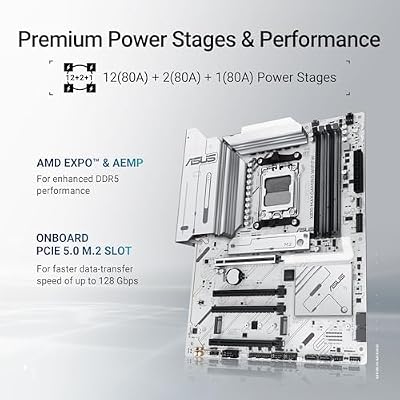
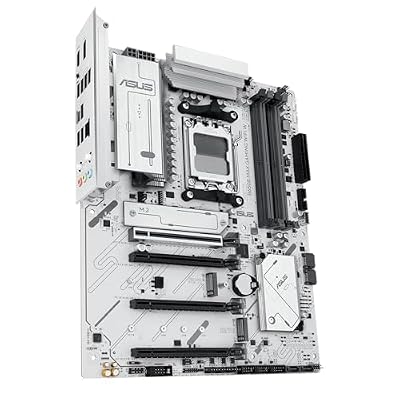
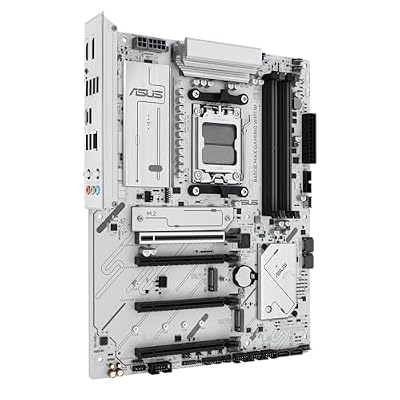
ASUS X870 MAX Gaming WIFI7W Motherboard Socket AMD AM5 | Ryzen 9000, ATX, DDR5 Memory, PCIe 5.0, WiFi 7, Aura Sync, PCIe Slot Q-Release, CEC Tier II, White



As an Amazon Associate we earn from qualifying purchases. Product prices and availability are accurate as of the date/time indicated.

ASUS X870 MAX Gaming WIFI7 AMD AM5 ATX Motherboard, 12+2+1 80A DrMOS, DDR5, PCIe 5.0 x16 Q-Release, 3X M.2, Wi-Fi 7 Q-Antenna, 2.5Gb LAN, USB4® Type-C®, USB-C® 20Gbps, BIOS Flashback™, Aura Sync


As an Amazon Associate we earn from qualifying purchases. Product prices and availability are accurate as of the date/time indicated.

ASUS X870 MAX GAMING WIFI7 W AMD AM5 ATX Motherboard, 8-layer White PCB, 12+2+1 80A DrMOS, DDR5, PCIe 5.0 x16 Q-Release, 3x M.2, Wi-Fi 7 Q-Antenna, USB4® Type-C®, 2.5Gb LAN, BIOS FlashBack™, Aura Sync


As an Amazon Associate we earn from qualifying purchases. Product prices and availability are accurate as of the date/time indicated.
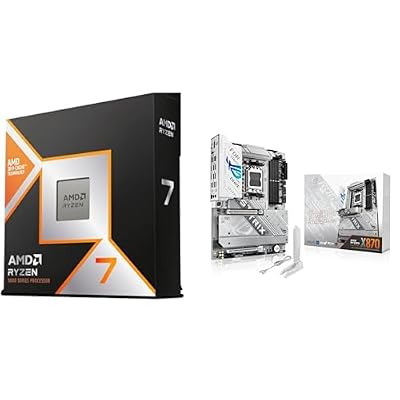
AMD Ryzen 7 9800X3D + ROG Strix X870-A Gaming WiFi
As an Amazon Associate we earn from qualifying purchases. Product prices and availability are accurate as of the date/time indicated.

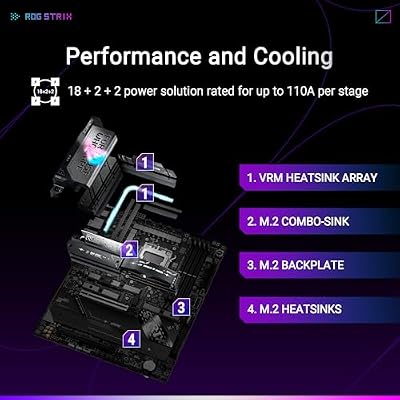
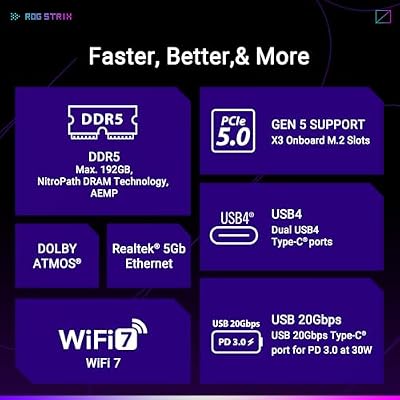
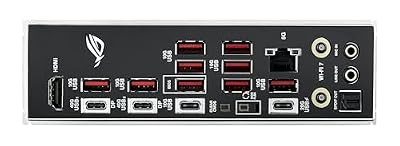
ASUS ROG Strix X870E-E Gaming WiFi AMD AM5 X870 ATX Motherboard 18+2+2 Power Stages, Dynamic OC Switcher, Core Flex, DDR5 AEMP, WiFi 7, 5X M.2, PCIe® 5.0, Q-Release Slim, USB4®, AI OCing & Networking



As an Amazon Associate we earn from qualifying purchases. Product prices and availability are accurate as of the date/time indicated.

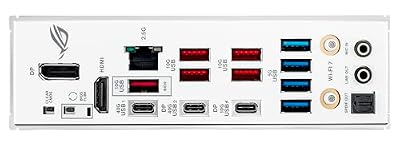
ASUS ROG Strix X870-A Gaming WiFi AMD AM5 X870 ATX Motherboard 16+2+2 Power Stages, Dynamic OC Switcher, Core Flex, DDR5 AEMP, WiFi 7, 4X M.2, PCIe® 5.0, Q-Release Slim, USB4®, AI OCing & Networking


As an Amazon Associate we earn from qualifying purchases. Product prices and availability are accurate as of the date/time indicated.

ASUS B650E MAX Gaming WiFi W – AMD B650 AM5 ATX Motherboard, White PCB, DDR5, PCIe 5.0, 3X M.2, Wi-Fi 6E, 2.5Gb LAN, USB 10Gbps Type-C, DisplayPort, HDMI™, BIOS Flashback™, Aura Sync, Advanced AI PC





As an Amazon Associate we earn from qualifying purchases. Product prices and availability are accurate as of the date/time indicated.
| Item | Standard listing | White 8-layer listing | White W listing |
|---|---|---|---|
| Socket and form factor | AM5, ATX | AM5, ATX | AM5, ATX |
| Power stages | 12+2+1, 80A DrMOS | 12+2+1, 80A DrMOS | Not stated in title |
| Memory | DDR5 | DDR5 | DDR5 |
| Expansion | PCIe 5.0 x16 Q-Release | PCIe 5.0 x16 Q-Release | PCIe 5.0 with Q-Release slot |
| M.2 slots | 3 | 3 | Not stated in title |
| Wireless | Wi-Fi 7 with Q-Antenna | Wi-Fi 7 with Q-Antenna | Wi-Fi 7 |
| Wired network | 2.5Gb LAN | 2.5Gb LAN | Not stated in title |
| USB | USB4 Type-C and USB-C 20Gbps | USB4 Type-C | Not stated in title |
| Color | Standard | 8-layer white PCB | White, CEC Tier II note |
| Price tier | Mid | Mid | Upper mid (check listing) |
The three listings describe the same core board. The differences are cosmetic and in how thoroughly each title describes the feature set. If you do not need a white build, pick whichever listing is cheapest at the time, and make sure the model name matches the specification page you read.
What this board is for
ASUS positions the X870 MAX Gaming WiFi 7 below its ROG Strix X870 boards and above entry B650 designs. It is aimed at builders who want modern connectivity and a PCIe 5.0 graphics slot without paying for the extra M.2 slots, larger power stage count and overclocking tools of an enthusiast board. That makes it a sensible fit for a Ryzen 7 or Ryzen 9 gaming build where the processor runs near stock settings.
The AM5 platform is built around DDR5 memory only, so there is no DDR4 compatibility to worry about, and ASUS lists support for Ryzen 9000, 8000 and 7000 series desktop chips. A BIOS update may be needed for the newest processors; the BIOS Flashback feature in the titles lets you update the firmware using a USB stick without an installed CPU, which is a useful safeguard when buying a board and processor separately.
Power delivery and thermals
Two titles quote a 12+2+1 power stage layout with 80A DrMOS parts. That notation is usually read as twelve stages for CPU core voltage, two for the SoC and one for auxiliary or memory rails, each rated for 80 amps, though the exact allocation is ASUS’s to confirm. This is a healthy configuration for stock Ryzen 7 and Ryzen 9 processors, including the high-core-count options, and it is the kind of layout that avoids the throttling seen on very basic boards. It is not the ceiling for extreme overclocking, which is what the more expensive ROG alternatives are for.
The titles do not mention VRM heatsink size or airflow requirements. For a typical gaming build with a decent case and a tower cooler, motherboard power stages are rarely the thermal bottleneck. If you plan sustained all-core workloads such as rendering, give the case good front-to-back airflow and check recent buyer reviews for VRM temperature remarks.
PCIe lanes, M.2 slots and the sharing catch
The listings advertise three M.2 slots and a PCIe 5.0 x16 slot with ASUS’s Q-Release latch, a button that helps remove long graphics cards. ASUS’s published specification page describes one M.2 slot running at PCIe 5.0 x4 from the processor and two at PCIe 4.0 x4. The main caveat comes from the way lanes are divided. Boards in this class frequently share chipset bandwidth among a second or third M.2 slot, the USB4 controller and some SATA ports. Using one can disable or limit another.
That is not a defect, it is a trade-off, and the manual explains it. Before you plan a build with three NVMe drives, front-panel USB4 and several SATA hard drives, read the lane-sharing section for this model. Buyer reviews on retail pages sometimes mention which combinations disable which ports, and those comments are worth searching for.
| Component | Best slot | Reason |
|---|---|---|
| Fastest NVMe SSD | CPU-attached PCIe 5.0 M.2 slot | Direct lanes, no chipset sharing |
| Second game drive | PCIe 4.0 M.2 slot | Adequate speed for load times |
| Bulk storage | SATA ports | Check which SATA ports are lost if M.2 slots are used |
| USB4 device | Rear USB4 port | May share bandwidth with an M.2 slot |
| Capture card or add-in card | Chipset PCIe slot | Keeps the graphics slot at full width |
Worked example: a three-drive build
Assume a builder wants a boot drive, a game drive, a video editing scratch drive, a USB4 external SSD and two SATA hard drives. The assumptions: all M.2 slots are filled, USB4 is used daily, and both SATA drives are connected. The boot drive goes in the processor-attached slot. The game and scratch drives take the two chipset slots. The next step is to look up the lane-sharing table in the manual. If using the third M.2 slot disables two SATA ports, then the two hard drives have to move to the remaining ports or be dropped. If using the USB4 port reduces an M.2 slot to half bandwidth, the external SSD might need to go on the USB-C 20Gbps port instead.
The lesson is that port counts on a product page are maximums, not guarantees that every port works together. Planning on paper takes five minutes and avoids a return.
Connectivity: Wi-Fi 7, 2.5Gb LAN and USB
Wi-Fi 7 with Q-Antenna is stated in the standard titles, along with 2.5Gb Ethernet. Wi-Fi 7 only matters if the router supports it, and wired Ethernet remains the more consistent choice for online games. If you are shopping for a router to pair with the board, the guide to gaming routers for competitive play explains bufferbloat, SQM and when Wi-Fi 7 pays off. Our ASUS ROG Rapture tri-band router comparison gives a sense of what higher-end ASUS routers offer.
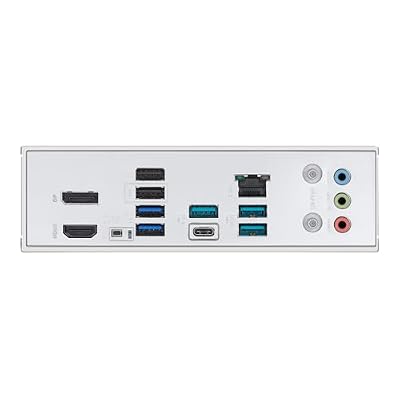
The titles also mention USB4 Type-C and USB-C 20Gbps ports, which are useful for fast external drives and newer docks. Count your devices before you buy; a board with two or three rear high-speed ports is plenty for most people, but a streamer with capture hardware may want more.
Alternatives from the same results
ASUS ROG Strix X870-A Gaming WiFi
The title states 16+2+2 power stages, four M.2 slots, PCIe 5.0, Wi-Fi 7, USB4 and ASUS extras such as Dynamic OC Switcher and Core Flex. It sits one tier above the MAX in feature count and price tier. Choose it if you want more power stages, more storage slots and better overclocking tools. Skip it if you will run stock settings and use only one or two drives.
Pros
- More power stages and M.2 slots than the MAX
- Overclocking-oriented firmware features
Cons
- Higher price tier for features that casual builders may not use
- Still not the flagship tier
ASUS ROG Strix X870E-E Gaming WiFi
The title states 18+2+2 power stages, five M.2 slots, PCIe 5.0, USB4 and Wi-Fi 7. It is the top option here, and the E in the name indicates the extended PCIe 5.0 lane allocation that ASUS documents in its specification page. It suits builders who plan multiple fast SSDs and heavy overclocking. For a standard gaming PC it is more board than necessary.
Pros
- Highest stated power stage and M.2 counts in the set
- Broadest expansion options
Cons
- Premium price tier
- Extra capability that many gaming builds will not use
ASUS B650E MAX Gaming WiFi W
This listing uses the older B650 chipset, a white PCB, DDR5, PCIe 5.0, three M.2 slots, Wi-Fi 6E, 2.5Gb LAN, USB 10Gbps Type-C, DisplayPort and HDMI. It lacks the USB4 and Wi-Fi 7 shown on the X870 MAX, which makes it a sensible saving if you do not need them. The note to check is the CPU support page, because B650 boards may need a BIOS update for the newest Ryzen chips.
Pros
- Lower price tier
- Same AM5 socket and DDR5 memory
Cons
- Wi-Fi 6E and no USB4 in the title
- Older chipset generation
AMD Ryzen 7 9800X3D with ROG Strix X870-A Gaming WiFi
This is a processor and motherboard combination, and the title gives little else. The Ryzen 7 9800X3D is an eight-core gaming processor with AMD’s stacked cache, so it suits a gaming-first build. Because the listing bundles two products, check whether it ships as one sealed package or as two items from a seller, how the warranty works for each part and whether the BIOS version supports the CPU out of the box. It is a different kind of purchase from a standalone board, and the price tier is premium.
Pros
- Pairs a gaming-focused processor with a feature-rich board
- One purchase instead of two
Cons
- Title lacks detail on contents and warranty
- Premium price tier, so compare against buying separately
Compatibility and installation checklist
| Step | What to check | Why |
|---|---|---|
| CPU support | Minimum BIOS for your Ryzen chip | Avoids a no-boot on first power-up |
| Memory | DDR5 kit on the qualified list | Speeds above the base setting depend on EXPO or similar profiles |
| Case | ATX standoffs and clearance | The board is a full ATX size |
| Graphics card | Length against case and Q-Release access | Release lever sits near the card |
| Cooler | AM5 mounting kit | Older AM4 brackets may not fit |
| Wi-Fi | Antenna attached before first use | Q-Antenna must be connected for signal |
| BIOS | Flashback port and USB stick format | Needed if the factory BIOS is too old |
Assemble the board outside the case first if you are not confident: seat the CPU, add the cooler and memory, and make sure the system reaches the BIOS screen before final mounting. It is a small step that saves effort if something needs reseating.
Who should buy and who should skip
Buy this board if you want AM5 with modern connectivity and do not need extreme overclocking or a long list of M.2 slots. It suits builders who prefer Wi-Fi 7 and USB4 at a mainstream price tier. Skip it if you want to run many drives at full speed, if you want the most capable power delivery, or if a cheaper B650 board covers your needs. Builders who want a white build get a dedicated option in the W variants.
Memory, cooling and case choices
AM5 boards use DDR5 only, and the platform is sensitive to memory kit choice in the first weeks after launch of a new BIOS. The titles for the X870 MAX do not list a supported-speed ceiling, so read the memory support page on ASUS’s site and favor kits that appear on the qualified list. Most builders pick a 32GB kit made of two modules, because two modules are easier on the memory controller than four and leave room to expand later. If you fill all four slots, expect the board to run the memory at lower speeds than a two-module kit, which is normal for the platform.
CPU coolers for AM5 use the same mounting holes as the standard backplate that ships on the board, but cooler makers sometimes require a specific bracket. Check that your cooler lists AM5 support before buying. A full ATX board also needs a case with nine standoff positions, which every standard ATX case provides. Because the Q-Antenna design attaches the Wi-Fi antennas separately, leave room behind the rear panel for the antenna cable and keep the antennas away from large metal panels.
If you are considering a lighter operating system for a gaming build, the platform works with Linux distributions too, and the Bazzite OS review covers a console-style option. Wi-Fi 7 driver support can lag on any Linux distribution, so verify before relying on the wireless radio, and keep a wired connection available as a fallback.
What the titles do not tell you
- Exact BIOS version shipped in the box, which decides whether a new Ryzen chip boots without a flash.
- Number and type of rear USB ports beyond the two or three named.
- Audio codec and whether the front-panel USB-C header is wired for the case you choose.
- Number of fan headers, which matters for case airflow.
- Warranty length and who handles returns when a third-party seller ships the board.
None of these are flaws; they are the details listings leave out. ASUS publishes a full specification page and a manual for each board, and those documents answer every item above.
Questions to ask before buying
- Which specific model name appears on the listing, and does it match an ASUS page?
- Do I need a white board, or is the standard version fine?
- Will I use more than two NVMe drives, and have I read the lane-sharing table?
- Does my Ryzen processor need a BIOS update, and do I have a USB stick for Flashback?
- Is the seller ASUS-authorized, or a third party with unclear warranty handling?
Verdict
The X870 MAX Gaming WiFi 7 is a well-equipped mainstream AM5 board on paper. Its main strengths are the 12+2+1 power stage layout, PCIe 5.0 graphics slot, three M.2 slots and the modern wireless and USB4 features in the titles. Its main caution is lane sharing, which you should check in the manual. If you want more, the ROG Strix X870-A and X870E-E step up. If you want less, the B650E MAX saves money.
Frequently asked questions
Is the ASUS X870 MAX Gaming WiFi 7 a good AM5 board for a Ryzen 9000 build?
On paper it covers the essentials: AM5 socket, DDR5 memory, a PCIe 5.0 x16 slot, three M.2 slots, Wi-Fi 7, 2.5Gb Ethernet and USB4 Type-C, with a 12+2+1 power stage layout stated in the titles. That is a solid mainstream feature set for Ryzen 9000 processors. Whether the power delivery suits your exact CPU depends on the chip and cooling, so check ASUS’s CPU support list before buying.
What is the difference between the three X870 MAX listings?
Two of the titles mention a white PCB, one explicitly an 8-layer white PCB, while the other is the standard version without that wording. All three state the same core platform: AM5, DDR5, Wi-Fi 7 and PCIe 5.0. One listing adds a CEC Tier II note. Confirm the exact model name on the listing, since the white variant carries a W suffix, and compare colors before choosing, because specifications otherwise look alike.
Do all three M.2 slots run at full speed at the same time?
Not necessarily. AM5 boards often share chipset lanes between M.2 slots, USB4 ports and SATA ports, so using one feature can disable or slow another. ASUS documents these trade-offs in the manual. Before planning a three-drive setup, read the lane-sharing table for this exact board, and use the CPU-attached PCIe 5.0 slot for the drive that benefits most from speed.
Is the X870 MAX worth choosing over a B650E board?
The X870 MAX stated features, including USB4, Wi-Fi 7 and PCIe 5.0 on the main graphics slot, are broader than the B650E MAX listing, which states Wi-Fi 6E and USB 10Gbps Type-C. If you want those extras and a newer chipset, the X870 MAX is the cleaner choice. If you do not need USB4 or Wi-Fi 7, the B650E option can save money.
Which Ryzen CPUs does the X870 MAX support?
ASUS lists support for AMD Ryzen 9000, 8000 and 7000 series desktop processors on AM5 boards of this class, but specific processors can require a BIOS version that was not on the board at the factory. Use the BIOS Flashback feature named in the titles if a newer chip does not boot, and check the maker’s CPU support page for the minimum BIOS needed by your processor.
Does the board need a Wi-Fi 7 router to benefit from Wi-Fi 7?
Yes. Wi-Fi 7 on the board connects at older speeds to older routers, so the upgrade only helps when both ends support it. For the lowest latency in competitive games, plug into the router with a cable using the 2.5Gb LAN port and keep wireless as a backup.