

- Top Pick: Sapphire 11348-03-20G Pulse AMD Radeon™ RX 9070 XT Gaming Graphics Card with 16GB GDDR6, AMD RDNA 4
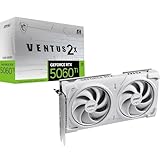
- Best Value: MSI GeForce RTX 5060 Ti 16G Ventus 2X OC White – 16GB GDDR7 (28Gbps/128-bit), PCIe 5, Boost: 2602 MHz, HDMI 2.1b, DisplayPort 2.1b
- Premium Choice: ASUS TUF Gaming GeForce RTX 5070 Ti 16GB GDDR7 OC Edition Graphics Card
Star Citizen is the rare game where a graphics card review can mislead you. Its engine is brutally CPU and memory bound: entering a landing zone or a busy server can pin one thread and drag frame rates into the 30s no matter what GPU you own. Yet the Vulkan renderer also streams enormous textures and asset volumes, so an 8GB card will hitch and drop settings at 1440p even when the CPU is idle. Pairing therefore means buying a GPU with generous VRAM, then reserving budget for a fast processor and 32GB or more of RAM. The five cards below cover that logic from entry to the stratosphere, along with the platform costs and the bottleneck reality at each resolution.
Quick Picks
| Pick | Tier | Why |
|---|---|---|
| Sapphire Pulse Radeon RX 9060 XT 16GB | Budget 1080p/1440p | 16GB at an entry price avoids texture hitching |
| MSI GeForce RTX 5060 Ti Ventus 2X OC 16G | Value 1440p | 16GB plus DLSS 4 and low power draw |
| ASUS TUF Gaming GeForce RTX 5070 Ti 16GB | Sweet spot 1440p/4K | Enough shader power to hold 4K high in space |
| PowerColor Hellhound Radeon RX 9070 XT 16GB | High-end value | Near RTX 5070 Ti raster for less money |
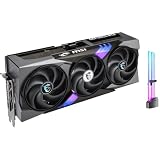
| MSI GeForce RTX 5090 Gaming Trio OC 32G | No compromise 4K | 32GB VRAM swallows any planet-side scene |
How We Chose
Three criteria drove the ranking. VRAM came first because Star Citizen’s streaming can allocate well past 12GB at 1440p ultra, and every card here has at least 16GB. Rasterization performance came second, weighted using launch-review positioning from TechPowerUp, Hardware Unboxed, and Gamers Nexus. Efficiency came third, since a card that pulls 300W in a case already housing a hot eight-core CPU makes thermal management harder. We also considered how much of a build’s budget each card leaves for the CPU and memory that actually govern frame rates in cities.
As an Amazon Associate we earn from qualifying purchases at no extra cost to you.



Sapphire Pulse Radeon RX 9060 XT 16GB
This is the entry point we recommend for anyone starting Star Citizen on a budget. The 16GB buffer is the whole story: it lets you run high textures at 1440p without the stutter that 8GB cards produce in Lorville or New Babbage. Based on where Hardware Unboxed and TechSpot placed the RX 9060 XT 16GB in their launch testing, expect roughly 60-80 fps in space at 1080p high, 45-65 fps at 1440p high, and city frame rates that are CPU-limited regardless. At 4K it becomes a 30-40 fps card and you would lean on FSR. The con: the 128-bit bus and modest shader count mean it runs out of steam in dense planetary atmospheres before your CPU does.
MSI GeForce RTX 5060 Ti Ventus 2X OC 16G
The 16GB RTX 5060 Ti is for players who want NVIDIA’s DLSS 4 and a low power footprint in a small case. TechPowerUp’s launch review positioned it a few percent ahead of the RX 9060 XT 16GB on average, which in Star Citizen means similar 1440p high results in the 50-70 fps range in space and quieter thermals doing it. DLSS quality mode makes 1440p ultra viable and even 4K at medium is playable in the 35-45 fps range. The con: NVIDIA prices this card above the AMD equivalent for nearly identical raster performance, so you are paying for the feature set rather than raw speed.
ASUS TUF Gaming GeForce RTX 5070 Ti 16GB
The RTX 5070 Ti is the card we would pair with a Ryzen 7 9800X3D for a serious 1440p or entry 4K Star Citizen rig. Launch reviews from TechPowerUp and Tom’s Hardware put it roughly 35-45 percent ahead of the RTX 5060 Ti class, which in practice means 90-120 fps in space at 1440p ultra and 55-75 fps at 4K high, with DLSS 4 pushing 4K into comfortable territory. The 16GB buffer handles ultra textures at 4K. The con: at 1080p and in cities it is wasted, since the CPU caps frame rates long before this card is stressed.
PowerColor Hellhound Radeon RX 9070 XT 16GB
The RX 9070 XT is for the player who wants RTX 5070 Ti class performance and would rather spend the difference on a faster CPU or more RAM. Hardware Unboxed and Gamers Nexus found it trading blows with the RTX 5070 Ti in rasterization, and Star Citizen’s Vulkan renderer has historically run well on Radeon. Based on that positioning, plan on 85-115 fps at 1440p ultra in space and 50-70 fps at 4K high, with FSR 4 quality adding a comfortable margin. The con: it draws more power than the NVIDIA card for the same work, so factor in a stronger power supply and case airflow.
MSI GeForce RTX 5090 Gaming Trio OC 32G
The RTX 5090 is for a 4K high-refresh display and a budget that does not blink. Its 32GB of VRAM is more than any Star Citizen scene can allocate, and TechPowerUp’s and Gamers Nexus’s launch testing placed it 30-40 percent ahead of the RTX 5080 in rasterization. Extrapolating, expect 100-130 fps at 4K ultra in space with headroom for DLSS 4 multi-frame generation. In cities it is still CPU-limited, which is the point: this card guarantees the GPU is never the problem. The con: it needs a 1000W power supply, three slots of space, and it costs more than a very good complete PC.
Platform Costs to Budget For
Star Citizen punishes a cheap platform harder than almost any game, so set aside money before choosing the GPU tier. A B650 or B850 motherboard is enough for any Ryzen; you do not need X870 unless you want extra PCIe 5.0 lanes. RAM is non-negotiable: 32GB of DDR5-6000 CL30 is the minimum, and 64GB is worth it because the client alone can exceed 20GB in a populated city. Cooling matters because the game loads eight cores hard for long sessions; a dual-tower air cooler or 240mm liquid cooler keeps a Ryzen 7 9800X3D from throttling. A fast NVMe SSD is effectively mandatory for streaming and should be at least 1TB. Power supplies: 650W for the two 16GB mid-range cards, 850W for the RTX 5070 Ti and RX 9070 XT, and a 1000W ATX 3.1 unit for the RTX 5090.
Bottleneck Check by Resolution
At 1080p, every card here is CPU-bound in Star Citizen. Frame rates in Area18 or Lorville hover in the 40-70 fps range on a fast X3D processor regardless of GPU, so the RX 9060 XT 16GB is all you need. At 1440p the mid-range 16GB cards become the limit in space and planet-side, but cities remain CPU-bound; this is the resolution where the RTX 5070 Ti and RX 9070 XT make sense. At 4K, the GPU is the bottleneck almost everywhere except heavy cities, which is why the RTX 5090 exists. Whatever you buy, a Ryzen 7 9800X3D or Ryzen 9 9950X3D and 64GB of RAM will do more for city frame rates than any GPU upgrade.
Our Verdict
For most Star Citizen players in 2026, the ASUS TUF Gaming GeForce RTX 5070 Ti 16GB paired with an X3D processor is the balanced answer for 1440p and light 4K. On a budget, the Sapphire Pulse Radeon RX 9060 XT 16GB gets you into the verse with enough VRAM to avoid hitching. The RTX 5090 is only justified for 4K high refresh with the rest of the system already maxed.
FAQ
Why is Star Citizen slow even on a high-end GPU?
Because the engine is CPU and memory bound in populated areas. Server load and single-thread performance set your frame rate in cities, and the GPU only becomes the limit in open space or on planets.
How much VRAM does Star Citizen use?
At 1440p ultra the client commonly allocates 12-14GB, and 4K can go higher. Sixteen gigabytes is the practical minimum for high settings without texture stutter.
Is AMD or NVIDIA better for Star Citizen?
Both run the Vulkan renderer well. AMD tends to offer more raster per dollar while NVIDIA adds DLSS 4 and multi-frame generation. Choose based on budget and the upscaler you prefer.
Should I upgrade my CPU or GPU first?
If your frame rate drops in cities but is fine in space, upgrade the CPU and RAM first. If space and planets are slow while cities are the same, the GPU is the limit.
Sources and Methodology
The performance ranges in this guide are approximate and derived from the relative positioning of each card in launch reviews published by TechPowerUp, Hardware Unboxed, Gamers Nexus, Tom’s Hardware, and TechSpot. Star Citizen is not part of those outlets’ standard GPU test suites, so we mapped their rasterization rankings onto expected Star Citizen behavior using the game’s known CPU sensitivity and VRAM demands. No figure here was measured by this site, and results vary significantly with server population and location in the game.

















