Astral Ascent is Hibernian Workshop’s 2D platform roguelite: one of four heroes fighting through the Garden, an astral prison held by twelve Zodiac bosses, with shared-screen co-op. It left Early Access on 14 November 2023, and Steam flags it for Windows, Mac and Linux. The question this page answers is whether the Linux flag describes a real build or just another storefront checkbox.
The complication is that the base game’s own store page cannot answer it. Open the Mac and Linux requirement tabs on the record and both are empty lists: no operating system line, no memory figure, nothing at all. A reader who stopped there would conclude the ports were abandoned paperwork. They would be wrong, but proving it means going underneath the store page, to the depots, the add-on family, and Valve’s Deck sheet.
As an Amazon Associate, we earn from qualifying purchases.
Quick answer
Yes. Astral Ascent has a genuine native Linux build. Steam’s purchase package covers all three platforms, the game’s depot table holds a dedicated Linux depot of 1.77 GiB beside the Windows and Mac builds, and Valve’s Steam Deck sheet rates the game Verified with the native runtime named as the recommended one. A GOG edition listing Linux exists as well.
A blank tab on the base game
Start with what the store record does say. The platform flags for app 1280930 read windows true, mac true and linux true, and the Windows requirements are fully written in both tiers: a 64-bit Windows 7 minimum with a Core i3-540 or Phenom II X4 965, 2 GB of memory and a GeForce GTS 250 class card, rising to a Core i3-6100 and 6 GB recommended. The categories are the couch-friendly set: single-player, co-op and shared or split screen play, full controller support, Steam Cloud and Remote Play Together.
Against that, the Mac and Linux requirement fields are empty lists outright. This is not the familiar copied-text pattern, where a Linux tab repeats the Windows wording, and it is not a populated tab hiding an absent build. It is no tab at all: the base record’s paperwork layer simply stops, and every other layer has to carry the verdict.
The depot table settles it
SteamDB’s depot table lists three content depots, one per platform: depot 1280931 for Windows 64-bit at 1.81 GiB, depot 1280932 for macOS at 1.93 GiB, and depot 1280933 configured Linux linux64 at 1.77 GiB. The Linux depot is a full build in the same size class as the other two, not a stub or a placeholder.
The package layer agrees. Steam’s record lists a single purchase package, sub 446213, and its packagedetails entry reads windows, mac and linux all true while granting the game app alone. A normal purchase therefore delivers the Linux depot by construction: no second package exists to buy. Flag, package and depot table point the same way; only the base page’s requirement text is missing.
The add-ons kept better paperwork
The family sweep produces the strangest paperwork split in this file. The record’s full DLC array holds six apps, and every one flags all three platforms true. Four are content add-ons: Arven the Wolf Blade (4499280), Celestial Haven (4116520), The Outer Reaches (3372880) and Yamat the Breach Traveler (3073420). Each carries a genuinely populated Linux requirements field, written for Linux rather than copied, with a Radeon HD 5750 class minimum on most. The artbook (2633220) names Ubuntu in its Linux minimum.
The one family member matching the base game’s hollow paperwork is the original soundtrack (2455290), a music app whose Mac and Linux fields are empty lists like the base game’s own. Soundtracks are the app class that usually springs the false-flag trap in this cluster. Here the direction is reversed: the extras’ flags agree with the game’s delivery, their text is more complete than the base game’s, and the soundtrack’s empty fields understate rather than inflate. Six of six apps agree.
Anti-cheat: three sources, nothing named
Astral Ascent is a single-player and local co-op game, and its anti-cheat picture is correspondingly empty, checked three ways. Steam’s record names no anti-cheat, and carries neither a DRM notice nor an external account notice. SteamDB’s detected-technology list names engine plumbing only: the NVIDIA Nsight Aftermath SDK and the Sentry SDK, a crash-reporting library. Neither is an anti-cheat system. Are We Anti-Cheat Yet, the community dataset tracking anti-cheat support on Linux, carries no entry for the game at all, searched by name and by app id.
What players report
ProtonDB’s summary endpoint did not answer for this title in this session, returning an error page on repeated attempts, so no summary tier or confidence figure is claimed here. The game page itself was readable, and it classifies Astral Ascent as Native, heading its requirements block “Natively Supports:” — a heading that agrees with Steam’s record on every layer, a clean agreement rather than the stray tag this cluster often finds.
The page counts 23 reports, and their texture matters, because the native build’s launch behaviour is the one uneven part of this file. Several filings run it cleanly, including a desktop report with local multiplayer behind it. A minority describe a rough first contact: a very long first loading screen, measured in minutes, after which the game ran flawlessly; a native version running far too slowly to play, with Proton flawless instead; a native build not launching at all, with Proton as the fix. The pattern is a build that exists and mostly works, with a visible minority routing around launch quirks through Proton — report weight, below the unanimous store record.
Steam Deck: Verified, on an Early Access test
Valve’s compatibility record, read here through SteamDB’s republication of Valve’s data after Valve’s own endpoint did not return a readable sheet in this session, gives the game the top category: Verified, with SteamOS separately rated Compatible. All four Verified items pass: full functionality on the default controller configuration, Deck controller icons shown, legible interface text, and a default graphics configuration that performs well. The configuration block is clean: gamepad input, no manual keyboard invocation, no launcher step, no internet required.
Two details matter. The sheet’s recommended runtime reads native, so the badge certifies the Linux build itself rather than a Proton configuration of the Windows build. And the paperwork is old: Valve tested on 20 July 2023 against build 11649774, an Early Access build from before the November 2023 full release, while the public branch now serves build 25866301. The test predates the shipping build line, making this file a supplement candidate on the build axis.
The GOG edition
A GOG edition of Astral Ascent exists, and it lists Linux. GOG’s search endpoints returned no product for the game, so the ruling rests on GOG’s live product record: the product page resolves, and GOG’s product API entry reads content system compatibility windows true, osx true and linux true. One ProtonDB reporter independently describes playing the Linux native version obtained from GOG, matching the record.
Gear for the run
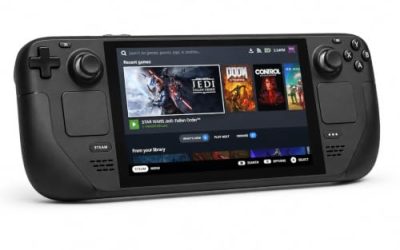
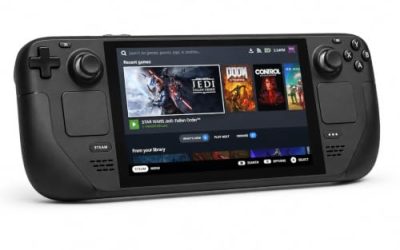
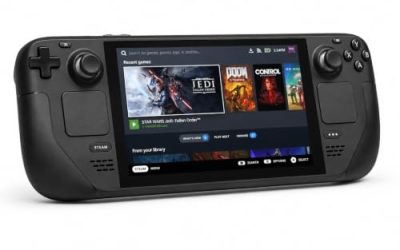
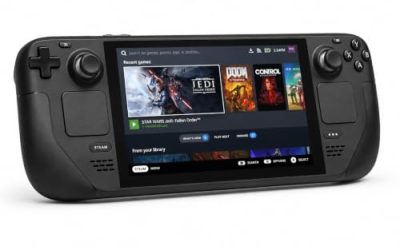
Valve Steam Deck OLED 512GB

The handheld the Verified badge was written for, and in this case the badge certifies the native build itself. The game’s modest footprint leaves the internal drive nearly untouched.
Specs
- Display: 7.4-inch HDR OLED, 1280 by 800, up to 90 Hz
- Processor: AMD Zen 2 and RDNA 2 custom APU
- Memory: 16 GB LPDDR5
- Storage: 512 GB NVMe, plus a microSD slot
- Wireless: Wi-Fi 6E and Bluetooth
- Channel note: Valve sells the Deck mainly through its own store, so Amazon listings are third-party sellers
8BitDo Ultimate 2 Bluetooth Controller
The docked and desktop pad pick. Steam lists full controller support, and this pad covers the couch case with modern sticks and triggers plus back buttons for menu shortcuts.
Specs
- Connectivity: Bluetooth wireless and USB-C wired
- Joysticks: TMR electromagnetic, anti-drift design
- Triggers: Hall effect, with mode switching
- Extras: two remappable back buttons, motion control
- In the box: charging dock included
Xbox Wireless Controller, Carbon Black
The safest guest pad in PC gaming: Steam Input support is universal, the glyphs match what most games display, and it pairs over Bluetooth or its own wireless standard. For shared-screen co-op, a second pad is the whole point.
- Connectivity: Xbox Wireless and Bluetooth
- Port: USB-C for wired play
- Controls: hybrid D-pad, dedicated Share button
- Power: AA batteries or optional rechargeable pack
Logitech G502 HERO
At a desk, a precise wired mouse still earns its place for library management and settings menus. Eleven programmable buttons cover the inputs a long session repeats.
Specs
- HERO optical sensor, up to 25,600 DPI
- 11 programmable buttons
- Adjustable weight system
- Wired USB connection
- On-board memory profiles
Samsung T9 Portable SSD 2TB
For moving a Linux game library between a desktop and a laptop, or keeping an offline backup of installers, a fast USB-C drive is the simple answer. The headline figure needs a Gen 2×2 host port; on a lesser port the drive runs at that ceiling.
Specs
- Capacity: 2 TB portable SSD
- Interface: USB 3.2 Gen 2×2, USB-C connector
- Maker-rated speeds: up to 2,000 MB per second read, 1,950 MB per second write
- Features: Dynamic Thermal Guard, maker-rated drop resistance
How to choose
Both storefronts sell the native build: Steam delivers it through the standard purchase package, and GOG’s edition lists Linux on its product record. On a Linux desktop, install and launch the native build first; it is the route Valve’s Deck sheet certifies. Keep Proton in reserve as the documented workaround: if the first launch hangs on a long loading screen, let it finish once before changing anything, since reporters describe that as first-run behaviour; if the native build will not start, forcing a current Proton version is the recorded fix. On Steam Deck, no configuration work is expected.
Who should skip
Skip the native-first plan, though not the game, if your tolerance for first-launch quirks is zero and you would rather route the Windows build through Proton from the start; the reports say that path is clean. Skip this title if you only buy games whose store page shows a complete Linux requirements tab on the base record, because this one’s tab is blank. Skip it if you want online multiplayer: the record’s co-op is shared and split screen, with Remote Play Together standing in for networked play.
FAQ
Is Astral Ascent native on Linux?
Yes. The dedicated Linux depot in the game’s depot table, at 1.77 GiB beside the Windows and Mac builds, is the decisive layer, and Steam’s purchase package covers all three platforms. The base page’s Linux tab is an empty list: a paperwork gap, not a missing build.
Why is the Linux tab on the Steam page blank?
The base game’s Mac and Linux requirement fields were never filled in on its store record. The add-ons tell the fuller story: the content DLCs and the artbook carry written Linux requirements, one naming Ubuntu, and all six family apps flag Linux true.
Is Astral Ascent Steam Deck Verified?
Yes. Valve’s sheet gives the game its top category, with all four checks passing and the recommended runtime listed as native, so the badge certifies the Linux build. The test dates from July 2023, during Early Access.
Can I buy Astral Ascent on GOG for Linux?
Yes. GOG’s product record lists Linux alongside Windows and Mac, even though its search endpoints do not surface the product. It is a second route to the same native build.
Final verdict
Astral Ascent is a native Linux release whose weakest document is its own store page. The flags say yes, the requirement tabs say nothing, and everything underneath — a full-size Linux depot inside the only purchase package, a six-app family whose written Linux text is more complete than the base game’s, a Deck badge earned on the native runtime, a GOG edition listing Linux — says the build is real. Buy it on either storefront, launch the native version first, and keep Proton as the known workaround where the first launch misbehaves.
Product and ASIN Reference
| Product | ASIN |
|---|---|
| Valve Steam Deck OLED 512GB | B0CQ3RWQQZ |
| 8BitDo Ultimate 2 Bluetooth Controller | B0F194QFT2 |
| Xbox Wireless Controller, Carbon Black | B08DF248LD |
| Logitech G502 HERO | B07GBZ4Q68 |
| Samsung T9 Portable SSD 2TB | B0CHFS9K14 |