

- Top Pick: Amazon Echo Show 11 (newest model), Vibrant Full-HD 11" display with more viewing area and spatial audio, Designed for Alexa+, Glacier White
- Best Value: Amazon Echo Show 11 (newest model), Vibrant Full-HD 11" display with more viewing area and spatial audio, Designed for Alexa+, Graphite
- Premium Choice: Amazon Echo Show 8 (newest model), Vibrant HD 8.7" display with spatial audio, Designed for Alexa+, Graphite
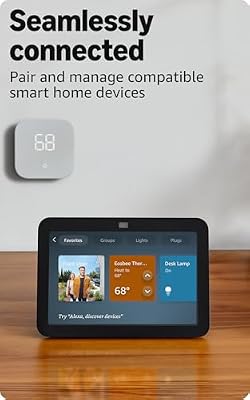
The Amazon Echo Show 8 (3rd gen) is Amazon’s mid-size smart display, an 8-inch HD touchscreen built around the AZ2 Neural Edge processor with spatial-audio dual speakers, a 13MP front camera and — crucially — a full Matter, Thread and Zigbee hub on board. Priced around $150, it sits between the Show 5 and Show 15. This Amazon Echo Show 8 review covers setup, smart home control, spatial audio and display, and how the Show 8 fits a streamer-friendly home.

Amazon Echo Show 8, With Spatial Audio, Smart Home Hub, ideal for open living spaces, Designed for Alexa+, Charcoal






As an Amazon Associate we earn from qualifying purchases. Product prices and availability are accurate as of the date/time indicated.
🛒 Best Price Today on Amazon
Prime members get fast, free shipping on everything above, plus member-only deals. New members get a 30-day free trial — cancel anytime.
As an Amazon Associate we earn from qualifying purchases.






Amazon Echo Show 8 at a Glance
| Component | Specification |
|---|---|
| Type | Mid-size smart display with smart home hub |
| Voice assistant | Amazon Alexa |
| Display size | 8″ HD touchscreen, 1280×800 |
| Smart home protocols | Matter, Thread, Zigbee, Wi-Fi, Bluetooth |
| Audio output (W) | Dual front-firing speakers with spatial audio processing |
| Camera | Yes, 13MP wide-angle with auto-framing |
| Connectivity | Wi-Fi 5 dual-band, Bluetooth |
| App support | Amazon Alexa app (iOS, Android) |
| Approx price | around $150 |
Setup & App Experience
Setup follows the standard Alexa flow — power on, Wi-Fi credentials pushed from the phone, wake word picked — and the larger touchscreen makes the on-device setup more pleasant if you are placing the Show 8 in a room where pulling out a phone is inconvenient. The home screen now uses the adaptive content layout introduced in the 3rd gen, so frequently-used widgets and smart home tiles drift toward the centre as you approach, with proximity sensing dimming the screen when you walk away. The Alexa app remains the control surface for routines, smart home devices and skill management. Multi-step routines are well supported — a single voice command can dim lights, set a temperature, mute notifications and start a Spotify playlist — which is the sort of automation that earns a Show 8 its place on a streamer’s bookshelf or kitchen counter.
Smart Home Compatibility — Matter / Alexa / Google
This is the headline feature. The Show 8 is a full smart home hub: Matter controller, Thread border router and Zigbee coordinator, all built in. That means you can onboard Matter-over-Thread bulbs (Eve, Nanoleaf), Matter Wi-Fi devices (most newer plugs), Zigbee devices (Philips Hue without a separate bridge, IKEA Tradfri, Sengled, Aqara) and the entire Alexa ecosystem of Ring, Blink, Kasa, SwitchBot and more, all from one device. For a household that does not want a separate Hue Bridge or SmartThings hub on the network, the Show 8 quietly replaces a shelf of dongles. Google Assistant and HomeKit are still not supported.
Audio & Display Quality
The Show 8’s dual front-firing speakers with spatial-audio processing are a genuine step up from the Show 5 or Dot — there is real stereo separation, fuller midrange and respectable bass for a unit this size, and for kitchen, bedroom or living-room background music it is a credible replacement for a small Bluetooth speaker. For desktop game audio you still want best gaming speakers, but the Show 8 is the first Show that is comfortable as a primary music device in a small room. The 8-inch 1280×800 touchscreen is sharp and bright; it is good for video calls, recipe viewing, smart-camera feeds and casual Prime Video / Netflix viewing in a kitchen. The 13MP wide camera with auto-framing keeps you centred during calls even as you move around.
Use Cases — Streamer Setup / Kitchen / Garage
The Show 8 has multiple homes in a streamer’s life. On a shelf behind the streaming desk it can act as a glance-able command centre — Ring feed for the front door, current donation total via a routine, clock, and music control — without needing a second monitor. In the kitchen it is arguably the most useful Echo, with the larger screen for recipes and timers, spatial audio for music while cooking, and Alexa Drop In to the streaming room when food is ready. As the household’s Matter/Thread/Zigbee hub it earns its keep even if you never look at the screen, because the alternative is a separate hub box. For a garage it is overkill — a Dot or Echo Auto fits that brief better.
For a multi-camera streaming household, the Show 8’s home-screen Smart Home Favourites widgets become especially useful. Tile the front-porch Ring camera, the package-area Blink camera and a smart-lock status indicator on the home screen and the device becomes a permanent unattended security display — better than picking up a phone every time a notification fires, and arguably more useful than a dedicated NVR for households with three or fewer cameras. Pair it with quality desk-side audio gear such as those in our best gaming speakers round-up if you want the Show 8 to handle smart home duty while a separate speaker pair handles game audio.
Privacy & Microphone Mute
A combined mic/camera off button on top disables both microphones and the camera in hardware, and a physical sliding shutter covers the 13MP lens. The combination gives hardware-level certainty that the Show 8 is not seeing or hearing when you are off-stream, which is the reassurance that matters when a smart display sits in a room where you record content. Voice recordings can be auto-deleted on a schedule, and Visual ID (which uses on-device face recognition to personalise content per household member) is strictly opt-in and processed locally on the AZ2 chip. For a streamer the dual physical controls are the relevant feature.
Verdict
At around $150, the Echo Show 8 (3rd gen) is the sweet spot of the Echo Show line and the device we recommend to most households building out an Alexa smart home. The combination of a sharp 8-inch screen, genuinely good spatial-audio speakers, a 13MP camera with auto-framing for video calls, and a complete Matter/Thread/Zigbee hub on board is more capability than any other device in the family at the price. For a streamer it works as a kitchen recipe display, bedroom video-call screen or shelf-mounted command centre, and for the household it quietly absorbs the role of a separate smart home hub. If you only need voice control and no screen, save money with a Dot; if you want a kitchen wall-mount screen, step up to the Show 15. For everyone else, the Show 8 is the pick. See our best streaming setup guide for tying camera tiles into a live broadcast.
Frequently Asked Questions
Is the Echo Show 8 a Matter and Thread hub?
Yes. The 3rd gen Show 8 includes a Matter controller, a Thread border router and a Zigbee coordinator, so it can directly onboard Matter, Thread and Zigbee devices without a separate hub.
How good is the Echo Show 8 spatial audio?
Genuinely good for the size — the dual front-firing speakers with spatial processing give real stereo separation and fuller midrange, enough to act as a primary music device in a kitchen or bedroom. For desktop game audio, dedicated speakers are still the better choice.
Can the Echo Show 8 replace a Hue Bridge?
For most users, yes. The Show 8’s built-in Zigbee coordinator can onboard Philips Hue bulbs directly without the separate Hue Bridge, which is a tidy way to remove one box from the network shelf.
Does the Echo Show 8 work with HomeKit or Google Assistant?
No. The Show 8 is an Alexa-only device. Households committed to HomeKit should look at HomePod-class devices and households committed to Google Assistant should look at the Google Nest Hub line.
More Smart Home Reviews
- SwitchBot Hub 2 Review: Matter Bridge with IR Remote & Thermometer
- Amazon Echo Show 15 Review: 15.6″ Full HD Wall-Mount Kitchen Hub
- Amazon Echo Show 21 Review: 21″ Wall-Mount Smart Display & Fire TV
- Google Nest Thermostat Review: Affordable Smart Thermostat (Snow)
- Amazon Smart Thermostat Review: Honeywell-Built Alexa Thermostat
- Kasa Smart Power Strip HS300 Review: 6-Outlet Surge with Energy Monitoring
- Google Nest Wifi AC2200 Review: Mesh Router for Smaller Smart Homes
- Chamberlain Smart Garage Control Review: MyQ WiFi + Bluetooth Hub
Affiliate Disclosure: As an Amazon Associate, we earn from qualifying purchases. If you click a link and make a purchase, we may earn a small commission at no extra cost to you. Prices and availability are accurate as of publication and may change.










