

- Top Pick: Amazon Echo Dot (newest model) – Vibrant sounding speaker, Designed for Alexa+, Great for bedrooms, dining rooms and offices, Charcoal
- Best Value: Amazon Echo Dot (newest model) – Vibrant sounding speaker, Designed for Alexa+, Great for bedrooms, dining rooms and offices, Glacier White
- Premium Choice: Amazon Echo Dot (newest model) – Vibrant sounding speaker, Designed for Alexa+, Great for bedrooms, dining rooms and offices, Deep Sea Blue
The Amazon Echo Dot (5th gen) is the newest compact Alexa speaker, designed as a low-cost, voice-first smart home hub that drops neatly onto a battlestation or streaming desk. Built on Amazon’s AZ2 Neural Edge processor with Matter and Thread radios on board, it is more capable as a smart home controller than its size suggests. Priced around $50, this Amazon Echo Dot review looks at setup, smart home integration, audio, and how it fits a gamer-streamer home.

Amazon Echo Dot (newest model) - Vibrant sounding speaker, Designed for Alexa+, Great for bedrooms, dining rooms and offices, Glacier White




As an Amazon Associate we earn from qualifying purchases. Product prices and availability are accurate as of the date/time indicated.
🛒 Best Price Today on Amazon
Prime members get fast, free shipping on everything above, plus member-only deals. New members get a 30-day free trial — cancel anytime.
As an Amazon Associate we earn from qualifying purchases.





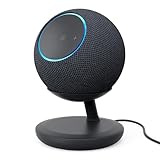


Amazon Echo Dot (Newest) at a Glance
| Component | Specification |
|---|---|
| Type | Compact smart speaker |
| Voice assistant | Amazon Alexa |
| Display size | None (LED time/status ring optional via Dot with Clock) |
| Smart home protocols | Matter, Thread, Wi-Fi, Bluetooth |
| Audio output (W) | Single front-firing speaker (improved bass vs. 4th gen) |
| Camera | No |
| Connectivity | Dual-band Wi-Fi (2.4/5GHz), Bluetooth, Eero Built-in extender |
| App support | Amazon Alexa app (iOS, Android) |
| Approx price | around $50 |
Setup & App Experience
Getting the Echo Dot online is genuinely one of the easiest setups in smart home gear. Plug it in, open the Alexa app on a phone, and Wi-Fi credentials are pushed across automatically; in our experience the whole process takes well under five minutes from box to first voice command. The Alexa app handles routines, multi-room audio groups, do-not-disturb schedules and integrations with thousands of third-party skills, and the AZ2 chip means a noticeable number of common requests are now handled on-device rather than waiting on the cloud, which makes wake-word response feel quicker. For a streamer who wants to dim lights, mute a fan or check the time without breaking immersion, that responsiveness matters more than it might sound. The Dot also supports the Eero Built-in feature, so if you already run an Eero mesh it can act as an extender node, which is a useful bonus on a small device.
Smart Home Compatibility — Matter / Alexa / Google
This is where the new Dot quietly punches above its weight. It includes both a Matter controller and a Thread border router, so it can directly onboard the latest generation of smart bulbs, sensors and plugs that ship with Matter-over-Thread or Matter-over-Wi-Fi, without needing a separate hub. For a gamer building out a smart-light setup behind the monitor or some smart plugs for the rig, that is one fewer box on the desk. Inside the Alexa ecosystem it works with Hue, LIFX, TP-Link Kasa, SwitchBot, Ring, Blink and the rest of the usual suspects, plus Zigbee devices when paired with a Zigbee-capable Echo (Show 8 or Echo Hub). Google Assistant and Apple HomeKit are not supported, so households committed to those ecosystems should look at a Nest Mini or HomePod mini instead.
Audio & Display Quality
The 5th gen Dot is the best-sounding small Echo Amazon has made — the speaker is front-firing, with more midrange body and noticeably deeper bass than the 4th gen, and there is a clear step up when used as a kitchen or background-music speaker. For a gaming desk, it is fine for voice prompts, podcasts and casual music; for genuine immersive game audio you still want proper desktop best gaming speakers or a soundbar. There is no display, which keeps it cheap and visually unobtrusive; the optional Dot with Clock variant adds a small LED matrix on the front for time, weather and timer countdowns, which is the version we generally recommend for a streaming desk where glance-able info is useful.
Use Cases — Streamer Setup / Kitchen / Garage
On a streaming desk, the Dot earns its keep as a hands-free remote: routines can toggle bias lighting, switch a smart plug feeding the capture card, start a Spotify playlist for stream downtime, or set a countdown timer for break BRBs without touching keyboard or mouse. In a kitchen it is a strong choice as a recipe and timer speaker. In a garage or workshop it works as a hands-free music speaker and intercom (via Drop In to other Echo devices around the house). For a multi-room build, a pair of Dots also make a credible stereo pair when grouped in the Alexa app, which is a cheap way to cover a bedroom or office without spending Echo Studio money.
Privacy & Microphone Mute
A physical microphone-off button sits on top of the Dot; pressing it disables the mics in hardware and lights a red LED ring, which is the visible reassurance privacy-minded users will want. Voice recordings can be set to auto-delete after three months or, for the strictest setup, disabled entirely so nothing is stored on Amazon’s servers. There is no camera on the Dot, which removes a whole category of privacy concern that applies to the Show line; for streamers who do not want a lens pointing at the rig, that is reason enough to pick a Dot over a Show on the desk itself. Pair the Dot with a separate Show in the kitchen if you need a screen elsewhere.
Verdict
At around $50, the newest Echo Dot is the easiest-to-recommend smart home entry point of 2026, and a genuinely useful add-on for a gamer-streamer setup that already runs on Alexa. The combination of AZ2 silicon, on-board Matter and Thread, and the new front-firing speaker makes it disproportionately capable for the price; if you can stretch to the Dot with Clock variant the on-device time and timer display is worth the small premium. It will not replace your battlestation speakers, but as a voice-first hub for routines, lights and plugs it is hard to beat. If you also need a screen for video calls, recipes or smart-camera feeds, step up to a Show 5 or Show 8 instead — but for pure voice control around a desk, the Dot is the right pick. A pair of Dots also work well as a stereo grouping in the Alexa app for a bedroom or office where a single unit’s mono speaker would feel thin. For users new to the Alexa ecosystem, the Dot is the natural first device; for households already invested, it is the natural multi-room expansion device that lets routines reach every room of the house without significant per-room cost. See our best streaming setup guide for more on tying smart devices into a live stream.
Frequently Asked Questions
Does the new Echo Dot work as a Matter hub?
Yes. The 5th gen Dot includes both a Matter controller and a Thread border router on the AZ2 chip, so it can directly onboard Matter-over-Thread and Matter-over-Wi-Fi devices without a separate hub.
Can I use the Echo Dot as a streaming desk speaker?
It is fine for voice prompts, alerts, podcasts and background music, but for serious in-game audio you still want a proper desktop speaker pair or a soundbar. A pair of Dots can be grouped in the Alexa app for stereo on a smaller desk.
Does the Echo Dot have a camera?
No. There is no camera on any Echo Dot, which is a deliberate privacy choice that makes it well suited to a streaming desk where you do not want an additional lens pointing at the room.
How do I mute the microphone on the Echo Dot?
Press the microphone-off button on top of the device. This disconnects the mics in hardware and lights a red LED ring as a visible indicator that the device is not listening.
More Smart Home Reviews
- Amazon Echo Show 5 (Newest) Review: 5.5″ Smart Display for the Desk
- Amazon Echo Spot (Newest) Review: Smart Alarm Clock with Alexa
- Amazon Echo Show 8 Review: 8″ Spatial Audio Smart Display
- SwitchBot Hub 2 Review: Matter Bridge with IR Remote & Thermometer
- Amazon Echo Show 15 Review: 15.6″ Full HD Wall-Mount Kitchen Hub
- Amazon Echo Show 21 Review: 21″ Wall-Mount Smart Display & Fire TV
- Google Nest Thermostat Review: Affordable Smart Thermostat (Snow)
- Amazon Smart Thermostat Review: Honeywell-Built Alexa Thermostat
Affiliate Disclosure: As an Amazon Associate, we earn from qualifying purchases. If you click a link and make a purchase, we may earn a small commission at no extra cost to you. Prices and availability are accurate as of publication and may change.










