

A budget of $100 does not buy a flagship 32GB high-speed kit, but it buys plenty of sensible, genuinely useful memory — and for a huge number of everyday machines, that is exactly what is needed. Under $100 you are mostly choosing between single 8GB modules and 16GB kits, across both modern DDR4 and older DDR3/DDR3L systems, in desktop and laptop form factors. The right pick depends entirely on what you are upgrading. This guide rounds up the best RAM under $100 in 2026, with honest notes on DDR generation, capacity and form factor so you buy memory that actually fits your machine.
- Best RAM under $100 at a Glance
- 1. Crucial 8GB DDR4 RAM 3200MHz (PC4-25600) Laptop Memory, Downclockable
- 2. Crucial 8GB DDR4 RAM 3200MHz (PC4-25600) CL22 Desktop Memory, UDIMM 288-Pin
- 3. Crucial 8GB DDR4 2666 MHz CL19 Laptop Memory CT8G4SFRA266
- 4. Crucial 8GB 260-pin SODIMM DDR4 PC4-19200 Laptop Memory
- 5. A-Tech 16GB (2x8GB) DDR3/DDR3L 1600MHz PC3L-12800 SODIMM Laptop Memory
- 6. Timetec 16GB KIT (2x8GB) DDR3L/DDR3 1600MHz PC3L-12800 Non-ECC Unbuffered Desktop Memory
- How to Choose RAM under $100
- Frequently Asked Questions
- Related Guides
- Related Articles
Our picks were chosen on value first: cost per gigabyte, sensible speeds, and the right form factor for common upgrades, with every option here landing well under the $100 ceiling — from around $40 up to around $72. Crucially, this list mixes memory standards on purpose, because budget upgraders are often working with older hardware: there are modern DDR4 modules (desktop and laptop) and older DDR3/DDR3L kits for legacy systems. Buying the wrong standard is the classic budget mistake, so we flag each one clearly. Below is an at-a-glance comparison, then a closer look at each and a buyer’s guide to stretching a memory budget the right way.
🛒 Best Price Today on Amazon
Prime members get fast, free shipping on everything above, plus member-only deals. New members get a 30-day free trial — cancel anytime.
Best RAM under $100 at a Glance
| Memory | Best For | Standout Spec | Approx Price |
|---|---|---|---|
| Crucial 8GB DDR4 3200MHz (Laptop SODIMM) | DDR4 laptop upgrade | Single 8GB, downclockable | around $70 |
| Crucial 8GB DDR4 3200MHz Desktop (UDIMM) | DDR4 desktop module | Single 8GB, 288-pin | around $71 |
| Crucial 8GB DDR4 2666MHz (Laptop SODIMM) | Budget laptop module | Single 8GB, CL19 | around $58 |
| Crucial 8GB DDR4 PC4-19200 (Laptop SODIMM) | Cheapest DDR4 stick | Single 8GB, 260-pin | around $60 |
| A-Tech 16GB DDR3/DDR3L 1600MHz (Laptop) | Older laptop 16GB | 2x8GB SODIMM, DDR3 | around $44 |
| Timetec 16GB DDR3L/DDR3 1600MHz (Desktop) | Older desktop 16GB | 2x8GB, low-voltage DDR3 | around $40 |
1. Crucial 8GB DDR4 RAM 3200MHz (PC4-25600) Laptop Memory, Downclockable

Crucial 8GB DDR4 RAM 3200MHz (PC4-25600), Downclockable to 2933/2666MHz Laptop Memory, SODIMM 260-Pin CL22, Compatible with 13th Gen Intel Core and AMD Ryzen 7000 - CT8G4SFRA32A


As an Amazon Associate we earn from qualifying purchases. Product prices and availability are accurate as of the date/time indicated.
The Crucial 8GB DDR4-3200 SODIMM is the standout budget pick for upgrading a modern laptop. It is a single 8GB module rated at 3200MHz (PC4-25600) that downclocks automatically to 2933 or 2666MHz to match older systems, making it a flexible drop-in for a wide range of notebooks. At around $70 it sits comfortably under the budget and is a smart way to add memory or fill a second SODIMM slot for dual-channel operation.
This is the pick for anyone giving a DDR4 laptop more breathing room without spending much. Crucial’s modules are known for broad compatibility and reliability, and the automatic downclocking means it works even in machines that do not support the full 3200MHz rating. Adding a second 8GB module to reach 16GB in dual channel transforms a sluggish laptop’s multitasking. For a dependable, affordable DDR4 laptop upgrade, this Crucial module is the obvious starting point under $100.
Pros: Flexible 3200MHz DDR4 SODIMM, auto-downclocks for compatibility, reliable Crucial quality.
Cons: Single 8GB module; laptop SODIMM only — will not fit a desktop board.
2. Crucial 8GB DDR4 RAM 3200MHz (PC4-25600) CL22 Desktop Memory, UDIMM 288-Pin
The Crucial 8GB DDR4-3200 desktop module is the budget pick for a tower PC. It is a single 8GB 288-pin UDIMM rated at 3200MHz with a CL22 timing, downclocking to match older boards, and at around $71 it is an inexpensive way to add memory or fill a slot in a desktop. It is the desktop counterpart to the laptop SODIMM above, in the form factor a tower needs.
This is the module to choose when you are upgrading a DDR4 desktop on a budget — adding a stick to an existing single-channel setup, or topping up capacity cheaply. Crucial’s reliability and broad compatibility make it a safe drop-in, and the 3200MHz rating keeps pace with mainstream boards. Pairing two for dual channel is ideal where possible. Note its CL22 timing is looser than enthusiast kits — this is value memory, not a performance kit — but for an affordable, dependable DDR4 desktop stick, it does the job.
Pros: Affordable 3200MHz DDR4 desktop UDIMM, reliable Crucial build, downclocks for compatibility.
Cons: Single 8GB module; CL22 is loose; desktop 288-pin only, not for laptops.
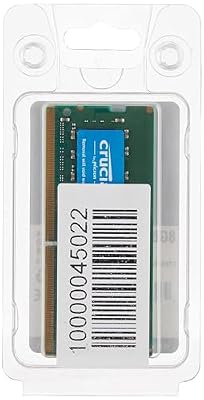
3. Crucial 8GB DDR4 2666 MHz CL19 Laptop Memory CT8G4SFRA266



As an Amazon Associate we earn from qualifying purchases. Product prices and availability are accurate as of the date/time indicated.
The Crucial 8GB DDR4-2666 SODIMM is a no-frills budget laptop module. It is a single 8GB stick rated at 2666MHz with a CL19 timing, aimed squarely at notebooks whose platforms run at 2666MHz. At around $58 it is one of the cheapest DDR4 laptop modules here and a sensible choice when your machine does not need (or support) a faster 3200MHz part.
This is the pick for upgrading a mainstream or older DDR4 laptop where 2666MHz is the native speed — buying a faster module would simply downclock to match, so paying for 3200MHz makes little sense. Crucial’s reliability and compatibility apply as always, and adding a second module for 16GB in dual channel is the best value move. For an inexpensive, dependable DDR4 laptop stick at the right speed for the machine, this 2666MHz module is a practical, wallet-friendly option.
Pros: Inexpensive DDR4 laptop module, reliable Crucial quality, sensible 2666MHz for older notebooks.
Cons: Single 8GB module; 2666MHz only; laptop SODIMM, not for desktops.
4. Crucial 8GB 260-pin SODIMM DDR4 PC4-19200 Laptop Memory
Crucial 8GB DDR4 RAM, 2400MHz (PC4-19200) SODIMM 260-Pin Laptop Memory, Energy-Efficient DRAM Upgrade - CT8G4SFS824A
As an Amazon Associate we earn from qualifying purchases. Product prices and availability are accurate as of the date/time indicated.
The Crucial 8GB DDR4 PC4-19200 SODIMM is the cheapest single DDR4 stick on the list. It is an 8GB 260-pin laptop module running at the PC4-19200 (2400MHz) data rate, and at around $60 it targets notebooks built around that earlier DDR4 speed. It is the budget option when your laptop’s platform tops out at 2400MHz rather than 2666 or 3200.
This is the module for upgrading an earlier-generation DDR4 laptop where 2400MHz (PC4-19200) is the native standard. There is no benefit to a faster module on such a machine — it would only downclock — so this stick gives you the capacity you need at the lowest cost. Crucial’s broad compatibility and reliability make it a safe drop-in, and a second module unlocks 16GB in dual channel. For the most affordable way to add dependable DDR4 to an older notebook, this PC4-19200 module fits the bill.
Pros: Lowest-cost DDR4 laptop module, reliable Crucial build, right speed for older notebooks.
Cons: Single 8GB module; older 2400MHz speed; laptop SODIMM only.
5. A-Tech 16GB (2x8GB) DDR3/DDR3L 1600MHz PC3L-12800 SODIMM Laptop Memory

A-Tech DDR3L RAM 16GB Kit (2x8GB) 1600MHz PC3L-12800 SODIMM Laptop Memory | Non-ECC 2Rx8 PC3L-12800S CL11 204-Pin SO-DIMM DDR3 1.35V Notebook Computer Memory Upgrade Modules


As an Amazon Associate we earn from qualifying purchases. Product prices and availability are accurate as of the date/time indicated.
The A-Tech 16GB DDR3/DDR3L kit is the pick for upgrading an older laptop to a full 16GB. It is a 2x8GB SODIMM set running at 1600MHz on the DDR3/DDR3L standard, and at around $44 it delivers a big capacity jump for very little money on legacy notebooks. Crucially, this is DDR3 — not DDR4 — so it is for older machines only.
This is the kit to choose if your aging laptop still uses DDR3 memory and feels starved at 4GB or 8GB. Moving to 16GB in dual channel transforms multitasking and browsing on an older machine, and the DDR3L low-voltage support keeps things efficient. The honest catch is compatibility: you must confirm your laptop uses DDR3/DDR3L SODIMM memory, because this will not work in a DDR4 system. If it does, this A-Tech kit is a remarkably cheap way to breathe new life into old hardware.
Pros: Affordable 16GB DDR3/DDR3L laptop kit, dual-channel, low-voltage, big upgrade for old machines.
Cons: DDR3 only — not compatible with DDR4/DDR5 laptops; verify your machine first.
6. Timetec 16GB KIT (2x8GB) DDR3L/DDR3 1600MHz PC3L-12800 Non-ECC Unbuffered Desktop Memory

Timetec 16GB KIT(2x8GB) DDR3L/DDR3 1600MHz(DDR3L-1600) PC3L-12800 Non-ECC Unbuffered 1.35V/1.5V CL11 2Rx8 Dual Rank 204 Pin SODIMM Laptop Notebook RAM


As an Amazon Associate we earn from qualifying purchases. Product prices and availability are accurate as of the date/time indicated.
Rounding out the list is the Timetec 16GB DDR3L kit, the pick for older desktops. It is a 2x8GB dual-channel set running at 1600MHz on the DDR3L (low-voltage) standard, non-ECC and unbuffered for standard desktop boards. At around $40 it is the cheapest option here and a cost-effective way to bring an aging tower up to a usable 16GB. Like the A-Tech kit, this is DDR3 — for legacy systems only.
This is the kit to choose if you are upgrading an older desktop that still uses DDR3 rather than building something new — there is no point buying DDR4 for a board that cannot accept it. The 16GB dual-channel capacity is a big step up for an older system, the low-voltage DDR3L design runs cool and efficiently, and Timetec offers solid value. Confirm your motherboard takes DDR3/DDR3L desktop DIMMs first. For a rock-bottom memory upgrade on legacy hardware, this kit does exactly what it should.
Pros: Cheapest pick here, 16GB DDR3L desktop kit, dual-channel, low-voltage, great for old towers.
Cons: DDR3 only — not compatible with modern DDR4/DDR5 platforms; verify your board.
How to Choose RAM under $100
Before anything else, identify the memory standard your machine actually uses, because it is the easiest and most expensive mistake to get wrong on a budget. DDR4 and DDR3 are physically different and not interchangeable, and DDR5 is different again. This list deliberately includes both modern DDR4 modules and older DDR3/DDR3L kits — the A-Tech and Timetec kits are DDR3, for legacy systems only. Check your laptop or motherboard’s specification first; buying the wrong generation means the RAM simply will not fit.
Form factor is the second check, and it is just as binary. Laptops use small SODIMM modules, while desktops use larger DIMMs — they are not interchangeable. Most of the affordable DDR4 options here are laptop SODIMMs (the three Crucial laptop modules), with one Crucial desktop UDIMM and the Timetec desktop DDR3 kit for towers. Confirm whether you are upgrading a laptop or a desktop and match the form factor exactly, or the module will not seat in the slot.
With standard and form factor settled, weigh capacity against single versus dual modules. Under $100, the single 8GB DDR4 sticks here are best for adding to an existing module or filling an empty slot, while the 16GB DDR3 kits give you a complete matched dual-channel pair. Where you can, run two modules for dual-channel bandwidth — it makes a real difference to responsiveness. If a machine already has one 8GB stick, adding a matching one to reach 16GB is usually the smartest budget move.
Finally, set sensible expectations on speed and buy the right part rather than the fastest. On a budget, value memory like Crucial’s runs looser timings (the CL22 desktop module, for instance) and modest speeds, and that is fine for everyday use. A laptop will only run memory at the speed its platform supports, so a 2666MHz or 2400MHz module is the correct, cheaper choice for those machines rather than overpaying for 3200MHz that would just downclock. Confirm the standard, match the form factor, prioritise reaching a useful capacity in dual channel, and pick the option on this list that fits your machine and your budget.
Frequently Asked Questions
What is the difference between DDR3 and DDR4 RAM, and does it matter?
It matters a lot — they are physically different and not interchangeable, so you must buy the standard your machine uses. This list includes both: the Crucial modules are DDR4 for modern-ish systems, while the A-Tech and Timetec kits are DDR3/DDR3L for older machines. Check your laptop or motherboard specification before buying, because the wrong generation simply will not fit the slot.
Should I buy a single 8GB stick or a 16GB kit under $100?
It depends on your machine. If you already have one module and an empty slot, adding a matching single 8GB stick (like the Crucial DDR4 modules here) to reach 16GB in dual channel is the smartest budget move. If you are starting fresh or replacing everything, a 16GB matched kit such as the A-Tech or Timetec DDR3 sets gives you a tested dual-channel pair in one purchase.
Can I put this laptop SODIMM RAM in a desktop?
No. Laptops use small SODIMM modules and desktops use larger DIMMs, and they are not interchangeable. Most affordable DDR4 options here are laptop SODIMMs (the three Crucial laptop modules), while the Crucial UDIMM and the Timetec kit are desktop parts. Confirm whether you are upgrading a laptop or a desktop and match the form factor exactly.
Is cheaper RAM with looser timings (like CL22) fine for everyday use?
Yes. Value memory such as the Crucial CL22 desktop module runs looser timings and modest speeds than enthusiast kits, but for browsing, office work, media and general multitasking the difference is negligible. The bigger win on a budget is reaching a useful capacity — ideally 16GB in dual channel — rather than chasing tight timings or high frequency you will barely notice in everyday tasks.
Related Guides
- Best RAM for Gaming
- Best DDR4 RAM Kits
- Best Budget Gaming Setup
- Best Budget GPUs
- Best Budget SSDs
- Best Budget Gaming PCs
Affiliate Disclosure: As an Amazon Associate, we earn from qualifying purchases. If you click a link and make a purchase, we may earn a small commission at no extra cost to you. Prices and availability are accurate as of publication and may change.










