The Age of Decadence is Iron Tower Studio’s 2015 isometric, turn-based RPG, set in a low-magic, post-apocalyptic world modelled on the fall of the Roman Empire and built around skill checks, faction politics and dialogue trees. It never received a Linux build. Steam’s record flags the game for Windows alone, and the Mac and Linux requirements fields are not shells or stubs — they are absent outright. One separation matters: this is the studio’s first RPG, a different app from Colony Ship, its later title, and nothing about that game’s record transfers here.
So the practical question is the Proton one, and the paper trail there is unusually good. The community compatibility file settles at the top tier, Valve rates the game Playable on Steam Deck, and a second storefront sells the same Windows build DRM-free.
As an Amazon Associate, we earn from qualifying purchases.
Quick answer
The Age of Decadence is not native on Linux: Steam flags the game Windows only, with no Linux tab and no Linux depot on the record. The working route is Proton — ProtonDB settles the Windows build at Platinum across 25 reports, and Valve rates it Playable on Steam Deck. Buy the Steam copy or GOG’s Windows edition.
What Steam’s own record says
Steam’s appdetails record for The Age of Decadence (app 230070) names Iron Tower Studio as both developer and publisher, gives a release date of 14 October 2015, and shows the game still on sale, coming-soon flag false, purchase package live. The platform flags read Windows true, Mac false, Linux false. No second build hides beside the Windows one.
The requirements fields draw the same line cleanly. The Windows tab is genuinely populated in both tiers: the minimum asks for a 2 GHz processor, 3 GB of RAM, a GeForce GTS 250 class card, DirectX 9.0c and 1900 MB of storage. The Mac and Linux fields, by contrast, are empty lists — absent fields, meaning no tab exists in any form. This is not the empty-shell pattern, where headings sit over blank lists; there is nothing on the page a reader could mistake for Linux support.
The rest of the record is short. Steam lists single-player, Steam Achievements, Steam Trading Cards, Steam Cloud and Family Sharing. The record carries no controller-support field and no controller category at all — a point the Deck section returns to. There is no DLC array either: the soundtrack all-true trap, where an audio add-on carries a Linux flag a family scan credits to the game, had nothing here to fire on. The family is the base game alone.
The depot census
The depot list is the decisive layer, and it is as plain as the flags. Exactly one content depot carries the game: depot 230072, named the AoD Release Depot, at 1.99 GiB on disk, inside the package Steam sells. A second depot, 230071, is registered as the Unused AoD Test Depot and carries no size and no shipped content — a leftover registration, not a build. Around them sit only Windows redistributables: Visual C++ 2012 and 2015, DirectX and OpenAL.
There is no Linux depot in any form — no populated one, no zero-byte ghost, no stranded build in an unsold package — and no macOS depot either. The registered assets agree: client icon, client image, icon and logo, with no Linux client icon among them. The branch list closes the picture: the public branch stands at build 12301598, from September 2023, and a test branch carries the same build.
The Proton file
ProtonDB’s summary record for app 230070 was read in full, and it is unanimous: the settled tier is Platinum, the best-reported tier is Platinum and the trending tier is Platinum, across 25 reports with good confidence. The heading check could also be completed, and it is wrong: the game’s ProtonDB page carries the stray heading claiming native support, which Steam’s record contradicts on every layer above. The article follows Steam.
The report colour supports the tier with one honest wrinkle. The newest filing, on a current Arch system, reports everything working once Proton Experimental was selected. Older filings show version sensitivity rather than failure: a data-directory error on default settings, cleared by stepping back to Proton 5.13-6, and fullscreen switching unstable on the stock tool while a community build ran flawlessly. That is the profile of an old, light Windows game whose quirks live in specific Proton versions — and the settled Platinum tier already prices those wrinkles in.
The Steam Deck sheet
Valve rates The Age of Decadence Playable on Steam Deck, and SteamOS separately Compatible, with proton-stable as the recommended runtime. One evidence note: Valve’s own endpoint returned unusable output this session, so the verdict and its paperwork were read through SteamDB’s republication of Valve’s record, the fallback route used before.
Two checks pass outright: the default controller configuration is fully functional, and the default graphics configuration performs well. Three deductions set the Playable ceiling: the game sometimes shows mouse, keyboard or non-Steam-Deck controller icons; text entry requires manually invoking the on-screen keyboard; and some in-game text is small and may be difficult to read. The sheet adds that the game supports the Deck’s native resolution but does not set it by default, so a one-time manual setting is part of setup, and that external controllers do not take over by default and may need a Quick Access Menu switch.
The paperwork predates the current build. Valve tested on 14 December 2022 against build 4268683; the public build is now 12301598, from September 2023, so the sheet grades a superseded build — a future Deck supplement candidate. On controllers, precision is required: the game’s own record lists no controller support, no field and no category. What the sheet certifies is narrower — that the default controller configuration Steam supplies on Deck is fully functional. Pads here are a Steam Input route, not a feature the developer lists.
Anti-cheat and the GOG ruling
There is no anti-cheat question to settle: the game is single-player only, no anti-cheat is named on the record, and the Are We Anti-Cheat Yet catalogue, read in full at its repository root, holds no entry in either direction — documentation silence, not a clearance, and all a single-player RPG needs.
GOG sells the game, and its live product page is unambiguous: the works-on line reads Windows, the system requirements are Windows only, and the page’s own compatibility answer states the game is officially supported on Windows. A DRM-free copy exists, but it is the same Windows build — no storefront offers a Linux edition. On Linux the GOG copy’s value is as an offline installer fed to a runner manually; the Steam copy is the one the Proton file and Deck sheet describe.
Gear that fits the record
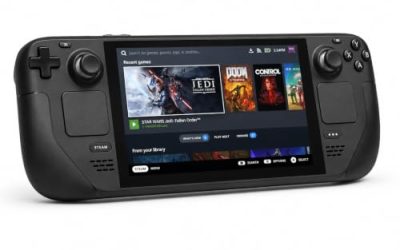
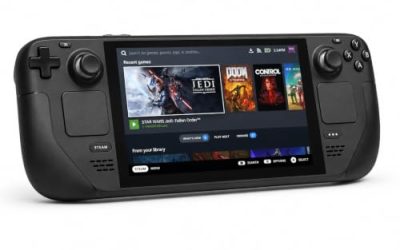
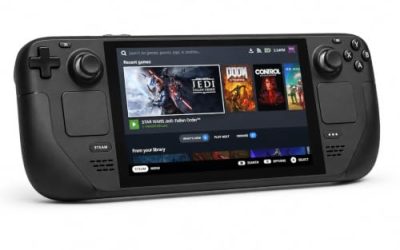
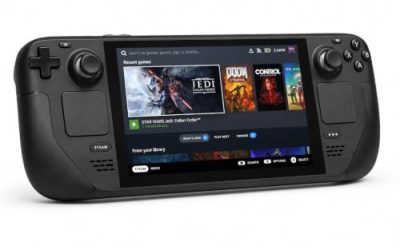
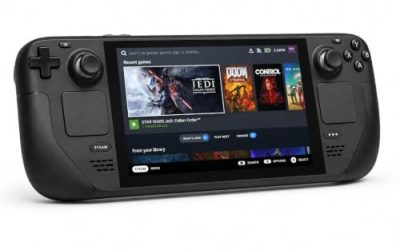
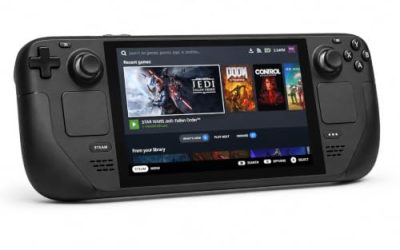
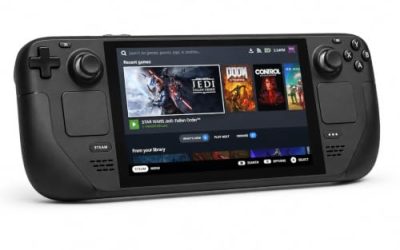
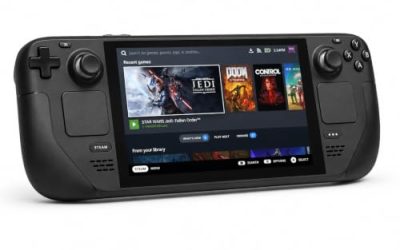
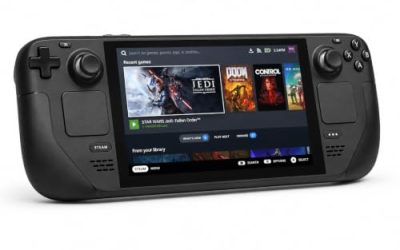
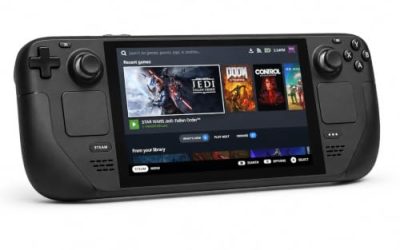
Valve Steam Deck OLED 512GB
The handheld the Playable badge was written for. The game’s requirements are a rounding error next to the Deck’s APU, and Valve’s sheet passes the Windows build under proton-stable.
Specs:
- Display: 7.4-inch HDR OLED, 1280 by 800, up to 90 Hz
- Processor: AMD Zen 2 and RDNA 2 custom APU
- Memory: 16 GB LPDDR5
- Storage: 512 GB NVMe, plus a microSD slot
- Wireless: Wi-Fi 6E and Bluetooth
- Channel note: Valve sells the Deck mainly through its own store, so Amazon listings are third-party sellers
8BitDo Ultimate 2 Bluetooth Controller

The docked pad pick for the Steam Input route Valve’s sheet certifies, with modern sticks, triggers and back buttons for the couch case.
Specs
- Connectivity: Bluetooth wireless and USB-C wired
- Joysticks: TMR electromagnetic, anti-drift design
- Triggers: Hall effect, with mode switching
- Extras: two remappable back buttons, motion control
- In the box: charging dock included
Xbox Wireless Controller, Carbon Black
The safest guest pad in PC gaming: Steam Input support is universal, the glyphs match what most games display, and it pairs over Bluetooth or its own wireless standard. On Deck, the sheet’s note applies: an external pad may need a manual Quick Access Menu switch first.
- Connectivity: Xbox Wireless and Bluetooth
- Port: USB-C for wired play
- Controls: hybrid D-pad, dedicated Share button
- Power: AA batteries or optional rechargeable pack
Logitech G502 HERO
The Age of Decadence is an isometric, mouse-driven game of menus and dialogue trees, and at a desk a precise wired mouse is its native instrument. Eleven programmable buttons cover the inputs a long session repeats.
Specs
- HERO optical sensor, up to 25,600 DPI
- 11 programmable buttons
- Adjustable weight system
- Wired USB connection
- On-board memory profiles
Samsung T9 Portable SSD 2TB
For moving a Linux game library between machines, or keeping an offline backup of installers, a fast USB-C drive is the simple answer. The headline figure needs a Gen 2×2 host port; on a lesser port the drive runs at that ceiling instead.
Specs
- Capacity: 2 TB portable SSD
- Interface: USB 3.2 Gen 2×2, USB-C connector
- Maker-rated speeds: up to 2,000 MB per second read, 1,950 MB per second write
- Features: Dynamic Thermal Guard, maker-rated drop resistance
How to choose
Choose the Steam copy for the route the records describe: it is the build behind the Platinum file and the Playable badge, and it carries the Steam Cloud saves the record lists. Choose the GOG copy if a DRM-free offline installer matters more, accepting that on Linux you supply the layer yourself. On desktop, start with the default Proton; the newest report used Experimental with no further steps, and the file’s history points to stepping the Proton version if a quirk appears. On Deck, budget one setup minute: set the resolution the game does not set itself, and expect the on-screen keyboard for text entry.
Who should skip
Skip this one if you are shopping for a native Linux RPG — this game is not it, on any storefront. Skip it if listed controller support is a condition of purchase: the record lists none, and pad play rests on Steam Input and Valve’s Deck findings. Skip the handheld plan if small text on a seven-inch screen is a deal-breaker; Valve’s sheet flags exactly that. And skip it if you came looking for Colony Ship, the studio’s later, separate game, which has its own record and status.
FAQ
Is The Age of Decadence native on Linux?
No. Steam flags the game Windows only, the Linux requirements field is an empty list with no tab in any form, and the depot census finds a single Windows release depot with no Linux build beside it. The native-support heading on the game’s ProtonDB page is a stray label Steam’s record contradicts.
How well does The Age of Decadence run under Proton?
ProtonDB’s summary record is Platinum on the settled, best-reported and trending tiers alike, across 25 reports with good confidence. The file’s colour is version sensitivity in older reports, not any pattern of failure on current versions.
Is The Age of Decadence Steam Deck Verified?
No. Valve rates it Playable, one tier down: the default controller configuration is fully functional and graphics perform well, held back by non-Deck glyphs, manual keyboard invocation and small text. The test dates to December 2022 against build 4268683; the current public build is 12301598 from September 2023, so the sheet grades an older build.
Can I buy The Age of Decadence on GOG instead?
Yes. GOG’s live product page sells a DRM-free edition whose works-on line and system requirements are Windows only — the same Windows build Steam sells, useful as an offline installer. There is no Linux edition on either storefront.
Final verdict
The Age of Decadence is a Windows-only release with an exceptionally clean paper trail: absent fields instead of ambiguous shells, one Windows depot with no ghost beside it, no add-on apps to inflate a family scan, no Linux edition on a second storefront. What it offers instead is a top-tier Proton route — a unanimous Platinum file across 25 reports, a Playable Deck badge, and a DRM-free alternative for readers who run the layer themselves. Buy the Steam copy and play it under Proton.
Product and ASIN Reference
| Product | ASIN |
|---|---|
| Valve Steam Deck OLED 512GB | B0CQ3RWQQZ |
| 8BitDo Ultimate 2 Bluetooth Controller | B0F194QFT2 |
| Xbox Wireless Controller, Carbon Black | B08DF248LD |
| Logitech G502 HERO | B07GBZ4Q68 |
| Samsung T9 Portable SSD 2TB | B0CHFS9K14 |