Young Souls is 1P2P’s side-scrolling RPG beat-’em-up about Jenn and Tristan, twins who cross through the Moon Gate into a goblin world to rescue their missing guardian. The Arcade Crew and Dotemu published it, and it reached Steam on 10 March 2022 with solo play, shared-screen co-op for two, and a gear system built around hundreds of weapons and armour sets. What it never received, on any record Steam keeps, is a Linux build.


The evidence shape here is unusual. The community compatibility file is tiny — three reports in total — yet Valve has run its own full Steam Deck test and published a clean sweep. So this article reads each record at its proper weight: the store record for what the game is, Valve’s test sheet for how the Windows build behaves on the handheld, and the small ProtonDB file for the desktop side.
As an Amazon Associate, we earn from qualifying purchases.
Quick answer
Young Souls is not native on Linux. Steam flags the game Windows only, its Linux requirements tab is an empty shell, and its single content depot is a Windows build. The route is Proton: ProtonDB reads Platinum, but on just three reports with low confidence. Valve rates it Verified on Steam Deck, tested on the current build.
The record, layer by layer
Start with the flags, because every other layer agrees with them. Steam’s platform fields for app 985900 read Windows true, Mac false, Linux false. The requirements tabs tell the same story in long form. The Windows tab is genuinely populated at both tiers: a minimum of Windows 7, an Intel Core i3-2100 or AMD Phenom II X4 965, 8 GB of memory and a GeForce GTX 650 Ti, rising to Windows 10 and a GTX 760 class card recommended, with 6 GB of storage either way. The Mac and Linux tabs exist only as headings over empty lists — the empty-shell form, paperwork with no specification behind it.
The depot census closes the question. The game ships exactly one content depot, 985901, labelled Windows Young Souls Content, 5.16 GiB on disk, delivered inside the game’s single sold package. There is no Linux depot, no Mac depot, no shared depot and no ghost entry with a Linux configuration. The registered store assets are the standard client icon set with no LinuxClientIcon in any form, the extended OS field is an empty string, and the app declares a 64-bit Windows architecture. SteamDB’s technology detection reads a Unity build with the IL2CPP backend, matching the single-build picture: one Windows executable is the whole product.
One family check matters because it so often misleads elsewhere. The record carries no DLC array at all — no expansions, no art book, and no soundtrack app flying platform flags of its own. The all-true soundtrack trap that has inflated other games’ family scans has nothing to attach to here. What Steam sells is one app, one depot, one operating system.
ProtonDB: a Platinum headline on three reports
ProtonDB’s summary record reads Platinum on all three tiers — settled, best-reported and trending — and that headline needs its asterisk immediately: the file holds three reports, and the summary’s own confidence grade is low. Three unanimous filings can produce a Platinum headline without producing much certainty, so this article treats the tier as a promising signal rather than a settled verdict.
The filings themselves are encouraging and old. One Steam Deck report, filed on Proton 7.0-5, describes the game working flawlessly out of the box, launched directly in game mode. A desktop report from Zorin OS describes a flawless run on Proton Experimental, with the note that the then-current GE build did not work. A third report, also on Proton Experimental, reached Chapter 4 with no issues found. Nothing in the file reports a failure or a workaround chain; equally, nothing in it is recent, and no filing tests the current Proton generation.
One page element must be corrected rather than repeated. ProtonDB’s game page carries a stray “Natively Supports” heading above its requirements display. Steam’s record contradicts that heading on every layer checked — flags, requirements tabs, depot census and icon assets — so the heading is wrong, and this article follows Steam. The game is a Windows build that Proton carries, not a native release.
The Deck sheet is the strongest document here
Valve’s own compatibility record, read through SteamDB’s republication of Valve’s data, gives Young Souls the top category: Verified. The test was recorded on 7 March 2025 against build 8396597, the game’s current public build — the public branch has not moved since March 2022 — so the badge grades the exact build a buyer installs today. All four checks pass with no deductions listed: the default controller configuration is fully functional, the game shows Steam Deck controller glyphs, interface text is legible, and the default graphics configuration performs well. Valve’s sheet names a Proton 9.0-4 release-candidate runtime as the recommended layer, and SteamOS is separately rated Compatible, with game startup confirmed functional.
The input story is simple because the record makes it simple. The game’s own store record lists full controller support — stated from that field, not borrowed from any other page — and its categories add gamepad recommended, DualShock support, shared and split screen co-op, and Remote Play Together. Valve’s test configuration likewise records gamepad as the supported input, with no manual keyboard invocation and no non-controller launcher navigation. This is a pad-first game whose paperwork lines up on every surface.
Anti-cheat silence, and the second-storefront question
Young Souls is a single-player and local co-op game with no competitive online mode, and its record names no anti-cheat and no third-party account requirement. The Are We Anti-Cheat Yet catalogue was read in full for this article — 1,167 entries — and holds no entry for the game in either direction. That is documentation silence, not a clearance: nothing on the record gives a Linux player an anti-cheat obstacle to clear, and nothing certifies one either.
On storefronts, there is no second copy to weigh. GOG’s own searches return no Young Souls product — the embed search returns zero results, the catalogue search surfaces only unrelated titles, and the natural product address resolves to the generic catalogue. No GOG edition exists in any form. The Steam copy is the only PC edition on sale, and the build both records describe.
Gear that fits the record
The gear below follows the record’s shape: the handheld the badge was written for, two pads because this is a two-player co-op game at heart, a mouse for gear-sorting desk sessions, and library storage.
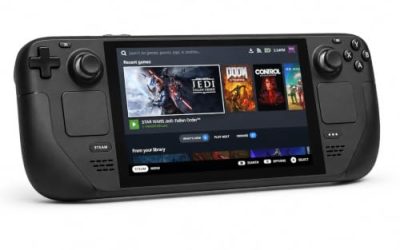
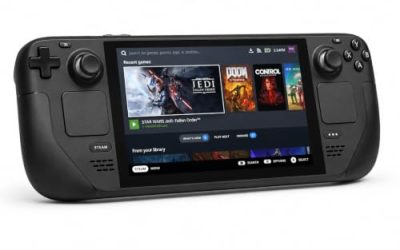
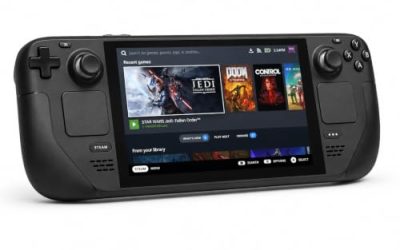
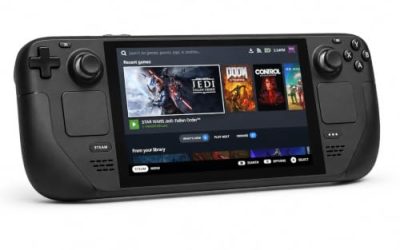
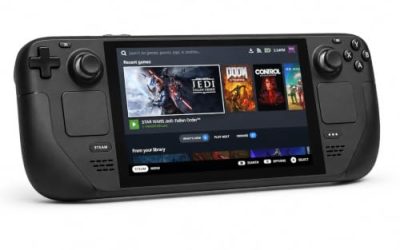
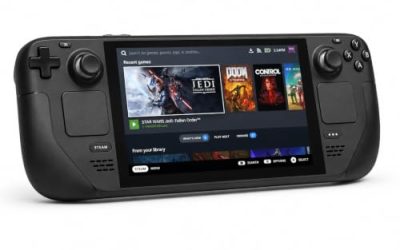
Valve Steam Deck OLED 512GB
The handheld the Verified badge was written for, and the natural home for a two-player beat-’em-up: one screen, two pads, and a test sheet with no deductions.
Specs
- Display: 7.4-inch HDR OLED, 1280 by 800, up to 90 Hz
- Processor: AMD Zen 2 and RDNA 2 custom APU
- Memory: 16 GB LPDDR5
- Storage: 512 GB NVMe, plus a microSD slot
- Wireless: Wi-Fi 6E and Bluetooth
- Channel note: Valve sells the Deck mainly through its own store, so Amazon listings are third-party sellers
8BitDo Ultimate 2 Bluetooth Controller
The second-player pad. Local co-op is half of this game’s design, and this controller covers the partner seat with modern sticks, hall-effect triggers and back buttons for repeated dungeon inputs.
Specs
- Connectivity: Bluetooth wireless and USB-C wired
- Joysticks: TMR electromagnetic, anti-drift design
- Triggers: Hall effect, with mode switching
- Extras: two remappable back buttons, motion control
- In the box: charging dock included
Xbox Wireless Controller, Carbon Black
The safest guest pad in PC gaming: Steam Input support is universal, the glyphs match what most games display, and it pairs over Bluetooth or its own wireless standard. For a drop-in co-op partner, this is the zero-friction choice.
- Connectivity: Xbox Wireless and Bluetooth
- Port: USB-C for wired play
- Controls: hybrid D-pad, dedicated Share button
- Power: AA batteries or optional rechargeable pack
Logitech G502 HERO
Between dungeons, Young Souls is a gear-management game: hundreds of weapons, armour pieces and accessories to compare and equip across two characters. At a desk, a precise wired mouse turns those inventory sessions into single clicks.
Specs
- HERO optical sensor, up to 25,600 DPI
- 11 programmable buttons
- Adjustable weight system
- Wired USB connection
- On-board memory profiles
Samsung T9 Portable SSD 2TB
The game itself is a small install, but a Linux library rarely stays that way. A fast USB-C drive moves a Proton library between desktop and laptop or keeps an offline backup; the headline figure needs a Gen 2×2 host port, and on a lesser port the drive runs at that ceiling.
Specs
- Capacity: 2 TB portable SSD
- Interface: USB 3.2 Gen 2×2, USB-C connector
- Maker-rated speeds: up to 2,000 MB per second read, 1,950 MB per second write
- Features: Dynamic Thermal Guard, maker-rated drop resistance
How to choose
Choose the Steam copy, because it is the only PC edition on sale and the exact build both records describe. On a Steam Deck, the decision is already made: the Verified badge was earned on the current build, so install and launch, and pair a second pad when a co-op partner joins. On desktop or laptop, install under Proton and start with the default tool; if the default build misbehaves, the file’s own history points to Proton Experimental as the fallback that worked. For input, budget for pads first — full controller support and the co-op design make a controller the native shape of play, and a mouse earns its place only for gear-sorting sessions.
Who should skip
Skip this one if you are shopping for a native Linux beat-’em-up: Young Souls is not it, and no depot, tab or icon on the record suggests a port is hiding anywhere. Skip it if you require a deep community file before buying — three reports, however unanimous, is a thin evidence base, and the filings predate the current Proton generation. Skip it if you buy only DRM-free installers, because no GOG edition exists. And skip it if you play exclusively with keyboard and mouse: the record recommends a gamepad, and the game’s design centre is the controller.
FAQ
Is Young Souls native on Linux?
No. Steam flags app 985900 for Windows only, the Linux requirements tab is an empty shell, and the game’s single content depot is a Windows build. The ProtonDB page’s “Natively Supports” heading contradicts that record and should be ignored.
How well does Young Souls run under Proton?
The community file reads Platinum on its settled, best-reported and trending tiers, but it holds only three reports and ProtonDB grades its own confidence as low. The filings describe flawless out-of-the-box runs, yet all three date from the game’s early period, so treat the tier as a strong hint rather than proof.
Is Young Souls Steam Deck Verified?
Yes. Valve’s record gives the game its top category, Verified, with all four checks passing and no deductions. The test was recorded in March 2025 against build 8396597, the current public build, so the badge describes the version on sale today.
Can I buy Young Souls on GOG instead?
No. GOG’s own searches return no product for the game, and its natural product address resolves to the generic catalogue. No GOG edition exists, so the Steam copy is the only PC edition, and the build both records describe.
Final verdict
Young Souls is a Windows-only release whose Linux story splits cleanly in two. The native question is closed by a unanimous record: Windows flags, an empty Linux tab, one Windows depot, no Linux icon, and no add-on app to confuse the scan. The Proton question is more open than its headline suggests — a Platinum tier built on three old reports is a hint, not a foundation — while the strongest single document, Valve’s own test sheet, gives the current build a deduction-free Verified pass. Buy the Steam copy for the Deck with confidence, and for the desktop with the caveat that the community file behind it is thin.
Product and ASIN Reference
| Product | ASIN |
|---|---|
| Valve Steam Deck OLED 512GB | B0CQ3RWQQZ |
| 8BitDo Ultimate 2 Bluetooth Controller | B0F194QFT2 |
| Xbox Wireless Controller, Carbon Black | B08DF248LD |
| Logitech G502 HERO | B07GBZ4Q68 |
| Samsung T9 Portable SSD 2TB | B0CHFS9K14 |