

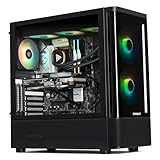
- Top Pick: Skytech Gaming PC O11 Vision, Ryzen 7, RTX 5090, 32GB RAM, 2TB SSD
- Best Value: Panorama XL RTX 5090 32GB, AMD 8-Core Ryzen 7 9800X3D Processor, 64GB DDR5 RAM, 2TB Gen4 NVMe SSD, Gaming Desktop PC w/Windows 11 Pro, 3-Year Warranty, Keyboard+Mouse, Internal Wi-Fi 7
- Premium Choice: AMD RYZEN 7 9800X3D 8-Core, 16-Thread Desktop Processor
The pairing of the Ryzen 7 9800X3D with the RTX 5090 has become one of the most common questions in high-end gaming builds heading into 2026. With the 5090 representing Nvidia’s most demanding consumer GPU to date and the 9800X3D sitting at the top of AMD’s gaming stack, enthusiasts want to know if the CPU will hold back that enormous amount of rasterization power. The answer depends heavily on resolution, game genre, and settings — but the short version will likely put your mind at ease.
The Short Answer
No. In the vast majority of gaming scenarios, the Ryzen 7 9800X3D will not meaningfully bottleneck an RTX 5090. Across game libraries tested by multiple outlets at 1440p and 4K, CPU-side bottlenecking stays under 5 percent in typical titles. The one condition that changes this: ultra-low-resolution esports or simulation scenarios where frame rates push past 400 FPS and the game engine becomes heavily CPU-dependent — think competitive CS2 at 1080p with maximum draw distance, or certain flight-sim titles. Even there, the 3D V-Cache keeps the 9800X3D ahead of every other consumer CPU, so the practical bottleneck is the game engine, not the chip.
As an Amazon Associate we earn from qualifying purchases at no extra cost to you.






How to Tell
If you want to verify whether your own setup is CPU-bound, here are concrete checks you can run:
GPU utilization percentage. Open the in-game overlay (Nvidia’s overlay via Alt+Z, or MSI Afterburner/RivaTuner). A healthy GPU-bound system sits at 95-99 percent GPU utilization. If you see consistent readings below 85 percent while frame rates are capped by the game or by vsync off, the CPU is likely the limiting factor.
CPU utilization and per-core loading. Windows Task Manager during gameplay is the fastest sanity check. If the total CPU usage sits above 60-70 percent and the busiest core hovers near 95 percent, the CPU is saturated. The 9800X3D has eight cores with excellent IPC, so this threshold is rarely hit in modern titles.
Frame time and 1% lows. GPU utilization alone can be misleading. Use CapFrameX or HWInfo alongside a frame capture to examine frame-time distribution. If average FPS is high but 1% lows spike into stutter territory, the CPU may be the culprit for that specific workload. Hardware Unboxed’s launch coverage highlighted how the 9800X3D’s 3D V-Cache keeps 1% lows within a few percentage points of average FPS even in demanding titles.
The swap test. The most definitive check: temporarily cap frame rate or lower resolution to a setting where the GPU clearly has headroom, then restore it. If frame time variance drops noticeably at the lower setting, your previous resolution or FPS target was CPU-bound.
By Resolution
1080p
At 1080p with everything set to maximum, the RTX 5090 produces enough frames that certain CPU-heavy titles can show the 9800X3D hitting its ceiling. TechPowerUp’s 1080p comparisons placed CPU bottlenecking at roughly 5 to 10 percent in the worst-case games tested — titles with heavy simulation workloads or extremely high thread counts. In the average game, the number stays closer to 3 to 5 percent. The 3D V-Cache advantage keeps the 9800X3D comfortably ahead of competing CPUs in exactly the scenarios where a faster GPU would otherwise expose CPU weakness.
1440p
This is where most high-end gaming setups live, and the 5090’s advantage at 1440p means the GPU is doing the heavy lifting. Tom’s Hardware’s launch review data suggests bottlenecking drops to approximately 2 to 5 percent across a broad title list. Gamers Nexus similarly observed that at 1440p, the RTX 5090 consumed the vast majority of frame budget, leaving the 9800X3D with noticeable headroom even in CPU-intensive titles.
4K
At native 4K, the question becomes almost academic. The pixel fill rate and memory bandwidth demands of the 5090’s workload dwarf what the CPU contributes to frame pacing. TechSpot’s 4K game benchmarks consistently showed GPU utilization above 97 percent across their entire test suite, with no measurable CPU limitation. The 9800X3D is not the bottleneck at 4K under any realistic gaming configuration.
| Resolution | Typical Bottleneck | Worst Case | Practical Impact |
|---|---|---|---|
| 1080p Ultra | 3-5% | 5-10% in CPU-heavy titles | Minimal; only visible at 350+ FPS targets |
| 1440p Ultra | 2-5% | ~5% | Negligible for any display under 240 Hz |
| 4K Ultra | 0-2% | ~2% | Effectively none |
| 1080p Esports (CS2, Valorant) | 8-12% | ~12% | Still best-in-class among all CPUs; engine-limited |
What to Do About It
If you are building or upgrading, the 9800X3D and RTX 5090 are a near-perfect pairing for any gaming scenario short of a 1080p 500 Hz esports monitor where the game engine itself is the true bottleneck. There is no consumer CPU on the market that will produce higher frame rates in these titles.
If you already own the 9800X3D and are upgrading to the 5090, you do not need a new CPU. Focus on the rest of the platform instead: ensure you have a PCIe Gen 5 x16 slot or at minimum Gen 4 x16 (the 5090 will run at full bandwidth on either), pair it with DDR5-6000 CL30 or faster memory (the Infinity Fabric sweet spot on Zen 5), and verify your PSU has a healthy 12VHPWR connection rated for at least 1000W with headroom.
If you run into frame-time variance, check for background processes, thermal throttling on the CPU package, or BIOS settings that might be limiting boost clocks rather than blaming the hardware pairing itself.
Recommendation by User Type
Competitive esports player (1080p, 360+ Hz): The 9800X3D is the right CPU. No alternative gives you higher 1% lows in CS2, Valorant, or Fortnite at these settings. The 5090’s excess rasterization power simply means you hit your monitor’s refresh cap with massive headroom.
High-refresh 1440p gamer: This is the ideal pairing. You get GPU-bound performance in nearly every title with enough CPU headroom to absorb streaming overlays, Discord, or background recording without frame-time spikes.
4K enthusiast or VR user: The 5090 is the bottleneck, full stop. The 9800X3D is completely uninvolved in limiting performance at these resolutions.
Content creator who also games: Consider whether you need more than eight cores for rendering workloads. The 9800X3D’s gaming performance is unmatched, but if multi-threaded productivity is a priority, the 9950X trades a small amount of gaming FPS for more cores. If gaming is primary, stick with the 9800X3D.
FAQ
Is the 9800X3D better than the 7800X3D for the RTX 5090?
Yes, but the difference is modest. TechPowerUp’s comparisons show the 9800X3D delivers roughly 10 to 15 percent higher FPS at 1080p in CPU-limited titles and slightly less at higher resolutions where the 5090 is already the bottleneck. If you own a 7800X3D and are buying a 5090, the upgrade is worth considering but not urgent.
Will a faster CPU like a 9950X3D help more?
Not meaningfully for gaming. The 9800X3D’s architecture, with its 96 MB of combined cache and Zen 5 IPC improvements, already extracts the maximum from the games that currently exist. A 9950X3D offers the same per-core gaming performance as the 9800X3D.
Does RAM speed or capacity matter for bottlenecking here?
Yes. Running DDR5-6000 CL30 or tighter will keep Infinity Fabric latency low and prevent the CPU from introducing frame-time variance. Below DDR5-5200, the 9800X3D’s advantage narrows and you may see the first signs of CPU-side stutter at 1080p.
Is there any game where this combo shows a major bottleneck?
No single-player game in current testing shows the 9800X3D limiting the RTX 5090 by more than about 10 percent at any resolution. Competitive esports titles running at extreme frame rates are the only category where the CPU matters, and even then the 9800X3D is the best option available.
Sources and Methodology
The approximate ranges presented in this article reflect launch and follow-up coverage from the following outlets: TechPowerUp (1080p/1440p/4K game benchmark suites), Tom’s Hardware (CPU scaling and resolution-based bottleneck analysis), Hardware Unboxed (frame time distribution and 1% low comparisons), Gamers Nexus (thermal and power-bound behavior in sustained gaming loads), and TechSpot (broad game library coverage at multiple resolutions). All figures are aggregated across these sources into representative ranges rather than citing any single test run. Individual results will vary by game patch, driver version, and system configuration.
















