

The TP-Link TL-WR902AC is the dual-band, WiFi 5 step up from the budget TL-WR802N — a small AC750 nano travel router with 2.4 GHz and 5 GHz radios, a Gigabit-class faster Ethernet port and an asking price around $45. It is the budget WiFi 5 traveller’s pick. This TP-Link TL-WR902AC review covers the wireless standard, VPN capabilities, modes, portability and overall value.
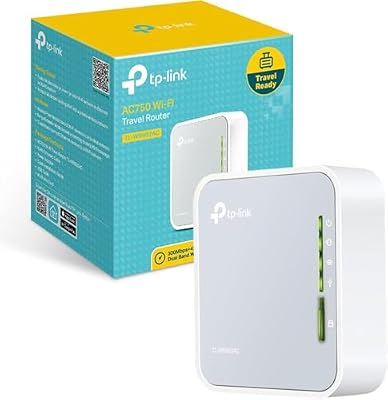
TP-Link WiFi Travel Router (WiFi 5) | Support Multiple Modes, WiFi Router/Hotspot/Bridge/Range Extender/Access Point/Client Modes, Dual Band, 1 USB 2.0 Port


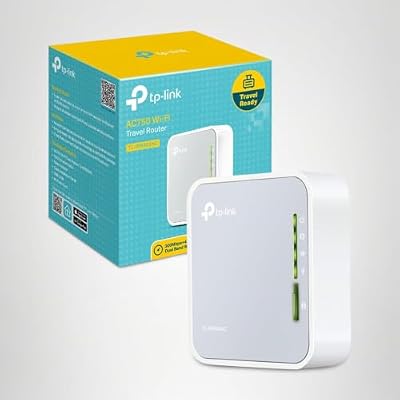
As an Amazon Associate we earn from qualifying purchases. Product prices and availability are accurate as of the date/time indicated.
🛒 Best Price Today on Amazon
Prime members get fast, free shipping on everything above, plus member-only deals. New members get a 30-day free trial — cancel anytime.
As an Amazon Associate we earn from qualifying purchases.



TP-Link TL-WR902AC at a Glance
| Component | Specification |
|---|---|
| Form factor | Pocket — nano cube chassis |
| WiFi standard | WiFi 5 (802.11ac), dual-band |
| Max speed | AC750 (300 + 433 Mbps) |
| Cellular | None |
| VPN support | None in stock firmware |
| Ethernet ports | 1x WAN/LAN, Gigabit |
| Battery | None — USB-powered via micro-USB |
| Modes | Router / Access Point / Range Extender / Client / Hotspot / WISP |
| Approx price | Around $45 |
Performance & Range
The TL-WR902AC is a meaningful step up from the TL-WR802N in two ways. First, it adds a 5 GHz WiFi 5 (802.11ac) radio on top of the existing 2.4 GHz WiFi 4 radio, giving an AC750 dual-band setup — about 300 Mbps on 2.4 GHz and 433 Mbps on 5 GHz. The 5 GHz band is dramatically less congested in typical urban environments, so even at 433 Mbps it tends to feel faster in practice than the saturated 2.4 GHz band on legacy travel routers. Second, the single WAN/LAN port steps up to Gigabit, which removes the 100 Mbps bottleneck on the older nano routers.
Range from the small internal antennas remains single-room — the AC750’s strength is throughput within range rather than additional coverage. For travellers with modern phones, tablets and laptops that all support 5 GHz, the TL-WR902AC’s dual-band design is a noticeable real-world improvement over the older single-band budget travel routers. The 5 GHz radio also behaves more predictably in dense apartment buildings, where the 2.4 GHz band is often crowded with neighbouring routers, microwaves and Bluetooth devices fighting for the same airtime. For home use, see our best gaming routers guide and our best WiFi 6E routers guide for the modern alternatives.
VPN Capabilities — OpenVPN / WireGuard / Tailscale
Like the TL-WR802N, the TL-WR902AC’s stock TP-Link firmware does not include a VPN client for connected devices — no OpenVPN, no WireGuard, no Tailscale. That makes the GL.iNet Mango (single-band, but VPN-capable at $30) or the GL.iNet Opal (dual-band and VPN-capable at a slightly higher price) the right choice for travellers whose main requirement is hotel-WiFi VPN security.
The TL-WR902AC’s strength is dual-band routing rather than VPN. For buyers who do not need a VPN — or who run a VPN client on each device individually — the TL-WR902AC is a sound budget WiFi 5 router. For buyers who specifically want a VPN-capable travel router with dual-band wireless, the GL.iNet Opal further down is a closer match. Power users sometimes flash third-party OpenWrt builds onto older TP-Link nano hardware to add VPN support, but that route is not officially supported and the small flash and RAM budget on the TL-WR902AC limits which OpenWrt features will run reliably. For a router that ships with WireGuard and Tailscale included, look at the GL.iNet alternatives in this guide instead.
Modes — Hotel WiFi / Repeater / Bridge
The TL-WR902AC supports six operating modes — router, access point, range extender, client, hotspot and WISP — covering the same scenarios as the TL-WR802N plus the WISP mode that lets the router connect to a wireless ISP signal on the WAN side. The mode switch is friendly enough for first-time users, and the web interface is the familiar TP-Link layout that long-time owners will recognise.
There is no dedicated hotel-WiFi mode in the modern sense — captive portals are handled by the device that logs in rather than by a polished hotel-mode flow. For travellers who want a one-tap hotel-mode setup, the TP-Link Roam 6 (which is the modern WiFi 6 successor to this line) or the GL.iNet Opal further down are easier to use. For home setups, see our best mesh WiFi systems guide.
Battery & Portability
The TL-WR902AC has no built-in battery — it is powered by micro-USB at 5V/1A, the same as the TL-WR802N and the GL.iNet Mango. A small USB power bank turns it into a fully pocket-portable router with no outlet required, which is the typical workflow for travel use. The body is a small plastic cube, very similar in size to the TL-WR802N, with two external antennas that fold out for use and tuck back in for transport.
For travellers who want a built-in battery without the need to carry a separate power bank, the TP-Link Roam 6 above is the modern alternative. For travellers happy to power their travel router from the same brick that charges their phone, the TL-WR902AC’s no-battery design keeps the price and the size down.
Use Cases — Travel / Coffee Shop / Tradeshow
The TL-WR902AC is built for the traveller who wants 5 GHz WiFi 5 speed in a pocket router at a budget price. For hotel and rental use, the dual-band design is a real upgrade over single-band budget travel routers because the 5 GHz radio is typically less congested in shared-living environments. For coffee-shop and co-working use, the Gigabit WAN/LAN port keeps the wired side of the router from becoming the bottleneck on a fast venue Ethernet drop.
For tradeshow booths and temporary offices the WISP mode is genuinely useful — it lets the router lean on a wireless ISP-style upstream signal where wired Ethernet is not available. Compared with the GL.iNet Opal at a similar price, the TL-WR902AC is the choice for buyers who do not need OpenWrt or VPN; the Opal is the choice for buyers who do. For more on network tuning, see our low-latency gaming network guide.
Verdict
At around $45 the TP-Link TL-WR902AC is a sensible budget WiFi 5 travel router that meaningfully improves on the older TL-WR802N nano with dual-band wireless and a Gigabit WAN/LAN port. It is the right pick for budget travellers who specifically want 5 GHz speed at a low price and who do not need VPN support, WiFi 6 wireless or an internal battery. Within that scope it is well-judged and well-priced.
For travellers whose main requirement is VPN security on hotel WiFi, the GL.iNet Mango or Opal is the better pick. For travellers who want modern WiFi 6 and an internal battery, the TP-Link Roam 6 above is the right step up. For everyone else, the TL-WR902AC is a competent budget dual-band travel router. Compare alternatives in our best budget routers guide.
Frequently Asked Questions
Is the TP-Link TL-WR902AC dual-band?
Yes. It is an AC750-class dual-band WiFi 5 router with both 2.4 GHz (up to 300 Mbps) and 5 GHz (up to 433 Mbps) radios.
Does the TP-Link TL-WR902AC have Gigabit Ethernet?
Yes. Its single WAN/LAN port is Gigabit-rated, removing the 100 Mbps bottleneck found on older nano travel routers.
Does the TP-Link TL-WR902AC support VPN?
Not in stock firmware. For a VPN-capable dual-band travel router at a similar price, look at the GL.iNet Opal further down in this guide.
How is the TP-Link TL-WR902AC powered?
It runs from micro-USB at 5V/1A — any phone charger, USB power bank or laptop USB port will power it.
More Travel Router Reviews
- TP-Link N150 3G/4G Portable Travel Router Review (TL-MR3020)
- GL.iNet GL-SFT1200 Opal Review: Dual-Band Travel Router
- NETGEAR Nighthawk M7 5G Mobile Hotspot Review (WiFi 7)
- GL.iNet GL-MT3000 Beryl AX Review: WiFi 6 Travel Router (2.5GbE)
- GL.iNet GL-AXT1800 Slate AX Review: WiFi 6 Travel Router
- GL.iNet GL-MT6000 Flint 2 Review: WiFi 6 OpenWrt Router
- TP-Link N300 TL-WR841N Wireless Extender Review
- TP-Link AC1900 Smart WiFi Router Review (Archer A8)
Affiliate Disclosure: As an Amazon Associate, we earn from qualifying purchases. If you click a link and make a purchase, we may earn a small commission at no extra cost to you. Prices and availability are accurate as of publication and may change.










