TerraMaster NAS Review 2026: Budget Network Storage and What to Watch For
TerraMaster builds budget-friendly network-attached storage units that aim at home users and small offices who want more capacity for less money. Its boxes run TerraMaster Operating System (TOS), and the range covers compact desktop units through to multi-bay models. The appeal is price and hardware value, and the trade-off is a smaller software ecosystem than the longest-running brands. This guide explains who a TerraMaster NAS suits, what to verify on the listing above, and where the budget choice makes sense.
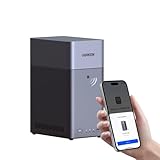
The listing above may be a close match for the TerraMaster model you are considering rather than the exact variant. TerraMaster offers several models with different bay counts, processors, memory amounts and port speeds, and the lineup changes over time. Confirm the model number, bay count, memory and network ports on the card before you order. The checklist below applies across the TerraMaster range, so it stays useful if the exact model is updated.
Who a TerraMaster NAS Suits
A TerraMaster NAS suits a buyer who wants the most storage per dollar and is comfortable doing a bit more of the setup. It fits PC backups, a family media library, shared files and a home archive of screenshots, recordings and mods. For a gamer who has outgrown external drives and wants one central place for backups, it is a sensible starting point.
It is less suitable for a buyer who expects a polished, heavily documented experience. The range of third-party guides and add-on apps is smaller than for the larger brands, so troubleshooting can take longer. If you are planning a complex setup with many services, a more established platform may save time. If you mainly want a low-cost box for backups and shared folders, TerraMaster is a practical choice.
TOS: What to Expect From the Software
TOS handles the basics: shared folders, user accounts, permissions, backup tasks and a set of installable apps. The interface covers the everyday work well, and most home users will not need advanced features. Check the app list for the exact model, because not every app runs on every unit, and check the firmware release notes before you buy.
Security deserves attention on any NAS, and budget hardware is no exception. Keep the system updated, use strong admin credentials, enable two-factor authentication where offered, and do not expose the admin page to the open internet. A VPN or private remote-access method is safer than a forwarded port.
Comparison: TerraMaster Choices by Use Case
| Use case | What to look for | Main trade-off | Price guidance |
|---|---|---|---|
| First home NAS | Two or four bays, gigabit or 2.5GbE | Simpler app ecosystem | Check current price |
| Maximum capacity per dollar | Higher bay count with NAS-rated drives | More noise and power draw | Check current price |
| Light media streaming | Processor and memory suited to your stream count | Transcoding load depends on the model | Check current price |
| Small office backup | Multiple users and reliable redundancy | Verify support and update history | Check current price |
The table is a shortlist guide, not a ranking. Read the exact specifications on the card, and check that the features you need are supported on that model.
Setup Checklist
Drive Selection and Redundancy
Choose drives designed for NAS use and confirm they appear on the model’s compatibility list. A redundant layout such as mirroring or parity protects against a single drive failure, which is the most common reason to choose one. Redundancy is still not backup. Keep a second copy of anything important, and store it away from the NAS so a single incident cannot take out both.
Network Connection
Match the NAS port to your network. A 2.5GbE port on the box does nothing if your switch, router or cable tops out at gigabit. Our guide to the best Ethernet switches for gaming covers the switch side, and the best Ethernet cable for gaming article explains the cable grades. Use a wired link for the NAS where possible.
Power and Placement
A UPS protects the NAS from power cuts that can corrupt files or interrupt a rebuild. Our best UPS for a gaming PC guide explains how to size one. Keep the unit in a cool, ventilated spot. Budget NAS units often run with fans that can be audible in a quiet room, so place it where noise is acceptable.
Where the Budget Choice Makes Sense
A TerraMaster NAS is a good answer to a clear problem: you need more reliable storage than external drives can offer, and you do not need the most polished software. If you are building a home archive, a PC backup target or a shared family library, it can deliver that at a lower price than many established brands.
If you want a bigger ecosystem or a more advanced feature set, look at a brand with a longer track record. The Synology DS923+ review shows what a mature DS-series unit offers, and the QNAP TVS-H874 review covers a more expandable option. Compare the features you actually use, not just the headline bay count.
Gaming Storage Context
A NAS will not speed up your games. Its gaming value is in the storage around the PC. Keep active titles on a fast local drive, and use the TerraMaster for backups, save file copies and recordings. The best NVMe SSD for gaming list covers the local drive, and the best hard drive for gaming guide compares mechanical drives for bulk capacity. For portable copies, the best portable SSD for gaming roundup is a useful companion.
If you want a larger library without a NAS, the best 2TB gaming SSDs guide and the best 4TB NVMe SSDs roundup show how far a single internal drive can go.
Top Picks for a TerraMaster Home NAS
TerraMaster sells network storage in several bay counts, so the right unit depends on how many drives and how much network speed you want. These models cover small two-bay boxes up to larger multi-bay systems, all sold without drives.
TERRAMASTER F2-425 2-Bay NAS, Intel x86 Quad-Core, 4GB RAM (Diskless)
A compact two-bay unit with a 2.5GbE port. It suits a household that wants a central place for photos and backups without a big footprint. You supply the drives, and mirroring two of them is a simple way to protect files.
As an Amazon Associate we earn from qualifying purchases at no extra cost to you.

TERRAMASTER F4-425 4-Bay NAS, Intel x86 Quad-Core, 4GB RAM (Diskless)
Four bays give room to grow, and the 2.5GbE connection keeps file transfers brisk on a modern home network. It is a sensible middle step for people who already own a few drives and plan to add more later.

TERRAMASTER F4-425 Plus NAS 4-Bay, Intel N95, 8GB RAM (Diskless)
This variant adds more memory, dual 5GbE ports and M.2 slots. Those extras help when several people or apps use the box at once, such as media streaming alongside scheduled backups.

TERRAMASTER F6-424 NAS 6-Bay, Intel N95, 8GB DDR5 (Diskless)
A six-bay model for larger archives, with dual 2.5GbE ports. It fits small offices or enthusiasts who keep big media libraries and want several drives in one enclosure.

Frequently Asked Questions
Is a TerraMaster NAS a good budget choice?
It can be, if you need capacity and basic features at a lower price. Verify the model’s app support, update history and drive compatibility before you buy, since budget platforms vary in maturity.
Is TOS easy to use?
For the everyday tasks of shared folders, accounts and backups, the interface is workable. Advanced setups take more time, and community guides are fewer than for the largest brands.
Can I game from a TerraMaster NAS?
Not in any useful way. Keep games on a local SSD and use the NAS for backups, recordings and archives. Most launchers advise against running games from network storage.
How do I keep a TerraMaster NAS secure?
Update the system, use strong admin passwords, enable two-factor authentication where offered, and avoid exposing the admin page to the internet. Use a VPN for remote access, and keep an off-site backup of important data.