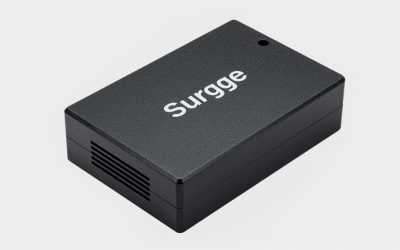
- Top Pick: APC Smart-UPS 1500VA/900W Line Interactive UPS with SmartConnect, SMC1500C
- Best Value: APC 1500VA/900W Back-UPS Pro Pure Sinewave UPS for Gaming PC, Xbox Series X
- Premium Choice: APC 1500VA Smart UPS with SmartConnect, SMT1500C Sinewave UPS Battery Backup, AVR, 120V, Line Interactive Uninterruptible Power Supply
Affiliate disclosure: As an Amazon Associate we earn from qualifying purchases. This post contains affiliate links — if you buy through them we may earn a small commission at no extra cost to you. This never affects our recommendations.
- Quick Picks — Best UPS for Gaming PCs
- 1. APC Smart-UPS C 1500VA — Best UPS for Mid-Range Gaming PCs
- 2. CyberPower CP1500PFCLCD — Best Budget UPS for Gaming
- 3. APC Smart-UPS 3000RM XL — Best Premium UPS for High-End Gaming
- 4. Belkin Surge-Protect UPS — Best Compact UPS for Esports Stations
- 5. CyberPower OR2200LCDS — Best UPS for Dual-Monitor Gaming
- Gaming UPS Capacity & Runtime Reference Table
- How to Choose the Right UPS for Your Gaming PC
- Frequently Asked Questions
- Final Verdict
- Related Articles
- Related Articles
- Related Articles
A UPS (uninterruptible power supply) is gaming PC insurance you install once and hope never to use — until the moment your power grid fails during a ranked competitive match, a crucial story moment, or a scheduled backup. A quality UPS protects against data loss, hard drive corruption, GPU failure from sudden power cuts, and gives you critical minutes to safely shut down your rig.
In 2026, gaming PC power demands have escalated: RTX 5070/5080 GPUs pull 350+ watts, high-end CPUs add 150+ watts, and RGB lighting/monitors/peripherals push total system load to 800–1,200 watts. Finding a UPS with sufficient capacity, fast switchover time, and realistic gaming-load endurance is non-trivial.
🛒 Best Price Today on Amazon
Prime members get fast, free shipping on everything above, plus member-only deals. New members get a 30-day free trial — cancel anytime.
Start 30-Day Prime Free Trial →See Today’s Amazon DealsQuick Picks — Best UPS for Gaming PCs
| Model | Capacity | Runtime (Gaming Load) | Best For |
|---|---|---|---|
| APC Smart-UPS C 1500VA | 1500VA / 900W | 8–10 min | Mid-range gaming rigs |
| CyberPower CP1500PFCLCD | 1500VA / 900W | 10–12 min | Budget protection |
| APC Smart-UPS 3000RM XL | 3000VA / 2700W | 20–25 min | High-end gaming + productivity |
| Belkin Surge-Protect UPS | 850VA / 450W | 5–8 min | Small gaming PC/esports station |
| CyberPower OR2200LCDS | 2200VA / 1320W | 15–18 min | Dual-monitor 1080p esports |
1. APC Smart-UPS C 1500VA — Best UPS for Mid-Range Gaming PCs
As an Amazon Associate we earn from qualifying purchases at no extra cost to you.



The APC Smart-UPS C 1500VA is the gold-standard gaming UPS. With 1500VA capacity (roughly 900W continuous), it’s sized perfectly for mid-range gaming rigs (CPU + GPU + monitor + peripherals totaling 700–900 watts).
Ten minutes is sufficient time to finish a ranked Valorant match, save your Baldur’s Gate 3 progress, and safely shut down without data loss. This is the practical sweet spot for gaming — not overkill, but genuinely useful protection.
Build quality is exceptional. The APC Smart-UPS C uses sine-wave output (not simulated/stepped-wave like budget competitors), meaning your gaming PC receives the same clean AC power as plugged-in operation. This prevents graphics card artifacts, monitor flicker, and potential GPU damage that stepped-wave UPS units can introduce.
The LCD display shows real-time input/output voltage, battery percentage, and remaining runtime — useful information when power is unstable (brownout conditions). Automatic voltage regulation (AVR) corrects minor voltage fluctuations without draining battery, protecting your PC from utility brown-outs without waste.
Noise level is low (40–45 dB fan) even under load, and the 19″ rack-mount design fits under desks or beside gaming towers. The included management software allows graceful PC shutdown if power loss extends beyond available battery time.
Why we recommend it: Perfect capacity for most gaming rigs, exceptional protection, proven reliability.
Pros:
- 1500VA capacity (suitable for 700–900W systems)
- Sine-wave output (pure power quality)
- 8–10 minute runtime (saves work, finishes matches)
- LCD display (real-time monitoring)
- Automatic voltage regulation (brownout protection)
- Widely available (APC is the reliability standard)
Cons:
- 8–10 minute runtime is tight (not for long gaming marathons)
- Expensive battery replacements ($150–$200)
- Rack-mount form factor (takes desk space)
- Not suitable for 1000+ watt systems
2. CyberPower CP1500PFCLCD — Best Budget UPS for Gaming

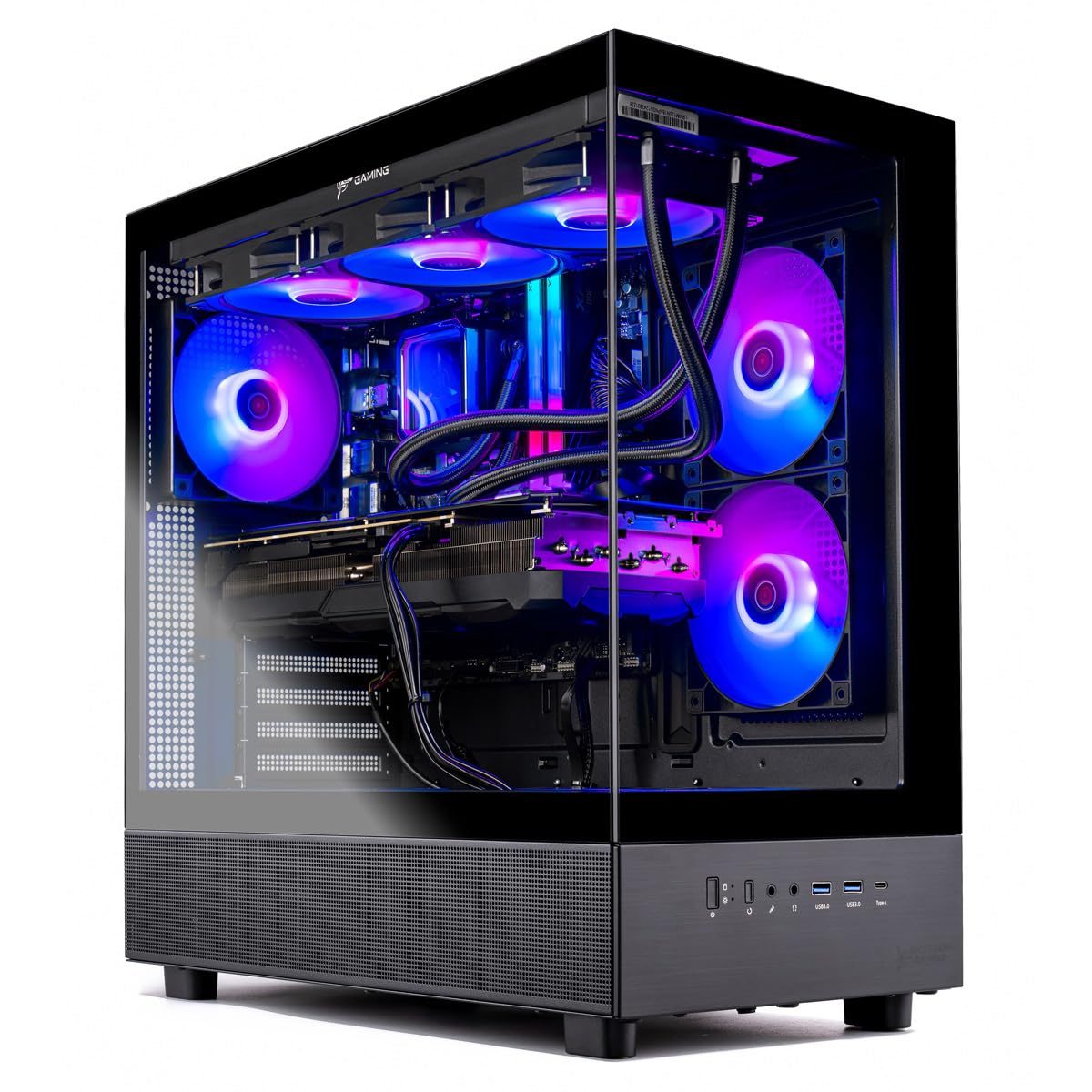
Skytech Gaming Azure 3 Gaming PC, AMD Ryzen 7 9700X 3.8GHz, NVIDIA RTX 5060, 1TB NVMe SSD, 16GB DDR5 RAM 6000, 850W Gold ATX 3 PSU, 360 ARGB AIO, Wi-Fi, Win 11, Desktop


As an Amazon Associate we earn from qualifying purchases. Product prices and availability are accurate as of the date/time indicated.
The CyberPower CP1500PFCLCD is the budget-conscious gamer’s UPS. At $199–$249, it undercuts the APC C 1500VA by $100+ while offering nearly equivalent capacity (1500VA, 900W).

Battery chemistry is identical to premium competitors, and the sine-wave output (same quality as the APC) means your gaming PC receives clean power. Where CyberPower saves costs is in the chassis design (plastic instead of metal) and software features (simpler management tools).
The LCD display shows battery percentage, remaining time, and load percentage. The form factor is compact (tower-shaped, not rack-mount) and fits easily beside a gaming PC tower. Management software is functional but basic — good enough for automated shutdown, not as feature-rich as APC’s offering.
Five-year manufacturer warranty covers battery replacement, which is generous.
Pros:
- Lowest cost (1500VA class)
- Sine-wave output (same quality as premium UPS)
- 10–12 min runtime (excellent for budget option)
- Compact form factor (beside PC tower)
- Simple, effective management software
Cons:
- Plastic chassis (less durable long-term)
- Basic feature set (no AVR, limited diagnostics)
- Slightly shorter battery lifespan (expected at this price)
- Less proven reliability track record
3. APC Smart-UPS 3000RM XL — Best Premium UPS for High-End Gaming
As an Amazon Associate we earn from qualifying purchases at no extra cost to you.
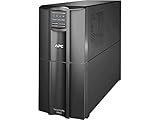

For high-end gaming rigs with RTX 5080 GPU, flagship CPU, and multiple monitors, the APC Smart-UPS 3000RM XL is the definitive protection. With 3000VA capacity (2700W continuous), it handles even the most power-hungry gaming setups (1000–1200 watt systems) comfortably.
This is genuinely useful time — you can finish an entire competitive match, save progress in a single-player game, and perform orderly shutdown sequence.
The 3000RM XL is rack-mount chassis (19″ standard), making it ideal if you have a dedicated gaming office with server-like infrastructure. The massive battery capacity (27Ah AGM batteries) means long-term reliability — AGM cells (absorbent glass mat) are proven over 5+ year lifespans in data center applications.
Monitoring is professional-grade. The network management card option allows remote monitoring from phone/PC, email alerts on power events, and automatic shutdown trigger based on custom conditions. This is overkill for casual gaming but essential if your rig doubles as a streaming server or content-creation workstation.
Why we recommend it: Best premium UPS for high-end gaming rigs. Long runtime, professional reliability, future-proof capacity.
Pros:
- 3000VA capacity (2700W continuous output)
- 20–25 minute runtime (genuinely useful time)
- Professional-grade reliability (data center tested)
- Network management option (remote monitoring)
- Automatic voltage regulation (brownout protection)
- 3-year battery replacement warranty
Cons:
- Very expensive ($699–$799)
- Rack-mount form factor (requires space/rack)
- Overkill for mid-range gaming rigs
- Heavy (50+ lbs, difficult to relocate)
4. Belkin Surge-Protect UPS — Best Compact UPS for Esports Stations
As an Amazon Associate we earn from qualifying purchases at no extra cost to you.


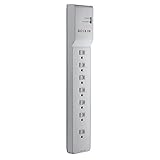

For competitive esports gamers with minimalist setups (single 1080p monitor, gaming laptop, basic peripherals), the Belkin Surge-Protect UPS offers lightweight, affordable protection. At 850VA capacity (450W), it’s sized for systems under 600 watts.
This is enough time to save a competitive match, close applications, and shutdown safely.
The compact tower design is small enough to fit on a desk corner or behind a monitor. Weight is under 10 lbs, making it easily portable if you travel to LAN events or gaming cafés. USB connection to PC enables automatic shutdown, and the software is straightforward.
Battery replacement cost is reasonable ($50–$75), and the 3-year warranty covers manufacturing defects. This is a “no-fuss” UPS for gamers who want basic protection without complexity.
Pros:
- Most compact form factor (desk-friendly)
- Lightweight (portable for LAN events)
- Affordable ($149–$199)
- Simple management software
- Adequate for sub-600W gaming setups
Cons:
- Low capacity (850VA) — only for small systems
- 5–8 minute runtime (tight)
- Simulated sine-wave output (some power quality loss vs. sine-wave)
- Limited monitoring features
5. CyberPower OR2200LCDS — Best UPS for Dual-Monitor Gaming
As an Amazon Associate we earn from qualifying purchases at no extra cost to you.


The CyberPower OR2200LCDS is specifically designed for esports and streaming setups running dual/triple monitors. With 2200VA capacity (1320W continuous), it covers a gaming PC + two 27″ 240Hz monitors (400W each) + peripherals comfortably.

This is sufficient to finish a competitive Counter-Strike 2 match or Valorant tournament round.
The LCD display is large and easy to read, showing battery percentage, remaining time, input/output voltage, and load percentage simultaneously. The tower form factor is compact and sits easily beside a gaming tower or monitor stand.
Sine-wave output ensures clean power delivery to sensitive gaming monitors — no flicker, no color artifacts, no input lag issues from voltage instability. Built-in management software handles automatic PC shutdown and can trigger actions based on power loss (save game, close stream, etc.).
Pros:
- 2200VA capacity (suitable for 800–1,000W systems)
- 15–18 minute runtime (excellent for competitive gaming)
- Sine-wave output (clean power)
- Large LCD display (easy monitoring)
- Compact tower form factor
- Good balance of capacity and price ($349–$449)
Cons:
- More expensive than equivalent APC/CyberPower models
- Not true rack-mount (bulkier tower form factor)
- Battery replacement somewhat expensive ($120–$150)
Gaming UPS Capacity & Runtime Reference Table
| Load (Watts) | Recommended UPS | Runtime (minutes) | Best For |
|---|---|---|---|
| 300–500W | 850VA | 10–15 min | Gaming laptop + monitor |
| 500–750W | 1500VA | 10–12 min | Mid-range desktop (RTX 4070, R7) |
| 750–1000W | 2200VA | 15–18 min | High-end desktop (RTX 4080, R9) |
| 1000–1500W | 3000VA | 20–25 min | Dual-monitor + dual-PC esports |
| 1500W+ | 5000VA+ | 25–30 min | Server-class / streaming farm |
Runtime measured at constant load. Actual endurance varies based on battery age and load profile.
How to Choose the Right UPS for Your Gaming PC
Step 1: Calculate Your Gaming PC Power Draw
Use a Kill-A-Watt meter ($20–$30) to measure peak power consumption under gaming load. Add GPU power (check specs) + CPU power (TDP) + monitor (typical 50–100W) + peripherals (20–50W). Total should be your target.
Example:
- RTX 4070 Super: 220W
- Ryzen 7 9800X3D: 65W
- Monitor + keyboard + mouse: 80W
- Total: ~365W typical, 450W peak
For this system, a 850VA–1500VA UPS is appropriate.
Step 2: Decide on Required Runtime
- Emergency shutdown only: 5–8 minutes (finish active game, save progress)
- Comfortable gameplay: 10–15 minutes (finish ranked match safely)
- Extended gaming: 20+ minutes (long competitive matches, streaming sessions)
Step 3: Choose Form Factor
- Desk-friendly: Tower models (CyberPower, Belkin, compact APC)
- Rack-mount: Professional infrastructure (APC Smart-UPS RM series)
- Behind-monitor: Compact tower fits most desk setups
Step 4: Evaluate Management Features
- Basic gamers: LCD display + USB shutdown is sufficient
- Streaming/content creation: Network management card enables remote monitoring
- Serious enthusiasts: Integration with smart home or gaming PCs for advanced automation
Step 5: Factor in Battery Replacement Costs
UPS batteries degrade 15–20% per year and should be replaced every 3–5 years. APC batteries ($150–$200) are more expensive than CyberPower ($70–$120), but APC’s longer lifespan (8+ years) often justifies the premium.
Frequently Asked Questions
Can I use a UPS to game for hours on battery?
No. A 1500VA UPS with a 750W gaming system gives 8–10 minutes of runtime. To game for hours on battery, you’d need 5000+ VA capacity (expensive, bulky, and impractical). Use UPS as emergency backup, not a power source.
Do I need a UPS for a gaming laptop?
Gaming laptops have built-in batteries (4–8 hours for many modern models), so a UPS is less critical. However, a small UPS ($150) protects your monitor, keyboard, and docking station if power fails, plus it extends laptop battery life if you’re gaming away from outlets.
Should I plug my entire desk into the UPS or just the PC?
Plug only the gaming PC, monitor, and essential peripherals into the UPS. Printers, lamps, and other non-critical devices should use standard power strips. This prioritizes battery capacity for gaming equipment.
Can a UPS damage my gaming PC?
Quality sine-wave UPS (APC, CyberPower premium models) cannot damage a PC — they output clean AC power identical to wall power. Budget stepped-wave UPS units can introduce harmonics that stress power supplies and GPUs, but modern PCs handle this adequately.
How often should I replace UPS batteries?
Every 3–5 years for gaming use. If your UPS beeps constantly on power loss or shows “Battery Low” immediately, replacement is due. This is a maintenance cost to budget when purchasing a UPS.
Is a UPS necessary for gaming or just overkill?
A UPS is essential insurance, not overkill. Power outages happen unpredictably (storms, grid maintenance, accidents). A $200–$300 UPS protects a $1,500+ gaming PC from data loss, hard drive corruption, and GPU failure. Consider it mandatory, like a surge protector.
Which UPS is best for gaming PC surge protection?
All UPS units include integrated surge protection. The APC Smart-UPS C 1500VA is the best balance. Budget surge-only protectors ($20–$50) are cheaper but offer zero battery backup — a UPS is worth the premium.
Final Verdict
For most gaming PCs (700–900W systems), the APC Smart-UPS C 1500VA ($299–$349) is the best choice — proven reliability, sine-wave output, and 8–10 minute runtime save your gaming and data. For budget-conscious gamers, the CyberPower CP1500PFCLCD ($199–$249) delivers equivalent capacity at lower cost.
For high-end rigs (1000+ watts) or streaming setups, the CyberPower OR2200LCDS ($349–$449) or APC Smart-UPS 3000RM XL ($699+) provide ample capacity and 15–25 minute runtimes. For portable gaming, the Belkin Surge-Protect UPS ($149–$199) is lightweight and affordable.
Pair your UPS with surge protectors for complete power protection, and learn about gaming PC power supply units to ensure your base electrical infrastructure is robust. Check our guide to complete gaming PC builds for full system specifications and power planning.
Last updated: April 2026. Prices and availability may change. We independently research every product we recommend. When you buy through our links, we may earn a commission at no extra cost to you.
In a hurry? See the top-rated UPS for Gaming PC deals available right now:
🛒 Check Ups For Gaming Pc Prices on Amazon →Related Articles
- Best Buy Gaming Desktop 2026: Complete Pre-Built Rigs at Every Price
- Best Buy Gaming Desktops 2026: Pre-Built Rigs for Every Budget
- Best Cheap Gaming PC in 2026: Budget Builds That Don't Compromise Performance
- Best Gaming PC Deals
- Best Gaming PC Under 00
Related Articles
Looking for more on this topic? Browse the hand-picked guides below — each one applies the same scoring rubric used in this review.