Best Gaming NAS 2026: What a NAS Can and Cannot Do for Your Game Library
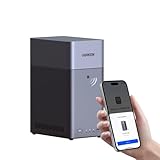
A gaming NAS is a network-attached storage unit used alongside a gaming PC, usually for backups, save files, recordings and a shared archive of game files. It is a useful tool, but it is often misunderstood. A NAS will not speed up a game installed on your PC, and most game launchers do not recommend running titles directly from network storage. This guide explains where a NAS genuinely helps a gaming household, which features matter for that role, and what to check on the listing above.
The listing above may be a close match for the kind of gaming NAS you have in mind rather than the exact model. NAS units differ by bay count, processor, memory, network ports and software. Check the card for the exact model, port speed and memory before you buy. The buying logic here stays the same across models, so it remains useful whichever one you choose.
What a Gaming NAS Is Good For
Think of a gaming NAS as the storage room for your gaming setup, not the engine. Its jobs are practical. It can hold backups of your PC and your important files, keep copies of save games and configuration folders, store captured gameplay and screenshots, and act as an archive for installers and mods. A household with several machines can share one central store, which is convenient when the same files are needed on more than one device.
The NAS is also a good place for media that you watch but do not play: films, shows, photo libraries and the video projects of a streamer. Keeping that material off the gaming SSD frees fast local space for the titles you play every day.
What a Gaming NAS Cannot Do
A NAS cannot replace a fast internal drive for active games. Even on a 2.5GbE connection, network transfers are slower than a local NVMe SSD, and many games read data constantly as you play. Launchers and game platforms generally advise against running games from network shares, because connection drops can cause crashes or corrupted installs. Treat the NAS as storage, install active titles locally, and use the NAS for everything around them.
It also cannot make your network faster on its own. A NAS on a gigabit switch will run at gigabit speed, regardless of the port on the box. If you want the NAS to matter, check the whole network path.
Comparison: Gaming NAS Uses and Requirements
| Gaming use | What the NAS needs | Main limit | Price guidance |
|---|---|---|---|
| PC and save file backups | Redundant drives and a backup app | Redundancy is not a backup | Check current price |
| Recordings and screenshots | Enough capacity and a stable network | Large video files need space | Check current price |
| Shared archive for several PCs | Gigabit or 2.5GbE and enough bays | Network speed sets transfer speed | Check current price |
| Installing active games | Not recommended | Slow and unreliable compared with local SSD | Use a local SSD instead |
The table shows that most gaming uses sit around storage and backup. Use it to decide whether a NAS fits your needs before you spend on one.
Features That Matter for a Gaming NAS
Redundancy and Drive Choice
Choose a unit that supports a mirror or parity layout, and fill it with drives rated for NAS use. A mirror or RAID layout protects you if one drive fails, which is useful for a library you cannot easily replace. Keep a separate off-site copy of anything important, because redundancy does not protect against deletion, ransomware or a fire.
Network Speed
Gigabit is the baseline. 2.5GbE is a worthwhile step up if you move large files often, provided the router, switch and cable support it. Our guide to the best Ethernet switches for gaming covers the switch options, and the best Ethernet cable for gaming article explains which cables you need. Wired connections are more reliable than Wi-Fi for any NAS task.
Power Protection and Noise
A NAS that loses power mid-write can corrupt data, so put it on a UPS. The best UPS for a gaming PC guide explains how to size one. If the NAS sits in a room where you game, check the noise rating, because fan and drive noise can be noticeable during quiet sessions.
Software and Apps
Check that the backup app supports your PC and that the NAS can handle the sync or backup schedule you need. Confirm that the operating system receives regular security updates. A gaming NAS is only useful if it stays secure and reliable over time.
Pairing the NAS With Your Gaming Storage
The best gaming storage setup uses several tiers. Active games go on a fast local SSD, which is the most important choice for load times. The best NVMe SSD for gaming guide and the best gaming SSDs roundup cover that tier. For bulk storage inside the PC, the best hard drive for gaming guide compares mechanical drives.
The NAS sits beside those drives as the archive and backup tier. For portable copies that move between machines, the best external SSD for gaming guide is the right reference. If you want to understand how fast local drives differ, the PCIe Gen5 vs Gen4 SSD comparison shows where speed matters and where it does not.
Example NAS Brands for a Gaming Household
Synology and QNAP are the two best-known brands, and each has a different approach. Synology focuses on a simpler interface and a broad app catalogue, which suits a household that wants backups without a steep learning curve. The Synology DS923+ review shows what a mature DS-series unit offers. QNAP offers more expansion and advanced options, which suits a power user. The QNAP TVS-H874 review covers one of its higher-end options.
For a budget alternative, the TerraMaster F4-424 Pro review covers a lower-cost unit with its own operating system. Choose the brand that fits how much configuration you want to do, then pick the bay count and network speed that match your library.
Top Picks for a Four-Bay Game Library NAS
A larger NAS leaves room for growth, redundancy and a full library of installers. These picks cover a four-bay unit, capacity drives and cabling.
Synology DS423 4-Bay NAS
A four-bay unit for backup, file sharing and photo storage. Four bays allow redundancy, so a single drive failure does not wipe out your library.
As an Amazon Associate we earn from qualifying purchases at no extra cost to you.

Seagate IronWolf 8TB NAS Internal Hard Drive
An 8TB drive built for NAS enclosures. Larger drives reduce how many bays you need for a big collection of installers and backups.

Western Digital 12TB WD Red Plus NAS Hard Drive
A 12TB drive in the Red Plus line for NAS use. It is a high-capacity option for archives and media when you want to keep bay count low.

Cable Matters Cat 6A Ethernet Cable, 25 ft
A shielded Cat 6A cable rated for 10Gbps. A good cable removes a weak link between the NAS and your switch, especially on longer runs.

Western Digital 12TB WD Red Pro NAS Hard Drive
A 12TB drive in the faster Red Pro line, built for NAS enclosures that run all day. It suits busy households with several users.

Buy drives of the same capacity for each pool, and plan for one spare bay so you can expand later.
Frequently Asked Questions
Does a gaming NAS make games load faster?
No. Games load from the drive they are installed on. Install active titles on a local SSD and use the NAS for backups, saves, recordings and archives.
Can I install games on a NAS?
You can map a network share, but most launchers advise against it. Connection drops and slower reads can cause crashes or failed installs. Keep active games local.
What is the best use of a gaming NAS?
Backups, save file copies, recordings, screenshots and a shared archive for several machines. Those jobs benefit from redundancy and capacity, not from raw speed.
Do I need 10GbE for a gaming NAS?
Usually not. Gigabit covers most backup and archive work, and 2.5GbE is a sensible upgrade for regular large transfers. 10GbE suits heavy, frequent transfers and needs compatible switches and network cards.