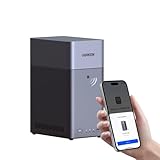
QNAP NAS Review 2026: Is QTS Worth the Learning Curve for Gamers?
QNAP is one of the established names in network-attached storage, and its NAS range is known for flexibility. Its operating system, QTS, supports file sharing, backup, media serving and a container and virtual machine layer, and many models offer more expansion options than a typical home NAS. That flexibility is the reason to choose QNAP, and also the reason it can feel heavier than simpler systems. This guide covers what a QNAP unit does well for a gaming household, where it asks more of you, and what to check on the listing above.
The listing above may be a close match for the QNAP model you have in mind rather than the exact variant. QNAP’s range spans compact home units through to larger business-oriented boxes, and the differences lie in bay count, processor, memory, expansion slots and port speed. Confirm the model number and the port and bay details on the card before you order. The buying approach here holds for any QNAP model, so the checklist remains useful whichever one you pick.
Who a QNAP NAS Suits
A QNAP is a good match for a technically comfortable buyer who wants room to grow. If you plan to run a few self-hosted services, store a large library of recordings or mods, or set up a small lab for testing, QTS gives you the tools. It also suits a gamer who streams or edits video and wants a central store that several machines can reach quickly.
It is a weaker choice for a buyer who wants a NAS that works out of the box with no configuration. The interface is capable but has more menus than a simpler system, and the most useful features take time to learn. If your goal is only shared folders and PC backups, a simpler system may save you time and reduce the number of settings you have to maintain.
QTS, Containers and Expansion
QTS is the core of the QNAP experience. It handles user permissions, shared folders, snapshots, backup jobs and a package store. Container Station lets you run Docker-style containers on supported models, which is useful for home media servers, download managers and small web tools. Virtualization Station covers virtual machines for those who need a full operating system inside the box.
Many QNAP models include PCIe expansion slots, which can add network cards or storage adapters. That is a real advantage if you expect to upgrade the network later. Check the card for the exact slot layout, because not every model has them and the number of slots varies.
QuTS hero and Data Integrity
On supported models, QNAP offers QuTS hero, a version of the operating system built around the ZFS file system. ZFS adds checksums and advanced snapshot features that appeal to buyers who care about long-term data integrity. The trade-off is that ZFS usually wants more memory and a more deliberate setup. If you are not sure whether you need it, the standard QTS path is simpler and covers most home uses.
Security: The Part You Cannot Skip
QNAP devices have been targeted by ransomware campaigns in the past, and those incidents were widely reported. The lesson is practical rather than dramatic. Keep QTS updated, use strong and unique admin passwords, turn on two-factor authentication for admin accounts, and avoid exposing the admin interface directly to the internet. If you need remote access, use a VPN or a private access service rather than an open port. Keep at least one backup copy that the NAS cannot overwrite.
Comparison: QNAP Choices by Use Case
| Use case | What to look for | Main trade-off | Price guidance |
|---|---|---|---|
| Family media and backups | Standard QTS, 2 to 4 bays, gigabit or 2.5GbE | Fewer advanced features to explore | Check current price |
| Container and self-hosted apps | Enough memory and a capable processor | Requires more setup time | Check current price |
| Data integrity focus | QuTS hero on a supported model | ZFS wants more RAM and planning | Check current price |
| Expansion and upgrades | PCIe slots and higher port speed | Higher cost and more heat | Check current price |
Treat this table as a filter rather than a verdict. The exact features depend on the model, and QNAP updates its range regularly, so confirm the features on the product page before you commit.
Setup Advice for Gaming Households
Storage Layout and Drive Choice
Pick drives rated for NAS use and check the compatibility list for the model. Matching drives simplify both capacity planning and replacement. A redundant layout such as RAID 1, RAID 5 or RAID 6 protects against a drive failure, but it is not a backup. For a household, plan on one copy on the NAS and one copy somewhere else.
Network and Router Choices
A 2.5GbE port only helps if the rest of the path can carry it. Your switch, router and cable all need to match. Our review of the best Ethernet switches for gaming covers the switch side. For cable choice, the best Ethernet cable for gaming guide explains what to buy for short and long runs. If your NAS will also sit in a gaming rig’s network, the router guide for gaming and streaming helps you judge whether the rest of the path can keep up.
For the local drive that should hold active games, the best NVMe SSD for gaming list is a better fit than the NAS. Keep the QNAP for backups and archives.
Power and Cooling
Place the unit where air can flow freely, and put it on a UPS. The best UPS for a gaming PC guide covers sizing, which applies equally to a NAS and a gaming rig. Keep the NAS away from a hot desk or a closed cabinet, because sustained heat shortens drive life.
How QNAP Compares With Synology
Synology is usually the easier starting point. Its interface is simpler and its apps are polished. QNAP tends to offer more hardware choices and more control, which makes it attractive for power users. If you want a quick comparison of the two approaches, the Synology DS923+ review shows what a typical DS-series unit offers. If your priority is a lean home unit with a light footprint, the Synology DS224+ review is a useful reference point.
For a budget alternative, the TerraMaster F4-424 Pro review covers a lower-cost option with its own operating system and trade-offs.
Top Picks for a Gamer-Friendly QNAP Setup
A NAS needs drives and power protection to be reliable. These picks cover QNAP units in two sizes plus two companions that make the setup safer and quicker for a household with games, media and backups.
QNAP TS-264 2-Bay Desktop NAS
A two-bay NAS with an Intel quad-core CPU. It suits smaller households that want simple backups and shared storage.
As an Amazon Associate we earn from qualifying purchases at no extra cost to you.

QNAP TS-433 4-Bay NAS
A four-bay unit with a quad-core processor and 2.5GbE. It offers room for growth and faster network transfers.

UGREEN NAS UPS US3000 Battery Backup
A DC battery backup built for NAS devices. It helps avoid abrupt shutdowns during a power cut that could damage data.

Western Digital 2TB WD Red SN700 NVMe SSD
An NVMe drive made for NAS use, handy for caching. It speeds up frequently used files if your unit has an M.2 slot.

QNAP TS-464 4-Bay Desktop NAS
A four-bay NAS with an Intel quad-core processor and M.2 slots. It suits users who want more performance and expansion than entry units.
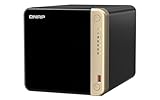
Keep the firmware updated and avoid exposing the NAS to the internet without strong security. Add a battery backup if you can, because unclean shutdowns are a common cause of data trouble.
Frequently Asked Questions
Is QNAP better than Synology for gaming?
Neither brand speeds up games on your PC. QNAP offers more expansion and advanced options, while Synology tends to be simpler. Choose based on how much configuration you want to do, not on gaming performance.
Is QuTS hero necessary for a home NAS?
Usually not. QuTS hero is useful for buyers who want ZFS features and are prepared to size memory and plan the setup. A standard QTS system covers most home backup and media needs.
Is a QNAP NAS safe to use?
It can be, provided you keep QTS updated, use strong passwords and two-factor authentication, and avoid exposing the admin interface to the internet. Past ransomware incidents show that the basics matter more than any single feature.
Can a QNAP run game servers or streaming tools?
Some models can run containers and virtual machines that host lightweight services. Demanding workloads depend on the processor and memory, so check the specifications on the card before you plan a heavy setup.