Our Short List of 3

- Display: 7.4-inch HDR OLED, 1280 by 800, up to 90 Hz
- Processor: AMD Zen 2 and RDNA 2 custom APU
- Memory: 16 GB LPDDR5
- Storage: 512 GB NVMe, plus a microSD slot

- Connectivity: Bluetooth wireless and USB-C wired
- Joysticks: TMR electromagnetic, anti-drift design
- Triggers: Hall effect, with mode switching
- Extras: two remappable back buttons, motion control

- Connectivity: Xbox Wireless and Bluetooth
- Port: USB-C for wired play
- Controls: hybrid D-pad, dedicated Share button
- Power: AA batteries or optional rechargeable pack
All 5 Picks at a Glance
| Product | Specs | Action |
|---|---|---|
| Valve Steam Deck OLED 512GB |
| Check price on Amazon |
| 8BitDo Ultimate 2 Bluetooth Controller |
| Check price on Amazon |
| Xbox Wireless Controller, Carbon Black |
| Check price on Amazon |
 Logitech G502 HERO |
| Check price on Amazon |
 Samsung T9 Portable SSD 2TB |
| Check price on Amazon |
Aspyr’s 2024 remaster of Star Wars: Bounty Hunter, the Jango Fett action game first released in 2002, arrived on Steam as a Windows game and has stayed one. Every layer of the store record agrees: the platform flags name Windows alone, the two content depots are Windows-configured, the icon registry holds no Linux client icon, and the Linux requirements field is an empty shell — a heading over a blank list. There is no native Linux build of this game.
The practical question is therefore the Proton one, and there the news is good. The community compatibility file is settled at the top tier, Valve has graded the game on Steam Deck with its strongest badge, and a second storefront sells the same game for Windows only.
As an Amazon Associate, we earn from qualifying purchases.
Quick answer
No. Star Wars: Bounty Hunter has no native Linux build: Steam’s record flags Windows alone, both content depots are Windows-configured, and the Linux requirements field is an empty shell. The working route is Proton — ProtonDB rates the game Platinum across 19 reports, and Valve’s Steam Deck badge is Verified, graded on a pre-release build.
The status at a glance
- Native Linux build: none — Windows is the only platform flag set
- ProtonDB: Platinum on all three tiers, 19 reports, good confidence
- Steam Deck: Verified, tested 20 July 2024 on a pre-release build; SteamOS Compatible
- DLC and add-on apps: none — the family is a single app
- Anti-cheat: none named on any layer; no DRM notice, no account notice
- GOG: sells the game, Windows only
What Steam’s record actually sells
Start with the flags. The record’s platform field reads windows true, mac false, linux false, and the delivery operating-system list names Windows alone, at 64-bit. The Windows requirements are genuinely populated at both tiers — a Core 2 Duo E8400 or Phenom II X2 550, 4 GB of memory and a GeForce GTX 650 class card at minimum. Against that, the Mac and Linux requirements fields are empty shells at both tiers: standard headings with nothing underneath — a template that was never completed.
The depot census closes the question. SteamDB’s depot table for the sold package lists exactly two content depots: depot 2419091 at roughly 33 MB and depot 2419092 at roughly 10.2 GB, both configured for Windows 64-bit, plus the shared Windows VC 2022 redistributable — about 10.24 GB on disk. No Linux depot, no Mac depot, no untagged shared depot hiding a second build. The icon registry agrees: clienticon, clienttga and icon are registered, with no Linux client icon, and the extended OS field is an empty string. On flags, depots, requirements and icons together, this record never contained a Linux build.
One honest limit: the launch-entry list could not be surfaced this session, so no launch-entry claim is made either way.
A one-app family
Some games look supported only because a sibling app — usually a soundtrack — flags every platform. That shape does not exist here. The base record’s DLC field is absent, and a store search on the game’s own title returns exactly one app: the game itself. No soundtrack, demo, art book or edition upgrade exists. The family Linux-flag count is 0 of 1, and scans that report this title as Linux-supported are misreading something else — most likely the ProtonDB page header covered below.
The Proton file
ProtonDB’s summary for this app is a full read, not a headline scrape: settled Platinum, best-reported Platinum, trending Platinum, across 19 reports with good confidence. The filings underneath are mostly uneventful — clean runs on current Proton and GE-Proton builds, several on Steam Deck, where reporters describe the game working out of the box. The recurring fault line is narrow: opening the Options menu in-game crashes the game for several reporters, on stock and custom Proton alike; the agreed workaround is to set options from the main menu instead. One older filing needed a WINED3D launch flag to pass a black screen on Proton 9.0-3; later filings do not repeat it.
The heading check matters here, because this page header misleads. The ProtonDB game page carries the stray “Natively Supports” heading its template generates from the empty-shell Linux requirements field on Steam’s side. Steam’s record contradicts it on every layer checked, so treat the heading as a formatting artefact: the game is a Windows build that runs through Proton.
The Deck sheet, read carefully
Valve’s own compatibility endpoint returned an empty response in this session, so the Deck sheet here is read from SteamDB’s republication of Valve’s data — with its date attached. The category is Verified, with all four checks passing: default controller configuration, Deck controller icons, legible interface text and a performant default graphics configuration. SteamOS is separately rated Compatible. The sheet’s one note: the game does not default to external Bluetooth or USB controllers, and may require switching the active controller through the Quick Access Menu.
The date is the caveat. Valve tested the game on 20 July 2024 against build 14989419, using a release candidate of Proton 9.0-2 — eleven days before the game went on sale. The current public build is 15994612, from November 2024. So the badge grades a pre-release build, not the code on sale today, and the paperwork is a supplement candidate. Post-launch Deck filings on ProtonDB are clean, so the gap looks harmless — but the badge belongs to an older build.
Silence on the anti-cheat layer
Bounty Hunter is a single-player game, and its record behaves like one. There is no DRM notice on the store record and no third-party account notice. SteamDB’s detected-technology list names AMD GPU Services, Bink Video and FMOD — engine and middleware, none of them an anti-cheat. The AreWeAntiCheatYet database, read in full at 1,167 entries, holds no entry for this app by store ID or by name. That is documentation silence on every layer, stated as silence: nothing here presents an anti-cheat obstacle to Proton. Controller support is rated full on the game’s own record, and Valve’s test configuration records gamepad as the supported input.
The other storefront
GOG does sell this game, so the question is worth ruling properly. GOG’s catalogue holds a product record for it (product 1158717618), the live product page identity checks out as this same Aspyr remaster, and its system compatibility reads windows true, osx false, linux false: a Windows build, sold without a Linux version. Steam is not the only place to buy the game, but no storefront sells a Linux copy, because none exists — on either store, a Linux buyer is buying the Windows build and running it through Proton or Wine.
Gear that fits the record
The record’s shape decides the gear: a gamepad-first game with a Verified Deck badge and a desktop Proton route for everyone else.
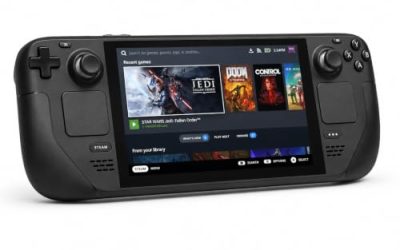
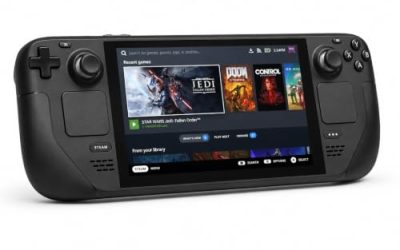
Valve Steam Deck OLED 512GB
- Display: 7.4-inch HDR OLED, 1280 by 800, up to 90 Hz
- Processor: AMD Zen 2 and RDNA 2 custom APU
- Memory: 16 GB LPDDR5
- Storage: 512 GB NVMe, plus a microSD slot
The handheld the Verified badge was written for. Valve’s sheet passes the game on every check, and Deck owners on ProtonDB describe it running out of the box — with the caveat that the badge was graded before launch.
8BitDo Ultimate 2 Bluetooth Controller
- Connectivity: Bluetooth wireless and USB-C wired
- Joysticks: TMR electromagnetic, anti-drift design
- Triggers: Hall effect, with mode switching
- Extras: two remappable back buttons, motion control
The docked and desktop pad pick. The record rates controller support full, and this pad covers the couch case with modern sticks, triggers and back buttons. Paired to a Deck, remember the sheet’s note about the Quick Access Menu switch.
Xbox Wireless Controller, Carbon Black
- Connectivity: Xbox Wireless and Bluetooth
- Port: USB-C for wired play
- Controls: hybrid D-pad, dedicated Share button
- Power: AA batteries or optional rechargeable pack
The safest guest pad in PC gaming: Steam Input support is universal, the glyphs match what most games display, and it pairs over Bluetooth or its own wireless standard. On the handheld, the test sheet’s note applies: an external pad may need a manual Quick Access Menu switch first.
Logitech G502 HERO
- HERO optical sensor, up to 25,600 DPI
- 11 programmable buttons
- Adjustable weight system
- Wired USB connection
For the desktop side of a Linux setup: menus, launchers and library management between sessions. The game itself is gamepad-first — Valve’s sheet records gamepad as the supported input — so the mouse earns its place around the game rather than in it.
Samsung T9 Portable SSD 2TB
- Capacity: 2 TB portable SSD
- Interface: USB 3.2 Gen 2×2, USB-C connector
- Maker-rated speeds: up to 2,000 MB per second read, 1,950 MB per second write
- Features: Dynamic Thermal Guard, maker-rated drop resistance
For moving a Linux game library between machines, or keeping an offline backup of installers, a fast USB-C drive is the simple answer. The headline figure needs a Gen 2×2 host port.
How to choose
Choose the edition by where you want to own it, not by platform hopes: the Steam and GOG copies are the same Windows build, and neither is native. On a Linux desktop or laptop, install and leave the compatibility tool at its default; the Platinum file says current Proton handles the game, and the one habit worth adopting from the filings is setting options from the main menu rather than in-game. On Steam Deck, install and play — the Verified checks all pass.
Who should skip
Skip this entirely if you only buy native Linux builds — there is none here and no layer of the record hints at one coming. Skip the GOG copy if you hoped a second storefront changes the platform answer; it does not. Skip the Deck badge as a guarantee if you need paperwork graded on the exact build you will download: Valve’s test predates launch, so treat the badge as strong historical evidence backed by clean current filings, not a test of today’s code. And if the in-game Options crash would bother you more than the main-menu workaround solves, wait for a future patch.
FAQ
Is Star Wars: Bounty Hunter native on Linux?
No. Steam’s record flags Windows alone, both content depots are Windows-configured, the Linux requirements field is an empty shell, and no Linux client icon is registered. The ProtonDB page’s “Natively Supports” heading is a template artefact generated from that empty field.
How well does it run under Proton?
Very well, on the community evidence. ProtonDB’s full summary reads Platinum on all three tiers across 19 reports with good confidence. The one recurring fault is a crash when opening the Options menu in-game; setting options from the main menu avoids it.
Is it Steam Deck Verified?
Yes — with a date attached. Valve’s sheet, read here through SteamDB’s republication because Valve’s endpoint returned an empty response, grades the game Verified with all checks passing and SteamOS Compatible. The test ran on 20 July 2024 against a pre-release build; the current public build dates from November 2024.
Can I buy it on GOG for Linux instead?
GOG sells the game (product record 1158717618), but its compatibility record reads Windows true and Linux false — the same Windows build as Steam’s, with no Linux version on either storefront.
Final verdict
Star Wars: Bounty Hunter on Linux is a clean Proton story wrapped in one misleading page header. There is no native build, and the record proves it four ways: Windows-only flags, Windows-only depots, an empty-shell Linux requirements field and no Linux client icon. What exists instead is a Windows build with a settled Platinum Proton file, a Verified Deck badge graded just before launch, no anti-cheat layer, and a GOG edition that changes nothing about platforms. Buy it on either store, play it with a gamepad, set options from the main menu — and ignore any heading that calls it native.
Product and ASIN Reference
| Product | ASIN |
|---|---|
| Valve Steam Deck OLED 512GB | B0CQ3RWQQZ |
| 8BitDo Ultimate 2 Bluetooth Controller | B0F194QFT2 |
| Xbox Wireless Controller, Carbon Black | B08DF248LD |
| Logitech G502 HERO | B07GBZ4Q68 |
| Samsung T9 Portable SSD 2TB | B0CHFS9K14 |