

The SanDisk 1.5TB Ultra microSDXC UHS-I (Class 10, U1, A1) is one of the largest microSD cards you can buy for a Steam Deck, ROG Ally or Legion Go. At a price that works out far cheaper per gigabyte than the Deck’s internal NVMe storage upgrades, it is the obvious way to expand a handheld’s game library without surgery. This SanDisk 1.5TB microSD review covers what it is, how it performs, who it suits, and the speed-vs-capacity trade-offs to understand before buying.
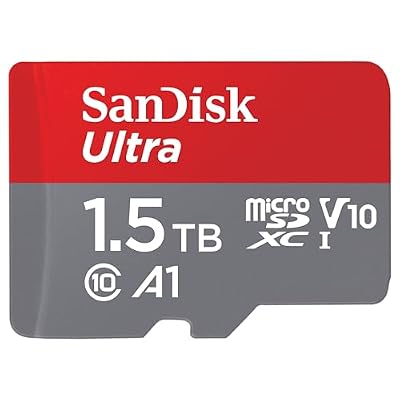
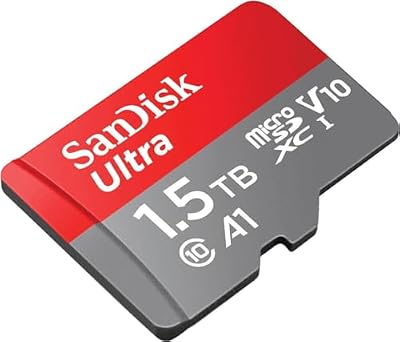
SANDISK 1.5TB Ultra microSD Card + Adapter, Up to 150MB/s Read Speeds | UHS-I, Full HD, C10, U1, A1, Ideal for Android Smartphones, Tablets and MIL cameras - SDSQUAC-1T50-GN6MA





As an Amazon Associate we earn from qualifying purchases. Product prices and availability are accurate as of the date/time indicated.
🛒 Best Price Today on Amazon
Prime members get fast, free shipping on everything above, plus member-only deals. New members get a 30-day free trial — cancel anytime.
As an Amazon Associate we earn from qualifying purchases.




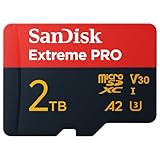
SanDisk 1.5TB Ultra microSDXC at a Glance
| Component | Specification |
|---|---|
| Compatibility | Steam Deck (LCD & OLED), ROG Ally, Legion Go, Switch, action cameras, Android |
| Capacity | 1.5TB (1,500GB usable, formatted to ext4 by SteamOS) |
| Speed class | UHS-I, Class 10, U1, A1 |
| Sequential read | Up to 150 MB/s (manufacturer rated) |
| Sequential write | Slower than read — typical of UHS-I U1 cards |
| Interface | microSDXC UHS-I |
| Form factor | microSD (with full-size SD adapter) |
| Warranty | 10-year limited (SanDisk) |
| Approx price | around $130 |
Build Quality & Materials
SanDisk has been making memory cards longer than most companies have existed, and the Ultra line is its bread-and-butter consumer card — the same line used by millions of phones, cameras and handhelds for years. The 1.5TB card is physically identical to any other microSDXC: a tiny plastic-and-metal sliver with no moving parts, rated to survive water, temperature extremes, shocks, X-rays and magnets, as SanDisk’s marketing rightly emphasises. There is little to say about build because there is little to build — what matters is the silicon inside, and SanDisk’s track record in this category is exceptionally strong. The included full-size SD adapter is the same one SanDisk has shipped for years, useful if you ever want to read the card in a laptop card reader. For long-term reliability, that 10-year warranty is a reassuring sign.
Functionality & Real-World Use
For a Steam Deck, ROG Ally or Legion Go, the practical use of a 1.5TB microSD is overwhelmingly clear: it is the cheapest way to massively expand your game library. Modern AAA games routinely demand 80-150GB each, and the Deck’s base 256GB or 512GB internal storage fills quickly. With 1.5TB on a microSD, you can comfortably keep 12-15 large games installed at once, plus a long tail of indies, without the cost or risk of replacing the Deck’s internal NVMe.
Speed is where you need to set expectations honestly. This is a UHS-I U1 card with a 150 MB/s read rating — fast enough for the Steam Deck’s microSD slot, which is itself a UHS-I interface and cannot go faster regardless of the card. Games load slower from microSD than from the internal NVMe SSD, sometimes noticeably — texture-streaming-heavy open-world titles will show the difference. For most games this is acceptable in exchange for the capacity, but if you mostly play one big AAA game that lives on microSD, you will feel the loading penalty.
Practical tip: keep the games you play most on internal storage, and use the microSD as a deep library. SteamOS lets you move games between the two with a click.
Compatibility with Steam Deck / ROG Ally / Legion Go
All three of the popular Windows/SteamOS handhelds — Steam Deck LCD, Steam Deck OLED, ASUS ROG Ally and Lenovo Legion Go — accept full-size 1.5TB microSDXC cards in their microSD slots. SteamOS on the Deck handles the card best, automatically formatting it to ext4 (the Linux filesystem) and integrating it as a steam library so games installed there work transparently. On the Windows-based ROG Ally and Legion Go, the card formats to exFAT and is treated as a normal drive letter. Note that the Nintendo Switch’s microSD slot, by contrast, will not recognise cards above 2TB and uses a different driver — performance there is similar but always check Switch compatibility lists if that is a target use. For more on the handhelds’ broader accessory landscape, see our best gaming laptops under $1,200 guide for related portable gaming options.
Installation / Setup
Installation is genuinely the easiest part of any handheld upgrade. Power off the Deck, locate the microSD slot beneath the screen on the bottom edge, insert the card label-up until it clicks, and power on. SteamOS will detect a new card and offer to format it for Steam — accept the offer, and the system handles ext4 formatting automatically. Once formatted, head to Settings > Storage and you can set the SD card as the default install target for new games. Existing games on internal storage can be moved across in a few clicks. The whole process takes under five minutes and requires no tools, no screws and no risk.
What’s in the Box
SanDisk’s packaging is minimal but complete: the 1.5TB microSDXC card itself, and a full-size SD card adapter for use with laptops and card readers that lack a microSD slot. There is no USB reader included — if you need one, an inexpensive USB-C microSD reader is a sensible companion purchase for transferring files. There is no printed manual, which is appropriate; the card is plug-and-play.
Verdict
At around $130, the SanDisk 1.5TB Ultra microSDXC is the sensible buy for any Steam Deck, ROG Ally or Legion Go owner who is running out of internal storage. The U1 speed rating means it is not the fastest microSD on the market — for the absolute fastest microSD performance an A2-rated card would be marginally quicker on random reads — but the Deck’s UHS-I slot is the limiting factor anyway, and the capacity-to-price equation here is what makes this card so attractive. For deep library storage, it is the right choice. For buyers who also need fast desktop storage, our best portable SSDs for gaming guide covers external NVMe options.
A note on long-term reliability: SanDisk has consistently been one of the most reliable consumer microSD brands for over a decade, and the Ultra line specifically has a long track record of failure-free use across phones, cameras, drones and handhelds. The 10-year warranty is a meaningful commitment from a company that has earned the right to make it. For Deck owners, microSD cards rarely fail before the Deck itself ages out — the card is, in practice, a buy-once accessory. Compared with replacing the Deck’s internal NVMe SSD (which costs more, voids any active warranty, and requires careful disassembly), a microSD upgrade is the safer, cheaper and more flexible storage expansion path. Most experienced Deck owners eventually keep both: the internal SSD upgraded once for fastest games, and a 1TB-plus microSD for the deep library — but for buyers who don’t want to crack the Deck open, the microSD route is the right starting point and often the right ending point too. As more Deck-style handhelds (ROG Ally X, Legion Go, future Lenovo and Acer entrants) ship with microSD slots, the value of a high-capacity SanDisk card grows: it transfers between devices, survives generations of handhelds, and avoids vendor lock-in to any one platform’s proprietary storage.
Frequently Asked Questions
Will the SanDisk 1.5TB microSD work with Steam Deck OLED?
Yes. The Steam Deck OLED (and LCD) supports microSDXC cards up to and including 1.5TB and 2TB sizes via its UHS-I microSD slot. SteamOS formats the card to ext4 automatically on first use.
Is the SanDisk 1.5TB card fast enough for AAA games?
Yes, with a caveat. The card is UHS-I U1 (150 MB/s read), which matches the Steam Deck’s UHS-I slot speed — but games load slower from microSD than from the internal NVMe SSD. Most games are fine; texture-streaming-heavy AAA games will show longer loads.
What is the difference between U1 and U3 microSD?
U1 cards guarantee at least 10 MB/s minimum sustained write; U3 cards guarantee 30 MB/s. For Steam Deck game storage U1 is fine — but U3 is preferable for 4K video recording on cameras.
Can I move my installed Steam Deck games to the new microSD?
Yes. In SteamOS, go to Settings > Storage, select the games you want to move, and choose the microSD as the destination. The system handles the file transfer in the background.
More Steam Deck Reviews
- JSAUX 2-Pack Glass Screen Protector Review: Steam Deck
- UGREEN 25,000mAh 145W Power Bank Nexode Review
- JSAUX Upgraded Dock 4K@120Hz Review: Steam Deck OLED
- JSAUX Original Dock 4K@60Hz Review: Steam Deck Value
- JSAUX PC0104 ModCase Review: Steam Deck Protection
- JSAUX Matte Screen Protector Review: Steam Deck Anti-Glare
- UGREEN Steam Deck Dock 9-in-1 Review: 4K HDMI Gigabit
- Spigen Rugged Armor Review: Steam Deck Case LCD/OLED
Affiliate Disclosure: As an Amazon Associate, we earn from qualifying purchases. If you click a link and make a purchase, we may earn a small commission at no extra cost to you. Prices and availability are accurate as of publication and may change.
Related Articles
Looking for more on this topic? Browse the hand-picked guides below — each one applies the same scoring rubric used in this review.










