Roguebook, Abrakam Entertainment’s roguelike deckbuilder published by Nacon in June 2021, is one of the straightforward cases this series rarely gets: Steam flags Windows, Mac and Linux all true, the Linux requirements tab is filled in on both tiers, and the depot list carries a dedicated Linux depot near the Windows one’s size. No layer of the record has to be argued into agreement with another.
The complications live around the edges. Valve’s Steam Deck sheet rates the game Playable rather than Verified, names a Proton runtime as its recommendation even though a native build ships in the same package, and dates its test to a build the store still serves today. The community file classifies the game Native at a Platinum headline while several of its own reports route around the native build. And the second storefront sells the game with no Linux edition at all.
As an Amazon Associate, we earn from qualifying purchases.
Quick answer
Yes. Roguebook is native on Linux: Steam flags all three platforms, publishes full Linux requirements, and ships a dedicated Linux depot of about 4.07 GiB beside the Windows one. ProtonDB classifies the game Native with a Platinum headline across 17 reports. Valve rates it Playable on Steam Deck, held back only by small text, and GOG sells a Windows and Mac edition with no Linux copy.
The status at a glance
| Question | Answer from the record |
|---|---|
| Native Linux build | Yes — all three flags true, dedicated Linux depot |
| Linux requirements tab | Genuinely populated, both tiers |
| Add-on apps | Five read; soundtrack Windows only, Fugoro all-platform |
| ProtonDB record | Classified Native; Platinum headline, Gold trending, 17 reports |
| Steam Deck verdict | Playable, tested September 2022 on the build still on sale |
What Steam’s own record says
Steam’s appdetails record for Roguebook (app 1076200) lists the developer as Abrakam Entertainment SA and the publisher as Nacon, with a store release date of 17 June 2021 and the game still on sale. The platform flags read Windows true, Mac true, Linux true, and nothing in the record walks that back.
The Linux requirements are the genuine article. The minimum tier names an Intel Core i5-650 or AMD Phenom II X4 965 processor, 6 GB of RAM, a GeForce GTX 650 or Radeon HD 6950 class graphics card and 4 GB of storage; the recommended tier steps up to a Core i5-2300 or FX-6300 with 8 GB of RAM. One quirk: the Linux minimum omits the operating-system line entirely, unlike the Windows and Mac tabs. The hardware rows are complete, so the tab reads as a real specification with one field blank, not as a shell.
The depot census settles the question the flags open. SteamDB lists three content depots for the base game: Windows at 4.02 GiB, macOS at 4.05 GiB and a dedicated Linux depot at 4.07 GiB, the largest of the three. That is the opposite of the paperwork shapes this series usually documents, where a Linux entry turns out empty or stranded outside the sold package.
One asset-level quirk deserves a line. The registered assets are clienticon, clienttga, icon, logo and logo_small; no LinuxClientIcon is registered in any form. That is the inverse-icon case: the icon is absent while the build is real and delivered. The record also lists full controller support, taken from the game’s own record, and Steam Cloud saves.
The add-on shelf: an inverted soundtrack
The game’s DLC array lists five add-ons, all read individually. Three cosmetic and art products, the Heroes Skins Pack, the Alternate Art Pack and The Art of Roguebook, flag Windows only. The fifth, Fugoro, Merchant of Wonders, is the one true expansion and flags all three platforms true, matching the base game.
The fourth entry is the interesting one. The Original Soundtrack (app 1518160) is registered as a music product and flags Windows true, Mac false, Linux false. In most families, the soundtrack is the trap: an audio app with an all-true platform line that a careless scan credits to the game. Here the shape is inverted: the base game is genuinely native while its own soundtrack is the Windows-only product, so a family scan would understate this game’s support rather than inflate it.
The community file: Native, Platinum, with friction
ProtonDB’s summary record for app 1076200, read directly this session, settles at Platinum on the headline and best-reported tiers, with a Gold trending tier, across 17 reports at good confidence. The game page classifies Roguebook as Native and carries the “Natively Supports:” heading, and for once the heading and Steam’s record agree on every layer: flags, requirements and depots all say the same thing.
The report text adds honest friction. A recent filing on Nobara reports that the native build, launched on the default Steam Linux Runtime, hits an FMOD crash screen, and that forcing Proton Stable bypasses it and runs smoothly. Another filer advises skipping the native version in favour of Proton Experimental. A native filing on Manjaro reports missing textures, the flash gems invisible during combat, while noting no such issues under Proton. The fair reading: the native build is real and is the default, and the Proton route is a documented, Platinum-rated safety net on the same purchase.
No anti-cheat is named anywhere in this picture. The store record names none, the game is single-player, and the AreWeAntiCheatYet games file, read in full at 1,167 entries, holds no entry for Roguebook in either direction. That is documentation silence, not a clearance.
The Steam Deck sheet
Valve rates Roguebook Playable on Steam Deck, one step below the top badge, and SteamOS separately Compatible. The verdict and its checks were read from Valve’s own compatibility endpoint this session. Three of the four checks pass outright: the default controller configuration is fully functional, the game shows Steam Deck controller icons, and the default graphics configuration performs well. The single deduction is legibility: some in-game text is small and may be difficult to read, which for a card game means the card text.
The test paperwork carries two facts worth separating. SteamDB’s republication of Valve’s sheet dates the test to 22 September 2022 against build 8473091, and the public branch still serves that build today, so the badge grades the copy on sale, not a replaced build. The second fact is an oddity: the sheet’s recommended runtime reads proton-stable, a Proton line on a game whose package contains a native Linux build. That field describes the configuration Valve tested, not which builds exist; the depot census is the authority on that question.
The storefront ruling
A second copy exists, and it is the one place Linux players lose. GOG sells Roguebook, and its own product record (product 1497661846) reads compatibility as Windows true, Mac true, Linux false. The ruling is split by storefront: the Steam copy is the Linux buy, because its package contains the Linux depot, and the GOG copy offers a Linux player nothing.
Gear that fits the record
The gear below follows the record’s shape: the handheld Valve tested, two pads, a mouse for long deck-management sessions, and library storage.
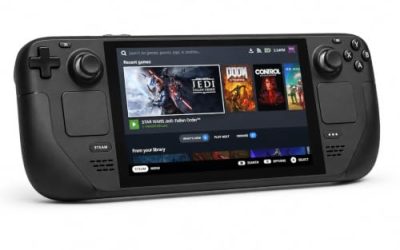
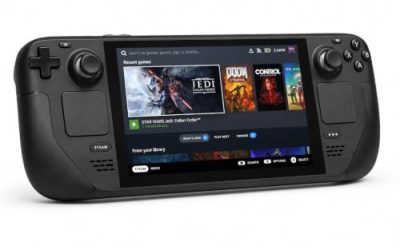
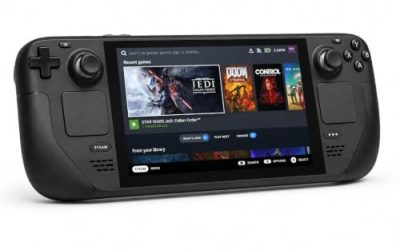
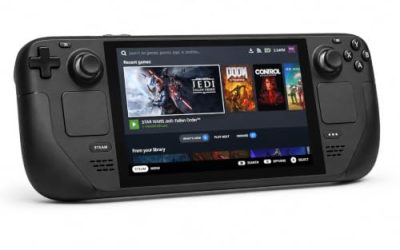
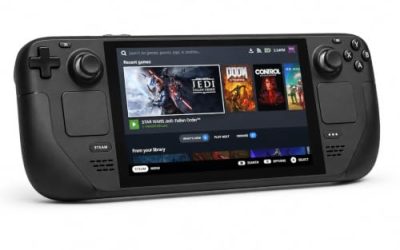
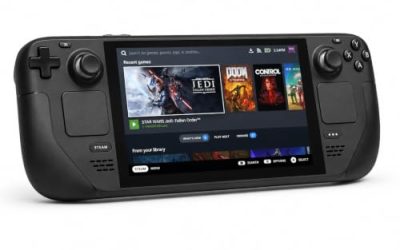
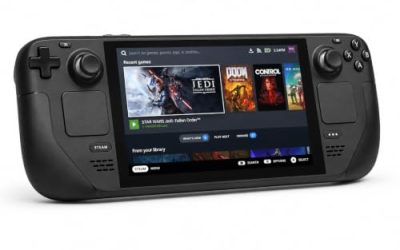
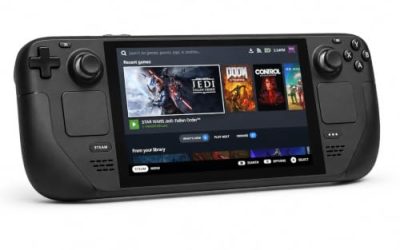
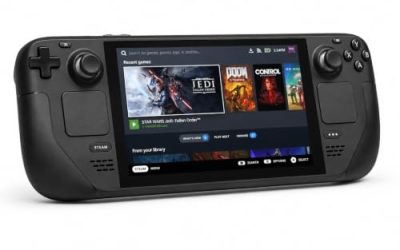
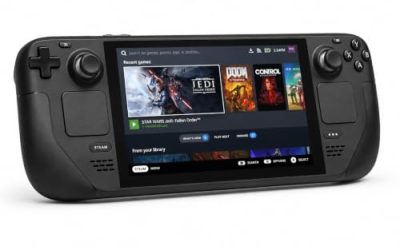
Valve Steam Deck OLED 512GB

The handheld the Playable badge was written for. The game’s published requirements sit far below the Deck’s APU, and the one deduction on Valve’s sheet is text size.
Specs
- Display: 7.4-inch HDR OLED, 1280 by 800, up to 90 Hz
- Processor: AMD Zen 2 and RDNA 2 custom APU
- Memory: 16 GB LPDDR5
- Storage: 512 GB NVMe, plus a microSD slot
- Wireless: Wi-Fi 6E and Bluetooth
- Channel note: Valve sells the Deck mainly through its own store, so Amazon listings are third-party sellers
8BitDo Ultimate 2 Bluetooth Controller
The docked and desktop pad pick. Steam lists full controller support for the game, and this pad covers the couch case with modern sticks and triggers plus back buttons.
Specs
- Connectivity: Bluetooth wireless and USB-C wired
- Joysticks: TMR electromagnetic, anti-drift design
- Triggers: Hall effect, with mode switching
- Extras: two remappable back buttons, motion control
- In the box: charging dock included
Xbox Wireless Controller, Carbon Black
The safest guest pad in PC gaming: Steam Input support is universal, the glyphs match what most games display, and it pairs over Bluetooth or its own wireless standard.
- Connectivity: Xbox Wireless and Bluetooth
- Port: USB-C for wired play
- Controls: hybrid D-pad, dedicated Share button
- Power: AA batteries or optional rechargeable pack
Logitech G502 HERO
Roguebook’s runs are long chains of card and map decisions, and at a desk a precise wired mouse makes deck review and route planning quicker than a stick. Eleven programmable buttons cover the confirm, cancel and inspect inputs.
Specs
- HERO optical sensor, up to 25,600 DPI
- 11 programmable buttons
- Adjustable weight system
- Wired USB connection
- On-board memory profiles
Samsung T9 Portable SSD 2TB
For moving a Linux game library between machines or backing up installers, a fast USB-C drive is the simple answer. The headline figure needs a Gen 2×2 host port; on a lesser port the drive runs at that ceiling instead.
Specs
- Capacity: 2 TB portable SSD
- Interface: USB 3.2 Gen 2×2, USB-C connector
- Maker-rated speeds: up to 2,000 MB per second read, 1,950 MB per second write
- Features: Dynamic Thermal Guard, maker-rated drop resistance
How to choose
Choose the Steam copy, because it is the only edition whose package contains the Linux build; the GOG edition stops at Windows and Mac. On desktop or laptop, launch the native build first: flags, requirements and depot all say it is the intended route. If your system is one the community file describes, where the native build trips over its audio layer or drops textures, force Proton Stable instead; the same purchase carries a Platinum-rated Proton file, so the fallback costs nothing. On Steam Deck, expect the Playable experience Valve describes: everything works, and the compromise is small card text.
Who should skip
Skip the GOG edition if you play on Linux, because it contains no Linux build at all. Think twice about the Deck as your only screen if small text tires your eyes, since Valve’s one deduction lands on the card text this genre lives on. And if you want a native build with an unblemished community file, the FMOD crash reports are worth knowing about before you buy, even with a Platinum fallback in hand.
FAQ
Is Roguebook native on Linux?
Yes. Steam flags Windows, Mac and Linux all true, the Linux requirements tab is populated on both tiers, and the package carries a dedicated Linux depot of about 4.07 GiB, the largest of the three. ProtonDB classifies the game Native as well.
Is Roguebook Steam Deck Verified?
No: Valve rates it Playable, tested in September 2022 against build 8473091, still the build on sale. The default configuration is fully functional, the glyphs match and performance passes; the only deduction is small in-game text.
Should I play the native build or force Proton?
Start native: it is the build the package leads with and the classification ProtonDB gives the game. If your system hits the audio crash or missing-texture issues a few filings describe, forcing Proton Stable is the community’s documented fix, and the Proton file stands at Platinum.
Can I buy Roguebook on GOG for Linux?
No. GOG sells the game, but its own product record lists compatibility as Windows and Mac only. The Steam edition is the one that contains the Linux build.
Final verdict
Roguebook is the rare clean case with untidy edges. The native ruling is not arguable: three true flags, a full requirements tab and a 4.07 GiB Linux depot in the sold package. The untidiness is secondary: a Deck sheet that stops at Playable over small text and names a Proton runtime beside a native build, a Platinum community file with a few native-build workarounds inside it, and a GOG edition that leaves Linux out. Buy the Steam copy, start native, and keep the Proton switch in mind as plan B.
Product and ASIN Reference
| Product | ASIN |
|---|---|
| Valve Steam Deck OLED 512GB | B0CQ3RWQQZ |
| 8BitDo Ultimate 2 Bluetooth Controller | B0F194QFT2 |
| Xbox Wireless Controller, Carbon Black | B08DF248LD |
| Logitech G502 HERO | B07GBZ4Q68 |
| Samsung T9 Portable SSD 2TB | B0CHFS9K14 |