Rogue Fable IV is a traditional turn-based roguelike from Pixel Forge Games, released on Steam on 26 January 2024, and its store record looks deceptively promising for Linux players. The flags list a macOS version beside the Windows one, and the main content depot carries an OS tag that names Linux outright: exactly the sort of line that gets a game catalogued as Linux-supported by automated roundups.
The full record says otherwise. Steam sells this game for Windows and macOS only: the Linux platform flag is false, the Linux requirements field is an empty list, and the launch configuration contains exactly two entries, one for each sold platform. There is no Linux executable anywhere in the record. What Linux players actually get is the Windows build under Proton, which Valve has rated Playable on Steam Deck.
As an Amazon Associate, we earn from qualifying purchases.
Quick answer
Rogue Fable IV has no native Linux build. Steam’s record sells Windows and macOS versions only: the Linux flag is false, the Linux requirements field is empty, and no Linux launch entry exists, despite the main depot’s OS tag naming Linux. On Steam Deck it is rated Playable through Proton, and ProtonDB holds a single report.
The depot tag that names Linux, and why it is not a build
Start with the layer that misleads people. The depot census for app 2720010 shows two content depots. Depot 2720012 is the macOS build, a 64-bit depot of roughly 596 MB. Depot 2720011, roughly 459 MB, is the interesting one: its configuration names two operating systems, windows and linux, in a single shared payload. A scraper reading only that line would file this as a Linux game.
Every other layer contradicts the tag. The platform flags read windows true, mac true, linux false. The Linux requirements field is an absent field, returned as an empty list with no minimum or recommended block at all, while the Windows minimum is genuinely specified (Windows Vista through 10, 2 GB of memory, 300 MB of storage). The registered client assets are a client icon, a client TGA and a community icon; there is no LinuxClientIcon in any form. The extended OS field names macos64 and nothing else.
The decisive layer is the launch configuration. It holds exactly two entries: RogueFableIV.exe scoped to Windows, and RogueFableIV.app scoped to macOS. There is no third entry, nothing for Steam to start on a Linux machine. Depot OS tags are delivery metadata, and here they describe the shared web-technology package the game is built from. SteamDB detects Phaser and NW.js in the record, a browser-engine stack whose files are largely platform-neutral, which is how one depot ends up wearing both names while the application ships launch entries for two platforms only. A build is flags plus requirements plus a launch entry plus a depot behind them. Linux has one tag out of four layers: paperwork, not a port.
The Mac build, by contrast, is real
The macOS side shows what a genuine second platform looks like on this same record. The Mac flag is true, the Mac requirements field is populated (a thin minimum: 2 GB of memory, 300 MB of storage, no OS line), the macOS depot is separate and larger than the shared one, the extended OS field names macos64, and the launch configuration carries the .app entry. Every layer agrees. Linux gets none of that agreement, only the shared depot’s tag.
Steam Deck: Playable, on a Proton runtime
Valve’s compatibility sheet rates Rogue Fable IV Playable on Steam Deck, with the SteamOS side marked Compatible and a Proton 9.0 release candidate as the recommended runtime. That runtime line settles the native question from Valve’s side as well: the badge grades the Windows build running through Proton, not a Linux binary. The sheet was read through SteamDB’s republication of Valve’s data, because Valve’s own endpoint returned no usable output during this session.
The checks split the way keyboard-first roguelikes usually split them. The pass is performance: the default graphics configuration performs well, unsurprising for a 2D tile game of this size. The deductions are all interface findings: the default controller configuration is not fully functional, so some actions need the touchscreen, the virtual keyboard or a community configuration; the game sometimes shows mouse, keyboard or non-Deck controller glyphs; entering some text requires manually invoking the on-screen keyboard; and some in-game text is small and may be difficult to read. The sheet also lists gamepad as the supported input class, which matters because the game’s own store record carries no controller-support field at all.
One date caveat applies. Valve’s test is dated 19 December 2024 and was run against build 16438003. The current public build is 26927641, published in late November 2026, so the badge grades a replaced build. The game is single-player with no anti-cheat named on its record, and the AreWeAntiCheatYet database, read in full at its current home, holds no entry for it in either direction: documentation silence, not a clearance, though for an offline roguelike no anti-cheat layer stands between the Windows build and Proton anyway.
ProtonDB: one report is not a tier
The ProtonDB summary for this app exists and was read in full, and it is about as thin as a live summary gets. The settled tier is pending, the trending tier is pending, the best-reported tier is Platinum, and the entire file rests on a single report, with confidence graded inadequate. Anyone quoting a Platinum rating for this game on Linux is quoting one person’s best day.
That one report is still worth reading. It is a Steam Deck filing describing a custom layout built on grip buttons and the right trackpad, text that is small but legible, and a windowing quirk in which fullscreen letterboxes at 720p with a border along the bottom. The reporter also notes the game running through Steam Play with a Valve-selected Proton build, which lines up with the official sheet. What the file cannot tell you is anything about desktop Linux, because nobody has filed it. Treat it as one encouraging data point, not a rating.
A second check could not be completed. The ProtonDB game page rendered as report text only in this session, so its native-support heading could not be verified either way. No claim about that heading is made here; the ruling rests on the Steam record itself.
Hardware picks
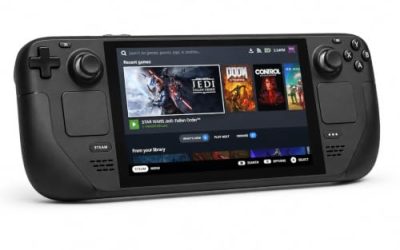
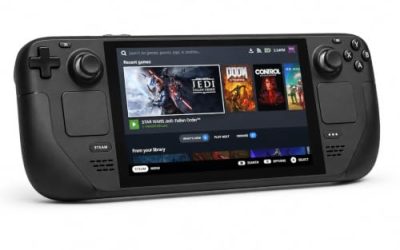
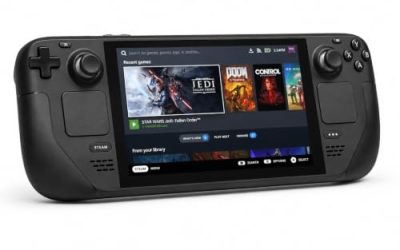
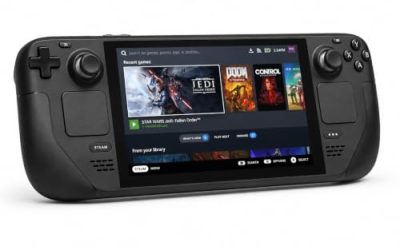
Valve Steam Deck OLED 512GB

The Playable badge makes the Deck the natural home for this game, with the small-text deduction kept in mind: a grid-based roguelike lives on reading tiles and menus. The handheld route is also the officially tested one.
Specs
- Display: 7.4-inch HDR OLED, 1280 by 800, up to 90 Hz
- Processor: AMD Zen 2 and RDNA 2 custom APU
- Memory: 16 GB LPDDR5
- Storage: 512 GB NVMe, plus a microSD slot
- Wireless: Wi-Fi 6E and Bluetooth
- Channel note: Valve sells the Deck mainly through its own store, so Amazon listings are third-party sellers
8BitDo Ultimate 2 Bluetooth Controller
For docked play, Valve’s sheet names gamepad as the supported input class while warning that the default configuration leaves some functions unreachable. A pad with remappable back buttons is the practical answer: the missing functions can be parked where your fingers already rest.
Specs
- Connectivity: Bluetooth wireless and USB-C wired
- Joysticks: TMR electromagnetic, anti-drift design
- Triggers: Hall effect, with mode switching
- Extras: two remappable back buttons, motion control
- In the box: charging dock included
Xbox Wireless Controller, Carbon Black
The fallback pad for the couch setup. One detail from Valve’s sheet applies directly: an external controller does not take over as the primary player’s device by default, so expect a manual switch in the Quick Access Menu before it drives the session.
- Connectivity: Xbox Wireless and Bluetooth
- Port: USB-C for wired play
- Controls: hybrid D-pad, dedicated Share button
- Power: AA batteries or optional rechargeable pack
Logitech G502 HERO
The honest desktop recommendation is a mouse. The Deck sheet’s deductions describe an interface designed around pointer and keys, and on a Linux desktop under Proton that is how it plays best. Eleven programmable buttons absorb the confirm, cancel and wait-turn inputs a long run repeats.
Specs
- HERO optical sensor, up to 25,600 DPI
- 11 programmable buttons
- Adjustable weight system
- Wired USB connection
- On-board memory profiles
Samsung T9 Portable SSD 2TB
The game occupies about a gigabyte on disk, so this pick is about the library around it: moving a Steam folder between machines, or keeping an offline backup. The headline speed needs a Gen 2×2 host port; on a lesser port the drive runs at that ceiling.
Specs
- Capacity: 2 TB portable SSD
- Interface: USB 3.2 Gen 2×2, USB-C connector
- Maker-rated speeds: up to 2,000 MB per second read, 1,950 MB per second write
- Features: Dynamic Thermal Guard, maker-rated drop resistance
How to choose
Decide first where you will play. On Steam Deck, accept the Playable terms as written: budget a few minutes for a community layout or back-button mapping, expect small text, and know the badge was earned on an older build. On a Linux desktop, plan on the same Windows build through Proton with mouse and keyboard, the input scheme the game was built around.
Decide second how much evidence you need. The official sheet passes performance with interface deductions, and the community file behind it is a single report. If a one-report ProtonDB file is too thin for you, this is a wait-and-see title. If you read a Playable badge at face value, nothing in the record suggests a deeper problem: no anti-cheat, no launcher, no online requirement for single-player.
Who should skip
Skip it if you are buying it as a native Linux game, because it is not one, whatever the depot tag or any automated listing implies. Skip it if small text on a handheld screen is a hard limit, since Valve flags exactly that and the lone ProtonDB report repeats it. Skip it if you want a controller-first experience with zero configuration, because the default layout is officially not fully functional. And skip it if you rely on GOG: the natural product address redirects to the general catalogue and no product record exists there, so there is no GOG edition in any form.
FAQ
Is Rogue Fable IV native on Linux?
No. The Linux platform flag is false, the Linux requirements field is empty, and the launch configuration holds only Windows and macOS entries. The main depot’s OS tag names Linux, but a depot tag is delivery metadata, not a Linux build.
Why does the Steam depot mention Linux at all?
The game is built on the Phaser engine and the NW.js runtime, so its files ship as one largely platform-neutral package. That shared depot is tagged for Windows and Linux at the delivery layer, while the application itself registers executables for Windows and macOS only.
How does it run on Steam Deck?
Valve rates it Playable, SteamOS Compatible, on a Proton 9.0 release candidate. Performance passes; the deductions are a not-fully-functional default controller configuration, non-Deck glyphs, manual keyboard invocation and small text. The test dates from December 2024 and grades an older build.
Is there a macOS version, and a GOG version?
The macOS version is real: a dedicated 64-bit depot, populated requirements and a Mac launch entry all agree. A GOG version does not exist; no product record is held for the game.
Final verdict
Rogue Fable IV is a Windows and macOS game that Linux players run through Proton, and the only evidence pointing anywhere else is a depot tag doing more work than it should. The Deck Playable badge is genuine but dated, and the ProtonDB file behind it is a single report with a pending tier. Buy it as a Proton title, eyes open about text size and controller setup, and it is a reasonable proposition. Buy it as a native Linux release, and you have been misled by metadata.
Product and ASIN Reference
| Product | ASIN |
|---|---|
| Valve Steam Deck OLED 512GB | B0CQ3RWQQZ |
| 8BitDo Ultimate 2 Bluetooth Controller | B0F194QFT2 |
| Xbox Wireless Controller, Carbon Black | B08DF248LD |
| Logitech G502 HERO | B07GBZ4Q68 |
| Samsung T9 Portable SSD 2TB | B0CHFS9K14 |