Roboquest, RyseUp Studios’ fast first-person shooter with roguelite runs, released in November 2023 after an early access start in August 2020. On Linux the game’s record is plain: Steam flags it for Windows alone, its Linux requirements field is an empty shell, and the single content depot a purchase delivers is a Windows build.
The confusion lives one shelf over, in the add-on apps. Both extras in the game’s DLC array, the soundtrack and the digital art book, flag all three platforms including Linux, though neither delivers anything installable. This piece reads each layer separately, so those flags stop standing in for a port that does not exist.
As an Amazon Associate, we earn from qualifying purchases.
Quick answer
Roboquest is not native on Linux. Steam flags the game Windows only, the Linux requirements field is an empty shell, and the one content depot is a Windows build. The Linux route is Proton: Valve rates the game Playable on Steam Deck under proton-stable. The soundtrack and art book flag Linux, but neither ships a Linux file.
The status at a glance
| Question | Answer from the record |
|---|---|
| Native Linux build | No — Steam flags read Windows only |
| Linux requirements tab | Empty shell — headings, no entries |
| Content depots | One, Windows only, 5.06 GiB |
| Add-on apps | Both flag Linux; neither delivers one |
| Steam Deck verdict | Playable, tested November 2023 |
| GOG edition | Exists, Windows only |
| Anti-cheat | None named by any source |
What Steam’s own record says
Steam’s appdetails record for Roboquest (app 692890) names RyseUp Studios as developer and publisher, released 7 November 2023. The platforms line reads Windows true, Mac false, Linux false. Its categories include online co-op and cross-platform multiplayer.
The Windows requirements are written out in full on both tiers: Windows 10, a Core i3 4130 with 8 GB of memory and a GeForce GTX 660 at minimum, rising to a Core i5 6500, 16 GB and a GeForce GTX 1060 recommended, with DirectX 11 and 6 GB of storage. The Mac and Linux fields are empty shells: Minimum and Recommended headings over lists with no entries at all. A shell is not a requirements list; it is the store template showing through where no port was documented. The record carries no DRM notice and no account notice.
One depot, one package: the delivery layer
Store flags can be edited carelessly; depot tables are harder to fake. SteamDB’s depot table lists exactly one content depot: depot 692891, configured as Windows content, at 5.06 GiB. There is no Linux depot and no Mac depot in any form. The only other entries are the shared Windows redistributables, Windows plumbing by definition.
The purchase layer agrees. The store package, sub 198671, grants the game app alone, and Steam’s packagedetails record for it reads Windows true, Mac false, Linux false. A normal purchase delivers the Windows build by construction; no Linux build hides outside the package, because none exists in the table to strand.
The extras flag a platform the game does not ship
The full DLC array holds exactly two apps, and both were opened individually. The Roboquest Soundtrack (app 1400490, a music release from August 2020) flags Windows, Mac and Linux all true. Its Mac and Linux fields are empty lists outright; its Windows field asks only for storage for audio files. No soundtrack depot appears anywhere in the game’s depot table. The flag is the whole of the claim.
The Digital Art Book (app 2729110, January 2024) repeats the pattern with a twist. It too flags all three platforms true, and its Linux minimum is a single note: the ability to view PDF files. Its actual content depot, in the game’s depot table at 164.49 MiB, is configured as Windows content on SteamDB. The one extra that delivers a file delivers it as a Windows depot, whatever its flags say.
Two further apps complete the sweep. The Roboquest Demo (app 1324220) sits outside the DLC array and flags Windows alone, agreeing with the game. SteamDB associates a bundle app, Roboquest + Soundtrack (app 1410960), whose depot is labelled Windows and marked unused; the store API returns no record for that app, so it publishes no platform claim. Once the delivery layers are read, the family’s Linux flags are paperwork.
Anti-cheat: three sources, none names a system
For an online co-op game the anti-cheat question matters, and the three sources are kept separate here. Steam’s record names no anti-cheat, and carries neither a DRM notice nor an account notice. SteamDB’s detected technologies are engine and services plumbing: Unreal Engine, the Epic Online Services SDK, FMOD, PhysX and related libraries. The Epic Online Services entry is the co-op’s networking layer in the build files, not an anti-cheat verdict, and SteamDB detects no anti-cheat technology here. The Are We Anti-Cheat Yet dataset, all 1,167 games, carries no entry for Roboquest under its name or app id. No source names an anti-cheat system, so none is claimed.
ProtonDB: the file that would not open
One record could not be read for this piece. ProtonDB’s summary endpoint returned an error page on repeated attempts, and the game’s ProtonDB page did not load, so no tier, no report count and no confidence figure is claimed, and the page’s classification heading could not be checked. The gap is stated rather than filled: the Proton case rests on Valve’s own test sheet below.
Steam Deck: Playable, on launch-month paperwork
Valve’s compatibility record, read through SteamDB’s republication of Valve’s data after Valve’s own endpoint returned no readable sheet, rates Roboquest Playable on Steam Deck, with SteamOS separately Compatible. The recommended runtime is proton-stable, so the badge certifies the Windows build under Proton, not a native port.
The sheet’s detail is mostly clean: all functionality is accessible with the default controller configuration, the game shows Steam Deck controller icons, and the default graphics configuration performs well. Two deductions keep it at Playable rather than Verified: some in-game text is small, and the game does not default to external Bluetooth or USB controllers, on Deck or on SteamOS, so a docked pad may need a manual switch through the Quick Access Menu. No internet is required for setup or single-player play.
The paperwork has one dated edge. Valve tested the game on 15 November 2023, days after the full release, on build 10470407. The public branch has moved since, to build 22092854 in February 2026, so the sheet predates the build players install today. The Playable grade remains the current store verdict; it simply describes an earlier version than the one on sale now.
GOG sells the game, not a Linux build
A second storefront does exist. GOG’s live product page for Roboquest, identity-checked against Steam’s record, sells the game, and GOG’s product record reads its compatibility as Windows true, Mac false, Linux false. A Deluxe Edition bundle carries the identical ruling. So the DRM-free copy is a Windows copy: GOG changes the launcher and the installer, not the platform. The Steam copy is the one Valve’s Deck sheet describes.
Gear that fits the record
The gear below follows the record’s shape.
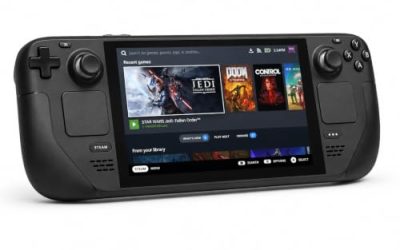
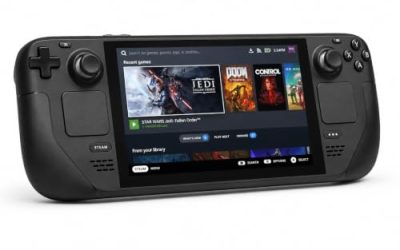
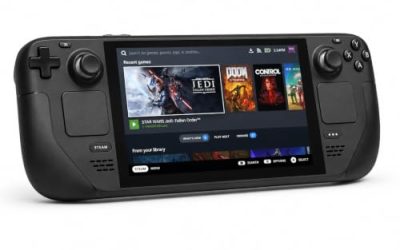
Valve Steam Deck OLED 512GB
The handheld the Playable badge was written for: Valve’s sheet confirms default graphics perform well, and co-op runs on the built-in controls.
Specs
- Display: 7.4-inch HDR OLED, 1280 by 800, up to 90 Hz
- Processor: AMD Zen 2 and RDNA 2 custom APU
- Memory: 16 GB LPDDR5
- Storage: 512 GB NVMe, plus a microSD slot
- Wireless: Wi-Fi 6E and Bluetooth
- Channel note: Valve sells the Deck mainly through its own store, so Amazon listings are third-party sellers
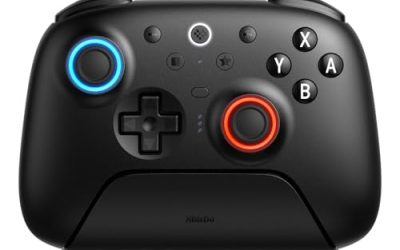
8BitDo Ultimate 2 Bluetooth Controller

The docked and desktop pad pick. Steam lists full controller support, and this pad covers the couch case with modern sticks and triggers plus back buttons.
Specs
- Connectivity: Bluetooth wireless and USB-C wired
- Joysticks: TMR electromagnetic, anti-drift design
- Triggers: Hall effect, with mode switching
- Extras: two remappable back buttons, motion control
- In the box: charging dock included
Xbox Wireless Controller, Carbon Black
The safest guest pad in PC gaming: Steam Input support is universal, the glyphs match what most games display, and it pairs over Bluetooth or its own wireless standard. On the handheld, Valve’s note applies: an external pad may need a Quick Access Menu switch first.
- Connectivity: Xbox Wireless and Bluetooth
- Port: USB-C for wired play
- Controls: hybrid D-pad, dedicated Share button
- Power: AA batteries or optional rechargeable pack
Logitech G502 HERO
A shooter is at home with a mouse on desktop Linux, and a wired sensor suits its aim-heavy runs. Eleven programmable buttons cover the ability, interact and menu inputs a long session repeats.
Specs
- HERO optical sensor, up to 25,600 DPI
- 11 programmable buttons
- Adjustable weight system
- Wired USB connection
- On-board memory profiles
Samsung T9 Portable SSD 2TB
For moving a Linux game library between machines, or keeping a backup of installers, a USB-C drive is the simple answer. The headline figure needs a Gen 2×2 host port; on a lesser port the drive runs at that ceiling instead.
Specs
- Capacity: 2 TB portable SSD
- Interface: USB 3.2 Gen 2×2, USB-C connector
- Maker-rated speeds: up to 2,000 MB per second read, 1,950 MB per second write
- Features: Dynamic Thermal Guard, maker-rated drop resistance
How to choose
Choose the Steam copy if you play on Linux: it is the build Valve tested, and the Proton route starts there. On a Steam Deck, install and launch; the Playable sheet expects the default configuration to work, with two known wrinkles, small text and the external-controller switch if you dock a pad. On desktop or laptop, leave the compatibility tool at its default first, since Valve’s grading used proton-stable. Choose the GOG copy only if a DRM-free Windows installer matters more than the tested route. Pick input by where you sit: Deck and pads for the couch, the mouse for the desk.
Who should skip
Skip this one if you are shopping for a native Linux shooter: Roboquest is not one, and the Linux flags on its extras’ pages do not change that. Skip it if small on-screen text on a handheld is a deal-breaker, because Valve’s sheet flags exactly that. Skip it if you need a community compatibility file before buying, since the ProtonDB record could not be read for this piece. And skip the GOG copy if you hoped it hid a Linux build; its product record says Windows only.
FAQ
Is Roboquest native on Linux?
No. Steam flags the game Windows only, the Linux requirements field is an empty shell, and the single content depot is a Windows build. The Linux flags on the soundtrack and art book pages belong to extras that deliver no Linux file.
Why do the soundtrack and art book pages mention Linux?
Both extras flag all three platforms, but the soundtrack’s Linux field is an empty list with no depot behind it, and the art book’s Linux note asks only for a PDF viewer while its depot is configured as Windows. The flags are paperwork; the delivery layers decide.
Is Roboquest Steam Deck Verified?
It is rated Playable, one step below Verified. Valve’s sheet passes functionality, glyphs and default performance, and deducts for small text and for external controllers not defaulting without a Quick Access Menu switch. The test dates from November 2023.
Can I buy Roboquest on GOG for Linux?
No. A GOG edition exists, but GOG’s compatibility data lists Windows alone, and the Deluxe Edition bundle matches. The GOG copy is a DRM-free Windows build, not a Linux port.
Final verdict
Roboquest’s Linux status is a plain verdict wrapped in misleading paperwork. The game itself never pretends: Windows flag, empty Linux shell, one Windows depot, one Windows package. The pretence sits in the family, where a soundtrack with an empty Linux list and an art book whose depot is Windows-configured both fly the Linux flag. Read past them: buy the Steam copy, run the Windows build under Proton, and expect the Playable Deck experience Valve documented.
Product and ASIN Reference
| Product | ASIN |
|---|---|
| Valve Steam Deck OLED 512GB | B0CQ3RWQQZ |
| 8BitDo Ultimate 2 Bluetooth Controller | B0F194QFT2 |
| Xbox Wireless Controller, Carbon Black | B08DF248LD |
| Logitech G502 HERO | B07GBZ4Q68 |
| Samsung T9 Portable SSD 2TB | B0CHFS9K14 |