Kainga: Seeds of Civilization is Erik Rempen’s roguelite village-builder, published by Silk Softworks and released in December 2022 after an Early Access year: you lead a Thinker and your people through short challenge runs, raising a fresh town each time and adapting to giant beasts, rival tribes and a hostile environment. None of that was built for Linux: Steam flags the game for Windows alone, and no Linux requirements tab exists in any form.
That makes the Linux question a Proton question, and here the paperwork is thin: the community file is small and mostly Early Access-era, Valve’s Deck test sheet is older still, and a second storefront sells the game without selling a Linux copy. This piece reads each record on its own terms.
As an Amazon Associate, we earn from qualifying purchases.
Quick answer
Kainga: Seeds of Civilization is not native on Linux: Steam flags it Windows only, its Linux requirements field is an empty list, and every add-on app flags Windows only too. The route is Proton: ProtonDB rates the Windows build Gold with a Platinum best-reported tier across 8 reports, and Valve rates the game Playable on Steam Deck. Buy the Steam copy.
What Steam’s own record says
Steam’s appdetails record for Kainga (app 1269710, established from Steam’s own store search) lists the platforms as Windows true, Mac false, Linux false. No Mac build hides beside it either; the Mac field is the same empty list.
The Linux field follows the barest pattern this series tracks. It is not the empty shell, where Minimum and Recommended headings sit over empty lists; it is an empty list outright, so no Linux tab exists in any form.
The published categories are single-player, Steam Achievements, captions available and Family Sharing. Two absences matter for the gear below: no multiplayer, and no controller-support category of any kind — the desktop record never promises a pad. The published Windows minimum is modest: Windows Vista through 10, a dual-core processor in the Intel i5 class or better, 4 GB of RAM, a graphics card with 512 MB of VRAM and OpenGL 3.0 support, and 2 GB of storage.
The family sweep: no soundtrack flag to hide behind
The game’s record lists three DLC apps, and a demo hangs off it as well. All four were read individually. The Thinker Outfits Supporter Pack (2731110, type dlc) flags Windows only, its Linux field an empty shell under that false flag. The Digital Artbook & Wallpapers pack (2235420, type dlc) flags Windows only too; its Linux field carries a stray “OS: Any” line in both tiers, under a flag that still reads false. The Kainga Demo (1646840) flags Windows only with an empty-list field.
The app that usually causes trouble causes none here. The soundtrack trap — a music app flagging Linux while the game does not, inflating family scans — cannot form in this family, because the Soundtrack (2228070, type music) flags Windows only, exactly like the game. The family’s Linux-flag count is zero of five including the game. A scan reporting this family as Linux-supported is not misreading a side flag; it is simply wrong.
Anti-cheat, DRM and accounts: three silences
Three sources were checked separately, and none names anything. Steam’s record carries no anti-cheat notice and no anti-cheat category, matching its single-player-only list. SteamDB’s detected technologies are Unreal Engine, the Epic Online Services SDK, Intel OID and oneTBB libraries, a run of NVIDIA SDKs, NvCloth, Ogg, Vorbis and XAudio2 — engine, services and graphics middleware; the Epic entry is a services library, not an anti-cheat product. Are We Anti-Cheat Yet carries no entry for this game: its dataset was read directly and searched by name and app id, with zero hits. Desktop and Deck positions agree, since Valve’s sheet carries no anti-cheat deduction either.
The DRM side is a gap in both directions. The record carries no drm_notice and no external account notice: no DRM product is named, and no account or launcher layer is required — or ruled out — by anything Steam publishes.
The Proton file: Gold on a thin, older file
ProtonDB’s summary record for app 1269710, read directly this session, gives the full split: a Gold headline tier, a Platinum best-reported tier and a Gold trending tier, across 8 reports with moderate confidence. Eight reports is a thin file, and its age matters as much as its size: most reports behind it were filed during the Early Access period on Proton 6 and 7 era builds. The texture is mixed — the Platinum reports describe the game running, one reporter lowered the pixel quality setting to hold a smooth frame rate on an integrated-graphics laptop chip, and two older reports describe the game failing to open around the Unreal engine prerequisites.
One page element needs naming: ProtonDB’s game page carries a “Natively Supports” header, the recurring stray tag this series keeps meeting. Steam’s record contradicts it — flags false, field empty — and this article follows Steam: the tag is page furniture.
The Steam Deck sheet
Valve rates Kainga Playable on Steam Deck, the middle category, and SteamOS separately Compatible. One evidence note: Valve’s own compatibility endpoint returned garbled responses this session, so the verdict, its items and its paperwork were read through SteamDB’s republication of Valve’s record.
The deductions are the input-and-text set, not performance: the default controller configuration is not fully functional, requiring the touchscreen or virtual keyboard, or a community configuration; the game sometimes shows mouse, keyboard or non-Steam-Deck controller icons; and some in-game text is small. Against those, the pass that matters is present: the default graphics configuration performs well on Steam Deck.
The paperwork is old. The test sheet is dated 1 April 2022, on build 8308463, with Proton 7.0-1 as the recommended runtime — Early Access-era testing, eight months before the December 2022 full release, and no newer sheet has replaced it. One nuance sits inside it: the tested configuration lists gamepad as the supported input, even though the desktop record names no controller support at all. Pad play is therefore a Steam Input exercise.
The storefront ruling
Kainga does have a second storefront — it just does not change the answer. GOG’s own product record for Kainga: Seeds of Civilization (product 1926855580) lists its system compatibility as Windows true, Mac false, Linux false: an edition exists, and it is Windows only. The ruling rests on that product record, not on search results, which are the known blind spot. The Steam copy is therefore the buy: it is the build both compatibility records describe, and switching storefronts gains no platform.
Gear that fits the record
The gear below follows the record’s shape: the handheld Valve tested, two pads framed as Steam Input devices, a mouse for the desktop case, and library storage.
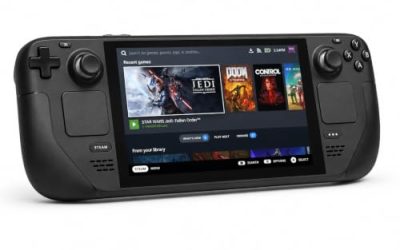
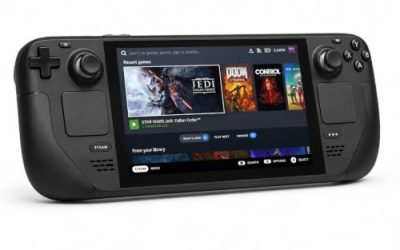
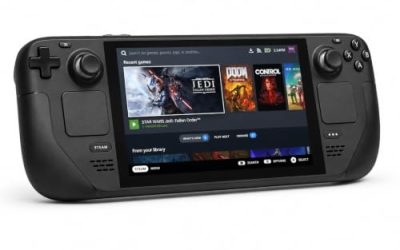
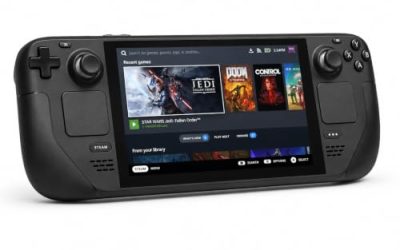
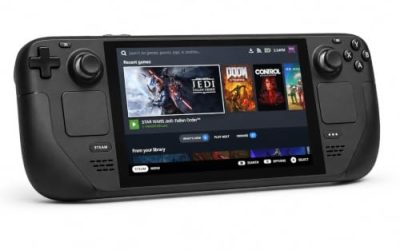
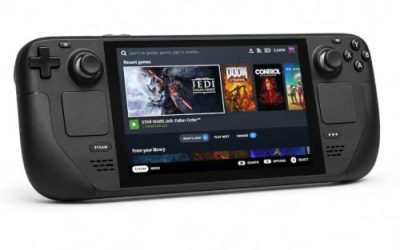
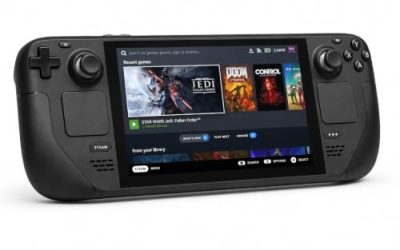
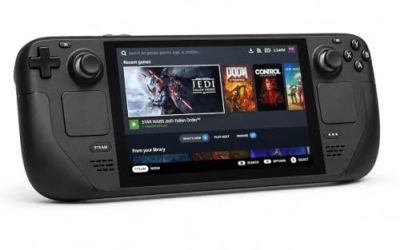
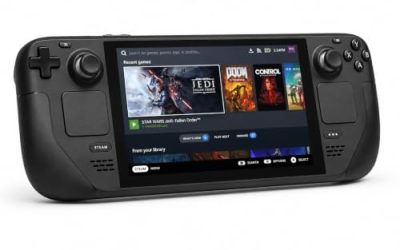
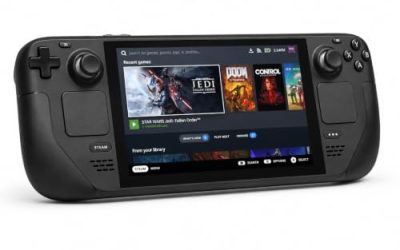
Valve Steam Deck OLED 512GB

The handheld the Playable badge was written for. The game’s minimum is a rounding error next to the Deck’s APU, and Valve’s sheet passes its graphics outright; the deductions sit in input and text, which the touchscreen answers.
Specs
- Display: 7.4-inch HDR OLED, 1280 by 800, up to 90 Hz
- Processor: AMD Zen 2 and RDNA 2 custom APU
- Memory: 16 GB LPDDR5
- Storage: 512 GB NVMe, plus a microSD slot
- Wireless: Wi-Fi 6E and Bluetooth
- Channel note: Valve sells the Deck mainly through its own store, so Amazon listings are third-party sellers
8BitDo Ultimate 2 Bluetooth Controller

The docked and desktop pad pick, with a caveat the record forces: Steam lists no controller support for Kainga, so this pad works through Steam Input or a community layout, exactly as Valve’s test sheet assumes.
Specs
- Connectivity: Bluetooth wireless and USB-C wired
- Joysticks: TMR electromagnetic, anti-drift design
- Triggers: Hall effect, with mode switching
- Extras: two remappable back buttons, motion control
- In the box: charging dock included
Xbox Wireless Controller, Carbon Black

The safest guest pad in PC gaming: Steam Input support is universal, the glyphs match what most games display, and it pairs over Bluetooth or its own wireless standard.
- Connectivity: Xbox Wireless and Bluetooth
- Port: USB-C for wired play
- Controls: hybrid D-pad, dedicated Share button
- Power: AA batteries or optional rechargeable pack
Logitech G502 HERO

Kainga is a mouse-first game at a desk: placing buildings and steering a Thinker suit a pointer more than a pad. Eleven programmable buttons cover the orders and camera inputs a long session repeats.
Specs
- HERO optical sensor, up to 25,600 DPI
- 11 programmable buttons
- Adjustable weight system
- Wired USB connection
- On-board memory profiles
Samsung T9 Portable SSD 2TB

For moving a Linux game library between machines or backing up installers, a fast USB-C drive is the simple answer. The headline figure needs a Gen 2×2 host port; on a lesser port the drive runs at that ceiling.
Specs
- Capacity: 2 TB portable SSD
- Interface: USB 3.2 Gen 2×2, USB-C connector
- Maker-rated speeds: up to 2,000 MB per second read, 1,950 MB per second write
- Features: Dynamic Thermal Guard, maker-rated drop resistance
How to choose
Choose the Steam copy: it is the build both records describe, and the GOG edition, while real, is the same Windows build with no Linux advantage. On desktop or laptop, install under Proton and start with the current default build; the file’s Gold headline and Platinum ceiling say the game runs. On Steam Deck, expect the Playable shape Valve describes: graphics fine out of the box, input assembled from the touchscreen, virtual keyboard and community layouts. Treat the mouse as the primary instrument and a pad as the couch option.
Who should skip
Skip this one if you are shopping for a native Linux village-builder: this game is not it, and no add-on app in its family changes that. Skip it if a thin community file is not reassurance enough — 8 reports, mostly Early Access-era, is a small evidence base, and the Deck sheet dates from April 2022. Skip it if you want a DRM-free copy that helps on Linux: the GOG edition exists but is Windows only. And skip the pad-first plan if you are unwilling to build a Steam Input layout.
FAQ
Is Kainga: Seeds of Civilization native on Linux?
No. Steam’s record for app 1269710 flags Windows only, the Linux requirements field is an empty list, and all four add-on apps — supporter pack, soundtrack, artbook pack and demo — flag Windows only as well.
How well does Kainga run under Proton?
ProtonDB’s summary record reads Gold on the headline and trending tiers and Platinum on the best-reported tier, across 8 reports with moderate confidence. The file is thin and mostly Early Access-era, and its older reports include launch failures around the engine prerequisites.
Is Kainga Playable on Steam Deck?
Yes, at Valve’s middle tier. The badge rests on a test sheet dated 1 April 2022 with Proton 7.0-1 as the recommended runtime: graphics perform well, while the deductions cover the default controller configuration, non-Deck icons and small text.
Can I buy Kainga on GOG instead?
You can, but it buys the same platform: GOG’s product record lists the edition as Windows only. The Steam copy is the one both compatibility records describe, so it is the buy.
Final verdict
Kainga’s paper trail is unusually tidy for a Windows-only release: no Linux tab to misread, a soundtrack that flags Windows only alongside everything else in the family, and silence on DRM, accounts and anti-cheat from every record read. What Linux players get instead is a workable Proton route with honestly thin paperwork — a Gold file whose best reports reach Platinum on just 8 submissions, and a Playable Deck badge earned in the Early Access period and never retested. Buy the Steam copy and play it under Proton with a mouse close at hand.
Product and ASIN Reference
| Product | ASIN |
|---|---|
| Valve Steam Deck OLED 512GB | B0CQ3RWQQZ |
| 8BitDo Ultimate 2 Bluetooth Controller | B0F194QFT2 |
| Xbox Wireless Controller, Carbon Black | B08DF248LD |
| Logitech G502 HERO | B07GBZ4Q68 |
| Samsung T9 Portable SSD 2TB | B0CHFS9K14 |