Professional Fishing is MasterCode’s free-to-play online fishing game, published by Ultimate Games S.A. and PlayWay S.A. and released on Steam on 30 November 2018. It is built around shared water: the record lists online PvP, online co-op, stats and in-app purchases. The store page is live today with its Free To Play entry point, so this is a current record, not a leftover listing.
The Linux question has a short answer and a longer paper trail. Steam flags the game for Windows alone, and every layer underneath agrees: one Windows content depot, no Linux icon asset, no Linux build anywhere in the add-on family. The one oddity is cosmetic. The record carries Mac and Linux requirements tabs that open onto completely empty lists, and a careless reader could mistake those tabs for support.
As an Amazon Associate, we earn from qualifying purchases.
Quick answer
Professional Fishing has no native Linux build. Steam’s record flags Windows only, the single content depot is the Windows build, and all four add-on apps are Windows-only too. Linux players run the Windows build through Proton: Valve rates it Playable on Steam Deck against the current build, and ProtonDB settles at Gold from three reports.
One depot, three flags, two empty tabs
Start with the flags, the layer Steam itself maintains. The appdetails record for app 798420 reads windows true, mac false, linux false, and nothing further down contradicts it.
The depot table agrees. SteamDB lists exactly one content depot: 798421, named Windows PRO FISHING Content, at 11.14 GiB, beside only the shared Windows redistributables (Visual C++ 2017, DirectX June 2010, .NET 4.0 and 4.7). There is no Linux depot, no Mac depot, and the extended-OS field is an empty string. The public branch has not moved since build 4319338 in October 2019. The icon assets agree: clienticon, clienttga, icon, logo and logo_small are registered, with no LinuxClientIcon and no Mac client icon either.
Then there are the requirements tabs, the one place the record looks more generous than it is. The Windows tab is fully specified: 64-bit Windows 7 through 10, a Core i5 or Ryzen 5, 4 GB of memory minimum and 8 GB recommended, a GTX 660 floor rising to a GTX 970, and 9 GB of storage. The Mac and Linux tabs exist as fields, but each is a Minimum heading and a Recommended heading over a completely empty list: the populated-but-empty shell shape. A shell is not a port; it names no operating system, no processor and no memory figure.
One more silence: the record carries no controller-support field and no controller category at all, so Steam assigns this game no controller rating. The only controller evidence in the file is Valve’s Deck test sheet, covered below, which lists gamepad as the supported input class.
The add-on sweep
The base game’s DLC array lists four apps, each read on its own record rather than assumed from the parent. All four are typed as DLC, all four name Professional Fishing as their full game, and all four repeat the parent’s platform split exactly: Windows true, Mac false, Linux false.
- Professional Fishing: Starter Kit Pro (app 988750)
- Professional Fishing: Starter Kit Basic (app 937790)
- Professional Fishing: Sakura Ryokan Spinning (app 937791)
- Professional Fishing: Catfish Kit (app 937792)
There is no music or soundtrack app in this family, so the familiar trap, a soundtrack app flagged for all three platforms masquerading as Linux support, cannot fire here.
The Proton file: Gold on a sample of three
With no native build, the practical route is Proton, and the community file is genuinely thin. The ProtonDB summary reads settled Gold, best-reported Platinum and trending Gold, from three reports, with confidence rated low. Three reports is a sketch, not a consensus.
The reports themselves are old but consistent. The most detailed is a Steam Deck filing on Proton 7.0-4: online multiplayer rated Excellent, with complaints about smudged textures at maximum settings, hard-to-read text and a control layout needing a community configuration. The other two are desktop filings, both Platinum: an out-of-the-box run on Ubuntu 19.04 with a Radeon RX 580, and one on Ubuntu 18.04 with a GeForce GTX 780 that notes tabbing out crashes the game. Nothing reports a hard failure to launch, but the newest report predates several Proton generations.
One heading needs correcting. The ProtonDB game page carries the stray “Natively Supports:” heading above its requirements display. Steam’s record contradicts it on every layer checked here: flags, depots, assets and add-ons all say Windows only. The heading is wrong, and this article follows Steam.
The Deck sheet: Playable, and tested against the build still on sale
Valve’s test sheet rates the game Playable on Steam Deck, with SteamOS marked Compatible and proton-stable as the recommended runtime. The deductions are the familiar trio: some functionality is not accessible with the default controller configuration and needs the touchscreen, the virtual keyboard or a community configuration; the game sometimes shows mouse, keyboard or non-Deck controller icons; and some text is small and may be difficult to read. The key pass: the default graphics configuration performs well on the Deck. The sheet also records that no internet is required for setup or single-player, and that gamepad is the supported input class, the closest thing to a controller statement this record contains.
Valve tested the game on 2 September 2022 against build 4319338, still the current public build because the branch has been frozen since October 2019, so the paperwork grades exactly the bytes on sale today. One disclosure on method: Valve’s own compatibility endpoint returned unusable data this session, so the sheet was read through SteamDB’s republication of Valve’s test data.
Anti-cheat and the online layer
Professional Fishing is an online game, so the anti-cheat question matters, and the honest answer is that the record documents nothing. Steam’s page names no anti-cheat and carries no DRM notice. SteamDB’s detection surfaces only Unity Engine and Mono SDK, the game’s engine plumbing. The Are We Anti Cheat Yet database, read in full at 1,167 entries, holds no entry for this game in either direction; that absence is an absence of documentation, not a clearance. What the record does establish is that multiplayer functions under Proton, since the Deck report in the Proton file rates online play Excellent.
The storefront ruling
There is no second storefront to route around Steam with. The natural GOG product address for this title redirects to the general games catalogue, and GOG’s catalogue records return only unrelated products for the name. No GOG edition exists, so the Windows Steam build under Proton is the only copy a Linux player can use.
Gear that fits the record
The gear below follows the record’s shape: the handheld Valve tested, two pads, a mouse for menu-heavy sessions, and library storage.
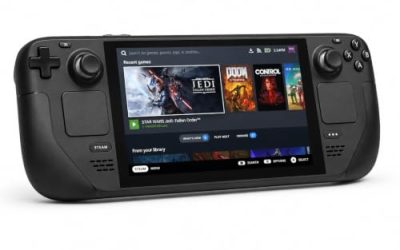
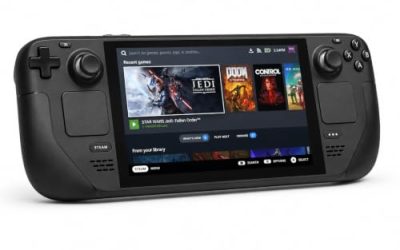
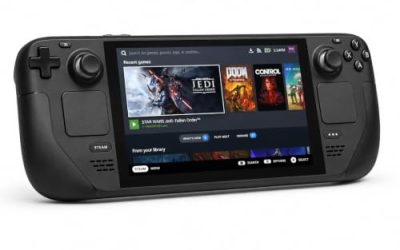
Valve Steam Deck OLED 512GB
The handheld the Playable badge was written for. Valve’s sheet gives the Windows build a performance pass under proton-stable against the exact build still on sale, and the game’s Windows requirements sit far below the Deck’s APU.
Specs
- Display: 7.4-inch HDR OLED, 1280 by 800, up to 90 Hz
- Processor: AMD Zen 2 and RDNA 2 custom APU
- Memory: 16 GB LPDDR5
- Storage: 512 GB NVMe, plus a microSD slot
- Wireless: Wi-Fi 6E and Bluetooth
- Channel note: Valve sells the Deck mainly through its own store, so Amazon listings are third-party sellers
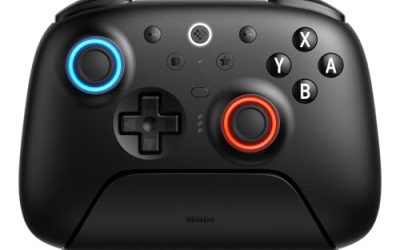
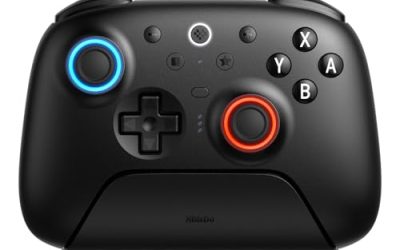
8BitDo Ultimate 2 Bluetooth Controller

The docked and desktop pad pick. The game’s record assigns no controller rating of its own, so a pad lives or dies by Steam Input mapping here, and this one adds back buttons for menu work.
Specs
- Connectivity: Bluetooth wireless and USB-C wired
- Joysticks: TMR electromagnetic, anti-drift design
- Triggers: Hall effect, with mode switching
- Extras: two remappable back buttons, motion control
- In the box: charging dock included
Xbox Wireless Controller, Carbon Black
The safest guest pad in PC gaming: Steam Input support is universal, the glyphs match what most games display, and it pairs over Bluetooth or its own wireless standard. On the handheld, an external pad may need a manual Quick Access Menu switch before it takes over.
- Connectivity: Xbox Wireless and Bluetooth
- Port: USB-C for wired play
- Controls: hybrid D-pad, dedicated Share button
- Power: AA batteries or optional rechargeable pack
Logitech G502 HERO
A fishing game’s menus, shops and tackle boxes are pointer work, and at a desk a precise wired mouse turns those trips into single clicks. Eleven programmable buttons cover the inputs a long session repeats.
Specs
- HERO optical sensor, up to 25,600 DPI
- 11 programmable buttons
- Adjustable weight system
- Wired USB connection
- On-board memory profiles
Samsung T9 Portable SSD 2TB
For moving a Linux game library between machines, or keeping an offline backup of installers, a fast USB-C drive is the simple answer. The headline figure needs a Gen 2×2 host port; on a lesser port the drive runs at that ceiling instead.
Specs
- Capacity: 2 TB portable SSD
- Interface: USB 3.2 Gen 2×2, USB-C connector
- Maker-rated speeds: up to 2,000 MB per second read, 1,950 MB per second write
- Features: Dynamic Thermal Guard, maker-rated drop resistance
How to choose
Choose the Deck route if you want the tested path: Valve’s Playable sheet grades the current build, the graphics pass is clean, and the fixes for its deductions are known quantities (a community controller layout, tolerance for small text). Choose a desktop with Proton if you want the Platinum end of the community file and a mouse for the menus; both desktop reports are Platinum, though old. Either way, install through Steam so the proton-stable runtime Valve recommends does the work, and treat the free install as the trial it is.
Who should skip
Skip this one if you require a native Linux build on principle: there is none, there never has been one on this record, and the empty Linux requirements tab is not a promise of one. Skip it if you need certainty about online play on your exact setup, because the Proton file is three reports deep and the anti-cheat position is undocumented. Skip it if small text and non-Deck glyphs bother you, since Valve’s sheet flags both, or if an always-online multiplayer structure with in-app purchases is not the fishing game you wanted.
FAQ
Is Professional Fishing native on Linux?
No. Steam flags the game Windows only, its single content depot is the Windows build, no Linux icon asset exists on the record, and all four DLC apps are Windows-only as well. The Linux requirements tab is an empty shell, not a specification for a real build.
How well does Professional Fishing run under Proton?
ProtonDB settles at Gold from three reports, with a best-reported tier of Platinum and low confidence. The reports describe playable online sessions, two Platinum desktop runs and one Deck run with texture and text complaints. A workable signal, but the sample is three reports and none is recent.
Is Professional Fishing Steam Deck Verified?
It is rated Playable, one step below Verified. Valve reviewed it on 2 September 2022 against build 4319338, still the current public build, so the badge describes the exact version on sale. The deductions are controller configuration gaps, non-Deck glyphs and small text; default graphics pass.
Can I buy Professional Fishing on GOG instead?
No. GOG sells no edition of this game for any operating system; its catalogue holds no product record for it. The free Steam copy, run through Proton, is the only route open to a Linux player.
Final verdict
Professional Fishing is a Windows-only free-to-play game whose Linux story is entirely a Proton story. The record is unusually tidy: one Windows depot, matching flags on the base game and all four add-ons, no Linux icon, and an empty requirements shell as the only mirage. Valve’s Playable badge grades the build still on sale, and the small community file leans positive. For a Linux player, the price of finding out is a free download.
Product and ASIN Reference
| Product | ASIN |
|---|---|
| Valve Steam Deck OLED 512GB | B0CQ3RWQQZ |
| 8BitDo Ultimate 2 Bluetooth Controller | B0F194QFT2 |
| Xbox Wireless Controller, Carbon Black | B08DF248LD |
| Logitech G502 HERO | B07GBZ4Q68 |
| Samsung T9 Portable SSD 2TB | B0CHFS9K14 |