Our Short List of 3

- Display: 7.4-inch HDR OLED, 1280 by 800, up to 90 Hz
- Processor: AMD Zen 2 and RDNA 2 custom APU
- Memory: 16 GB LPDDR5
- Storage: 512 GB NVMe, plus a microSD slot

- Connectivity: Bluetooth wireless and USB-C wired
- Joysticks: TMR electromagnetic, anti-drift design
- Triggers: Hall effect, with mode switching
- Extras: two remappable back buttons, motion control

- Connectivity: Xbox Wireless and Bluetooth
- Port: USB-C for wired play
- Controls: hybrid D-pad, dedicated Share button
- Power: AA batteries or optional rechargeable pack
All 5 Picks at a Glance
| Product | Specs | Action |
|---|---|---|
| Valve Steam Deck OLED 512GB |
| Check price on Amazon |
| 8BitDo Ultimate 2 Bluetooth Controller |
| Check price on Amazon |
| Xbox Wireless Controller, Carbon Black |
| Check price on Amazon |
 Logitech G502 HERO |
| Check price on Amazon |
 Samsung T9 Portable SSD 2TB |
| Check price on Amazon |
Millennia is the 4X strategy game from C Prompt Games, published by Paradox Interactive and released on 26 March 2024. It bends the genre’s usual arc — lead a nation from the Stone Age toward a speculative future — with alternate history ages, so a campaign can detour through an age of plague or alchemy instead of the textbook timeline. For Linux players the first question is simpler: is there a native build, or does the game arrive through Proton?
The answer sits in Steam’s own record, and it is unambiguous: the record sells a Windows build only. This article reads that record layer by layer — platform flags, requirements tabs, depot census, expansion list — and then sets it against ProtonDB’s compatibility file and Valve’s Steam Deck test sheet. Every ruling below follows those primary records.
As an Amazon Associate, we earn from qualifying purchases.
Quick answer
Millennia has no native Linux build. Steam’s record for C Prompt Games’ 4X strategy game is Windows-only, its Linux requirements tab is an empty shell, and no Linux depot exists. Linux players run the Windows build through Proton: ProtonDB’s headline tier is Platinum from 13 reports, and Valve rates the game Playable on Steam Deck.
What Steam’s record actually shows
Start with the platform flags, the layer everything else must agree with. The record flags Windows true, Mac false and Linux false. A false Linux flag alone is not quite a verdict — flags have denied platforms that depots quietly delivered in other games — so the record has to be read deeper. Here, every deeper layer points the same way.
The requirements tabs are the second layer. The Windows tab is genuinely populated: a 64-bit Windows 10 system, a Core i5-6600K or Ryzen 3 2300X, 8 GB of RAM and a GeForce GTX 660 or Radeon R9 380 at minimum. The Mac and Linux tabs exist only as empty shells — a minimum and recommended heading with an empty list under each, the hollow paperwork Steam generates for platforms the developer never filled in. An empty shell is not a port in progress; it is a form with nothing written on it.
The depot census settles the question. The sold packages contain exactly one content depot for the game itself, holding the Windows build at 6.29 GiB, plus a pre-order bonus depot and the standard Windows VC redistributable. There is no Linux depot in any package, no Mac depot, no shared depot and no ghost depot. The registered store assets agree: a client icon, client image and logo are on file, and there is no Linux client icon in any form — neither a live one nor the fossil kind left by a withdrawn port. Nothing was ever shipped for Linux, and nothing was taken away.
The expansion list closes the family check. The record names three expansions, each read individually: Ancient Worlds, Atomic Ambitions, and the Eagle Archers and Wolfpack Warband cosmetic pack. All three flag Windows true, Mac false and Linux false, matching the base game. There is no soundtrack app in the family, so the familiar trap — a soundtrack flagging true on every platform beside a Windows-only game — has nothing to attach to.
One more field matters for the hardware section: the record carries no controller-support field and no controller category, so Millennia is a mouse-and-keyboard game on its own paperwork. Anything said about gamepads below comes from Valve’s Deck configuration notes, not from a controller feature the game declares.
The Proton picture
With no native build, Proton is the whole story, and ProtonDB’s file is encouraging with honest rough edges. A sourcing note first: ProtonDB’s summary feed was unreachable during this check — the endpoint returned an error page for this game and for a control title alike — so the settled tier breakdown and confidence score cannot be quoted. What can be quoted is the game’s own ProtonDB page, read directly: its headline tier is Platinum, across 13 reports.
The reports underneath that headline are mostly from the game’s first year, and they split in an instructive way. Several desktop filings describe the game running perfectly out of the box on Proton 8.0 builds, on high-end NVIDIA and AMD systems alike. Against those sit two friction reports: one where the Paradox Launcher loads but clicking through to the game fails with a player initialisation error on Proton Experimental, and one Lutris-based report noting minor graphical artifacts and slight performance problems. The pattern is a simulation core that translates cleanly and a launcher layer most likely to argue — which matches Valve’s own test sheet.
One caution about the headline: ProtonDB’s page carries the stray “Natively Supports” heading that appears on many Windows-only games in its catalogue. Steam’s record contradicts it on every layer, so this article follows Steam — the heading is a labelling quirk, not evidence of a port.
Steam Deck: Playable, and tested on the build you would download
Valve rates Millennia Playable on Steam Deck, with SteamOS separately marked Compatible. The useful detail is the test’s currency: the sheet was recorded on 5 November 2026 against build 20214077, still the current public build, so the verdict grades exactly the version a buyer installs today.
The deductions are interface deductions, not performance ones. The launcher or setup tool may require the touchscreen or virtual keyboard, some text entry needs the on-screen keyboard invoked manually, and some in-game text is small and may be difficult to read. The game can show mouse, keyboard or non-Deck controller icons, and Valve notes it requires manual configuration of graphics settings to perform well. Against those, the functional pass stands: all functionality is accessible with the default controller configuration, and the sheet’s recommended runtime is a current Proton 11 release candidate build. The campaign itself runs; the friction lives in the launcher, the text size and the settings screen.
Anti-cheat and multiplayer
Millennia’s categories include online player-versus-player multiplayer alongside the single-player campaign. The record names no anti-cheat system, and the Are We Anti-Cheat Yet database — read in full for this check — holds no entry for the game in either direction: no documented anti-cheat gate, and no database clearance either. For a turn-based strategy game, the practical multiplayer risk under Proton is not a block but version drift — all players need the same build, and big patches are the moment to confirm a lobby still forms.
Other storefronts
There is no GOG edition of Millennia: the game’s natural GOG address resolves to the general catalogue, and GOG’s catalogue record holds no Millennia product — the nearest match is an unrelated older title with a similar name. Steam is the only PC edition, and the exact build both records describe.
Hardware for a Proton 4X campaign
The gear below follows the record’s shape: the handheld Valve tested, pads for the docked case, a mouse for the desktop sessions this genre is built around, and library storage.
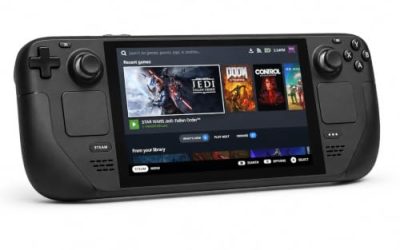
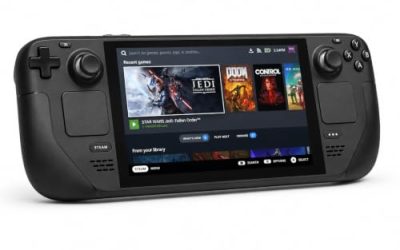
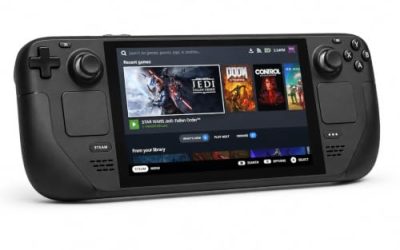
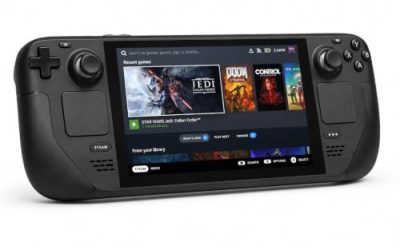
Valve Steam Deck OLED 512GB
- Display: 7.4-inch HDR OLED, 1280 by 800, up to 90 Hz
- Processor: AMD Zen 2 and RDNA 2 custom APU
- Memory: 16 GB LPDDR5
- Storage: 512 GB NVMe, plus a microSD slot
The handheld the Playable badge was written for, tested by Valve against the current build. Expect the launcher and small-text deductions listed above; the campaign itself passed Valve’s functional checks.
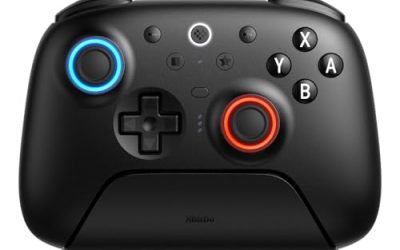
8BitDo Ultimate 2 Bluetooth Controller
- Connectivity: Bluetooth wireless and USB-C wired
- Joysticks: TMR electromagnetic, anti-drift design
- Triggers: Hall effect, with mode switching
- Extras: two remappable back buttons, motion control
The docked pad pick. Millennia’s own record declares no controller support, so treat any pad as a Steam Input device driving Valve’s default configuration — the setup Valve’s sheet confirms is fully functional — rather than a native gamepad mode.
Xbox Wireless Controller, Carbon Black
- Connectivity: Xbox Wireless and Bluetooth
- Port: USB-C for wired play
- Controls: hybrid D-pad, dedicated Share button
- Power: AA batteries or optional rechargeable pack
The safest guest pad in PC gaming: Steam Input support is universal, the glyphs match what most games display, and it pairs over Bluetooth or its own wireless standard.
Logitech G502 HERO
- HERO optical sensor, up to 25,600 DPI
- 11 programmable buttons
- Adjustable weight system
- Wired USB connection
The honest primary input for this game. A 4X campaign is hours of map clicks, menu dives and end-turn buttons, and a precise wired mouse with programmable buttons for the repeated commands is the setup the genre assumes.
Specs:
Samsung T9 Portable SSD 2TB
- Capacity: 2 TB portable SSD
- Interface: USB 3.2 Gen 2×2, USB-C connector
- Maker-rated speeds: up to 2,000 MB per second read, 1,950 MB per second write
- Features: Dynamic Thermal Guard, maker-rated drop resistance
For moving a Linux game library between desktop and laptop, or keeping an offline backup of installers, a fast USB-C drive is the simple answer. The headline figure needs a Gen 2×2 host port; on a lesser port the drive runs at that ceiling.
How to choose
Choose the Steam copy, because it is the only PC edition on sale and the exact build both records describe. On desktop or laptop, install under Proton and start with the default compatibility tool; the Platinum headline says the game runs well, and the launcher is the only layer with a documented failure mode, so if a launch stalls, switching the Proton version is the first lever. On a Steam Deck, accept the Playable terms before buying: budget a few minutes for graphics settings, expect the virtual keyboard around the launcher, and plan on small text. For input, buy the mouse first — it is the control scheme the record describes — and add a pad only for docked Deck play.
Who should skip
Skip Millennia if a native Linux build is a condition of purchase: there is none, no port has been announced on the record, and the empty Linux shell is not a promise of one. Skip it on Deck if small text is a hard dealbreaker, since Valve flags readability directly and the interface was designed for a monitor. Players who want 4X multiplayer guaranteed across every patch should also pause: nothing blocks multiplayer on the record, but nothing certifies it either, and the ProtonDB file is thin — 13 reports, mostly from the first year — so each major update deserves a fresh check before a scheduled match.
FAQ
Does Millennia have a native Linux version?
No. Steam’s record flags Linux false, the Linux requirements tab is an empty shell, and the sold packages contain no Linux depot. The only route is the Windows build under Proton.
How well does Millennia run through Proton?
ProtonDB’s headline tier is Platinum across 13 reports. Most desktop filings describe the game running out of the box; the documented friction sits in the Paradox Launcher, with one report of it failing to hand off to the game on an experimental Proton build.
Is Millennia playable on Steam Deck?
Yes — Valve rates it Playable, tested in November 2026 against the current public build. The deductions are a launcher that may need the touchscreen or virtual keyboard, small in-game text, and graphics settings needing manual configuration.
Is Millennia sold on GOG or any other store?
No GOG edition exists: GOG’s catalogue holds no product for the game, and its natural store address resolves to the general catalogue. Steam is the only PC storefront selling it, and only the Windows build exists.
Final verdict
Millennia on Linux is a Proton game, full stop: a Windows-only record with an empty Linux shell where a port would be documented, one Windows depot in the box, and a Windows-only expansion family. What saves the proposition is the translation layer’s file — a Platinum headline on ProtonDB and a Playable Deck verdict re-tested against the current build in November 2026. Buy it as a well-documented Proton title with a launcher to step around, not as a Linux release.
Product and ASIN Reference
| Product | ASIN |
|---|---|
| Valve Steam Deck OLED 512GB | B0CQ3RWQQZ |
| 8BitDo Ultimate 2 Bluetooth Controller | B0F194QFT2 |
| Xbox Wireless Controller, Carbon Black | B08DF248LD |
| Logitech G502 HERO | B07GBZ4Q68 |
| Samsung T9 Portable SSD 2TB | B0CHFS9K14 |