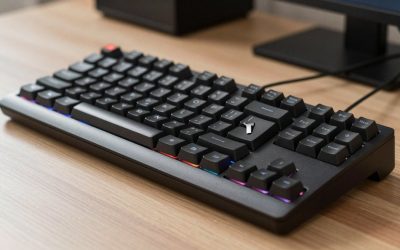
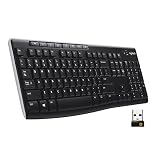
- Top Pick: Logitech K400 Plus Wireless Touch TV Keyboard for Media Control – Black
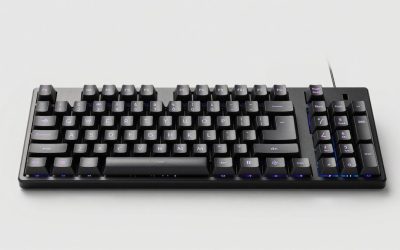
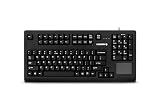
- Best Value: Cherry G80-11900, Compact Industrial Keyboard with Number Pad, Touchpad & 2 Mouse Buttons, Programmable Keys, Mechanical MX Black Switches, USB-A, Black
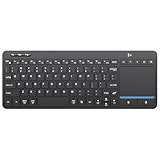
- Premium Choice: Arteck 2.4G Wireless Touch TV Keyboard with Easy Media Control and Built-in Touchpad Mouse Solid Stainless Ultra Compact Full Size Keyboard -Connected Computer, Smart TV, HTPC
Mechanical keyboards and integrated touchpads rarely share a chassis, which makes this a niche worth understanding before you buy. A true mechanical board with a built-in pointer gives you the satisfying tactile keystrokes enthusiasts love plus the couch-friendly convenience of not needing a separate mouse, but genuine mechanical-plus-touchpad units are surprisingly rare.
This review clarifies what actually qualifies, where the trade-offs lie, and which options come closest to delivering the best of both worlds for HTPC, industrial, and desk use.
As an Amazon Associate we earn from qualifying purchases at no extra cost to you.





🎮 Get More From Your Setup — Free
Prime Gaming gives you free PC games every month, in-game loot, and a free Twitch channel sub — plus fast free shipping on all the gear above. New members get a 30-day free trial.
Watch: Mechanical Keyboard With Touchpad — Video Review
Design & Build
The standout genuine mechanical option is the Cherry G80-11900, a compact industrial keyboard with mechanical MX Black switches, a number pad, a touchpad, and two mouse buttons, built to survive demanding professional environments. Most other keyboards-with-touchpad, like the Logitech K400 Plus, the stainless Arteck 2.4G, and the Vilros USB board, use membrane or scissor switches rather than true mechanical ones, trading typing feel for slimness and low cost. If mechanical key feel is your priority, the Cherry is the clear anchor of this category.
Performance
The Cherry G80-11900 delivers the reliable, crisp actuation MX Black switches are known for, plus USB-A plug-and-play simplicity and programmable keys, making it ideal for control rooms and point-of-sale setups where durability matters. The membrane-based alternatives excel elsewhere: the K400 Plus and Arteck models offer smooth touchpads and long wireless range for media rooms, while multi-device Bluetooth boards suit users switching between gadgets. The touchpads across all of these handle navigation well but are not built for precision gaming.
Pros & Cons
- Genuine mechanical feel on the Cherry G80-11900 with durable MX switches.
- Integrated touchpad and mouse buttons eliminate a separate pointer.
- Programmable keys and industrial durability on the Cherry.
- Wireless membrane options add couch convenience for media use.
- True mechanical-plus-touchpad units are rare and pricier.
- Membrane alternatives lack the tactile feel enthusiasts want.
- Touchpads are not precise enough for gaming or design.
Alternatives to Consider
If you specifically want mechanical switches with a pointer, the Cherry G80-11900 is essentially the category. For living-room media control where switch feel matters less, the Logitech K400 Plus or Arteck stainless model are more affordable and lighter. Multi-device users may prefer a Bluetooth board that switches between gadgets. And if you value mechanical typing above all, pairing a compact mechanical keyboard with a separate low-profile mouse gives you the best of both without compromise.
Related Guides
- Keyboard With Pointing Stick (2026)
- Keyboards With Built In Mouse (2026)
- Pointing Stick Keyboard (2026)
- Steelseries Apex Pro Mini Gaming Keyboard (2026)
- Keyboard Mini Mechanical (2026)
Frequently Asked Questions
Are there real mechanical keyboards with a touchpad?
Yes, but few. The Cherry G80-11900 with MX Black switches is the standout genuine mechanical option that includes a touchpad and mouse buttons.
Why are most touchpad keyboards membrane?
Membrane switches keep the board thin, light, and inexpensive, which suits the media-room and travel use cases these keyboards target.
Can I game on one?
The mechanical keys handle input fine, but the small touchpads are not precise enough for competitive gaming, so add a dedicated mouse.
Is the Cherry good for office or industrial use?
Very. Its durable MX switches, programmable keys, and integrated pointer make it a favorite for control rooms and point-of-sale terminals.
Verdict
If you truly need mechanical switches alongside a built-in touchpad, the Cherry G80-11900 is the definitive pick, purpose-built for durability and industrial reliability. For lighter media and travel duty where feel matters less, membrane options like the Logitech K400 Plus serve better. Decide whether mechanical feel or slim convenience leads your priorities, and the right board becomes obvious.