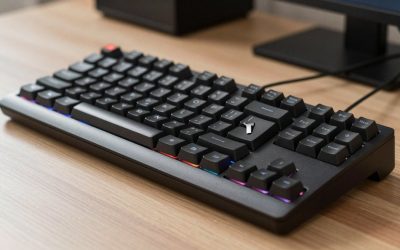
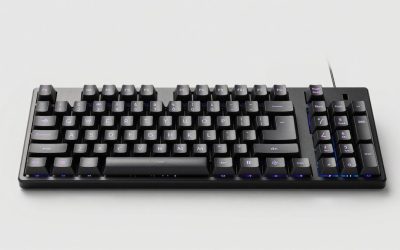
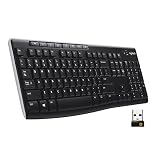
The pointing stick, that little nub nestled between the G, H, and B keys, remains a beloved input method for typists who never want to leave the home row. A keyboard with a pointing stick, or a comparable integrated pointer like a trackball or touchpad, keeps your hands anchored and your cursor a fingertip away, a workflow that fans swear is faster than reaching for a mouse.
- Watch: Keyboard With Pointing Stick — Video Review
- Design & Build
- Performance
- Pros & Cons
- Pointing Stick Keyboard Options at a Glance
- What Is a Pointing Stick and Why Do People Want One?
- Which Keyboard With a Pointing Stick Should You Pick?
- Alternatives to Consider
- Related Guides
- Related Guides
- Frequently Asked Questions
- Verdict
- Related Articles
This review explores the surprisingly varied landscape of keyboards with built-in pointers, from true pointing-stick boards to trackball and touchpad alternatives, and highlights the best options for each preference.
As an Amazon Associate we earn from qualifying purchases at no extra cost to you.


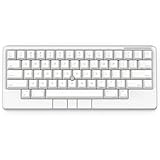



Quick answer: the best keyboard with a pointing stick is a Lenovo ThinkPad keyboard with TrackPoint, either the wired ThinkPad Compact USB Keyboard or the wireless ThinkPad TrackPoint Keyboard II. If you want a premium enthusiast board, the HHKB Studio is the other well-known option. Everything else in this guide uses a trackball or touchpad instead of a stick.
Updated October 2026 – corrected the HHKB description, removed a laptop replacement keyboard that did not belong in the list and added the ThinkPad TrackPoint options.
How this guide was researched: we compared manufacturer specifications, published documentation and recurring buyer feedback. We did not run our own typing sessions, so comfort remarks reflect what buyers and reviewers commonly report.
🎮 Get More From Your Setup — Free
Prime Gaming gives you free PC games every month, in-game loot, and a free Twitch channel sub — plus fast free shipping on all the gear above. New members get a 30-day free trial.
Watch: Keyboard With Pointing Stick — Video Review
Design & Build
True pointing-stick keyboards are a niche category, so the broader category of integrated-pointer boards offers solid choices. The HHKB Happy Hacking Keyboard Studio, in Snow and Charcoal, is the enthusiast standout, combining a compact layout and mechanical switches with a built-in pointing stick for a purist home-row experience. For those open to other pointers, the Adesso AKB-310UB pairs a keyboard with a trackball, the AKB-425UB adds a rackmount touchpad, and classics like the Logitech K400 Plus and Vilros USB board integrate touchpads. Build quality ranges from the premium HHKB to utilitarian industrial designs.
Performance
The HHKB Studio is the crown jewel for pointing-stick devotees, delivering precise cursor control without lifting your hands from typing position, ideal for programmers and heavy writers. The trackball-equipped Adesso AKB-310UB suits users who prefer a stationary pointer that needs no desk space to roll, and its compact design fits tight setups. The rackmount AKB-425UB touchpad board targets industrial and server-room use. Touchpad classics like the K400 Plus handle general navigation and media control well. Across the range, the appeal is the same: keep your hands centered and your pointer integrated.
Pros & Cons
- Home-row cursor control keeps hands anchored while typing.
- The HHKB Studio delivers a premium pointing-stick experience.
- Trackball and touchpad options suit varied preferences.
- Space-saving designs ideal for tight or industrial setups.
- True pointing-stick boards are rare and often pricey.
- Learning curve for those new to pointing sticks or trackballs.
- Integrated pointers lack the precision of a dedicated mouse for gaming.
Pointing Stick Keyboard Options at a Glance
| Keyboard | Pointer type | Connection | Best for |
|---|---|---|---|
| Lenovo ThinkPad Compact USB Keyboard with TrackPoint | Pointing stick with buttons | Wired USB | Desk use and ThinkPad fans |
| Lenovo ThinkPad TrackPoint Keyboard II | Pointing stick with buttons | Bluetooth and 2.4GHz wireless | Travel and multi-device use |
| HHKB Studio | Pointing stick | Bluetooth and USB | Enthusiasts who want a compact premium board |
| Adesso AKB-310UB | Trackball | Wired USB | Tight desks |
| Adesso AKB-425UB | Touchpad | Wired USB | Rackmount and server rooms |
| Logitech K400 Plus | Touchpad | 2.4GHz wireless | Living-room PCs |
What Is a Pointing Stick and Why Do People Want One?
A pointing stick, often called a TrackPoint after the original IBM and Lenovo design, is a small rubber nub between the G, H and B keys. You push it with an index finger to move the cursor and use the mouse buttons below the space bar to click. Because your hands never leave the home row, many programmers, writers and system administrators prefer it to a mouse or touchpad for long typing sessions.
Pointing sticks measure pressure rather than distance, so there is a short learning curve. Most people need a few days to get comfortable. After that the stick is quiet, needs no desk space and works on any surface, including a lap or a cramped airplane tray.
Which Keyboard With a Pointing Stick Should You Pick?
Pick the ThinkPad Compact USB Keyboard if you want the classic setup
The Lenovo ThinkPad Compact USB Keyboard with TrackPoint is a wired, compact board that mirrors the laptop layout many ThinkPad users already know, with the stick and three buttons. It is the simplest way to get a pointing stick on a desktop, since there is nothing to pair or charge.
Pick the ThinkPad TrackPoint Keyboard II if you use several devices
The wireless ThinkPad TrackPoint Keyboard II supports Bluetooth and a 2.4GHz receiver and has a rechargeable battery, so it works for a laptop, a tablet and a desktop. Check the current listing carefully, since third-party sellers sometimes list it at unusual prices.
Pick the HHKB Studio if you want a premium compact board
The HHKB Studio combines a compact layout, mechanical switches and a built-in pointing stick with Bluetooth and USB connections. It costs far more than the Lenovo options, so it only makes sense if you want the typing feel and build quality of an enthusiast board.
Pick a trackball or touchpad board if a stick feels awkward
The Adesso trackball and touchpad keyboards, the Perixx PERIBOARD-525 and the Logitech K400 Plus keep the idea of an integrated pointer without the pressure-based control of a stick.
Alternatives to Consider
For a genuine pointing-stick experience, the HHKB Studio is the definitive enthusiast pick, available in Snow and Charcoal. Users who prefer a stationary pointer without a nub should consider the trackball-equipped Adesso AKB-310UB, while industrial and rackmount setups are better served by the AKB-425UB touchpad board. For casual media use, the Logitech K400 Plus offers a touchpad at a lower price. If precision gaming is your goal, none of these replaces a dedicated mouse.
Related Guides
- Steelseries Apex Pro Mini Gaming Keyboard (2026)
- Steelseries Apex Pro Mini Gaming Keyboard (2026)
- Best Keyboard For Office Work (2026)
- Pointing Stick Keyboard (2026)
- Pointing Stick Keyboard (2026)
Frequently Asked Questions
Why use a pointing stick instead of a mouse?
It keeps your hands on the home row, so you can move the cursor without reaching for a mouse, which many typists find faster for text-heavy work.
Are there many pointing-stick keyboards available?
True pointing-stick options are limited. The HHKB Studio is a premium example and the Lenovo ThinkPad Compact USB Keyboard with TrackPoint is a more affordable one. Trackball and touchpad boards are more common alternatives.
Is a trackball a good substitute?
For users who want a stationary pointer without desk space, yes. The Adesso AKB-310UB pairs a trackball with a keyboard effectively.
Can I game with these?
Integrated pointers suit productivity and navigation, but for competitive gaming a dedicated mouse offers far better precision.
Can I add a pointing stick to a keyboard I already own?
Not easily. Replacement TrackPoint caps exist for ThinkPad laptops, but a stick is part of the keyboard hardware, so you need a model that includes one.
Is a pointing stick good for left-handed users?
Yes. The stick sits in the center of the board and the buttons are usually in the middle below the space bar, so it works the same for either hand.
Do pointing stick keyboards work with Mac, Linux and Windows?
Generally yes. Wired USB and Bluetooth models present themselves as a standard keyboard and mouse. Check each listing for key labels, since Windows and Mac layouts differ.
How do I make the pointing stick less sensitive?
Adjust pointer speed in your operating system settings and, on ThinkPad keyboards, the Lenovo driver options where available. A fresh rubber cap also improves grip.
Verdict
A keyboard with a pointing stick or integrated pointer is a productivity boon for typists who value staying on the home row. The HHKB Studio is the standout for true pointing-stick fans, while the Adesso trackball and touchpad boards serve those who prefer alternative pointers. Decide which pointer style suits your hands, and you will gain a genuinely more efficient workflow.