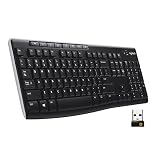
- Top Pick: Logitech K400 Plus Wireless Touch TV Keyboard for Media Control – Black
- Best Value: K808 Mini Keyboard with Touchpad, 2.4G + BT, with 7-Color Backlight
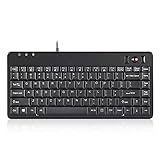
- Premium Choice: Perixx PERIBOARD-505H Wired Mini Keyboard with Built-in Trackball, 0.55 Inch Trackball and 2 USB Hubs, Black, US English Layout
A keyboard with a built-in mouse combines two peripherals into one, adding a touchpad or trackball directly into the keyboard so you can type and point without ever reaching for a separate mouse. For living-room media PCs, cramped workspaces, presentations, and industrial or accessibility setups, this all-in-one approach is genuinely liberating.
The category ranges from wireless TV keyboards to ergonomic touchpad boards and precision trackball units. Connectivity, pointing method, and size all shape which one suits you. Here’s a review of the top options and how to choose.
As an Amazon Associate we earn from qualifying purchases at no extra cost to you.


Check Price on Amazon →



Check Price on Amazon →

🎮 Get More From Your Setup — Free
Prime Gaming gives you free PC games every month, in-game loot, and a free Twitch channel sub — plus fast free shipping on all the gear above. New members get a 30-day free trial.
Watch: Keyboards With Built In Mouse — Video Review
Design & Build
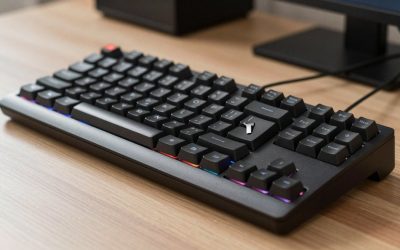
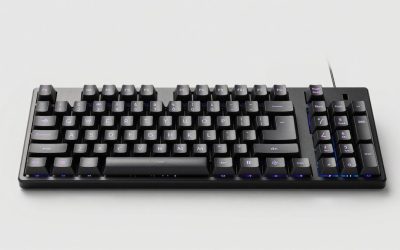
These keyboards integrate the pointer in different ways. The Logitech K400 Plus and the K808 Mini place a touchpad to the right of the keys, ideal for couch-based media control, with the K808 adding Bluetooth and a 7-color backlight. The Adesso AKB-450UB builds an ergonomic wired board around a built-in touchpad, while the Perixx PERIBOARD-505H uses a precise trackball plus two USB hubs, a favorite for tight desks and industrial use. Rounding out the list are traditional Logitech MK270 and MK335 combos, which pair a full keyboard with a separate mouse rather than an integrated pointer. Build quality across the Logitech and Perixx units is dependable.
Performance
Integrated pointing is about convenience over precision, and these deliver well within that context. The K400 Plus is a proven living-room performer, its touchpad smooth enough for navigating media apps from the sofa, while the K808’s Bluetooth and backlight make it versatile for dim rooms and multiple devices. The Perixx trackball is the precision pick, letting you point accurately without any desk space for mouse movement, and its USB hubs add handy connectivity. Wireless models like the K400 Plus and K808 use 2.4G or Bluetooth for lag-free control across a room. These won’t replace a gaming mouse for competitive play, but for media, browsing, presentations, and general use, the built-in pointer is remarkably freeing.
Pros & Cons
- All-in-one convenience, no separate mouse or extra desk space.
- Great for media PCs and couch-based control.
- Trackball options point precisely in zero desk space.
- Wireless models offer lag-free room-scale control.
- Not for gaming, integrated pointers lack a mouse’s precision.
- Touchpad feel varies and takes adjustment.
- Some listed combos use a separate mouse, not a built-in one.
Alternatives to Consider
If precision matters more than integration, a standard keyboard paired with a good mouse remains the better choice for gaming or detailed work. For presentations specifically, a dedicated wireless presenter may suffice. But for media centers, tight spaces, and accessibility needs, a keyboard with a built-in pointer is hard to beat for sheer convenience.
Related Guides
- Steelseries Apex Pro Mini Gaming Keyboard (2026)
- Steelseries Apex Pro Mini Gaming Keyboard (2026)
- Keyboard With Pointing Stick (2026)
- Best Gaming Mechanical Keyboard Reddit (2026)
- Keyboard Mini Mechanical (2026)
Frequently Asked Questions
Are these good for gaming?
Not really. Integrated touchpads and trackballs lack the precision of a dedicated gaming mouse. They excel at media, browsing, and general use instead.
Touchpad or trackball, which is better?
Touchpads (like the K400 Plus) feel familiar and suit media control. Trackballs (like the Perixx) offer more precision and need zero desk space to move.
Which is best for a living-room PC?
The Logitech K400 Plus is a proven choice, with a comfortable layout and reliable wireless range for couch use.
Do any support multiple devices?
The K808 Mini offers Bluetooth alongside 2.4G, letting it switch between devices, and it adds a backlight for dim rooms.
Final Thoughts
A keyboard with a built-in mouse trades a little precision for a lot of convenience. The Logitech K400 Plus is the go-to for media PCs, the Perixx PERIBOARD-505H is the precision trackball pick for tight desks, and the K808 Mini adds Bluetooth versatility. Decide between touchpad familiarity and trackball precision, and you’ll streamline your setup into a single, tidy device.