A volume button is the easiest control on a retro handheld to misdiagnose. Unlike the power button, which talks straight to the hardware, volume presses pass through software first: volume streams, emulator hotkeys, and remapping apps all get a vote before the loudness changes. So a button that feels completely dead is often healthy, with the press being intercepted, routed to the wrong stream, or aimed at headphones that are not plugged in anymore.
This guide starts with two ten-second tests that split the fault in half before anything gets cleaned or opened.
As an Amazon Associate, we earn from qualifying purchases.
Quick Answer
Start with the screen, not the screwdriver. If the on-screen volume slider moves but the loudness does not change, the fault is software or routing, not the button. If the slider never moves, clean the rocker seam with air and alcohol, then check for a cracked rocker or a worn switch. One dead direction means one switch.
First Test: Watch the On-Screen Slider
Press volume up and volume down a few times each while watching the screen, ideally on the home screen rather than inside a game. The slider’s behavior splits the problem cleanly.
The slider moves and the loudness follows, but unevenly. Presses register, yet the level jumps two or three steps at a time, or bounces back. That is contact bounce from a worn switch, or dirt in a volume wheel’s encoder. The button works; it just reports badly. Cleaning is the fix, covered below.
The slider moves and the loudness never changes. The press is reaching the system fine, so the button is innocent. The sound is going somewhere else: a Bluetooth device still paired from the couch, a dock carrying audio over HDMI, or a volume stream that is not the one the game uses. The software section below covers this case.
The slider never moves at all. The press is not registering. Either an app or hotkey layer is swallowing it, or the switch itself has failed. The second test separates those two.
Second Test: One Direction, Both Directions, or a Wheel
Look at what kind of control your handheld actually uses, because each fails in its own way.
Most retro handhelds use a rocker: one long cap that seesaws over two separate switches. If only volume up works and volume down is dead, or the reverse, the cause is mechanical and specific: the rocker cap has cracked at its center pivot, slipped sideways off one switch, or that one switch has worn out. A rocker fault is almost never both directions at once.
Some handhelds use two separate buttons. One dead direction has the same meaning there: one switch, one fault. Both directions dead while the touchscreen slider still works points lower down, at the small button board or its ribbon connector rather than at either switch.
A minority of devices use a wheel or dial driving a rotary encoder. Wheels do not die direction by direction; they skip, jump, and reverse as the encoder contacts get dirty. If your control is a wheel and the level moves erratically, the cleaning and encoder notes below apply.
The Software Layer: Streams, Hotkeys, and Interceptors
Work through these checks before touching the hardware. Each takes under a minute.
Check the streams. Android splits volume into separate streams for media, alarms, notifications, and calls, and the buttons follow context. A handheld can look mute-button-broken when the media stream alone is at zero. Open the sound settings and raise every slider with the touchscreen. If the loudness obeys the sliders, the hardware chain works end to end.
Test outside the emulator. RetroArch and several front ends bind volume to hotkey combinations, and a hotkey-enable button held in a combo can swallow ordinary presses. Custom Linux firmware layers its own combos too, often pairing a menu button with volume for brightness. If the buttons behave on the home screen but not in a game, the layer inside the game is the fault, not the switch.
Rule out an interceptor app. Volume lockers, button remappers, and accessibility tools can capture volume presses system-wide. On Android, boot into safe mode, which disables third-party apps, and test again. A button that works in safe mode and fails in normal mode is being intercepted, and the fix is removing or reconfiguring the app.
Reboot once, cleanly. A stuck audio service can freeze the loudness while the slider still animates; one full restart clears that state.
Clean the Rocker From the Outside
If the tests point at the hardware, start outside the shell. Power the handheld fully off. The rocker seam sits on the top or side edge, exactly where pocket lint, skin oil, and dried drink residue collect, and grit in that seam can hold a rocker off its switch or make one end lazy.
Work short bursts from a squeeze air blaster along the full length of the seam while pressing each end of the rocker repeatedly; working the travel while blowing walks the debris out instead of packing it deeper. Then touch a cotton swab barely dampened with isopropyl alcohol to the seam, press both ends a dozen times so the moving cap wipes the contact area, and let everything dry for several minutes before powering on.
Never flood the seam, and keep metal tools out of it. If both directions now register crisply, the fault was contamination and the job is done.
Open the Shell: Rocker, Posts, and Switches
If cleaning changes nothing, open the handheld on a clean surface, screws kept in order. The rocker cap usually lifts out once the shell halves separate, and the failure is often visible at a glance: a post cracked off the cap, a cap sitting tilted because it jumped one post, or a rubber damper torn and bunched under one end. Reseat or straighten what you find, clear the opened shell and button board with an electric duster, and test before closing up.
Then press each bare switch directly with a fingertip. A healthy switch has short travel and a clear click. One switch that feels soft, silent, or gritty is the dead direction explained. On many handhelds these switches sit on a small daughterboard joined by a ribbon cable, and swapping that board is a realistic repair; switches soldered to the main board are a soldering job, and a lifted pad costs more than the fault did.
Wheel models differ: the encoder is usually a single sealed module. Blowing it out sometimes restores clean steps, but a worn encoder means replacing the module, not adjusting it.
One stop sign applies here as everywhere. If the shell is bulging or the rocker jammed as the case seam started to gap, suspect a swelling battery, stop, and treat the battery as the problem instead.
Workarounds While the Button Is Unreliable
A flaky volume control does not have to end sessions while you decide about repair. Every Android handheld keeps a touchscreen volume slider in its quick settings, and most emulator menus expose one too. Headphones with their own inline or on-ear volume controls bypass the handheld’s buttons entirely. On Android, a remapping app can also move volume duty to a healthier key.
How to Choose
Choose by the layer your tests blamed. A dirty seam needs air and nothing else. An opened shell needs a real electronics kit and a duster that will not spray moisture. A switch worn out on the main board needs an honest comparison between the repair and a replacement handheld.
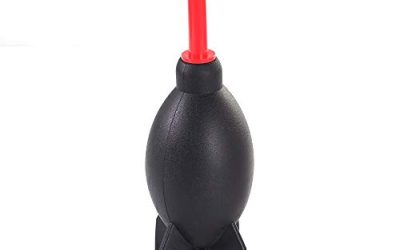
Giottos AA1900 Rocket Air Blaster

The first tool for the seam clean: a hand-powered blower that pushes grit out of the rocker seam without propellant, moisture, or residue near the speaker grille.
Specs
- Type: hand squeeze air blaster
- Propellant: none
- Use: seams, ports, and button gaps
MetroVac DataVac ED500 Electric Duster

For the opened shell: an electric blower that clears the button board and shell interior at steady pressure, where canned air risks condensation on the board.
Specs
- Type: electric duster and blower
- Power: mains, reusable
- Use: opened shells, boards, and fans
STREBITO 142-Piece Electronics Precision Screwdriver Set

The opening kit for the shell work above: the small Phillips and Torx bits these shells use, plus spudgers for separating shell halves safely.
Specs
- Pieces: 142, including 120 precision bits
- Handle: magnetic, with rotating cap
- Extras: spudgers, tweezers, suction cup, flexible extension shaft
AYN Thor Pro

The replacement for when the failed switch is soldered to the main board and the repair stops making sense: the premium end of the current lineup, with a dual-screen layout and the strongest processor here.
Specs
- Main display: 6.31-inch OLED, 1920 by 1080, 120Hz touchscreen
- Secondary display: 3.92-inch OLED touchscreen
- Processor: Qualcomm Snapdragon 8 Gen 2
- Memory: 12 GB RAM, 256 GB storage, microSD slot
Retroid Pocket 5

The mid-range replacement if a worn-out switch ends the old handheld. It covers the PS2 and GameCube era at full speed in a flat, pocketable slab, with ordinary top-edge volume buttons.
Specs
- Display: 5.5-inch AMOLED, 1920 by 1080 touchscreen
- Processor: Qualcomm Snapdragon 865
- Memory: 8 GB RAM, 128 GB storage plus microSD slot
- Battery: 5,000 mAh
Who Should Skip This Guide
Skip it if the slider moves and the loudness follows through headphones but not the speaker: that is a speaker fault, not a button fault. Skip it if there is no sound from any source at all, through speaker or headphones; total silence is a different failure with a different diagnosis. Skip the opening steps if the handheld is under warranty, since a dead volume switch is exactly what coverage exists for. And skip the repair path entirely if the shell is bulging or separating, which points at the battery rather than any button.
Frequently Asked Questions
Why does my volume button only work in one direction?
Because a rocker is two switches under one cap. One direction dying means that end’s switch has worn out, the cap has cracked at its center pivot, or the cap has slipped off that switch. Open the shell and press each bare switch: the one without a click is the fault.
Why does the volume slider move but the sound stays the same?
The press is registering, so the button works. The audio is routed elsewhere or the wrong stream is being adjusted: check for a paired Bluetooth device, a dock sending audio over HDMI, and the media stream level in the sound settings. Raise the sliders by touch to confirm.
Can an app or update make the volume buttons stop working?
Yes. Button remappers, volume lockers, and accessibility tools can intercept the presses, and emulator hotkey layers can swallow them inside games. Test on the home screen, then in Android safe mode. A button that works in safe mode is being intercepted by an app, not failing.
Is a jumping, erratic volume wheel worth repairing?
Usually, yes. Erratic steps from a wheel almost always mean dirty encoder contacts, and blowing the module out restores clean movement in many cases. If cleaning changes nothing, the encoder module itself is worn, and replacing that module is the repair rather than any adjustment.
Final Verdict
Run the slider test first: it decides in ten seconds whether you are chasing software or hardware. Most dead-feeling volume buttons turn out to be a stream at zero, an intercepting app, or grit in the rocker seam, all fixable without opening anything. When the fault is real hardware, it is usually one switch under one end of the rocker, and the honest choice is between reseating the cap, swapping the button board, or replacing the handheld.
Product and ASIN Reference
| Product | ASIN |
|---|---|
| Giottos AA1900 Rocket Air Blaster | B00017LSPI |
| MetroVac DataVac ED500 Electric Duster | B001J4ZOAW |
| STREBITO 142-Piece Electronics Precision Screwdriver Set | B08SGLSZFJ |
| AYN Thor Pro | B0FV3HKG9P |
| Retroid Pocket 5 | B0DT4G4PD2 |