HoloCure – Save the Fans! is the free fan-made survivors-like from KayAnimate, who is listed as both developer and publisher on its Steam record. It launched on 16 August 2023, it costs nothing to play, and it is one of the most-played games in its genre on Linux hardware despite never shipping a Linux build. That combination makes its record worth reading carefully, because the store page’s paperwork points in two directions at once.
The short version is that every hard layer of the record agrees: the platform flags, the requirements tabs and the depot census all describe a Windows-only game. The confusion lives in the soft layers — an empty Linux requirements tab that looks filled at a glance, and a community compatibility page that labels the game as natively supported when it is not. This article works through each layer in turn.
As an Amazon Associate, we earn from qualifying purchases.
Quick answer
HoloCure has no native Linux build: Steam’s record flags Windows only, and the single depot on file is the Windows build. Linux and Deck players run that build through Proton, where 152 community reports settle at Platinum with strong confidence, and Valve’s own test sheet rates the game Playable on Steam Deck.
The record, layer by layer
Start with the platform flags. HoloCure’s record reads windows true, mac false, linux false, and nothing elsewhere in the record overturns it.
The requirements tabs are where a quick reader could be misled. The Windows tab is genuinely populated in both tiers: Windows 10, 300 MB of RAM at minimum and 500 MB recommended, and 250 MB of storage. The Mac and Linux tabs exist but are populated-but-empty shells — each carries the standard Minimum and Recommended headings over completely empty lists. A shell tab is store paperwork, not a build: it names no operating system, no processor and no memory figure, because no Mac or Linux version exists for it to describe.
The depot census settles the question. The record holds exactly one content depot, numbered 2420511, at 334.33 MiB on disk, with no operating-system split in its configuration. There is no Linux depot, no Mac depot, no shared cross-platform depot and no ghost entry.
The registered assets agree. The record carries a client icon, a client tga and a community icon — and no LinuxClientIcon in any form, and no Mac client icon either. Neither the fossil-icon shape nor the inverse-icon shape occurs here; the icon set is simply as Windows-only as everything else. The detected technology is the GameMaker engine with the SDL library, which also explains the game’s tiny footprint and modest demands.
Two smaller layers complete the sweep. The record exposes no DLC array at all, so the familiar soundtrack trap — a music app flagging Linux support the base game lacks — cannot fire; the family is the base game alone. And the controller field reads partial — the store categories list Partial Controller Support alongside a Gamepad Recommended tag — a detail that shows up again in the community reports below.
What the Proton file actually says
Because the Windows build is the only build, Proton is the whole story on Linux. The full summary read returns a settled tier of Platinum, a best-reported tier of Platinum and a trending tier of Platinum, across 152 reports, with strong confidence. That is about as settled as a community file gets.
One part of that page needs correcting, though. The game’s ProtonDB page carries a “Natively Supports:” heading, and it is wrong. Steam’s record — flags, requirements and depots alike — shows no native build exists, so the heading is the recurring stray label seen on popular Proton titles. The Platinum tier underneath it is real; the native label above it is not, and this article follows Steam.
The report colour is honest in both directions. Recent filings on current Proton builds describe a game that installs and runs out of the box on desktop and Deck alike. The recurring complaint is late-run slowdown when the screen fills with enemies — and several reporters note the same slowdown happens on Windows, because the game’s logic is tied to its frame rate rather than skipping frames. That is a design trait of the game, not a Proton defect. One Deck report describes the game stopping launching under the default Proton until a numbered Proton build was selected manually, after which it ran as before. And one desktop filing notes that the loading and backstory screens cannot be skipped with a gamepad — the Enter key works, pad buttons do not — which lines up exactly with the record’s partial controller rating.
On anti-cheat there is nothing to report: the game is single-player, names no anti-cheat on its record, and the community anti-cheat database holds no entry for it in either direction. That is documentation silence, not a clearance.
The Steam Deck sheet
Valve’s own test sheet, read from the publisher’s endpoint, resolves the game to category Playable, with SteamOS separately rated Compatible. The passing items are the ones that matter here: the default controller configuration is fully functional, the interface text is legible, and the default graphics configuration performs well. Two deductions keep it out of the top tier: the game sometimes shows mouse, keyboard or non-Deck controller icons instead of Deck glyphs, and entering some text requires manually invoking the on-screen keyboard. The sheet’s configuration names a Proton 9.0-series release candidate as the recommended runtime, and notes that the gamescope frame limiter is not supported.
One caveat belongs on the record: the test was run on 14 September 2024 against build 12228831, and the public branch has since moved to a newer build dated May 2025. The paperwork therefore predates the copy on sale today, which makes this a supplement candidate of the usual kind: the badge is genuine, but it grades an earlier build.
The storefront ruling
There is no second PC storefront to compare. The game’s natural product address on GOG resolves to that store’s general games catalogue rather than a product page, and the catalogue itself holds no HoloCure product — ruled from the absent page and the catalogue records, not from search silence.
Gear that fits the record
The gear below follows the record’s shape: the handheld the badge was written for, two pads for docked and desktop play, a mouse for menu-heavy desktop sessions, and library storage.
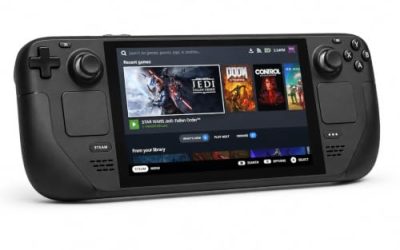
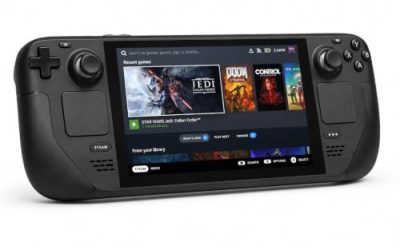
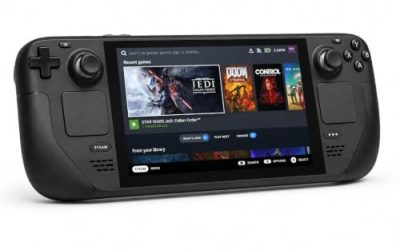
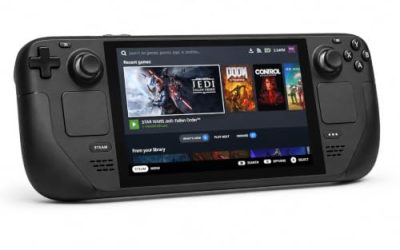
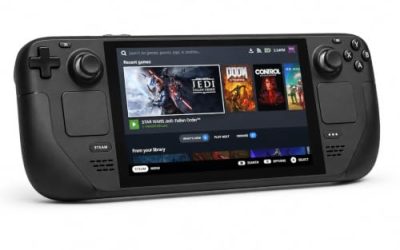
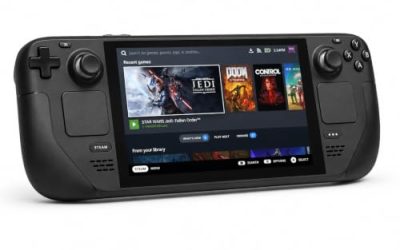
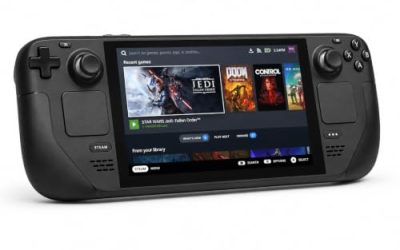
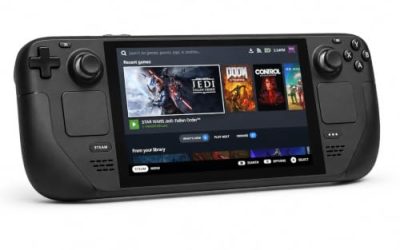
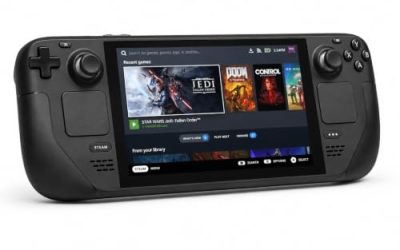
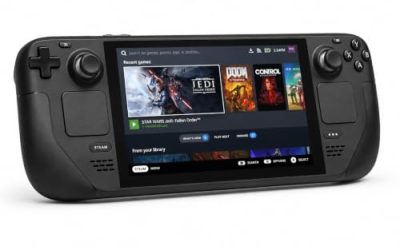
Valve Steam Deck OLED 512GB

The handheld the Playable badge was written for. The game’s published requirements are a rounding error next to the Deck’s APU, and Valve’s test sheet passes the Windows build under its recommended Proton runtime.
Specs
- Display: 7.4-inch HDR OLED, 1280 by 800, up to 90 Hz
- Processor: AMD Zen 2 and RDNA 2 custom APU
- Memory: 16 GB LPDDR5
- Storage: 512 GB NVMe, plus a microSD slot
- Wireless: Wi-Fi 6E and Bluetooth
- Channel note: Valve sells the Deck mainly through its own store, so Amazon listings are third-party sellers
8BitDo Ultimate 2 Bluetooth Controller
The docked and desktop pad pick. The game’s own record rates controller support partial rather than full, and this pad covers the couch case with modern sticks and triggers plus back buttons that can stand in for the keyboard keys the pad cannot reach.
Specs
- Connectivity: Bluetooth wireless and USB-C wired
- Joysticks: TMR electromagnetic, anti-drift design
- Triggers: Hall effect, with mode switching
- Extras: two remappable back buttons, motion control
- In the box: charging dock included
Xbox Wireless Controller, Carbon Black
The safest guest pad in PC gaming: Steam Input support is universal, the glyphs match what most games display, and it pairs over Bluetooth or its own wireless standard. On the handheld, the test sheet’s note applies: an external pad may need a manual Quick Access Menu switch before it takes over.
- Connectivity: Xbox Wireless and Bluetooth
- Port: USB-C for wired play
- Controls: hybrid D-pad, dedicated Share button
- Power: AA batteries or optional rechargeable pack
Logitech G502 HERO
The game is played on the stick, but its menus, unlock screens and settings are pointer territory, and at a desk a precise wired mouse turns those trips into single clicks.
Specs
- HERO optical sensor, up to 25,600 DPI
- 11 programmable buttons
- Adjustable weight system
- Wired USB connection
- On-board memory profiles
Samsung T9 Portable SSD 2TB
For moving a Linux game library between a desktop and a laptop, or keeping an offline backup of installers, a fast USB-C drive is the simple answer. The headline figure needs a Gen 2×2 host port; on a lesser port the drive runs at that ceiling instead.
Specs
- Capacity: 2 TB portable SSD
- Interface: USB 3.2 Gen 2×2, USB-C connector
- Maker-rated speeds: up to 2,000 MB per second read, 1,950 MB per second write
- Features: Dynamic Thermal Guard, maker-rated drop resistance
How to choose
Choose by which layer of the record matters to you. If you only buy native Linux builds, this game is not one, and no reading of its paperwork makes it one — the flags, the empty requirements shells and the single Windows depot all say the same thing. If you judge by results instead, the Proton file is the strongest kind of evidence the genre produces: a Platinum tier held across more than one hundred and fifty reports with strong confidence, on a game light enough for years-old integrated graphics.
On the Deck, choose with the Playable badge’s two deductions in mind. Neither touches the core loop — movement and combat run on the default configuration — but you will see the wrong controller glyphs at times and you will open the on-screen keyboard by hand when text entry appears. If those irritate you in other games, they will irritate you here.
The deciding factor is simpler: the game is free to play, so the only real choice is whether the genre appeals.
Who should skip
Skip this one if you require a native Linux build — HoloCure will never meet that test on its current record, and its developer has published no Linux version to wait for. Skip it if partial controller support is a dealbreaker for couch play: the record itself rates support partial, the Deck sheet notes glyph mismatches, and community reports confirm that some screens answer only to a keyboard. And skip it if dense, screen-filling bullet-heaven action is not your genre, because no compatibility result changes what the game is.
FAQ
Is HoloCure native on Linux?
No. Steam’s record flags Windows only, the Linux requirements tab is an empty shell with no specifications in it, and the only content depot on file is the Windows build at 334.33 MiB. Linux players run that Windows build through Proton.
How well does HoloCure run under Proton?
Very well, by the community file: the full summary reads Platinum on the settled, best-reported and trending tiers alike, across 152 reports with strong confidence. Expect late-run slowdown in crowded stages — the same slowdown the game shows on Windows.
Is HoloCure Steam Deck Verified?
It is rated Playable, one tier below Verified. Valve’s sheet passes the default controller configuration, legible text and default performance, and deducts for controller glyphs that sometimes do not match the Deck and for text entry that needs the on-screen keyboard opened manually. The test dates from September 2024 and grades an earlier build than the one now on sale.
Can I get HoloCure outside Steam?
No. The game is a free-to-play Steam release; its natural product address on GOG resolves to the general catalogue, and no GOG product exists. There is no second PC edition, paid or free.
Final verdict
HoloCure’s record is a clean Windows-only file wearing two misleading labels: an empty Linux requirements tab and a community page heading that calls it natively supported. Underneath the labels, the substance is excellent — a Platinum Proton file 152 reports deep, a Playable Deck badge whose deductions are cosmetic, and a game light enough to run anywhere. Linux players lose nothing here except the word native itself.
Product and ASIN Reference
| Product | ASIN |
|---|---|
| Valve Steam Deck OLED 512GB | B0CQ3RWQQZ |
| 8BitDo Ultimate 2 Bluetooth Controller | B0F194QFT2 |
| Xbox Wireless Controller, Carbon Black | B08DF248LD |
| Logitech G502 HERO | B07GBZ4Q68 |
| Samsung T9 Portable SSD 2TB | B0CHFS9K14 |