Star Wolves 2, the space tactics RPG from X-Bow Software and Fulqrum Publishing, reached Steam in March 2010 as the middle chapter of a three-part series. Anyone asking the Linux question about it today finds a short record: one operating system on the flags, one operating system in the depots, and a compatibility file thin enough that every report in it matters.
That thinness is the real story. The third game in this series earned a Gold community file and a Verified Deck badge; this one has neither. What follows reads the record exactly as it stands — flags, requirements, depots, launch entry, Valve’s empty Deck category, the three-report Proton file and the second storefront.
As an Amazon Associate, we earn from qualifying purchases.
Quick answer
Star Wolves 2 is not native on Linux. Steam’s record flags Windows alone, both content depots ship Windows builds, the only launch entry runs a Windows executable, and GOG’s edition is Windows-only too. Valve has never reviewed it on Steam Deck. ProtonDB’s file is thin and mixed: Bronze headline, Platinum best-reported, three reports.
The flags and the paperwork: one system, two empty fields
Steam’s platform flags for app 46280 read windows true, mac false, linux false. There is no ambiguity to work around: the Linux requirements field is an empty list, and the Mac field is empty too, so this is not a populated-shell case where a tab pretends to offer support. The record simply never claims another system.
The one requirements block that exists dates the game on sight. It asks for Windows 2000 or XP, an 800 MHz processor, 128 MB of memory, a GeForce 2 MX400-class graphics card and 1.5 GB of free drive space — a mid-2000s Windows specification carried onto Steam untouched, with no port in between.
The asset list points the same way. A standard client icon, a thumbnail, an icon and logos are registered; there is no Linux client icon in the set. An absent icon settles nothing alone — genuine Linux builds have shipped without one — but here it agrees with every other layer. The categories are single-player and Family Sharing only: no controller support field exists on the record at all, a point the gear section respects rather than papers over.
Two depots, both Windows, one launch entry
A native build would have to live in the depot table, and the table holds two content depots. Depot 46281, named “Windows Star Wolves 2 content”, carries the game at 2.30 GiB. Depot 46283, “Windows Polish Star Wolves 2 Polish”, carries the Polish language build at 2.27 GiB. Beside them sits a single redistributable, the DirectX June 2010 package from the shared Windows install depot — the runtime installer a Windows game of this vintage expects.
There is no Linux depot, no Mac depot and no cross-platform depot. The launch configuration is a single unnamed option running one executable, Star Wolves 2.exe, with no operating-system split. The app’s DLC field is empty: no add-on apps, no soundtrack app, no expansion record where a second build could hide. Tech detection names one SDK, Bink Video, the era’s cutscene middleware and part of the original Windows build rather than any porting layer.
The public branch sits on a build dated November 2021 — a packaging touch, not a port, since the depots it delivers are the same Windows content. Store assets were refreshed in 2025, but the delivery layer did not change with them.
The Deck category reads zero
Valve’s own store record carries a Steam Deck compatibility category of 0 for this app, and the SteamOS category reads 0 as well. Category 0 means untested: Valve has never run this game through its Deck programme, so there is no Verified, Playable or Unsupported badge to report, and this article claims none in either direction.
That empty file separates this game sharply from its sequel. Star Wolves 3 carries a Verified badge on a build frozen since 2012, so its grade still describes the bytes a buyer installs. Star Wolves 2 has no grade at all. A Deck owner considering it relies entirely on the community file in the next section — reasonable grounds for optimism, but not a tested verdict.
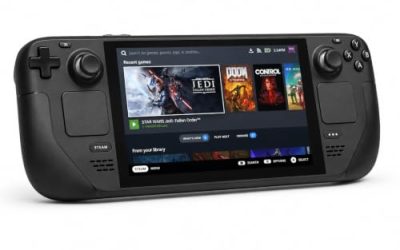
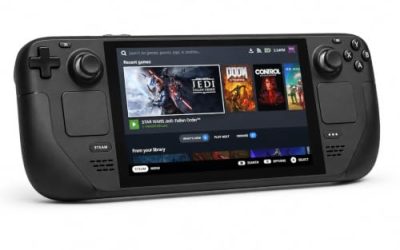
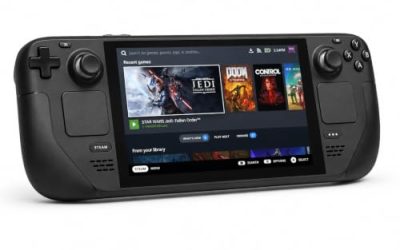
The input picture reinforces the caution. The record declares no controller support, and this is a mouse-driven tactics game: pausing mid-battle, selecting ships and issuing orders through menus. On a handheld that means a Steam Input layout or the touchscreen, with no native pad scheme underneath — the same caveat as its sequel, but without the badge that made the sequel’s caveat easy to accept.
Three reports: a Bronze headline over a Platinum best
ProtonDB’s summary for this app reads Bronze on the headline tier, Platinum on the best-reported tier and Bronze on the trending tier, drawn from three reports with low confidence. The feed itself was healthy when read — the control app answered normally in the same session — so this is a real, if tiny, record rather than an outage artefact.
Read honestly, that spread says the file is split rather than settled. At least one reporter had the game running at Platinum standard; the settled headline sits at Bronze, the tier ProtonDB reserves for games that run with real problems or meaningful tinkering. With three reports total, a single bad experience drags the headline hard, and no volume of newer reports averages it away. It is the weakest community file in the series: the third game’s is Gold, and this one is three voices disagreeing.
One more honesty note: the game’s ProtonDB page rendered only as a script shell in this session, so its classification heading could not be read and no heading claim is made here either way. The ruling in this article rests on Steam’s delivery record, which needs no help from a heading.
Nothing in the anti-cheat layer complicates any of this. The game is single-player only, names no anti-cheat on its record, and has no entry in the AreWeAntiCheatYet catalogue. Whatever the Proton file’s disagreements are about, a kernel-level blocker is not among them.
GOG sells the game — the same Windows build
GOG carries Star Wolves 2 as its own catalogue product, and its product record answers the platform question independently of Steam: the compatibility block reads windows true, osx false, linux false. The DRM-free edition is the same Windows build in a different wrapper.
That makes GOG a legitimate second route to owning the game, and its installer can be run through Proton or a compatibility front-end like any other Windows copy. What it is not is a native Linux edition. Between the two storefronts there is exactly one build of Star Wolves 2 for PC, and both shops sell it.
Gear for a desktop-first record
With no Deck badge and no controller support on the record, the honest setup is a desk: a remappable keyboard for the pause and selection keys this tactics game leans on, pads framed for the wider library rather than this title, a precise mouse, and library storage.
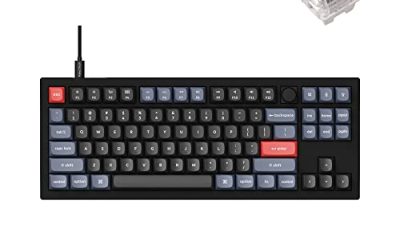
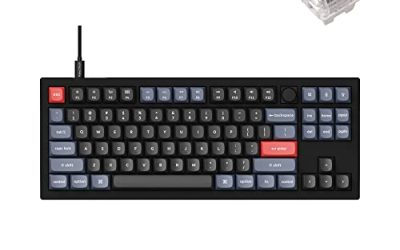
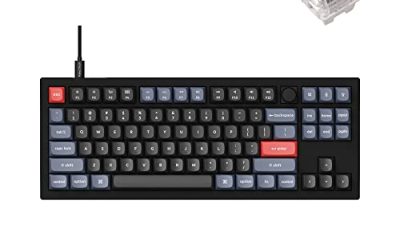
Keychron V3
A tenkeyless board with per-key remapping suits a game whose battles are run from pause, select and camera keys: put the time controls where your hand already rests.
Specs
- Tenkeyless layout with rotary knob
- QMK and VIA remapping support
- Hot-swappable K Pro Brown switches
- Wired USB-C connection
- Maker-rated 1,000 Hz polling
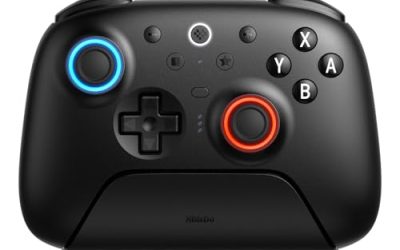
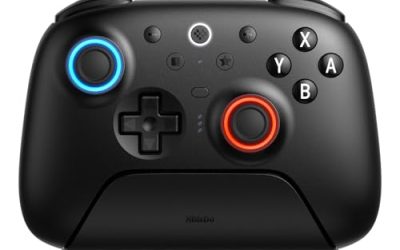
8BitDo Ultimate 2 Bluetooth Controller

A library pad, stated plainly: this game’s record declares no controller support, so pad play here means a Steam Input mapping you build yourself. For the rest of a Linux library, this covers the couch case with modern sticks and triggers.
Specs
- Connectivity: Bluetooth wireless and USB-C wired
- Joysticks: TMR electromagnetic, anti-drift design
- Triggers: Hall effect, with mode switching
- Extras: two remappable back buttons, motion control
- In the box: charging dock included
Xbox Wireless Controller, Carbon Black
The safest guest pad in PC gaming: Steam Input support is universal and the glyphs match what most games display. For Star Wolves 2 it is a mapping exercise, not a native scheme — the record offers none.
- Connectivity: Xbox Wireless and Bluetooth
- Port: USB-C for wired play
- Controls: hybrid D-pad, dedicated Share button
- Power: AA batteries or optional rechargeable pack
Logitech G502 HERO
This is the input the game was designed around: pausing mid-battle, selecting wings and issuing orders is mouse work, and a precise wired mouse with programmable buttons for pause, select and camera keys suits long sessions.
Specs
- HERO optical sensor, up to 25,600 DPI
- 11 programmable buttons
- Adjustable weight system
- Wired USB connection
- On-board memory profiles
Samsung T9 Portable SSD 2TB
For moving a Linux game library between machines or keeping an offline backup of installers, a fast USB-C drive is the simple answer. The headline figure needs a Gen 2×2 host port; on a lesser port the drive runs at that ceiling instead.
Specs
- Capacity: 2 TB portable SSD
- Interface: USB 3.2 Gen 2×2, USB-C connector
- Maker-rated speeds: up to 2,000 MB per second read, 1,950 MB per second write
- Features: Dynamic Thermal Guard, maker-rated drop resistance
How to choose
Choose the Steam copy if you want the edition the ProtonDB file describes and the simplest install path: add it, let Steam apply Proton, and treat the first launch as the experiment the Bronze headline warns about. Choose the GOG copy for a DRM-free installer; it is the same Windows build, so expect the same behaviour through a front-end. On either edition, set expectations by the file, not the series: the sequel’s Gold-and-Verified comfort does not transfer. Keep a mouse at hand, and know that with three reports, your own run may land anywhere between the Platinum best and the Bronze headline.
Who should skip
Skip this game if you only buy native Linux builds: there is none here, on either storefront, and no sign one was ever planned. Skip it if an untested Deck file is a dealbreaker — Valve has never graded it, and the record declares no controller support for a mouse-first game. Skip it if a three-report community file feels too thin to spend on; that is a fair reading of the evidence.
FAQ
Is Star Wolves 2 native on Linux?
No. Steam flags Windows alone, the Linux requirements field is an empty list, both content depots ship Windows builds, the only launch entry runs Star Wolves 2.exe, and GOG’s edition lists Windows alone in its compatibility block. No native build exists on any PC storefront.
Is Star Wolves 2 Steam Deck Verified?
Valve has not reviewed it. The game’s Steam record carries a Deck compatibility category of 0 — untested — so it holds no Verified, Playable or Unsupported badge. Any Deck play rests on the community Proton file and Steam Input layouts, not on a Valve grade.
How well does Star Wolves 2 run under Proton?
The community file is thin and split: Bronze on the headline and trending tiers, Platinum on the best-reported tier, across three reports with low confidence. One reporter evidently had a clean run; the settled headline says to expect tinkering or problems. Treat it as a gamble the three-report sample cannot resolve.
Does GOG sell a Linux version of Star Wolves 2?
No. GOG sells the game, but its product record reads windows true, osx false, linux false. The GOG edition is the same Windows build in a DRM-free wrapper, runnable through Proton but not native.
Final verdict
Star Wolves 2 is a Windows-only record with an unusually honest set of gaps: no native build on either storefront, no Deck test from Valve, and a three-report Proton file whose Bronze headline and Platinum best refuse to agree. Nothing blocks it — no anti-cheat, no launcher, no online dependency — but nothing certifies it either. Buy it on Steam, play it at a desk with a mouse, and treat a clean first launch as a pleasant outcome rather than a promised one.
Product and ASIN Reference
| Product | ASIN |
|---|---|
| Keychron V3 | B0B2DMMMG2 |
| 8BitDo Ultimate 2 Bluetooth Controller | B0F194QFT2 |
| Xbox Wireless Controller, Carbon Black | B08DF248LD |
| Logitech G502 HERO | B07GBZ4Q68 |
| Samsung T9 Portable SSD 2TB | B0CHFS9K14 |