

The Govee RGBIC LED Strip Lights Bluetooth is the entry point into Govee’s RGBIC range — strips where every short LED segment along the run can show a different color at the same time. That single capability is the difference between a single-accent-color ambient strip and the gaming-style multi-color effects most buyers actually picture when they imagine ‘RGB lighting’. The Bluetooth version reviewed here trades the Wi-Fi version’s smart-home integration for a lower price, controlled via the Govee Home app over Bluetooth with a generous selection of scenes, music sync modes and DIY effect tools. This Govee RGBIC LED Strip Bluetooth review covers setup, app experience, lighting quality, smart features and who should buy.

Govee 16.4ft RGBIC LED Strip Lights, LED Lights for Bedroom, APP Control | DIY Multiple Colors on One Line, Color Changing Lights for Home Decor, Bluetooth Strip Lights with APP Control



As an Amazon Associate we earn from qualifying purchases. Product prices and availability are accurate as of the date/time indicated.
🛒 Best Price Today on Amazon
Prime members get fast, free shipping on everything above, plus member-only deals. New members get a 30-day free trial — cancel anytime.
As an Amazon Associate we earn from qualifying purchases.


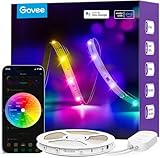


Govee RGBIC LED Strip Bluetooth at a Glance
| Component | Specification |
|---|---|
| Type | RGBIC LED strip light (per-pixel addressable) |
| Length / Wattage | 16.4ft (5m) — roughly 12W full white at 5V/12V (model-dependent) |
| Connectivity | Bluetooth via Govee Home (no Wi-Fi on this Bluetooth-only model) |
| Voice assistant | None on Bluetooth-only model |
| Color | RGBIC — independently addressable LED segments (per-pixel color) |
| App support | Govee Home (iOS / Android) |
| Power source | Wall — included DC power brick |
| Music sync | Yes — phone-microphone-based via Govee Home app |
| Approx price | around $20 |
Setup & App Experience
Setup is the standard Govee strip flow — peel the 3M backing, route the strip along a clean surface, plug the controller into the included brick, and pair via Bluetooth in the Govee Home app. The first thing the app does after pairing is push a small firmware check, which keeps the strip’s effect library current — Govee has been good about adding new scenes to existing hardware over time, which is genuinely useful long after purchase. The app exposes a color picker for static colors, a scene library that filters by mood (chill, party, romantic, cinema, etc.), a music sync screen, and the standout DIY screen where you set per-segment colors and animation patterns from scratch. Bluetooth-only means the phone must be in the same room (roughly 10m) to change scenes, which is the trade-off against the Wi-Fi model in this round-up — for a gaming or TV setup where the phone is already on the desk or coffee table, it is rarely a practical issue.
Lighting Quality & Color Accuracy
RGBIC is the technology that makes this strip worth the modest premium over a plain RGB strip. Every short segment of the strip (typically every 5-10 LEDs, model-dependent) acts as its own addressable pixel, which means the strip can display a rainbow gradient down its length, a flame effect that ripples along the run, a knight-rider-style chase, or a multi-zone gaming scene with red at one end and blue at the other — none of which are possible on a standard RGB strip like the DAYBETTER or the Govee WiFi strip in this round-up. Color quality is the bright, saturated Govee standard: punchy reds and blues, a usable white, and clean transitions between scene colors. The trade-off is that white is slightly less clean than on a dedicated white-tuneable strip (such as the Govee White LED Strip 6500K in this round-up) because the LEDs are color LEDs producing white by mixing channels, not dedicated white LEDs — but for accent and effect use, the RGBIC strip’s white is more than acceptable.
Smart Home Compatibility
This Bluetooth-only model has no Wi-Fi radio and therefore does not connect to Alexa, Google Assistant, HomeKit or any other voice assistant — which is the deliberate trade-off for the lower price compared with the Govee WiFi or Govee RGBIC WiFi strips. For a desk or bedroom installation where the phone is the natural controller anyway, that may be no limitation. For a living-room install where the household wants to ask Alexa to dim the lights for a movie, the Wi-Fi version is the right pick. As with the other Bluetooth-only strips in this round-up, the workaround for partial smart-home control is to plug the strip’s power brick into a smart plug — see the Amazon Smart Plug review — which gives voice on/off (but not color changes) via Alexa or Google.
Music Sync & Effects
Music sync is the standout feature on this RGBIC strip and is meaningfully better than on a plain RGB strip because the per-segment control lets the strip create real visual movement in response to music — a beat-driven color wave that flows down the strip rather than the whole-strip pulse of an RGB. The sync uses the phone’s microphone, so it needs the phone near the speakers, and as with all the Govee music sync implementations it is biased toward bass detection — kick drums and bass drops trigger the most dramatic effects, vocals less so. Govee Home ships 64+ scene presets that exercise the RGBIC capability — flame effects, rainbow chases, breathing waves, fireworks bursts — and the DIY screen lets you build entirely custom segmented color schemes if none of the presets quite fit. For a gaming setup with music or in-game sound bleeding into the room, the RGBIC music sync is what most buyers actually wanted when they searched for ‘gaming RGB strip’.
Setup Tips — Behind TV / Desk / Ceiling
For a behind-TV install the recipe is unchanged from the other strips: clean the panel back, leave 10-15cm clearance from the edge, and route in a rectangle. The bonus with RGBIC is that you can build scenes with different colors on each edge — red along the top, blue down the sides, for example — for a more dynamic ambient look that a single-color RGB strip cannot match. For a behind-monitor desk install the rainbow-chase effects look great when the monitor is the focus of the room. For a ceiling install (especially a gaming-room cove), the segmented control means you can have the room react as a single piece of light art rather than as a flat color wash. Keep the run continuous along its length — cutting the strip and rejoining segments can lose the addressing on the cut-off portion in some configurations, so plan the layout to avoid mid-run cuts where possible.
Verdict
At around $20 the Govee RGBIC LED Strip Lights Bluetooth earns a clear recommendation for the buyer who wants real gaming-style per-pixel RGB effects without paying for Wi-Fi smart-home features. The RGBIC capability is the meaningful upgrade over plain RGB strips — rainbow chases, flame effects and multi-zone scenes that match what people actually picture when they think of ‘gaming RGB’, not the whole-strip single-color wash of cheaper strips. Music sync is genuinely impressive when the strip is in the same room as the speakers. The honest trade-offs are the lack of voice assistant support (the Wi-Fi-equipped Govee RGBIC strips fix this) and Bluetooth-only range. For a gaming desk or behind-TV install where the phone is the natural controller, this is the right entry point into RGBIC. Pair with a setup from our best RTX 5070 gaming laptops for a coordinated gaming build, or see the best 4K gaming TVs guide for matching display recommendations.
Frequently Asked Questions
What does RGBIC mean?
RGBIC stands for RGB Independent Control — the LED segments on the strip are individually addressable, so different sections can show different colors at the same time. This enables rainbow chases, flame effects and multi-zone scenes that a standard RGB strip cannot produce.
Does the Govee RGBIC Bluetooth strip work with Alexa or Google Home?
No. This is the Bluetooth-only model with no Wi-Fi radio. For Alexa or Google Assistant control choose the Wi-Fi version of the Govee RGBIC strip, or the Govee Smart RGB WiFi LED Strip in this round-up.
How is RGBIC different from RGB?
RGB strips have every LED show the same color at once — the whole strip is one color. RGBIC strips have multiple independently addressable LED segments, so the strip can display gradients, chases and multi-color scenes along its length.
Can I cut the Govee RGBIC strip to length?
It is technically possible to cut the strip at the marked scissor lines, but doing so loses the addressing on the cut-off portion and can reduce the effect quality of the remaining run. We recommend planning the install around the strip’s native length where possible.
More Smart Light Reviews
- Govee 65.6ft RGBIC LED Strip Review: Whole-Room Per-Pixel Lighting
- Philips Hue A19 Color Ambiance Review: 60W Smart Bulb 2-Pack
- Philips Hue Dimmer Switch V2 Review: Battery Remote for Hue Lights
- Philips Hue Smart 75W A19 Soft Warm Review: White-Only 2-Pack
- Philips Hue Bridge Review: Multi-Room Smart Lighting Hub
- Govee RGBIC Floor Lamp Basic Review: 1000lm SmartThings RGBIC Lamp
- Govee White LED Strip Review: 16.4ft 6500K Daylight Strip
- SILFU Neon Rope LED Strip Review: 50FT IP67 Waterproof Outdoor Light
Affiliate Disclosure: As an Amazon Associate, we earn from qualifying purchases. If you click a link and make a purchase, we may earn a small commission at no extra cost to you. Prices and availability are accurate as of publication and may change.










