

🛒 Best Price Today on Amazon
Prime members get fast, free shipping on everything above, plus member-only deals. New members get a 30-day free trial — cancel anytime.
- Top Motherboards Game Development Picks for 2026
- Best Motherboards for Game Development at a Glance
- 1. ASUS ROG Strix X570-E Gaming WiFi II AMD AM4 ATX Motherboard
- 2. ASUS ROG Strix B550-F Gaming Motherboard, AMD AM4 Zen 3 Ryzen 5000 (WiFi)
- 3. MSI MAG B550 Tomahawk Gaming Motherboard, AMD Ryzen 5000, AM4, DDR4
- 4. ASUS ROG Strix B550-F Gaming Motherboard Gaming ATX, AMD B550, Socket AM4, DDR4
- 5. MSI B550-A PRO ProSeries Motherboard, AMD Ryzen 5000, AM4, DDR4
- 6. MSI B550M PRO-VDH WiFi ProSeries Motherboard, AMD Ryzen 5000, AM4, DDR4 (mATX)
- How to Choose a Motherboard for Game Development
- Related Guides
- Frequently Asked Questions
- Related Guides
- Related Articles
- Related Guides
Top Motherboards Game Development Picks for 2026
Here are our current top motherboards game development picks, compared on real Amazon owner reviews, price, and features. Live prices update below.
As an Amazon Associate we earn from qualifying purchases at no extra cost to you.







Game development punishes a PC in ways gaming never does. Compiling an engine, baking lightmaps, importing multi-gigabyte asset packs, and running an editor alongside a profiler, a browser full of docs, and a build server all at once demands a motherboard built for sustained, stable work — not flashy lighting. The board itself rarely sets your compile times (that is the CPU, RAM and storage), but it determines how much memory you can install, how many fast NVMe drives you can run, how reliable the platform is under hours of full load, and how well it feeds a power-hungry CPU. This guide rounds up the best motherboards for game development in 2026, and we judge them on the things that matter to a developer — memory capacity, M.2 slots, connectivity and stability — rather than RGB.
Every board here is built on AMD’s mature AM4 platform with DDR4 — a deliberately practical, well-supported and cost-effective foundation for a workstation that needs lots of RAM and reliable uptime. We ranked them by VRM and stability for long compiles, maximum memory capacity, NVMe and SATA storage for big project trees, and rear and network connectivity, and we have not invented benchmark numbers. Prices span from a value B550 board up to a feature-rich X570 model. Below is an at-a-glance comparison, then a closer look at each board and a buyer’s guide focused squarely on what a game-development workstation actually needs.
Best Motherboards for Game Development at a Glance
| Motherboard | Best For | Standout Spec (Dev) | Approx Price |
|---|---|---|---|
| ASUS ROG Strix X570-E Gaming WiFi II | Heaviest workloads + fast storage | X570, multiple M.2, 2.5G LAN + WiFi 6 | around $300 |
| ASUS ROG Strix B550-F Gaming (WiFi) | Stable all-round dev workstation | Robust VRM, dual M.2, 2.5G LAN + WiFi | around $190 |
| MSI MAG B550 Tomahawk Gaming | Reliable value workhorse | Strong VRM, dual M.2, 2.5G LAN | around $160 |
| ASUS ROG Strix B550-F Gaming (ATX) | Dual-M.2 ATX build | Robust VRM, dual M.2, 2.5G LAN | around $160 |
| MSI B550-A PRO ProSeries | No-frills stable budget board | Solid VRM, M.2, ProSeries focus | around $115 |
| MSI B550M PRO-VDH WiFi (mATX) | Compact dev box | Micro-ATX, M.2, WiFi, budget price | around $130 |
1. ASUS ROG Strix X570-E Gaming WiFi II AMD AM4 ATX Motherboard

11
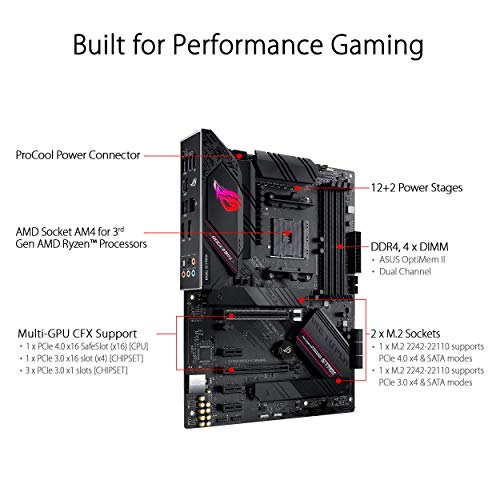
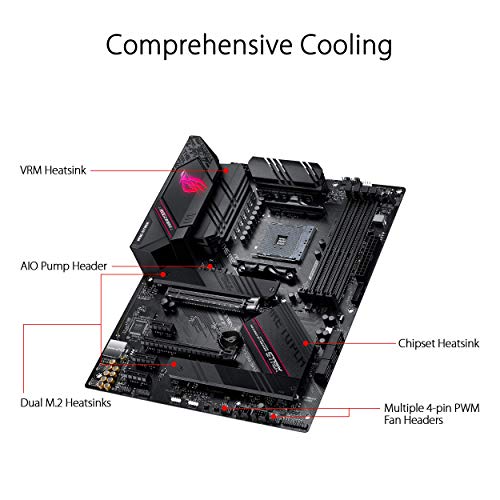
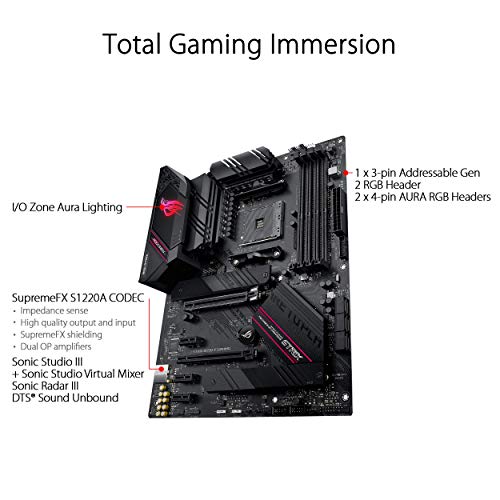
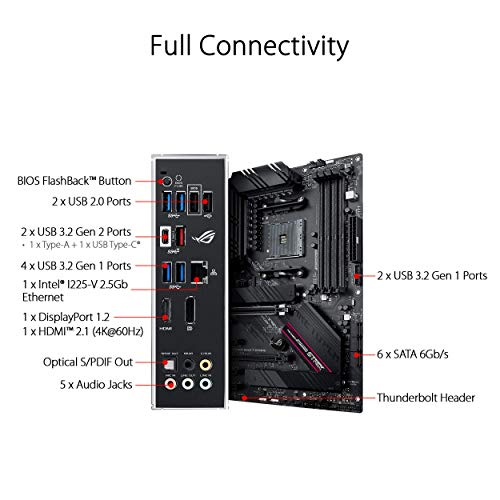
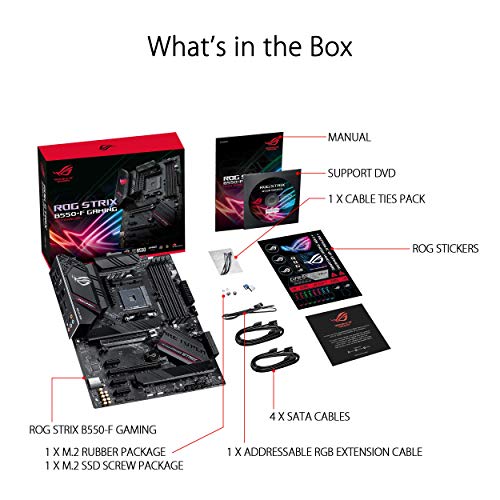
ASUS ROG Strix B550-F Gaming Motherboard Gaming ATX, AMD B550, Socket AM4, DDR4, PCI 4.0, Intel 2.5GB LAN, 2xM.2, ASUS Optimem II, USB 3.2 Gen 2, Aura Sync RGB, Black
In Stock


As an Amazon Associate we earn from qualifying purchases. Product prices and availability are accurate as of the date/time indicated.
The ASUS ROG Strix X570-E Gaming WiFi II is the top pick for the heaviest game development workloads. As an X570 board it is the most feature-rich here: a strong, well-cooled VRM for sustained CPU load, support for high-capacity DDR4 across four DIMM slots, multiple M.2 slots running at full PCIe 4.0 speeds for fast asset and shader-cache storage, plus 2.5G LAN and Wi-Fi 6 for pulling large repositories and pushing builds. At around $300 it is the premium choice and the most future-proof.
This is the board for a serious workstation that compiles big engines, bakes lighting, and juggles huge project trees. The X570 chipset’s extra PCIe 4.0 lanes mean you can run several fast NVMe drives and a capture or expansion card without starving the GPU, the robust power delivery keeps a high-core CPU stable through hours of full-load builds, and the fast networking speeds up version-control and CI traffic. If your projects are large and your tolerance for instability is zero, the X570-E is the developer’s choice.
Pros: X570 with multiple full-speed M.2 slots, strong cooled VRM for long compiles, 2.5G LAN and WiFi 6, high RAM support.
Cons: Most expensive board here; X570 boards can run a little warmer and may use an active chipset fan.
2. ASUS ROG Strix B550-F Gaming Motherboard, AMD AM4 Zen 3 Ryzen 5000 (WiFi)
20
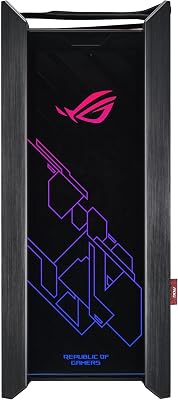
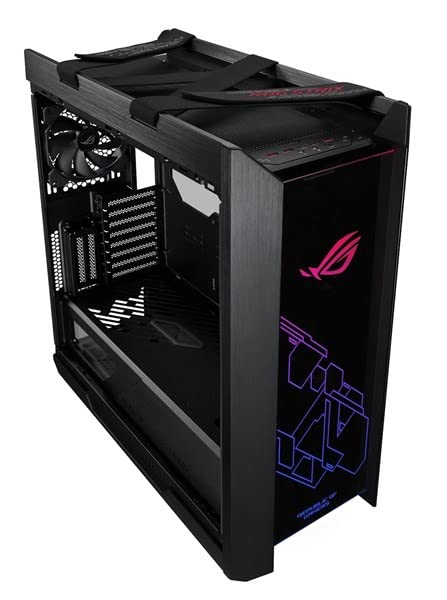
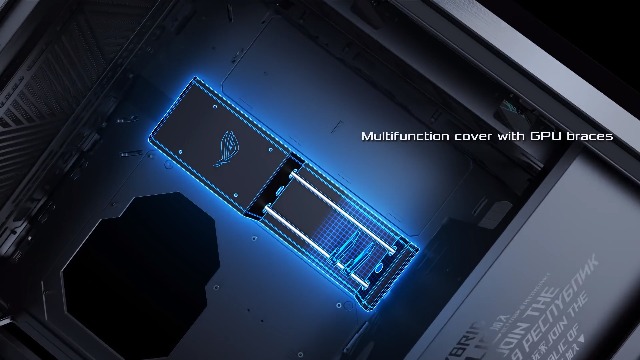
ASUS ROG Strix Helios GX601 RGB Mid-Tower Gaming Case, Pre-Installed 4x140mm Fans, ATX/EATX, Tempered Glass, Aluminum Frame, GPU Braces, 420mm Radiator Support, Aura Sync
In Stock



As an Amazon Associate we earn from qualifying purchases. Product prices and availability are accurate as of the date/time indicated.
The ASUS ROG Strix B550-F Gaming (WiFi) is the stable all-round workstation pick and arguably the sweet spot for most developers. It pairs a robust, well-cooled VRM — comfortably able to feed a high-core Ryzen through long builds — with four DDR4 slots for plenty of RAM, dual M.2 slots for a fast OS drive plus a dedicated project or cache drive, 2.5G LAN, and integrated Wi-Fi. At around $190 it delivers workstation-grade stability without X570 pricing.
This is the board for the developer who wants rock-solid reliability and the storage and memory headroom a build machine needs, without paying for the highest tier. The strong power delivery keeps the CPU steady through repeated compiles and asset imports, the dual M.2 slots let you separate your operating system from your fast working storage, and the 2.5G LAN keeps repository and build traffic quick. For a dependable, well-connected DDR4 dev workstation at a sensible price, the B550-F WiFi is hard to beat.
Pros: Robust VRM for sustained compiles, four DDR4 slots, dual M.2, 2.5G LAN, integrated WiFi, excellent value.
Cons: B550 offers PCIe 4.0 only on the primary slots; lacks the extra lanes of X570.
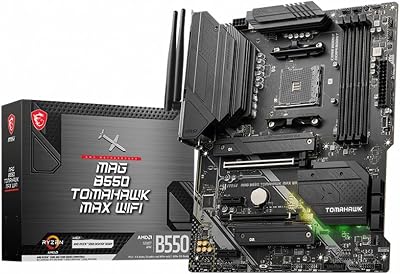
3. MSI MAG B550 Tomahawk Gaming Motherboard, AMD Ryzen 5000, AM4, DDR4
27
Prime
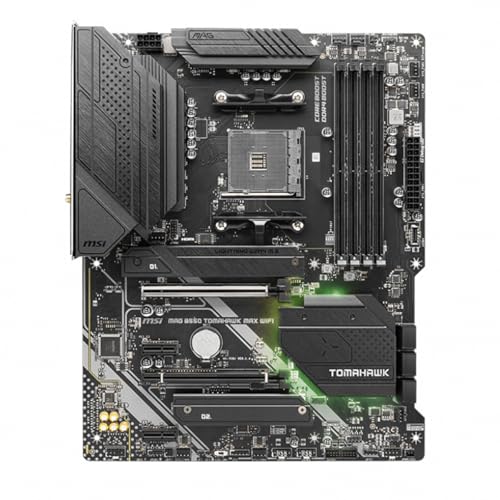
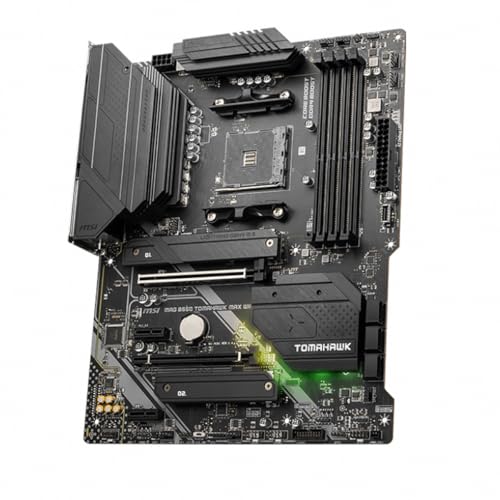
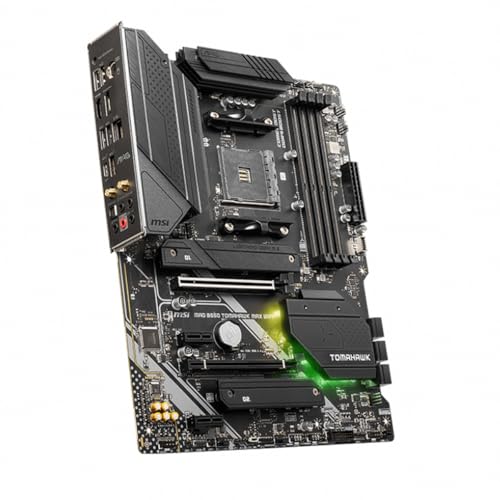
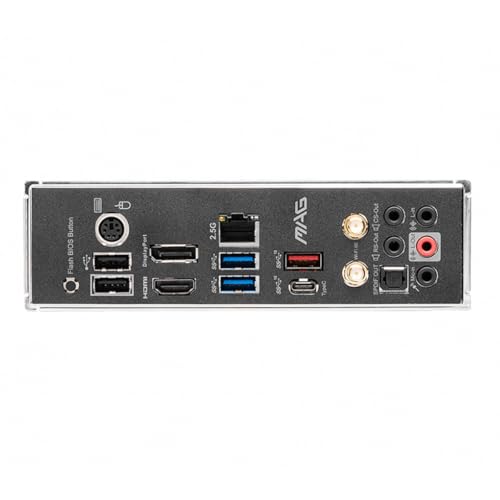
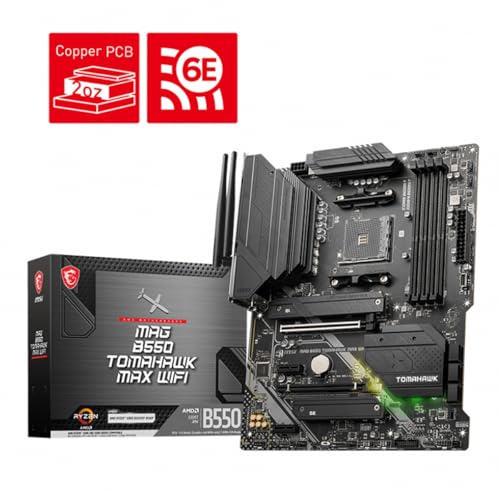
MSI MAG B550 Tomahawk MAX WiFi Gaming Motherboard (AMD Ryzen 5000 Series, AM4, DDR4, PCIe 4.0, SATA 6Gb/s, M.2, USB 3.2 Gen 2, HDMI/DP, Wi-Fi 6E, Bluetooth 5.2, 2.5Gbps LAN, ATX)
In Stock


As an Amazon Associate we earn from qualifying purchases. Product prices and availability are accurate as of the date/time indicated.
The MSI MAG B550 Tomahawk is the reliable value workhorse, and it earned its reputation precisely on the qualities a developer cares about: a strong, well-cooled VRM, stable operation, and sensible features without RGB excess. It offers four DDR4 slots for high memory capacity, dual M.2 slots for fast storage, and 2.5G LAN for quick networking. At around $160 it is one of the most respected mid-range AM4 boards for serious work.
This is the board for the developer who wants proven stability and the right feature set at a fair price. The Tomahawk’s power delivery is famously capable of running high-core Ryzen chips through long, full-load builds without throttling or instability, the dual M.2 slots handle an OS drive plus a dedicated project drive, and the 2.5G LAN speeds up version control. For a no-nonsense, dependable workstation board that prioritises substance over lighting, the B550 Tomahawk is a benchmark recommendation.
Pros: Strong well-cooled VRM, four DDR4 slots, dual M.2, 2.5G LAN, renowned stability and value.
Cons: No integrated WiFi on the base model; PCIe 4.0 limited to primary slots as with all B550.
4. ASUS ROG Strix B550-F Gaming Motherboard Gaming ATX, AMD B550, Socket AM4, DDR4
11
ASUS ROG Strix B550-F Gaming Motherboard Gaming ATX, AMD B550, Socket AM4, DDR4, PCI 4.0, Intel 2.5GB LAN, 2xM.2, ASUS Optimem II, USB 3.2 Gen 2, Aura Sync RGB, Black
In Stock
As an Amazon Associate we earn from qualifying purchases. Product prices and availability are accurate as of the date/time indicated.
This ASUS ROG Strix B550-F Gaming ATX listing is the standard (non-WiFi-variant) B550-F, and it brings the same workstation-grade foundation in a full-size ATX board: a robust, well-cooled VRM, four DDR4 slots for high memory capacity, and dual M.2 slots for fast NVMe storage, with 2.5G LAN for networking. At around $160 it is a strong dual-M.2 ATX choice for a development build.
This is the board for a developer who wants the proven B550-F power delivery and storage layout in a full ATX form factor, with room for expansion cards alongside the dual NVMe drives. The capable VRM handles sustained compiles and asset builds, separating your OS and working drives across two M.2 slots keeps large project trees responsive, and the 2.5G LAN accelerates repository sync. It is a dependable, well-rounded ATX option that puts stability and storage ahead of flashy extras — exactly the right priorities for a build machine.
Pros: Robust VRM, four DDR4 slots, dual M.2 NVMe, 2.5G LAN, solid full-ATX dev foundation.
Cons: Confirm the exact variant’s wireless support before buying; B550 PCIe 4.0 on primary slots only.
5. MSI B550-A PRO ProSeries Motherboard, AMD Ryzen 5000, AM4, DDR4

29
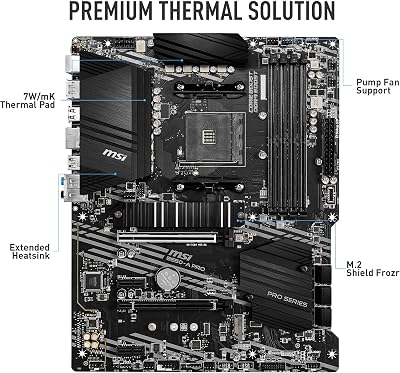
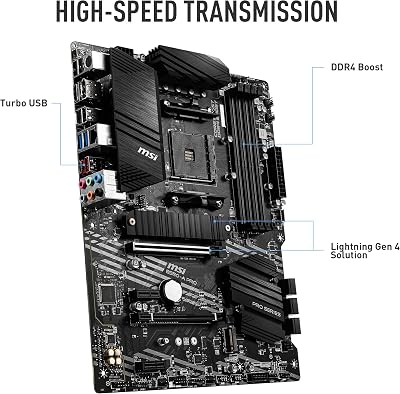
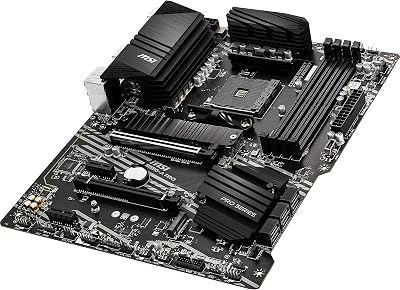
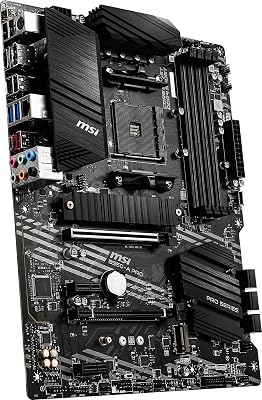
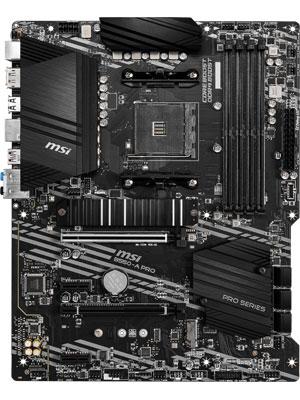
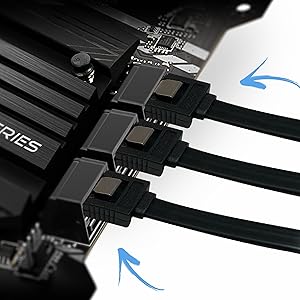
MSI B550-A PRO ProSeries Motherboard (AMD Ryzen 5000, AM4, DDR4, PCIe 4.0, SATA 6Gb/s, M.2, USB 3.2 Gen 2, HDMI/DP, ATX)
In Stock











As an Amazon Associate we earn from qualifying purchases. Product prices and availability are accurate as of the date/time indicated.
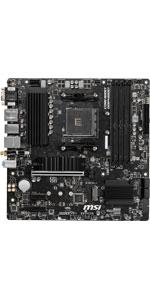
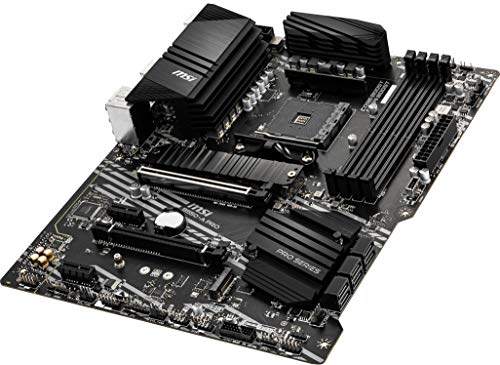
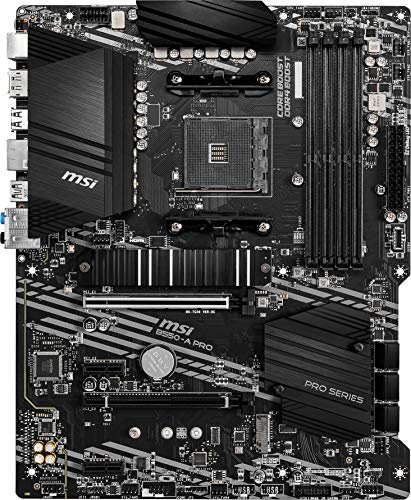
The MSI B550-A PRO is the no-frills, stable budget board for a development machine. Part of MSI’s ProSeries line, it deliberately drops gamer styling in favour of a clean, business-like design with a solid VRM, four DDR4 slots for ample memory, an M.2 slot for fast storage, and dependable SATA and USB connectivity. At around $115 it is the value entry point here and a sensible base for a workstation on a budget.
This is the board for the developer who needs a reliable, high-RAM AM4 platform without paying for features they will not use. The ProSeries focus means stability and a businesslike layout rather than RGB, the four memory slots let you load up on the DDR4 a build machine craves, and the M.2 plus SATA storage covers a working drive and bulk project storage. For a cost-effective, dependable foundation that puts substance first, the B550-A PRO is a smart, understated choice.
Pros: Solid VRM, four DDR4 slots for high capacity, M.2 storage, clean ProSeries design, great value.
Cons: Fewer M.2 slots and rear ports than higher-tier boards; no WiFi on the base model.
6. MSI B550M PRO-VDH WiFi ProSeries Motherboard, AMD Ryzen 5000, AM4, DDR4 (mATX)

24
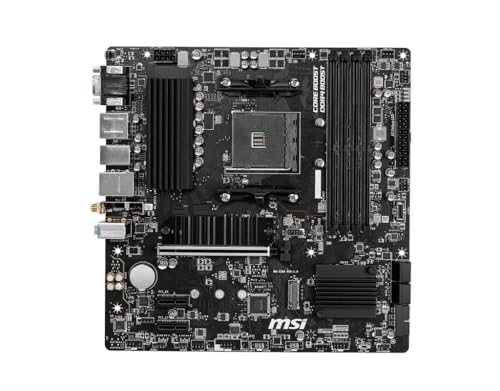
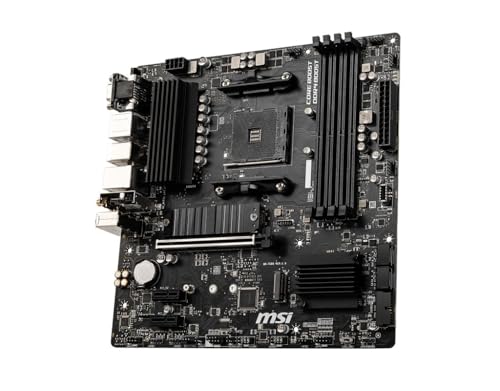
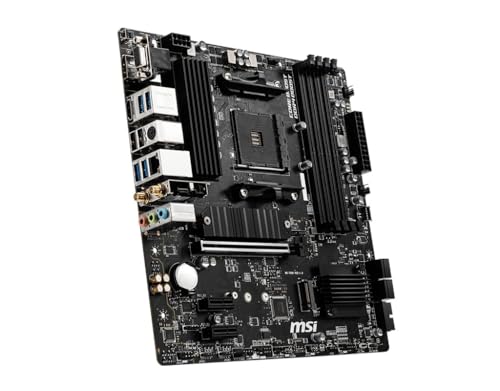
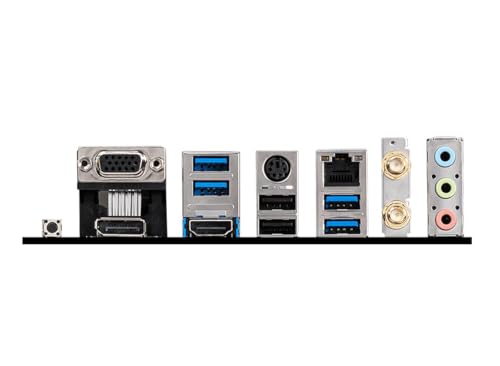
MSI B550M PRO-VDH WiFi ProSeries Motherboard (AMD Ryzen 5000, AM4, DDR4, PCIe 4.0, SATA 6Gb/s, M.2, USB 3.2 Gen 1, Wi-Fi, Bluetooth, D-SUB/HDMI/DP, Micro-ATX)
In Stock




As an Amazon Associate we earn from qualifying purchases. Product prices and availability are accurate as of the date/time indicated.
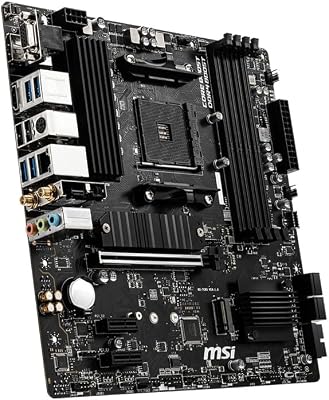
Rounding out the list is the MSI B550M PRO-VDH WiFi, the pick for a compact development box. It is a Micro-ATX ProSeries board that still packs the essentials a developer needs: four DDR4 slots for high memory capacity, an M.2 slot for fast NVMe storage, integrated Wi-Fi, and a businesslike rather than flashy design. At around $130 it is an affordable way to build a small but capable workstation.
This is the board for a developer who wants a smaller machine — for a tidy desk, a secondary build node, or a portable LAN setup — without giving up the RAM headroom or fast storage that compiling and asset work demand. The Micro-ATX form factor keeps the footprint down, the four DDR4 slots are unusually generous for a compact board and let you fit plenty of memory, the M.2 slot handles a fast working drive, and built-in Wi-Fi adds flexibility. For a small, stable, memory-capable dev box, the B550M PRO-VDH WiFi fits neatly.
Pros: Compact Micro-ATX, four DDR4 slots for high capacity, M.2 storage, integrated WiFi, businesslike design.
Cons: Smaller board limits expansion slots and M.2 count; VRM is solid but sized for a compact form factor.
How to Choose a Motherboard for Game Development
For game development, start with memory capacity, because RAM is the resource a build machine runs out of first. Editors, compilers, asset pipelines, source control and a stack of reference tabs all eat memory simultaneously, so you want four DIMM slots and support for a large total capacity — every board here offers four DDR4 slots precisely so you can load up. Prioritise a board that lets you install plenty of RAM now and add more later over one that spends its budget on lighting; memory headroom does more for a developer than any aesthetic feature.
Storage is the next priority, and it means M.2 NVMe slots above all. Large project trees, engine source, asset libraries and shader caches are far more pleasant on fast NVMe drives, and having two or more M.2 slots — as on the X570-E, both B550-F boards and the Tomahawk — lets you separate a fast OS drive from a dedicated working or cache drive. Count the M.2 slots and their speeds, and check the SATA ports too if you keep bulk assets or backups on larger mechanical or SATA SSD storage. A developer never regrets more fast storage.
Stability and power delivery matter more here than in a pure gaming build, because compiles and bakes load the CPU at full tilt for minutes or hours at a time. A robust, well-cooled VRM — the strength shared by the X570-E, the B550-F boards and the renowned B550 Tomahawk — keeps a high-core Ryzen running steady under that sustained load without throttling or instability that could corrupt a long build. If you plan to run a many-core CPU hard, favour a board with a strong, heatsinked VRM over a bare-bones budget design.
Finally, weigh connectivity and form factor, and ignore RGB entirely. Faster 2.5G LAN (on every board here) speeds up version control, CI and asset transfers; integrated Wi-Fi, on the X570-E, the B550-F WiFi and the B550M PRO-VDH, adds flexibility; and plentiful USB ports keep external drives and peripherals connected. Choose ATX for maximum expansion and storage, or Micro-ATX like the B550M PRO-VDH for a compact box. Set your RAM target, demand enough M.2 slots and a stable VRM, pick the connectivity you need, and choose the board on this list that matches — substance over spectacle wins for development.
Frequently Asked Questions
Does the motherboard affect compile times in game development?
Only indirectly. Your compile and asset-build speed is set mainly by the CPU, RAM amount and speed, and storage — not the motherboard itself. What the board controls is how much RAM you can install, how many fast M.2 drives you can run, and how stably it feeds the CPU under hours of full load. So a board like the B550 Tomahawk or X570-E helps by enabling a fast, stable, high-memory configuration, rather than by adding speed on its own.
How much RAM and how many M.2 slots should a dev board support?
Aim for four DIMM slots so you can install a large total of DDR4 and expand later — every board here offers that. For storage, two or more M.2 slots is ideal so you can separate a fast OS drive from a dedicated project or cache drive; the X570-E, both B550-F boards and the Tomahawk all provide dual (or more) M.2. Large project trees and asset libraries benefit enormously from fast NVMe, so more M.2 is better.
Should I choose B550 or X570 for a game development workstation?
B550 boards like the Tomahawk and B550-F give you a strong VRM, four DDR4 slots and dual M.2 at a great price, and are ideal for most developers. Step up to X570, like the ROG Strix X570-E, if you need more PCIe 4.0 lanes for several fast NVMe drives plus expansion cards at full speed, or want the highest-tier connectivity. Both are stable, mature platforms; X570 simply adds expansion headroom for the heaviest setups.
Do I need RGB or gamer features on a game-dev motherboard?
No. For development, RGB and gamer styling are irrelevant — what matters is memory capacity, M.2 storage, a stable well-cooled VRM, and good networking. Boards like the MSI ProSeries B550-A PRO and B550M PRO-VDH deliberately drop the lighting in favour of a clean, businesslike design and solid fundamentals, which is exactly the right priority for a workstation built to compile and build assets reliably.
Related Guides
- Best Motherboards
- Best CPUs for Video Production
- Best RAM for Your Build
- Best NVMe SSDs
- Best CPU Coolers
- Best Power Supplies
- Best PC Cases
Affiliate Disclosure: As an Amazon Associate, we earn from qualifying purchases. If you click a link and make a purchase, we may earn a small commission at no extra cost to you. Prices and availability are accurate as of publication and may change.


