

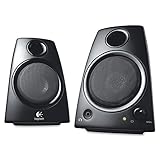
The Logitech Z130 is a small, mains-powered 2.0 stereo PC speaker pair built to deliver clean, undemonstrative audio at the lowest practical price for a Logitech-branded set. The cabinets are compact, the front of the right satellite carries combined volume / power control and a headphone jack, and the connection set is the familiar single 3.5mm analogue input. At around $30 the Z130 sits between the genuinely cheap USB-bus pairs in this guide (Amazon Basics, Creative Pebble) and the slightly more capable mid-budget options. This Logitech Z130 review covers the sound quality and bass response, connectivity and controls, build, setup, who they suit and a verdict.

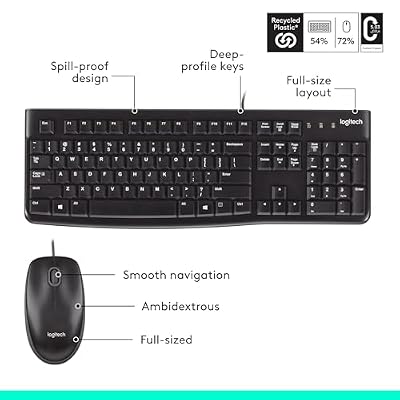
Logitech MK120 Full Size Wired Keyboard and Mouse Combo - Black | Full size wired keyboard, optical wired mouse, USB plug-and-play, Windows only, pc and laptop compatible




As an Amazon Associate we earn from qualifying purchases. Product prices and availability are accurate as of the date/time indicated.
🛒 Best Price Today on Amazon
Prime members get fast, free shipping on everything above, plus member-only deals. New members get a 30-day free trial — cancel anytime.
As an Amazon Associate we earn from qualifying purchases.

Check Price on Amazon →



Logitech Z130 at a Glance
| Feature | Specification |
|---|---|
| Configuration | 2.0 stereo (two satellites, no subwoofer) |
| Total power output (RMS / Peak) | 5W RMS / 10W Peak |
| Driver size | Approx. 2-inch full-range per satellite |
| Frequency response | Not documented by manufacturer; typical compact 2.0 range |
| Connectivity | 3.5mm analogue input; mains power |
| Controls | Front-mounted volume / power knob on right cabinet |
| Headphone output | Yes (front 3.5mm) |
| Subwoofer | No (2.0 stereo design) |
| Approx. price | Around $30 |
Sound Quality & Bass Response
Before getting into the specifics of this speaker system it is worth a brief refresher on the technical choices that shape any PC speaker review: channel configuration (2.0 versus 2.1), power delivery (USB-bus power versus mains power) and connection type (3.5mm analogue, USB digital or Bluetooth). A 2.0 system consists of two stereo satellite speakers with the bass and treble drivers contained within each cabinet — simple, tidy and the right answer for the majority of desk setups where the speakers sit either side of a monitor. A 2.1 system adds a dedicated subwoofer, which usually lives on the floor and reproduces the lowest frequencies. The advantage is genuine low-end extension for games, films and electronic music; the trade-off is desk and floor footprint plus extra cabling. Most office and casual-gaming users are well served by a competent 2.0 set; gamers and film viewers who want chest-thumping bass benefit from 2.1.
Power matters too. USB-bus-powered speakers — the Amazon Basics Stereo, Logitech S150 and original Creative Pebble belong here — draw their power from the computer’s USB port and produce modest, near-field volume that suits a single user at a desk. Mains-powered speakers (such as the Edifier R1280T, Logitech Z313 and Klipsch ProMedia 2.1) draw from a wall outlet and can drive much louder, fuller sound, with room to fill a small or medium room. As a rule, USB-powered 2.0 sets sit in the budget tier and prioritise convenience; mains-powered 2.0 and 2.1 sets occupy the mid and upper tiers and prioritise sound quality and headroom. The Creative Pebble V2 sits in between — USB-C bus-powered but with a higher 8W RMS rating than the original Pebble.
Finally, connectivity. The traditional PC speaker input is a single 3.5mm analogue jack, which works with any computer, console, phone or tablet with a headphone output. USB speakers add a digital audio path, bypassing the PC sound card and often acting as a USB sound card themselves. Bluetooth, where present, allows wireless playback from a phone or tablet, which is useful when the same speakers are used for music as well as PC audio — the Edifier R1280T is a good example of a desk speaker that adds RCA inputs but keeps to wired connections. A headphone output on the speaker unit is a quietly important convenience: a forward-facing 3.5mm jack lets you plug headphones into the speakers themselves rather than reaching behind the PC each time you want a private listening session.
The Z130 is built around 5W RMS of total power, which is a meaningful step up from the 2.4W of the USB-bus Amazon Basics pairs in this guide and on par with the smaller mains-powered budget 2.0 sets it competes with. The sound character is the familiar Logitech budget tuning: forward, clean and adequate for desk-distance voice content and casual music. Speech is intelligible, dialogue in games and films is clearly placed in the stereo image, and the treble is reasonable. Bass is the limitation, as with any small 2.0 set without a dedicated woofer — there is no real low-end weight and the small full-range drivers do not extend below modest mid-bass. Within the brief of a small, tidy desk 2.0 set, the Z130 performs sensibly. Buyers who want genuine bass should look at the Logitech Z313 (the same family’s budget 2.1 option) covered elsewhere in this guide. The wider budget category is covered in our best budget PC speakers guide.
Connectivity & Controls
Connectivity is the standard budget recipe: a single 3.5mm analogue input from the PC, laptop, phone, tablet or console headphone output, plus a mains power cable. There is no USB digital audio path, no Bluetooth and no RCA. The trade-off is breadth of compatibility for absence of advanced features — anything with a 3.5mm output will work, but wireless playback or a second source need a higher-tier speaker. Controls are tidy: the front of the right cabinet carries a rotary knob combining on/off and volume, easy to reach without looking. The standout convenience is the front-mounted 3.5mm headphone output — plug headphones into the speaker rather than reaching behind the PC, and the speaker output mutes automatically. That is a quietly useful feature on a shared family or office desk.
Build & Aesthetics
The Z130 cabinets are small black plastic boxes with a removable front grille and a subtle Logitech logo. The styling is classic Logitech budget — neat, functional and unfashionable in a way that suits a tidy office desk or a household where speakers should disappear. There is no RGB and no aggressive gamer aesthetic, which is genuinely useful for the buyer who does not want the speakers to advertise themselves. Build quality is acceptable for the price tier: the plastic is light but the units are stable on the desk, cable lengths are sensible, and the front knob has the positive feel that Logitech consistently delivers in its budget line. The Z130 has been on sale for years; the design is not modern but the long sales history is evidence buyers find it works.
Setup & Placement
Setup is straightforward. Connect the two cabinets together with the bundled speaker cable, plug the right cabinet into mains, run the 3.5mm cable from the right cabinet to the PC headphone output, turn the front knob on, listen. There is no driver to install, no software, no pairing. Placement-wise, the Z130 rewards the same care any small 2.0 set asks for: keep the two satellites symmetrical either side of the monitor, close to ear height when seated, and leave a small gap between each cabinet and the back wall to reduce muddy reflections. The cabinets are small enough to sit on either side of even a compact monitor base without crowding the desk. Compare with other tidy desk options in our best PC speakers guide.
Who It’s For
The Z130 is for the buyer who wants a small, mains-powered Logitech 2.0 set with a front headphone jack and is willing to pay slightly more than the absolute-budget USB-bus rivals to get there. If you are setting up a quiet office desk, a shared family computer, a homework station or a kid’s gaming corner, and you want predictable, tidy audio plus the convenience of a forward-facing headphone jack, the Z130 is well judged. It is not for buyers who want real bass — for that, see the Logitech Z313 in the same family, or any 2.1 set in this guide — and not for buyers who want Bluetooth, USB audio or RGB. For the tidy, shared budget desk, it is a sensible default. Wider coverage is in our best USB-powered speakers guide.
Pros and Cons
Pros: Useful front-mounted 3.5mm headphone jack; mains powered for a stable signal; tidy, neutral styling; positive Logitech knob feel; modestly more power than the cheapest USB-bus rivals.
Cons: Only 5W RMS — modest volume and no real bass; no Bluetooth or USB audio; older, unfashionable cabinet design; no microphone input.
Verdict
At around $30 the Logitech Z130 is a sensible small step up from the absolute-budget USB-bus pairs in this guide, mostly because the front headphone jack and mains power add real convenience. Buyers chasing genuine low-end should skip past it to the Logitech Z313 in the same family, which adds a real subwoofer for a small additional outlay. Buyers who simply want a tidy, mains-powered Logitech 2.0 set with a useful headphone passthrough at a near-budget price will find the Z130 unobjectionable. It is not exciting; it does not pretend to be. Compare with louder options in our best gaming speakers guide.
Frequently Asked Questions
How powerful are the Logitech Z130 speakers?
They are rated at 5W RMS total (10W peak), which is enough for desk-distance listening but not for filling a room.
Do the Logitech Z130 have a headphone jack?
Yes. There is a front-mounted 3.5mm headphone output on the right cabinet, and inserting a headphone plug automatically mutes the speaker output.
Do the Logitech Z130 speakers have Bluetooth?
No. They use a wired 3.5mm analogue input only — there is no wireless connectivity in this model.
Is the Logitech Z130 good for gaming?
It is acceptable for casual desk gaming but lacks the low-end weight that gaming and films benefit from. For real bass, the Logitech Z313 (in the same family) is the natural step up.
More PC Speaker Reviews
- Logitech S150 USB Speakers Review (Digital Sound)
- Redragon GS520 RGB Desktop Speakers 2.0 Review
- Klipsch ProMedia 2.1 THX Computer Speaker System Review
- Creative Pebble V2 USB-C Computer Speakers Review
- Logitech Z623 400W 2.1 THX Speaker System Review
- Amazon Basics Stereo 2.0 PC Speakers Review (USB-Powered)
- Creative Pebble 2.0 Channel Stereo Speakers Review
- Logitech S120 2.0 Stereo Speakers Review
Affiliate Disclosure: As an Amazon Associate, we earn from qualifying purchases. If you click a link and make a purchase, we may earn a small commission at no extra cost to you. Prices and availability are accurate as of publication and may change.
Related Articles
Looking for more on this topic? Browse the hand-picked guides below — each one applies the same scoring rubric used in this review.










