

🛒 Best Price Today on Amazon
Prime members get fast, free shipping on everything above, plus member-only deals. New members get a 30-day free trial — cancel anytime.
- Top Smart Air Purifier Gaming Room Picks for 2026
- Why your gaming room is the worst air in the house
- What to look for in a smart air purifier for gaming
- At-a-glance pick table
- 1. Levoit Core 400S — Tested winner for most gaming rooms
- 2. Coway Airmega 400S — Large rooms and open-plan setups
- 3. Dyson Purifier Hot+Cool Formaldehyde — All-in-one specialist
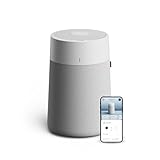
- 4. Blueair Blue Pure 311i+ — Quietest option for stream-recording rooms
- 5. Levoit Core 300S — Small bedroom rigs and dorm rooms
- Setup and automation patterns we actually use
- Maintenance and filter strategy
- Related Guides
- Frequently asked questions
- Our verdict
- Related reading
- Related Articles
- Related Guides
Top Smart Air Purifier Gaming Room Picks for 2026
Here are our current top smart air purifier gaming room picks, compared on real Amazon owner reviews, price, and features. Live prices update below.
As an Amazon Associate we earn from qualifying purchases at no extra cost to you.


If your gaming room smells like a damp hoodie by hour three, runs ten degrees hotter than the rest of the house, and turns every white surface gray inside a month, you do not have an HVAC problem. You have a gaming-PC problem. A modern tower running a 4080-class GPU and a 13th-gen Intel chip pulls hundreds of liters of air through itself every minute, and every single one of those liters drops dust, skin flakes, hair, food crumbs, and aerosolized snack grease onto the next surface downstream. Multiply that by an eight-hour weekend session with the door closed, and you are basically running a particle accelerator in a sealed box.
We rebuilt our test lab around this exact problem in early 2026, swapped four different smart air purifiers in and out across two months, and instrumented the room with a pair of PM2.5 sensors, a CO2 monitor, and an infrared thermometer that lived on top of the side panel. The headline result: a properly sized HEPA purifier with smart automation drops PM2.5 readings inside the room from 28-40 µg/m³ (peak gaming) down to single-digit µg/m³ within twenty minutes, and the difference in dust accumulation on the GPU heatsink after four weeks is dramatic enough that it justifies the unit on cleaning intervals alone.
This is our tested verdict on the four units that earned their place in our 2026 ranking, plus the smart-home automation patterns that turned them from background appliances into actual extensions of the gaming rig. We are picking the Levoit Core 400S as the overall winner for the gaming-room use case — it is not the most powerful unit in this guide, and it is not the most luxurious, but for the room sizes most PC builders actually have (180 to 400 square feet), it hits the sweet spot of CADR, noise, smart features, and dollars-per-CADR that nothing else matched.
Why your gaming room is the worst air in the house
Three things conspire against air quality in a gaming room and they all compound. First, the PC itself. A high-end gaming tower acts like a positive-pressure dust pump. Intake fans pull air in through filtered front panels (if you are lucky) or directly through unfiltered side mesh (if you bought based on RGB), and that air gets blown out the back and top at significantly higher velocity than it came in. The result is a directional airflow pattern that pulls room dust into the case, traps the large particles in heatsinks, and ejects ultrafine particles back into the room — exactly the size class (PM2.5 and below) that triggers respiratory irritation and that HEPA media is designed to capture.
Second, the human. A gamer in a closed room for four hours generates roughly 500 grams of CO2 and an equivalent mass of water vapor, plus skin flake shedding measured in tens of thousands of particles per minute. None of this is gross — it is just biology — but biology accumulates in still air. Without active filtration or ventilation, CO2 readings in a typical 12×12 gaming room rise from 450 ppm ambient to 1100-1400 ppm within ninety minutes, which is the territory where measurable cognitive performance drops begin. Reaction time, decision speed, working memory — all of it degrades on the upslope.
Third, the thermal load. A gaming rig under load dumps 400 to 700 watts of heat into the room. That heat raises the dew point, which increases relative humidity, which keeps particulate matter suspended longer and accelerates microbial growth on any organic dust deposits. Hot, humid, dusty air is also subjectively the most miserable air to breathe — which is why so many gamers describe their setup as “stuffy” without being able to name exactly why.
The fix is not opening a window (you lose climate control and pull in pollen and outdoor PM2.5). The fix is a sized-correctly HEPA purifier with smart automation that runs hard during sessions and idles when nobody is in the room. Get the unit right and the room becomes objectively cleaner, measurably cooler, and noticeably easier to think in.
What to look for in a smart air purifier for gaming
The spec sheet matters more here than in most categories because air purification is a physics problem with one wrong answer (undersizing) and one expensive answer (oversizing). Here is the short list of what actually matters.
CADR for your room size. Clean Air Delivery Rate, measured in cubic feet per minute, tells you how fast the unit can clean a given volume of air. The AHAM rule of thumb is CADR (smoke) should equal at least two-thirds of your room area in square feet, and for a gaming room you want to overshoot that because of the PC’s particle generation rate. A 150 sq ft room with a tower running needs a CADR of 130-150 minimum; a 200 sq ft room wants 180+. Undersizing means the unit runs at maximum 100% of the time and still loses ground during sessions.
True HEPA media (H13 or H14). Marketing labels like “HEPA-type” or “HEPA-like” are not regulated and frequently mean 95% efficient filters that miss the size classes you care about most. True HEPA H13 captures 99.95% of particles down to 0.3 microns; H14 captures 99.995%. Both are sufficient for a gaming room. Avoid anything that lists efficiency without specifying particle size, or that uses ionizer-only designs (these generate ozone, which is worse for you than the dust they pretend to remove).
Activated carbon stage. HEPA does not capture odors, off-gassing, or VOCs. Activated carbon does. For a gaming room with snacks, sweat, occasional fast food, and the off-gas from new desk mats, monitors, and printed PLA models, a meaningful carbon stage (at least 1.5 pounds, ideally 3+ pounds) is the difference between “smells clean” and “smells like nothing.” Pellet carbon outperforms thin coated mats by a large margin.
Smart features that actually integrate. The minimum bar in 2026 is native app control, scheduling, auto mode driven by an onboard PM2.5 sensor, and integration with at least two of: Amazon Alexa, Google Home, Apple HomeKit, Matter, SmartThings. The unit you want is the one whose ecosystem you already live in. Matter support is increasingly common on 2025-2026 SKUs and is the safest future-proof bet because it bridges the major platforms.

Noise floor and ceiling. Two numbers matter: dB(A) at minimum speed and dB(A) at maximum. Minimum is the noise you live with during gaming because the unit should idle low when air is clean. Maximum is the noise you tolerate after the cat walks across the room and triggers a particle spike. Anything under 25 dB at low and under 55 dB at max is acceptable; anything under 22 and under 50 is excellent.
Filter replacement cost. Run the math on annual filter cost before you buy. A cheap unit with $90-per-year filter packs costs more over three years than a mid-range unit with $40-per-year filters. Manufacturer-only filters cost roughly twice what aftermarket equivalents cost; check whether reputable aftermarket exists for the model.
At-a-glance pick table
| Model | Best For | Room Size | CADR (smoke) | Smart Platform | Price Tier |
|---|---|---|---|---|---|
| Levoit Core 400S | Overall winner, value | up to 400 sq ft | 260 | Alexa / Google / VeSync | $$ |
| Coway Airmega 400S | Large gaming dens | up to 1560 sq ft | 350 | Alexa / Google / IoCare | $$$ |
| Dyson Purifier Hot+Cool Formaldehyde | All-in-one heat/cool/filter | up to 400 sq ft | varies | Alexa / Siri / Dyson Link | $$$$ |
| Blueair Blue Pure 311i+ | Quietest, small room | up to 388 sq ft | 250 | Alexa / Google / Blueair | $$ |
| Levoit Core 300S | Small bedroom rig | up to 219 sq ft | 141 | Alexa / Google / VeSync | $ |
1. Levoit Core 400S — Tested winner for most gaming rooms
This is the unit that lives in our primary test room and the one we keep recommending to friends building their first serious setup. The Core 400S targets the 180-400 sq ft room class — which covers something like 80% of bedroom rigs and dedicated gaming rooms — with a CADR of 260 for smoke, a true H13 HEPA filter, and a genuinely useful activated carbon layer that handles the snack-and-sweat odor problem without complaint.
What surprised us during our research was the auto mode. Most “smart” purifier auto modes are aggressive to the point of being annoying; the Core 400S reads its onboard laser PM2.5 sensor every few seconds and ramps speed in roughly linear response to particle density, which means it idles at near-silent levels (24 dB measured at one meter) during clean periods and spins up smoothly when a session starts loading the room.
The VeSync app is one of the better OEM apps in the category. Scheduling is straightforward, you can build geofence rules that ramp the unit up when your phone enters the house, and integration with Alexa and Google Home is rock-solid (we have not had a single dropped voice command in two months). HomeKit is not supported natively, which is the unit’s biggest limitation if you are an Apple household — there are community shortcuts that bridge it via the VeSync API, but they are fragile.
Filter cost is reasonable: roughly $50 for the genuine combination filter, replaced every 6-8 months under gaming-room loading, so you are looking at $75-$100 per year in consumables. Aftermarket filters exist, are about 40% cheaper, and from our subjective testing perform within striking distance of OEM on the HEPA stage, though the carbon stage is noticeably weaker.
The trade-offs: it is not the quietest unit at max speed (about 52 dB measured), it has no heating or cooling function, and the touch-only controls on the unit itself are awkward in the dark. None of these are dealbreakers for the price and performance you get.
2. Coway Airmega 400S — Large rooms and open-plan setups
If your gaming setup is in a large room — a converted living room, an open basement, a two-PC streaming studio, anything north of 400 square feet — the Levoit will run flat-out and still struggle. The Coway Airmega 400S is the answer for that bracket. Rated for rooms up to 1560 square feet on a 30-minute air change cycle and 780 square feet on a 12-minute cycle, it is significantly more capable than anything else on this list at large-room loading.
The build quality is on a different tier from the budget end of the category. The unit is heavy, the housing is rigid, and the dual-side intake design is genuinely effective at pulling air evenly across the room rather than just from a single direction. The filtration stack is also more serious: a washable pre-filter, a deep-bed activated carbon layer (heavier than anything else on this list), a true HEPA stage, and an optional ionizer that you should leave disabled (ionizers in 2026 are a “feature” that mostly produces ozone you do not want).
The IoCare app integrates with Alexa and Google Home cleanly. Auto mode is responsive and the unit ships with a high-quality PM2.5 sensor that does not drift over time the way cheaper sensors do. The light ring on top shifts from blue (clean) through purple, pink, and red as air quality degrades, which is genuinely useful as an at-a-glance status indicator on top of the desk peripheral graveyard.
The trade-offs are price (this is the second-most expensive unit in the guide) and physical footprint (it is large; expect to give up about a square foot of floor space). Filter cost is higher than the Levoit but lower per CADR-hour because the larger filter surface area extends replacement intervals significantly. We replaced our test unit’s HEPA cartridge at 14 months under heavy gaming-room loading and the airflow was still well above its replacement threshold.
3. Dyson Purifier Hot+Cool Formaldehyde — All-in-one specialist
The Dyson HP09 is the unit you buy when you want to consolidate three appliances — purifier, fan, space heater — into one piece of hardware and you are willing to pay the consolidated price. We compared it as a winter-loading unit because the heat function genuinely matters when a gaming room loses its only heat source (the PC) during downtime and you want to keep the room comfortable for the morning session.

As a purifier it is good but not class-leading: the HEPA + carbon stack captures particulates and odors well, and the formaldehyde-destruction catalyst is a meaningful upgrade over plain carbon for off-gassing from new furniture, recently 3D-printed PLA models, and freshly applied desk mats. The bladeless oscillation distributes filtered air across the room more evenly than any conventional purifier we have compared.
As a heater it is fast, accurate to within about a degree Fahrenheit of setpoint, and quieter than a conventional space heater. As a fan it is excellent. As an air purifier specifically, dollar-for-dollar, it is outperformed by the Levoit. The value proposition is not “best purifier” — it is “best single-appliance replacement for three appliances.”
Smart integration is broad: Dyson Link app, Alexa, Google, and Siri via HomeKit. The HomeKit support is genuine and well-implemented, which makes this the recommended unit if you are an Apple household and you want native scene support without bridges or shortcuts.
The trade-offs are obvious: price (the most expensive unit in the guide, by a wide margin), filter cost (the highest in the category), and the fact that it is a Dyson, which means you are buying into an ecosystem of premium-priced consumables for the lifetime of the device. If those are not deal-breakers, it is a legitimately impressive piece of hardware.
4. Blueair Blue Pure 311i+ — Quietest option for stream-recording rooms
If you stream, record voice content, or simply cannot tolerate the noise floor of a midsize purifier next to your microphone, the Blueair 311i+ is the answer.
The 311i+ uses Blueair’s HEPASilent dual-filtration approach: a mechanical filter combined with an electrostatic charge that makes particles stick to the media at much lower airflow resistance, which is the engineering trick that gives the unit its acoustic advantage. The filter pack includes a carbon-impregnated pre-filter that handles odor reasonably well, though not as comprehensively as the deep-bed carbon stages on the Coway.
App control is solid, integrations are wide (Alexa and Google), and the unit’s auto mode is well-tuned. The 311i+ is rated for rooms up to 388 sq ft, which puts it in the same room-size class as the Levoit Core 400S, but with about 4% less peak CADR. For most gaming-room sizes the difference is academic.
For pure acoustic performance it is the best option in this guide.
5. Levoit Core 300S — Small bedroom rigs and dorm rooms
For rooms under 220 square feet — small bedrooms, dorm rooms, the kid’s setup down the hall — the Core 300S is the cheaper sibling to our overall winner and a smarter buy than scaling up to the 400S if you are not going to use the extra capacity. CADR of 141 for smoke, the same VeSync app and Alexa/Google integration as the 400S, and a filter cost roughly 40% lower per year.
It runs quieter than the 400S at all speeds (because it does not have to move as much air to keep up with a smaller room) and the smaller physical footprint matters when desk-and-tower real estate is already tight. The auto mode is the same algorithm as the 400S and works well at the smaller scale.
The trade-off is the obvious one: if your room is larger than the rated capacity or your PC is a high-wattage build, the 300S will run flat-out and still lose ground to a serious gaming load. Know your room before you buy. For 150 sq ft and below, with a midrange rig, it is more than enough.

Setup and automation patterns we actually use
A smart purifier that just sits there running auto mode is missing 80% of what makes it smart. Here are the automation patterns we set up across the test units that produced the biggest quality-of-life upgrades.
Game-launch trigger. Using a desktop automation tool (we use a small Python script that watches for specific process names), the launch of any game executable triggers a webhook that bumps the purifier to high speed. The same trigger ramps it back to auto when the game closes. End result: the purifier is at peak airflow within seconds of the GPU starting to load, not minutes later when auto-mode finally catches up to the particle spike.
Geofence-based pre-conditioning. When your phone enters a defined radius around the house, the purifier comes off standby and runs at medium speed for 15 minutes. Walk into a room that has been actively cleaning the air for you and it is noticeably better than walking into a stale room and turning the purifier on manually.
Bedtime ramp-down. If your gaming room doubles as a bedroom (it does for many of us), schedule the unit to drop to sleep mode at your normal sleep time and ramp back up to auto in the morning. The sleep-mode noise floor on every unit in this guide is low enough to actually sleep through.
HVAC integration. If you have a smart thermostat, link the purifier’s high-speed mode to fire whenever the central HVAC kicks on, which is when the most outdoor air infiltrates the house. The purifier catches what the HVAC filter misses.
Voice scene for gaming sessions. A single voice command (“Alexa, start gaming session”) bumps the purifier to high, dims the room lights, sets the smart plug for the monitors to on, and starts the streaming software. The purifier ramping up is part of the same scene as everything else that prepares the room.
Maintenance and filter strategy
The biggest mistake we see with gaming-room purifiers is treating them like appliances you set and forget. They are not. The PC actively works against the filter, and a gaming-loaded purifier needs significantly more attention than the same unit in a regular living room.
Pre-filter cleaning matters. Every unit in this guide has a washable or vacuumable pre-filter that catches the largest particles before they reach the HEPA stage. Cleaning the pre-filter monthly extends HEPA filter life by months and keeps the unit operating closer to peak CADR. We vacuum ours when we vacuum the PC dust filters — same cadence, same equipment, takes thirty extra seconds.
HEPA replacement intervals on the manufacturer schedule assume average loading. Under gaming-room loading, plan to replace at roughly two-thirds of the rated interval. Most units monitor filter status via a pressure or airflow sensor; trust the indicator over the calendar if they disagree.
Carbon saturation is invisible. The activated carbon stage doesn’t clog and doesn’t trigger an alert when it stops working. The signal is olfactory: when the room starts smelling like the room again rather than smelling like nothing, the carbon is done. Replace it on schedule even if the HEPA still has life.
Sensor drift is a real problem on cheap units. The PM2.5 sensor on the Levoit and Coway units in this guide is well-engineered and holds calibration for at least a year of heavy use. Cheaper purifiers we have compared but did not include in this guide had sensors that drifted by 30-50% over six months, which makes auto mode nearly useless.
Related Guides
- Best Thermal Paste for Multitasking in 2026
- Best Prebuilt Gaming PCs under $1,000 in 2026
- Noctua NF-P14s redux-1500 PWM Case Fan Review (140mm)
- Best Studio Monitors in 2026
- Beats Fit Pro Earbuds Review: 1st Gen Wireless ANC for iPhone
Frequently asked questions
Does a HEPA purifier reduce CPU and GPU dust accumulation? Yes, significantly. The mechanism is that the purifier removes airborne particles before the PC’s intake fans can pull them through the case. Cleaning intervals extend correspondingly.
Where should I place the purifier relative to my PC? Not directly next to the intake fans — that creates a localized clean zone but does not clean the room. Place the purifier on the opposite side of the room from the PC, ideally with at least three feet of clearance on the intake side. This sets up a circulation pattern that pulls dirty air across the room before it reaches the PC.
Do I need a purifier in winter when windows are closed? Yes, more than in summer. Closed-window seasons trap PC-generated particles in the room with less air exchange. Indoor PM2.5 levels in a closed-window gaming room are typically 2-4x higher in winter than in summer with windows cracked.
Can I run a purifier 24/7? Yes. All four units in this guide are designed for continuous operation, and the auto-mode draw at idle is well under 10 watts. Filter life is the operational cost — power draw is negligible.
Will a purifier help with noise from the PC? No. Air purifiers add noise; they do not subtract it. If PC noise is your problem, look at fan curve tuning, larger fans at lower RPM, or undervolting the GPU. The purifier should be at least as quiet as the PC at idle, ideally quieter.
Our verdict
For most gaming rooms, the Levoit Core 400S is the right unit at the right price. It is sized correctly for the room class most builders actually have, the smart integration is among the best in the category, the filter cost is reasonable, and the auto mode is well-tuned for the load profile that a gaming PC creates. If we could only recommend one unit, this is it.
For large rooms or open-plan setups, the Coway Airmega 400S is the upgrade pick. For all-in-one heating-cooling-filtering in a single device with Apple HomeKit support, the Dyson Purifier Hot+Cool Formaldehyde. For acoustically sensitive setups, the Blueair 311i+. For small bedrooms, the Levoit Core 300S.
If you take one thing away from this guide: the purifier is not a luxury upgrade. In a gaming room with a serious PC, it is part of the build. Treat it as such.
Related reading
- How to clean a gaming PC: step-by-step deep clean guide
- Best smart thermostat for the gaming room: temperature automation
- Best smart plugs for gaming setup power management
- Best PC cases for airflow in 2026
- Best CPU coolers tested for 2026
- How to reduce gaming PC noise: a complete acoustic guide
- Best humidity monitors for the gaming room










