

- Top Pick: Philips Hue Bridge, Unlock the Full Potential of Hue Bridge System, Multi-Room and Out-of-Home Control, Create Automations and Zones, Smart Lighting Hub, Works with Voice and Matter-Compatible
- Best Value: Philips Hue Bridge Pro Smart Lighting Hub, 1-Pack
- Premium Choice: Philips Hue Starter Kit, Bridge Pro + 4 Retrofit LED Recessed Downlights
The Philips Hue Bridge is the small white square that quietly anchors most serious Philips Hue installations — a Zigbee-to-Ethernet hub that connects up to 50 Hue lights to a home router, the Philips cloud, and the entire Hue ecosystem of features that Bluetooth-only Hue control cannot reach. It is the device that unlocks Apple HomeKit support for Hue, enables remote-from-anywhere control via the Hue app, runs the Zigbee mesh that makes multi-bulb Hue installs reliable, and provides the platform layer that Hue Sync, Hue motion sensors and the Hue Dimmer Switch all depend on for full functionality. At around $60 it is the price of entry for the full Hue platform. This Philips Hue Bridge review covers setup, the features it unlocks, smart-home integration, and who should buy.

Philips Hue Bridge, Unlock the Full Potential of Hue Bridge System, Multi-Room and Out-of-Home Control, Create Automations and Zones, Smart Lighting Hub, Works with Voice and Matter-Compatible


As an Amazon Associate we earn from qualifying purchases. Product prices and availability are accurate as of the date/time indicated.
🛒 Best Price Today on Amazon
Prime members get fast, free shipping on everything above, plus member-only deals. New members get a 30-day free trial — cancel anytime.
As an Amazon Associate we earn from qualifying purchases.



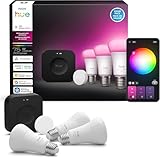


Philips Hue Bridge at a Glance
| Component | Specification |
|---|---|
| Type | Smart lighting hub / bridge (Zigbee-to-Ethernet) |
| Length / Wattage | Palm-sized square — low power draw via wall-wart adapter |
| Connectivity | Ethernet to router + Zigbee 3.0 mesh to Hue lights (no built-in Wi-Fi) |
| Voice assistant | Required for full Alexa + Google + HomeKit Hue integration |
| Color | N/A — this is a hub, not a light |
| App support | Philips Hue (iOS / Android) |
| Power source | Wall — included 5V DC adapter |
| Music sync | Enables Hue Sync app (PC/Mac) for screen-mirroring color bulbs |
| Approx price | around $60 |
Setup & App Experience
Setup is genuinely the simplest hub-installation experience in smart-home: plug the included Ethernet cable from the Bridge into a spare port on your home router, plug the included 5V adapter into a wall socket, wait for the four lights on the front of the Bridge to come on solid, and open the Hue app. The app finds the Bridge over the local network automatically, prompts you to push the physical pair button on top of the Bridge once, and from that point on every Hue light, accessory and entertainment area pairs through the Bridge in the same one-minute flow as Bluetooth pairing. The Bridge needs to live within Ethernet-cable distance of the router (no Wi-Fi mode) — a deliberate Philips design choice that ensures the Bridge itself does not compete with phones and laptops for Wi-Fi airtime, which is a meaningful reliability win for the rest of the home network. For a typical install the Bridge sits next to or near the router on a shelf or in a media cabinet, where it can stay plugged in and undisturbed for years. The Hue app handles all configuration — there is no separate Bridge admin interface to learn.
Lighting Quality & Color Accuracy
This is a hub, not a light — there is no lighting to evaluate directly. What the Bridge contributes to lighting quality is the platform infrastructure that makes Hue’s lights perform at their full capability. The Zigbee mesh that the Bridge runs is the key technical advantage: every Hue light is a Zigbee mesh node, which means signal hops from light to light across a room or floor without requiring direct line of sight to the Bridge. That mesh behavior is what makes a 20-bulb Hue install across multiple rooms work reliably where a comparable Wi-Fi-only smart-bulb install would struggle with congestion. Hue Sync screen-mirroring also runs through the Bridge — the PC’s Hue Sync app sends frame-color data to the Bridge, which fans the data out to all color bulbs in the Entertainment Area in real time. The low-latency Zigbee link is what makes Hue Sync feel immediate rather than laggy, which is the meaningful difference versus microphone-based music sync on budget products.
Smart Home Compatibility
Smart-home compatibility is the single biggest reason to add a Hue Bridge to a Hue install. Bluetooth-only Hue control limits the system to one phone, one room and basic Alexa/Google voice in-range. The Bridge unlocks: native Apple HomeKit support (Hue bulbs appear in the Home app, work with Siri, integrate with HomeKit automations); full Alexa Routines with time and geofence triggers; full Google Home automations and routines; Samsung SmartThings integration; IFTTT for cross-service automations; the Hue Sync PC/Mac app for real-time screen color mirroring; integration with Hue motion sensors, dimmer switches, smart buttons and tap dials; and away-mode randomised lighting for security. For a HomeKit household the Bridge is non-optional — without it Hue does not appear in the Home app. For a multi-bulb or multi-room install the Bridge is essentially required to keep the system responsive. Combine the Bridge with the Amazon Smart Plug review for whole-home automations that span lighting and appliances.
Music Sync & Effects
The Bridge is the prerequisite for Hue’s class-leading screen-mirroring effect feature. Hue Sync runs on a PC or Mac, reads the colors of the current screen in real time, and sends color commands to the Hue Bridge, which distributes them to every color bulb in the Entertainment Area you configured in the Hue app. The result is that the bulbs around a desk or TV match the dominant colors of whatever is on the screen — a fire scene in a game flashes red across the room, a forest tints the lights green, a movie’s color grading tints the room to match. The effect is dramatically more immersive than microphone-based music sync on budget products because it uses actual screen data and operates at low latency. The Bridge is also the prerequisite for the Hue Sync TV box, which adds the same screen-mirroring for any HDMI source (game console, streaming box, cable box). For gaming and home-cinema use, the Bridge is the gateway to genuine ambient immersion.
Setup Tips — Behind TV / Desk / Ceiling
Physical placement of the Bridge is the only real install question. The Bridge needs an Ethernet port on the router and a wall outlet within cable length, which usually puts it on a shelf or in a media cabinet near the router. The Bridge itself is small and unobtrusive — palm-sized and white — and runs cool, so it can sit on a shelf out of sight without ventilation concerns. For a media-cabinet install make sure the Bridge is not buried behind a closed wooden door panel — Zigbee will work through wood walls, but extra layers of obstruction reduce mesh quality. For a router-corner-of-the-house install where some rooms are far from the Bridge, the Zigbee mesh runs hop-by-hop through the Hue lights themselves, so adding even a single Hue light in a long-hallway location can dramatically extend the system’s reach to a distant room. The system supports up to 50 lights and 12 accessories per Bridge, which is enough for most multi-room homes. Pair with the Hue A19 Color Ambiance, Hue 75W White and Hue Dimmer Switch V2 reviews in this round-up for the full system.
Verdict
At around $60 the Philips Hue Bridge earns an essentially mandatory recommendation for any serious Hue household. It unlocks HomeKit support, remote control, the Zigbee mesh that makes multi-bulb installs reliable, Hue Sync screen-mirroring, and integration with every Hue accessory that exists — none of which are available with Bluetooth-only Hue control. For HomeKit users it is non-optional, and for any install with more than two or three bulbs across multiple rooms it is the difference between a system that ‘just works’ and one that has the typical Wi-Fi smart-bulb connectivity frustrations. The honest caveats are the up-front cost on top of the bulbs themselves (the bulb-plus-Bridge total is meaningfully higher than a comparable Govee Wi-Fi install) and the requirement for an Ethernet port at the router (no Wi-Fi mode). For the buyer who wants the best smart-lighting platform and is investing in Hue for the long term, the Bridge is the right purchase from day one rather than an after-the-fact upgrade. Pair with the best RTX 5070 gaming laptops for the gaming hardware the Hue Sync feature complements.
Frequently Asked Questions
Do I really need a Philips Hue Bridge?
Not for basic Bluetooth-only Hue control of a few bulbs in one room. You do need the Bridge for HomeKit support, remote-from-anywhere control, Hue Sync, motion sensors, full Alexa/Google Routines, and reliable operation of more than a few bulbs across multiple rooms.
How many lights can the Philips Hue Bridge control?
Up to 50 Hue lights and 12 accessories (dimmer switches, motion sensors, tap dials, etc.) per Bridge. For larger installs additional Bridges can be added to the same Hue app.
Does the Philips Hue Bridge connect over Wi-Fi or Ethernet?
Ethernet only — the Bridge connects to your home router via the included Ethernet cable. There is no Wi-Fi mode, by design, to keep the Bridge off the same airtime as phones and laptops.
Will the Philips Hue Bridge work with Apple HomeKit?
Yes. The Bridge is the prerequisite for Hue’s HomeKit support — without it, Hue lights do not appear in the Home app and cannot be controlled by Siri or HomeKit automations.
More Smart Light Reviews
- Govee RGBIC Floor Lamp Basic Review: 1000lm SmartThings RGBIC Lamp
- Govee White LED Strip Review: 16.4ft 6500K Daylight Strip
- SILFU Neon Rope LED Strip Review: 50FT IP67 Waterproof Outdoor Light
- DAYBETTER LED Strip Lights Review: 32.8ft Budget RGB Kit
- Govee Car LED Lights Review: Smart Interior App-Control RGB Kit
- Govee Smart RGB WiFi LED Strip Review: 16.4ft Alexa Google Strip
- Govee RGBIC LED Strip Lights Review: Bluetooth Smart Per-Pixel Strip
- Govee 65.6ft RGBIC LED Strip Review: Whole-Room Per-Pixel Lighting
Affiliate Disclosure: As an Amazon Associate, we earn from qualifying purchases. If you click a link and make a purchase, we may earn a small commission at no extra cost to you. Prices and availability are accurate as of publication and may change.










