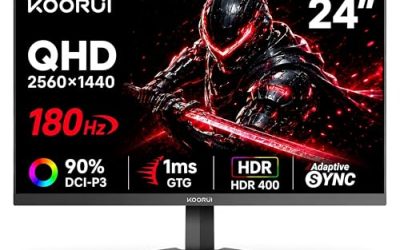
- Top Pick: Samsung 27” Odyssey G5 (G50F) Series QHD Gaming Monitor
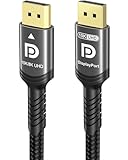
- Best Value: Capshi 8K 4K DisplayPort Cable 1.4, VESA Certified DP Cord 6.6ft
- Premium Choice: Ubluker 10K 8K DisplayPort 2.1 Cable 54Gbps 3.3 FT, Certified DP to DP Cord 4K 240Hz 165Hz 144Hz 120Hz 10K 8K 120Hz Nylon Braided UHBR HDCP2.3 FreeSync G-Sync RTX5090 Gaming Monitor PC Projector
Adaptive sync used to be a confusing mess of proprietary hardware modules and marketing jargon, but by 2026 the picture is much clearer. FreeSync and G-Sync both eliminate screen tearing and stuttering by matching your monitor’s refresh rate to your GPU’s frame output, but they get there through different paths, different certification tiers, and different price points. If you’re shopping for a new gaming monitor or trying to figure out which cable will actually unlock your panel’s full refresh rate, the distinction still matters.
This guide breaks down how FreeSync and G-Sync differ in 2026, which one makes sense depending on your GPU, and what hardware (including the display cables that quietly make or break your sync performance) you’ll want in your cart.
As an Amazon Associate we earn from qualifying purchases at no extra cost to you.







⚡ Save on Your Next PC — Amazon Prime
Prime members get fast free shipping on the systems above, plus early access to Prime Day & Black Friday PC deals. New members get a 30-day free trial.
Watch: FreeSync vs G-Sync: Which Is Better? — Video Review
Quick Verdict
For most gamers building around an AMD card or a budget-to-midrange rig, FreeSync (especially FreeSync Premium or Premium Pro) delivers virtually identical tear-free performance to G-Sync at a lower cost, like on the ASUS TUF Gaming VG27AQ3A. If you’re running an Nvidia RTX card and want the tightest variable refresh rate range with certified low-latency performance, G-Sync Compatible or native G-Sync displays such as the Samsung Odyssey G5 remain the safer bet. Either way, pair your monitor with a certified DisplayPort 1.4 or 2.1 cable, since an underspec cable can cap your refresh rate regardless of which sync tech you choose.
Key Differences
- Hardware requirements: Native G-Sync monitors use a dedicated Nvidia scaler module; FreeSync relies on the open VESA Adaptive-Sync standard built into the display’s existing scaler, which is why FreeSync monitors are typically $50-150 cheaper.
- GPU compatibility: FreeSync was built for AMD Radeon cards but nearly all FreeSync monitors also work with Nvidia GPUs through “G-Sync Compatible” certification. Native G-Sync modules only work with Nvidia GeForce cards.
- Refresh rate range: G-Sync Ultimate and Premium Pro tiers guarantee a wider variable refresh range (often down to 1Hz via low framerate compensation) than baseline FreeSync, which can have gaps at very low frame rates on cheaper panels.
- Certification rigor: Nvidia tests every G-Sync Compatible display in-house for flicker, ghosting, and blanking before certifying it. VESA’s Adaptive-Sync spec is looser, so FreeSync quality varies more between monitor brands.
- Latency and input lag: Both technologies now perform within a millisecond of each other on premium panels, but G-Sync Ultimate still edges out budget FreeSync monitors in overshoot and variable overdrive handling.
- Cable dependency: Both standards require adequate DisplayPort bandwidth. A DP 1.4 cable caps out around 32.4 Gbps, which limits 4K to roughly 120Hz with compression, while DP 2.1 cables rated for UHBR20 (like the Ubluker 10K/8K cable) support up to 54Gbps for 4K 240Hz or higher without relying on Display Stream Compression.
FreeSync
FreeSync is AMD’s royalty-free implementation of VESA’s Adaptive-Sync standard, and it’s become the default sync tech on the vast majority of gaming monitors sold today because manufacturers don’t pay licensing fees to include it. The ASUS TUF Gaming VG27AQ3A is a good example of where the tech has landed: a 27″ QHD IPS panel running at 180Hz with FreeSync Premium certification, which guarantees low framerate compensation and no perceptible flicker, plus it carries Nvidia’s G-Sync Compatible badge so RTX owners get the same tear-free experience.
The tradeoff historically was consistency. Because VESA’s certification bar is lower than Nvidia’s, some budget FreeSync monitors ship with narrower VRR windows or visible brightness flicker during rapid refresh rate shifts. That gap has narrowed significantly by 2026, but if you’re buying a sub-$200 FreeSync monitor, it’s still worth checking for the “Premium” or “Premium Pro” tier rather than base FreeSync, since those carry stricter minimum requirements around resolution, refresh rate, and flicker-free performance.
G-Sync
G-Sync comes in three flavors now: native G-Sync (with Nvidia’s dedicated hardware module), G-Sync Ultimate (adds HDR and wider VRR range requirements), and G-Sync Compatible (Nvidia’s certification for FreeSync monitors that pass its validation testing). The Samsung Odyssey G5 falls into the more affordable end of this ecosystem, a 27″ QHD VA panel that leans on high refresh rate and curved immersion rather than a premium native G-Sync module, making it a solid pick for Nvidia users who want validated compatibility without paying for the full hardware chip.
True native G-Sync modules are increasingly rare outside of high-end 4K and ultrawide panels, since the added board cost is hard to justify when G-Sync Compatible certification covers 95% of the actual visual benefit. Where native G-Sync still earns its premium is in extreme scenarios: competitive esports monitors running 360Hz+ or HDR-heavy panels where Nvidia’s stricter overshoot and variable overdrive tuning genuinely reduces ghosting during fast camera pans.
Which Should You Buy?
- Running an AMD Radeon GPU: go FreeSync, it’s the only option that gets full support without relying on cross-compatibility.
- Running an RTX 40/50-series card on a budget: a FreeSync Premium monitor like the ASUS VG27AQ3A gives you G-Sync Compatible performance for less money.
- Chasing the widest VRR range or HDR performance on Nvidia: look for G-Sync Ultimate or a well-reviewed G-Sync Compatible panel like the Samsung Odyssey G5.
- Upgrading to 4K at 144Hz or higher: skip your old DP 1.4 cable and grab a DP 2.1 cable rated for UHBR bandwidth, such as the Ubluker 10K/8K cable, so sync and refresh rate aren’t bottlenecked by the connection itself.
- Running a shorter desk setup or multi-monitor rig: a 6.6ft VESA-certified DP 1.4 cable from Capshi or IVANKY is plenty for QHD at up to 165Hz, while the 35ft Capshi cable suits projector or long-throw setups without signal degradation.
Frequently Asked Questions
Can I use a FreeSync monitor with an Nvidia GPU?
Yes, as long as the monitor is on Nvidia’s G-Sync Compatible list (most current FreeSync Premium and Premium Pro monitors are) or you manually enable Adaptive-Sync through Nvidia Control Panel. Performance is generally indistinguishable from native G-Sync on certified models.
Does the DisplayPort cable actually affect FreeSync or G-Sync performance?
Yes. Both sync technologies pass their signaling over DisplayPort, and if your cable doesn’t have the bandwidth for your resolution and refresh rate combo, the monitor may drop frames, disable VRR, or fall back to a lower refresh rate entirely. For 4K 144Hz+ or 240Hz gaming, a DP 2.1 UHBR-rated cable is worth the upgrade over a standard DP 1.4 cord.
Is G-Sync worth paying extra for in 2026?
Only in specific cases, like native G-Sync Ultimate monitors with HDR and sub-1ms overdrive tuning for competitive play. For the average gamer, a certified FreeSync Premium monitor delivers nearly identical tear-free results for noticeably less money.
Will an HDMI cable work instead of DisplayPort for adaptive sync?
HDMI 2.1 supports both FreeSync and G-Sync Compatible VRR, but DisplayPort remains the more consistently supported and higher-bandwidth connection for PC gaming monitors, especially at 4K and above.
Final Verdict
FreeSync and G-Sync have converged enough by 2026 that the “which is better” debate matters less than “which fits your GPU and budget.” AMD users have no real choice, and that’s fine since FreeSync Premium is genuinely good. Nvidia users get to choose, and for most people a certified FreeSync monitor like the ASUS TUF Gaming VG27AQ3A covers 90% of the benefit of native G-Sync at a lower price, while G-Sync Ultimate panels remain the right call for HDR-heavy or competitive setups. Whichever you pick, don’t undercut your investment with a bargain cable, since a proper DP 2.1 or VESA-certified DP 1.4 cord is what actually lets your sync tech and refresh rate perform as advertised.