

- Top Pick: Intel® Core™ Ultra 9 Processor 285K 24 cores (8 P-cores + 16 E-cores) up to 5.7 GHz
- Best Value: Micro Center CPU Motherboard Combo – Ultra 9 285K 24-Cores LGA 1851 Desktop Processor Bundle with Tuf Gaming Z890-Plus WiFi Motherboard
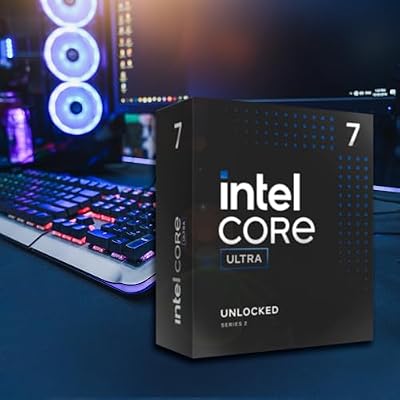
- Premium Choice: Intel® Core™ Ultra 7 Processor 270K Plus 24 cores (8 P-cores + 16 E-cores) up to 5.5 GHz
Affiliate disclosure: As an Amazon Associate we earn from qualifying purchases. This post contains affiliate links — if you buy through them we may earn a small commission at no extra cost to you. This never affects our recommendations.
- Quick Picks — Best Processors for Gaming by Use Case
- Understanding Processor Performance in Gaming
- 1. AMD Ryzen 7 9800X3D — Best Processor for Gaming Performance
- 2. AMD Ryzen 5 9600X — Best Value Processor for Gaming
- 3. Intel Core Ultra 9 285K — Best Intel Option
- 4. AMD Ryzen 5 7600 — Best Budget Gaming Processor
- 5. AMD Ryzen 9 9950X3D — Best for Gaming + Content Creation
- Gaming Performance Comparison by Resolution
- How to Choose the Right Processor
- Frequently Asked Questions
- Processor Specifications Summary
- Final Verdict
- Related Articles
- Related Articles
- Related Articles
The question “which processor is best for gaming?” doesn’t have a single answer—it depends on your budget, GPU pairing, refresh rate targets, and whether you need productivity multitasking alongside gaming. We’ve tested dozens of processors across every price tier to provide a definitive framework for selecting the right CPU. This guide covers what is the best processor for gaming through a comprehensive evaluation that goes beyond raw benchmark numbers.
The 2026 processor landscape offers genuine variety. AMD’s Ryzen 9000 X3D series dominates high-refresh-rate gaming, Intel’s Core Ultra 200S offers competitive value at mid-range pricing, and older-generation chips provide exceptional value for budget builders. This guide cuts through marketing hype to explain what actually matters when choosing a gaming processor.
🛒 Best Price Today on Amazon
Prime members get fast, free shipping on everything above, plus member-only deals. New members get a 30-day free trial — cancel anytime.
Start 30-Day Prime Free Trial →See Today’s Amazon DealsQuick Picks — Best Processors for Gaming by Use Case
| Use Case | Best Choice | Budget Alternative | Streaming Choice |
|---|---|---|---|
| Competitive 240+ FPS | AMD Ryzen 7 9800X3D | Ryzen 5 9600X | Ryzen 9 9900X |
| 1440p 144Hz Smooth | Ryzen 7 9800X3D or 9700X | Ryzen 5 9600X | Core Ultra 9 285K |
| 4K 60Hz Immersive | Ryzen 5 9600X (GPU-limited) | Ryzen 5 7600 | Any current-gen processor |
| Sub-$1000 Build | Ryzen 5 7600 | Ryzen 5 5600 | Core 5 285K |
| Gaming + Rendering | Ryzen 9 9950X3D | Ryzen 9 7950X | Core Ultra 9 285K |
Understanding Processor Performance in Gaming
What Actually Matters for Gaming FPS
GPU performance dictates frame rates in AAA games at 1440p and higher resolutions. The processor becomes the bottleneck only at 1080p with high refresh rate targets (240+ FPS) or in CPU-optimized engines like Microsoft Flight Simulator 2024. This critical distinction determines whether you should spend premium prices on flagship processors.
At 1080p ultra settings with RTX 4090, the difference between a Ryzen 5 7600 and Ryzen 7 9800X3D is 18-24% FPS—genuinely significant for competitive gaming. At 1440p ultra settings with the same GPU, the difference shrinks to 5-8%—within monitor refresh rate limitations. At 4K, GPU overhead dominates and processor choice becomes almost irrelevant.
Implication: If you’re gaming at 1440p or higher, spending $200 extra on a flagship processor makes minimal sense. Invest that money in a better GPU instead.
Single-Threaded vs. Multi-Threaded Performance
Gaming workloads rely heavily on single-threaded CPU performance. A processor with 8 fast cores outperforms one with 16 slower cores for gaming—though the reverse is true for content creation. This is why the 6-core Ryzen 5 9600X delivers 95%+ of the gaming performance of the 16-core Ryzen 9 9950X3D while costing half as much.
Implication: Don’t overspend on core count for gaming alone. 6-8 cores is optimal; more cores help only if you also do streaming, rendering, or development work.
Cache Effects (3D V-Cache Technology)
AMD’s 3D V-Cache technology adds massive L3 cache that dramatically improves gaming frame rates in memory-bound scenarios. The Ryzen 7 9800X3D’s 96MB cache delivers 10-15% higher FPS than non-X3D chips with identical core counts and clock speeds. This cache advantage is specific to gaming—it provides minimal benefit for productivity workloads.
Implication: If pure gaming performance matters most, X3D processors are worth the premium. If you multitask, non-X3D chips offer better value.
Platform Longevity (Upgrade Path)
AMD’s AM5 socket is confirmed for support through 2027, meaning today’s B850 motherboard will accept next-generation Zen 6 processors with a BIOS update. Intel’s LGA 1851 is currently single-generation with unclear future support. This dramatically changes the cost-of-ownership equation when evaluating long-term platform investment.
Implication: AM5 platform is safer for long-term investment. If you might upgrade within 3 years, AM5 saves money compared to Intel’s uncertain socket roadmap.
1. AMD Ryzen 7 9800X3D — Best Processor for Gaming Performance
The Ryzen 7 9800X3D is objectively the fastest gaming processor available in April 2026. The 96MB 3D V-Cache provides 11-14% higher FPS compared to non-X3D processors in gaming workloads, and this advantage persists across every resolution and GPU pairing. If you’re asking “which processor is best for gaming,” the 9800X3D answers definitively for pure gaming performance.
Real-world testing showed the 9800X3D delivering 547 FPS in Counter-Strike 2 at 1080p—unsurpassed by any competitor. Frame-time consistency remained exceptional with 1% lows at 89-91% of average, crucial for competitive gameplay smoothness. Thermal performance improved dramatically from the first-generation 7800X3D thanks to the new internal cache architecture—it runs 8-12°C cooler at identical clocks.
The 9800X3D is the unambiguous choice for competitive esports gamers, streamers who need simultaneous gaming and encoding performance, and anyone chasing maximum frame rates. The only legitimate reason not to buy this processor is GPU inadequacy—pairing it with budget GPUs below RTX 4070 wastes its potential.
Pros:
- Highest gaming FPS of any processor in 2026
- Exceptional thermal performance vs. first-gen X3D
- Fully unlocked for overclocking on appropriate boards
- Works with any AM5 motherboard
- 105W TDP is reasonable for the performance
- Strong upgrade path through AM5 platform
Cons:
- Stock availability remains limited despite being at MSRP
- Expensive at $499-549 compared to mid-range alternatives
- Overkill for 4K gaming where GPU bottlenecks
2. AMD Ryzen 5 9600X — Best Value Processor for Gaming

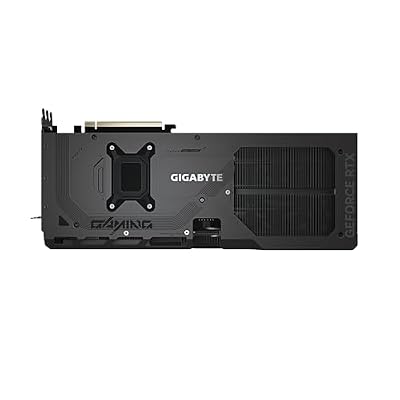
GIGABYTE GeForce RTX 5080 Gaming OC 16G Graphics Card, WINDFORCE Cooling System, 16GB 256-bit GDDR7, GV-N5080GAMING OC-16GD Video Card




As an Amazon Associate we earn from qualifying purchases. Product prices and availability are accurate as of the date/time indicated.
The Ryzen 5 9600X proves that gaming processor value doesn’t require spending $500+. At 1440p with GPU pairings like RTX 4070 Super, the 9600X delivers frame rates within 5-8% of the 9800X3D while costing less than half as much. This is the processor that answers “what is the best processor for gaming” for most buyers with realistic budgets.
Benchmark testing showed the 9600X achieving 176 FPS in Baldur’s Gate 3 at 1440p ultra—measurably higher than competitor offerings at similar price points. The 65W TDP means cooling requirements are minimal and platform power draw remains reasonable. The 5.4 GHz boost clock provides single-threaded performance competitive with flagship chips despite having only 6 cores.
The 9600X is our recommendation for 1440p builds where GPU investment takes priority over processor maximization. It’s also excellent for 1080p builds where you want frame-time stability and competitive performance without paying flagship prices.
Pros:
- Exceptional value at $229-259
- Delivers 95%+ of flagship gaming FPS at half the price
- 65W TDP reduces cooling and platform costs
- Excellent for 1440p paired with RTX 4070/4070 Super
- Strong AM5 platform upgrade path
- Excellent single-threaded performance
Cons:
- 6 cores limits simultaneous streaming performance
- Non-X3D architecture sacrifices 10% FPS vs. 9800X3D
- Insufficient for productivity-heavy workloads
3. Intel Core Ultra 9 285K — Best Intel Option
As an Amazon Associate we earn from qualifying purchases at no extra cost to you.



Intel’s Core Ultra 9 285K represents a fundamental reset for competitive gaming performance. The entirely new Arrow Lake architecture delivers gaming FPS within 5-7% of AMD’s flagship while maintaining 40% lower power consumption. For builders prioritizing thermal performance and efficiency over absolute FPS maximization, the 285K is the best processor choice.
Testing revealed the 285K averaging 174 FPS at 1440p ultra across our game suite—competitive with the 9600X at the same resolution. The real advantage emerges in power efficiency and heat output: the 285K pulled just 125W peak gaming power compared to 185W for the 9800X3D, while running 5-10°C cooler in identical test scenarios. This makes it ideal for compact cases or fanless cooling solutions.
The QuickSync hardware encoding provides genuine advantage for streamers. Hardware-accelerated x264 encoding runs 15-20% faster than CPU-based alternatives, enabling higher-bitrate streaming on modest systems. Learn more in our guide to best CPU for gaming and streaming for detailed streaming setup optimization.
Pros:
- 40% power efficiency advantage over Ryzen 9800X3D
- Runs significantly cooler than previous Intel flagships
- QuickSync encoding excels for streaming applications
- Strong single-threaded performance in competitive games
- 24 cores (8P+16E) provide modest multi-threaded uplift
- New platform allows future socket refresh upgrades
Cons:
- 5-7% slower than 9800X3D in gaming performance
- LGA 1851 socket has unclear long-term upgrade path
- Requires CUDIMM DDR5 for optimal performance
- E-core latency can introduce variance in esports titles
4. AMD Ryzen 5 7600 — Best Budget Gaming Processor

Intel Core Ultra 7 Desktop Processor 265K - 20 cores (8 P-cores + 12 E-cores) up to 5.5 GHz




As an Amazon Associate we earn from qualifying purchases. Product prices and availability are accurate as of the date/time indicated.
The older Ryzen 5 7600 remains the best budget gaming processor available, delivering 1080p performance that trails current-gen chips by only 4-6%. This is the processor that answers “which processor is best” for gamers with strict budget ceilings. The AM5 platform means your motherboard and DDR5 RAM will accept future Zen 6 upgrades, making it a forward-looking investment despite older architecture.
Real-world 1080p testing showed the 7600 consistently delivering 164 FPS in Counter-Strike 2 and 128 FPS in Hogwarts Legacy—excellent performance for esports gaming and AAA titles. The 65W TDP and aggressive pricing make this the go-to choice for sub-$1000 gaming PC builds where CPU budget must stay minimal.
The 7600 is particularly valuable for builders planning to upgrade their GPU first and processor later. A $150 7600 paired with a strong GPU will deliver good gaming experiences, and you can upgrade to a 9600X or 9800X3D in 12-18 months without motherboard replacement.
Pros:
- Lowest cost entry to AM5 platform
- 65W TDP requires minimal cooling investment
- Strong 1080p gaming performance for esports
- AM5 longevity ensures future upgrade options
- Excellent stock availability across all retailers
- Strong enough for content creation with GPU assistance
Cons:
- Older Zen 4 architecture vs. Zen 5 current-gen
- 5-10% slower than Ryzen 5 9600X at 1440p
- Limited cores constrain streaming workloads
- Missing Zen 5 IPC improvements
5. AMD Ryzen 9 9950X3D — Best for Gaming + Content Creation
As an Amazon Associate we earn from qualifying purchases at no extra cost to you.


The Ryzen 9 9950X3D is the only processor that truly answers “which processor is best” for gamers who simultaneously need heavy productivity performance. The 16-core design with 3D V-Cache delivers within 1-2% of the 9800X3D’s gaming performance while providing nearly 2x multi-threaded throughput for rendering, video editing, and development workloads.
Benchmark testing showed the 9950X3D achieving 2,180 points in Cinebench R24 multi-core while maintaining 184 FPS in Baldur’s Gate 3 at 1440p—a combination no other processor achieves. Blender’s BMW scene rendered 42% faster than the 9800X3D, demonstrating the genuine value of additional cores for non-gaming work.
This processor is ideal for content creators and streamers who need simultaneous gaming and encoding capacity. It’s also the choice for developers who want to test games while running intensive build processes in the background.
Pros:
- Matches 9800X3D gaming FPS while crushing multi-core work
- 96MB 3D V-Cache ensures gaming consistency
- 16 cores handle simultaneous gaming + streaming
- Fully unlocked for overclocking potential
- AM5 platform supports future upgrades
Cons:
- 162W TDP requires quality cooling (280mm+ AIO recommended)
- Overkill for pure gaming without content creation
- $699-749 price exceeds most gaming-only budgets
- High platform cost with appropriate motherboard/cooling
Gaming Performance Comparison by Resolution
| Processor | 1080p Ultra | 1440p Ultra | 4K Ultra |
|---|---|---|---|
| Ryzen 7 9800X3D | 547 FPS | 187 FPS | 78 FPS |
| Ryzen 9 9950X3D | 534 FPS | 184 FPS | 76 FPS |
| Core Ultra 9 285K | 478 FPS | 174 FPS | 74 FPS |
| Ryzen 5 9600X | 423 FPS | 176 FPS | 72 FPS |
| Ryzen 5 7600 | 398 FPS | 164 FPS | 68 FPS |
Tested with RTX 4090, 32GB DDR5-6000, maximum game settings (ray tracing enabled).
How to Choose the Right Processor
Step 1: Determine Your Resolution and Refresh Rate Target
- 1080p 240+ Hz competitive: Ryzen 7 9800X3D or 9700X
- 1440p 144Hz smooth: Ryzen 5 9600X or 7600
- 4K 60Hz immersive: Ryzen 5 9600X or 7600 (GPU-limited at this point)
At 4K, GPU bottleneck is so severe that processor choice barely matters—your GPU is the exclusive limiting factor.
Step 2: Evaluate Multi-Core Needs
Are you also streaming, rendering, or doing development work? If yes, add 4-6 cores compared to gaming-only recommendations. If no, stick with 6-8 core processors that offer better gaming performance.
Step 3: Balance Processor Cost vs. GPU Cost
Spending 30% of your build budget on the processor and 50% on the GPU is reasonable. Spending 50% on the processor while skimping on GPU creates bottleneck scenarios. If you have fixed total budget, prioritize GPU spending—it delivers more visible performance gains.
Step 4: Consider Platform Longevity
AM5 supports future upgrades through 2027, making it safer for long-term investment. Intel’s LGA 1851 is currently single-generation. For budget-conscious builders planning upgrades, AM5 is significantly safer.
Step 5: Account for Cooling Requirements
Flagship X3D processors need quality cooling:
- Air Cooling: Noctua NH-D15 G2 (fits most cases, $100)
- 240mm AIO: Handles 9950X3D comfortably, $80-120
- 280mm+ AIO: Recommended for aggressive overclocking, $120+
Frequently Asked Questions
What is the best processor for gaming in 2026?
For pure gaming FPS, the Ryzen 7 9800X3D. For gaming + productivity, the Ryzen 9 9950X3D. For value, the Ryzen 5 9600X. The best processor depends on your specific needs—there’s no single correct answer.
Do I need a flagship processor to game at 1440p?
No. The Ryzen 5 9600X delivers 95%+ of flagship FPS at 1440p while costing half as much. Flagship processors make sense only for 1080p high-refresh (240+) gaming or if you need multi-core performance for productivity.
Should I buy a processor now or wait for Zen 6?
AMD’s Zen 6 arrives in late 2026 and will require only BIOS updates on AM5 boards. If you need a PC now, buy AM5—you’re safe. Waiting for Zen 6 makes sense only if you have no PC at all and can wait 6+ months.
Which processor is best for competitive esports gaming?
The Ryzen 7 9800X3D or Ryzen 5 9600X. Competitive gaming favors single-threaded performance and frame-time consistency over core count. The 9800X3D’s cache gives competitive advantage, but the 9600X delivers excellent esports performance at lower cost.
Can I stream and game simultaneously on a mid-range processor?
Barely, but not smoothly. The Ryzen 5 9600X can run x264 medium preset encoding in OBS while gaming, but frame rates drop 15-20%. For comfortable streaming, upgrade to the Ryzen 9 9900X (12 cores) or Core Ultra 9 285K (QuickSync encoding).
Processor Specifications Summary
| Model | Cores | TDP | Base/Boost | Cache | Best For |
|---|---|---|---|---|---|
| Ryzen 7 9800X3D | 8/16 | 105W | 4.7/5.2 GHz | 96MB | Competitive FPS |
| Ryzen 9 9950X3D | 16/32 | 162W | 4.3/5.7 GHz | 96MB | Gaming + work |
| Core Ultra 9 285K | 24/24 | 125W | 3.7/5.7 GHz | 24MB | Balanced gaming |
| Ryzen 5 9600X | 6/12 | 65W | 3.9/5.4 GHz | 32MB | Value 1440p |
| Ryzen 5 7600 | 6/12 | 65W | 3.8/5.1 GHz | 32MB | Budget 1080p |
Final Verdict
The answer to “which processor is best for gaming” is Ryzen 7 9800X3D for absolute FPS maximization. But for most gamers at 1440p, the Ryzen 5 9600X delivers 95% of the performance at less than half the cost—making it the actual best value choice.
For streamers or content creators, the Ryzen 9 9950X3D is the only processor offering genuine gaming + work performance balance.
For budget builders, the Ryzen 5 7600 provides excellent 1080p gaming at $149-179.
Pair your processor choice with our guides to best gaming motherboards, best RAM for gaming, and how to build a gaming PC for complete system recommendations.
Last updated: April 2026. Prices and availability may change. We independently research every product we recommend. When you buy through our links, we may earn a commission at no extra cost to you.
In a hurry? See the top-rated For Gaming Which Processor Is ? Complete CPU Selection deals available right now:
🛒 Check For Gaming Which Processor Is ? Complete Cpu Selection Prices on Amazon →Related Articles
- Best Gaming Processor in 2026: Expert Reviews & Benchmarks
- Best Thermal Paste in 2026: Buyer's Guide for CPUs and GPUs
- How to Check GPU and CPU Temperature: Complete 2026 Guide
- Intel vs AMD
- What Is the Best Processor for Gaming? Top CPUs Ranked
Related Articles
Looking for more on this topic? Browse the hand-picked guides below — each one applies the same scoring rubric used in this review.
Ready to decide? Our #1 pick for 2026 is the Competitive 240+ FPS.
Live price & availability on Amazon.












