Fishing Adventure is MasterCode’s laid-back angling game, published by Ultimate Games S.A. and PlayWay S.A. and released on Steam on 1 November 2019: lakes and rivers, a rod, a tackle box, and a simple loop of casting, hooking and upgrading gear. Because its publisher family is full of Windows-only simulation titles, Linux players reasonably ask whether this one quietly shipped a penguin build alongside the Windows release.


It did not. Every layer of the game’s own Steam record points the same way: the flags list Windows alone, the depot table holds a single Windows content depot, and no Linux build hides in the assets, the requirements fields or the one piece of downloadable content. What Linux players get instead is a Proton route — and a Deck test sheet completely up to date with the build on sale.
As an Amazon Associate, we earn from qualifying purchases.
Quick answer
No. Fishing Adventure has no native Linux build: Steam flags it Windows only, its single content depot is the Windows build, and no Linux depot, launch entry or icon exists on the record. Linux play means Proton. Valve rates it Deck Playable against the exact build on sale today, while ProtonDB’s thin five-report file settles at Bronze — workable, not flawless.
One depot, one platform: what the record holds
Start with the flags, because here they are the whole story. The store record for app 1101140 lists platforms as Windows true, macOS false and Linux false. The macOS and Linux requirements fields are simply absent — empty arrays, the plainest way Steam says a build was never registered.
SteamDB’s depot table backs the flags with bytes: exactly one content depot, 1101141, named Windows Fishing Adventure Content, at 6.98 GiB on disk. There is no Linux or macOS depot beside it, and the public branch has sat on build 11821997 since August 2023. The assets agree: clienticon, clienttga, icon, logo and logo_small are present, but there is no LinuxClientIcon in any form — neither a genuine one nor the fossil kind that survives a cancelled port. The osextended field is empty, and SteamDB detects only the Unity Engine and the Mono SDK. Nothing on this record was ever aimed at Linux — a clean negative.
The Deck badge is current — and it grades Proton
Valve’s test sheet is the strongest part of this game’s Linux file, for a reason unrelated to the verdict itself. The sheet — read from Valve’s compatibility data as republished by SteamDB, after the live endpoint returned an unreadable response this session — records a test dated 25 July 2025 against build 11821997, still the current public build, so the badge grades the exact bytes you would download today.
The verdict is Playable, with SteamOS marked Compatible and a recommended runtime of a Proton 9.0 release candidate. The passing line that matters most: the game’s default graphics configuration performs well on Steam Deck. The deductions are familiar frictions — some functionality needs the touchscreen, the virtual keyboard or a community configuration; the game sometimes shows non-Deck controller icons; some text entry requires manually invoking the on-screen keyboard; and some in-game text is small. No internet is required for setup or single-player play.
One input detail deserves care. The game’s own record carries no controller-support rating at all — no controller_support field and no controller category among its store categories. Valve’s sheet, separately, records gamepad as the supported input class. So Valve tested a gamepad-shaped configuration and found parts of it wanting, while the store record promises nothing either way: any pad works through Steam Input, not a developer pledge.
Five reports and a Bronze: the ProtonDB file
If the Deck sheet is reassuring, the community record is the cold water. ProtonDB’s summary, read in full, settles at Bronze, with a best-reported tier of Platinum and a trending tier of Bronze, across just five reports at low confidence — an anecdote collection rather than a consensus, whose spread explains the low settled tier: the file contains both a clean success and a game that stopped starting.
The filings, all on Proton versions from five and six years ago, sketch a game that mostly runs but shows its seams. One report on Proton 6.3-7 says it works without issues and with good performance. Another, on 6.3-5, found the lake missing all of its textures while the game otherwise worked. A longer report on 5.13-6 needed the PROTON_USE_WINED3D launch flag for a playable frame rate, at the cost of artefacts — water turning into a black void, black boxes taking over the screen — worked around by reloading levels and toggling settings. A fourth reporter says plainly that they were able to play and now cannot. None used anything close to the Proton 9.0 line Valve recommends, so treat the Bronze as a warning about variance, not a measurement of the current build.
The ProtonDB page also carries the stray Natively Supports heading above its requirements block — simply wrong on this record, where Steam’s flags, depots and assets all say Windows only.
The expansion carries the shell the base game skipped
Fishing Adventure has exactly one piece of DLC. Fishing Adventure: Finland Reserve, app 2270730, adds a Finnish fishing location. Its flags repeat the base game’s answer — Windows true, macOS false, Linux false — so the expansion carries no secret Linux build.
What it does carry is the populated-but-empty shell the base game avoided: both its macOS and Linux requirements fields exist as Minimum and Recommended headings over completely empty lists, the shape of a requirements tab created and never filled in. Read carelessly, that looks like the start of Linux support; read properly, it is an empty form. Buy the expansion only as more water for the same Proton route.
Anti-cheat, accounts and other storefronts
There is very little gating to report, which suits a single-player game. Steam’s record names no anti-cheat and carries no DRM notice, and SteamDB’s detected technologies stop at the Unity engine and Mono. The Are We Anti-Cheat Yet database, read in full at its current home, holds no entry for Fishing Adventure in either direction — no Supported rating, but also no Broken one. For a game with no online component, that absence is documentation silence rather than a risk: there is no multiplayer service for an anti-cheat to guard. GOG likewise has no edition: the natural product address redirects to the general catalogue and GOG’s product records return nothing, so there is no DRM-free copy to buy instead.
Gear for the Proton route
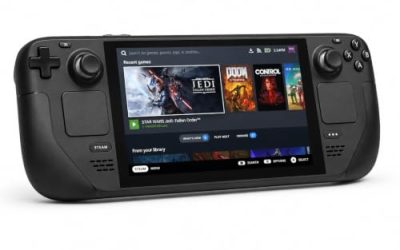
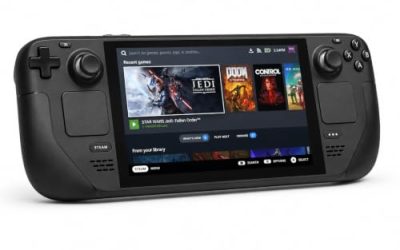
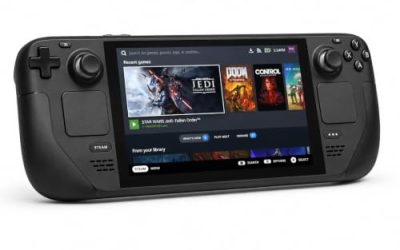
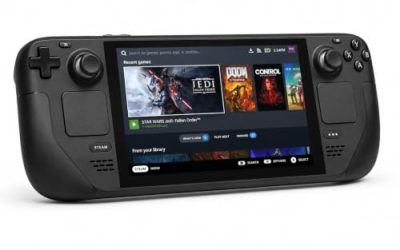
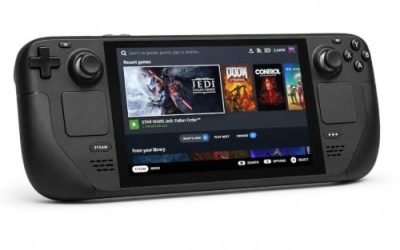
Valve Steam Deck OLED 512GB
The handheld this game’s Playable badge was written for: Valve tested the exact build on sale today and found its default graphics perform well.
Specs
- Display: 7.4-inch HDR OLED, 1280 by 800, up to 90 Hz
- Processor: AMD Zen 2 and RDNA 2 custom APU
- Memory: 16 GB LPDDR5
- Storage: 512 GB NVMe, plus a microSD slot
- Wireless: Wi-Fi 6E and Bluetooth
- Channel note: Valve sells the Deck mainly through its own store, so Amazon listings are third-party sellers
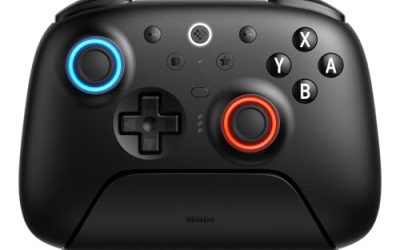
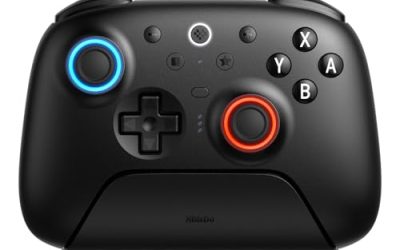
8BitDo Ultimate 2 Bluetooth Controller
The docked and desktop pad pick. The game’s record promises no controller support, so a pad works through Steam Input — and Valve’s sheet does list gamepad as the supported input class.
Specs
- Connectivity: Bluetooth wireless and USB-C wired
- Joysticks: TMR electromagnetic, anti-drift design
- Triggers: Hall effect, with mode switching
- Extras: two remappable back buttons, motion control
- In the box: charging dock included
Xbox Wireless Controller, Carbon Black
The safest guest pad in PC gaming: Steam Input support is universal and it pairs over Bluetooth or its own wireless standard. Bear in mind this game’s sheet warns that some functionality is not accessible with the default controller configuration, so expect the odd trip to the touchscreen.
- Connectivity: Xbox Wireless and Bluetooth
- Port: USB-C for wired play
- Controls: hybrid D-pad, dedicated Share button
- Power: AA batteries or optional rechargeable pack
Logitech G502 HERO
The game’s menus, tackle box and shop screens are pointer-shaped, and at a desk a precise wired mouse turns sorting lures and upgrading gear into single clicks.
Specs
- HERO optical sensor, up to 25,600 DPI
- 11 programmable buttons
- Adjustable weight system
- Wired USB connection
- On-board memory profiles
Samsung T9 Portable SSD 2TB
For moving a Linux game library between machines, a fast USB-C drive is the simple answer. The headline figure needs a Gen 2×2 host port; on a lesser port it runs at that ceiling instead.
Specs:
- Capacity: 2 TB portable SSD
- Interface: USB 3.2 Gen 2×2, USB-C connector
- Maker-rated speeds: up to 2,000 MB per second read, 1,950 MB per second write
- Features: Dynamic Thermal Guard, maker-rated drop resistance
How to choose
Choose the Steam copy, because it is the only PC edition on sale anywhere — GOG carries nothing. On a Steam Deck, the choice is easy: Valve has tested the exact build on sale, rated it Playable and named its recommended Proton, so install it and expect only the listed frictions around text entry, glyphs and small text. On a desktop or laptop, start with a current Proton release rather than the ageing versions in the community reports; the five-report Bronze file is too thin and too old to override Valve’s fresher test, but it is a fair reason to keep your first session short and check the water textures and frame rate before settling in. Add the Finland Reserve expansion only once the base game runs acceptably. And plan on Steam Input for any pad: the record promises no controller support, so a pad is a convenience you configure, not a feature you are owed.
Who should skip
Skip this one if you are shopping for a native Linux fishing game: this record is Windows-only at every layer. Skip it if a five-report Bronze ProtonDB file worries you more than a current-by-build Deck badge reassures you — genuinely thin evidence. Skip it if you want a DRM-free offline installer, because no GOG edition exists. Skip it if you expect the store page to guarantee pad support: it promises none, and Valve’s sheet flags parts of the default configuration as not fully functional. And skip the Deck plan if small text and keyboard trips would spoil a relaxing game.
FAQ
Is Fishing Adventure native on Linux?
No. Steam flags the game Windows only, its single content depot is the Windows build, and there is no Linux depot, requirements content or LinuxClientIcon on the record. The Natively Supports heading on its ProtonDB page contradicts the game’s own record and should be ignored.
How does Fishing Adventure run on Steam Deck?
Valve rates it Playable and SteamOS Compatible, tested on 25 July 2025 against build 11821997 — still the current public build — with a Proton 9.0 release candidate recommended. Default graphics perform well; the deductions are touchscreen or keyboard trips for some functions, non-Deck glyphs and small text.
What does ProtonDB say about Fishing Adventure?
The full summary settles at Bronze, with a best-reported Platinum and a trending Bronze, from only five reports at low confidence. The filings describe missing lake textures, a WineD3D workaround for performance, and one case of the game stopping launching — all on Proton versions from five-plus years ago.
Does the Finland Reserve DLC change the Linux picture?
No. The expansion repeats the base game’s Windows-only flags. Its macOS and Linux requirements fields are empty shells — headings over blank lists — which is paperwork, not a build.
Final verdict
Fishing Adventure is one of the clearest records in this catalogue: a Windows-only game with no hidden Linux build, and an expansion whose empty requirement shells change nothing. Its Linux case rests entirely on Proton, where the evidence splits — a Deck Playable badge that is unusually trustworthy because it tests the exact build on sale, against a Bronze ProtonDB file too small and too old to settle anything. If you want a gentle fishing game on a Deck and can live with small text and the odd keyboard trip, the route is reasonable; if you need community proof first, this file does not have it yet.
Product and ASIN Reference
| Product | ASIN |
|---|---|
| Valve Steam Deck OLED 512GB | B0CQ3RWQQZ |
| 8BitDo Ultimate 2 Bluetooth Controller | B0F194QFT2 |
| Xbox Wireless Controller, Carbon Black | B08DF248LD |
| Logitech G502 HERO | B07GBZ4Q68 |
| Samsung T9 Portable SSD 2TB | B0CHFS9K14 |