

The Z270 chipset belongs to a specific moment in PC history: LGA 1151 sockets, DDR4 memory, and processors from the Skylake and Kaby Lake generations. Anyone shopping for a Z270 board today is almost certainly keeping an older build alive, replacing a failed board, or assembling a budget machine around parts they already own, perhaps a spare processor and a pile of DDR4 sticks from an earlier upgrade. That changes the checklist. Instead of chasing the newest features, which this platform cannot offer, you care about socket compatibility, memory type, expansion slots, and whether the board arrives new or already used.
This 2026 guide covers nine Z270 boards, from plain ATX models to enthusiast designs with multi-GPU support. H270 boards use a different chipset and are not included. All notes come from the listing text. Before ordering, confirm your processor generation against the board’s supported list, because Z270 does not accept the later eighth and ninth generation chips.
Quick Picks
As an Amazon Associate we earn from qualifying purchases at no extra cost to you.




| Product | Best for | Key spec from the title |
|---|---|---|
| ASUS Prime Z270-A | A balanced, no-fuss ATX build | LGA1151, DDR4, M.2, USB 3.1 |
| MSI Z270-A PRO (Used) | Replacing a matching board | Z270, LGA 1151, I/O shield included |
| MSI Z270 Gaming Plus (Used) | A gaming-oriented replacement | Z270, LGA 1151, I/O shield included |
| ASUS ROG Strix Z270F Gaming | Enthusiast styling and features | DDR4, M.2, USB 3.1, DP/HDMI/DVI |
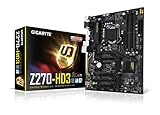
| GIGABYTE GA-Z270-HD3 | A basic board with CrossFire | 2-Way CrossFire, ATX, DDR4 |
| MSI Z270 Gaming PRO Carbon | A styled gaming board | Z270 Gaming PRO Carbon |
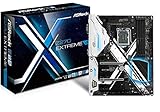
| ASRock Z270 EXTREME4 | Multi-GPU builders | Quad CrossFireX and Quad SLI, M.2, USB 3.1 |
| Z270-F Gaming (Compatible with ASUS ROG Strix) | A generic replacement option | LGA 1151, DDR4, USB 3.0 |
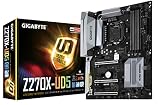
| GIGABYTE GA-Z270X-UD5 | SLI builders | 2-Way SLI, ATX, DDR4 |
How to Choose
Socket and processor generation
Z270 boards use the LGA 1151 socket and work with sixth and seventh generation Intel processors. Later chips use the same physical socket but need a newer chipset, so a modern processor will not simply drop in. Before buying, check the board’s CPU support list and the BIOS version. A board that shipped before Kaby Lake support may need a BIOS update before a seventh generation chip will start, which is awkward without an older processor on hand.
Memory, storage, and ports
Every board here uses DDR4 memory, so older DDR3 sticks will not fit. Look for M.2 support if you want a fast storage drive, and for USB 3.1 if you need modern external connections. Count the SATA ports against the drives you own. Video outputs matter when you use the processor’s integrated graphics: the ASUS models list DisplayPort, HDMI, and DVI. If you rely on a separate graphics card, these outputs matter less. Also check how many fan headers and USB headers the board offers, since small ATX builds often run short, and a board with a front-panel USB 3.1 header makes cable management easier.
Multi-GPU support and expansion
Some titles mention CrossFire or SLI, which let you pair two or more graphics cards. That is an older approach, and many modern games no longer scale across cards, so treat these features as a legacy bonus. Pay more attention to the number and spacing of PCIe slots, because large cards can block neighboring slots. Standard ATX boards give the most expansion room, so confirm your case size before ordering. Think about cooling too: a large air cooler or a long graphics card can crowd the memory slots and the first PCIe slot, so check clearances in your case before settling on a layout.
New, used, and generic: where risk lives
Two listings state the board is used, and one generic board names a compatibility claim rather than a manufacturer. Used boards carry unknown wear, possible bent socket pins, and unclear warranty terms. Ask whether the I/O shield, manual, and SATA cables are included, and request clear photos of the socket before you commit. Brand-name new boards generally have clearer support pages and BIOS downloads. Ignore RGB and heatsink styling unless the look matters to your case, and be cautious of titles that skip the chipset or form factor. At this age, budget boards also tend to trim extras: fewer M.2 slots, fewer fan headers, and plainer audio, so match the board to the job you have in mind.
The 9 Best Options
ASUS Prime Z270-A
A middle-of-the-road ATX board for general builds, and the easiest pick for someone reviving a desktop with a sixth or seventh generation processor. The title lists LGA1151, DDR4, DisplayPort, HDMI, DVI, M.2, USB 3.1, and the Z270 chipset.
- M.2 and USB 3.1 cover modern storage and external ports.
- Three video outputs support integrated graphics.
- Trade-off: the title names no multi-GPU feature.
Skip it if you plan an SLI or CrossFire setup.
MSI Z270-A PRO (Used)
Suited to someone replacing a failed board with the same model, so the rest of the build can stay untouched. The listing names Z270, LGA 1151, an I/O back plate shield, and used condition.
- The I/O shield is included, so no separate part is needed.
- It matches the layout of an existing MSI build.
- Trade-off: used condition and a reseller-style title leave warranty and wear unclear.
Skip it if you want a new board with clear support terms.
MSI Z270 Gaming Plus (Used)
Similar in presentation to the Z270-A PRO listing, but aimed at gaming builds. The title lists Z270, LGA 1151, an I/O back plate, and used condition, and not much else.
- Gaming Plus naming points to a gaming-oriented layout.
- A back plate is included with the board.
- Trade-off: no DDR4, M.2, or port details appear in the title.
Skip it if you want listed port and memory details before you order.
ASUS ROG Strix Z270F Gaming
An enthusiast ATX board for builders who care about styling as well as specs. The title lists LGA1151, DDR4, DisplayPort, HDMI, DVI, M.2, USB 3.1, and the ATX form factor.
- ROG Strix positioning suits a showcase gaming build.
- M.2 and USB 3.1 are both stated outright.
- Trade-off: no multi-GPU feature is named in the listing.
Skip it if you want a plain, quiet-looking board.
GIGABYTE GA-Z270-HD3
A basic ATX board for a straightforward build that does not need extras. The listing mentions LGA1151, Intel, 2-Way CrossFire, ATX, and DDR4, which together define a simple but capable platform.
- 2-Way CrossFire support is stated.
- The feature list is easy to read and verify.
- Trade-off: no M.2 or USB 3.1 appears in the title.
Skip it if fast storage and modern USB are priorities.
MSI Z270 Gaming PRO Carbon
A styled gaming board with a very short title. It names only the model and the Z270 chipset, so most details need checking elsewhere before you rely on it for a specific build.
- Carbon styling suits a themed case.
- The Z270 chipset is stated clearly.
- Trade-off: no memory, port, or slot information is listed.
Skip it if you want specifications in the title itself.
ASRock Z270 EXTREME4
For multi-GPU enthusiasts and builders who want a long port list. The title lists Z270, DDR4, Quad CrossFireX, Quad SLI, SATA3, USB3.1, M.2, ATX, and a gigabit Ethernet note.
- Quad SLI and Quad CrossFireX support are named.
- M.2, SATA3, and USB 3.1 round out the feature list.
- Trade-off: multi-GPU use is a legacy approach that many games ignore.
Skip it if you plan to run a single graphics card.
Z270-F Gaming (Compatible with ASUS ROG Strix)
A generic board for buyers who want a replacement and accept less brand information. The title lists LGA 1151, i7, i5, i3, Z270, DDR4, and USB3.0, with a compatibility claim against the ROG Strix.
- It names the supported processor families.
- DDR4 and Z270 are both stated.
- Trade-off: no clear manufacturer or form factor is named.
Skip it if you want clear brand support and BIOS downloads.
GIGABYTE GA-Z270X-UD5
For SLI builders who want a full-size ATX board. The listing shows LGA1151, Intel, 2-Way SLI, ATX, and DDR4, a combination that suits a dual-card setup.
- 2-Way SLI support is named.
- ATX form factor offers expansion room.
- Trade-off: no M.2 or USB 3.1 is listed in the title.
Skip it if you need modern ports named up front.
Which One Fits Your Situation
Reviving an older build
The ASUS Prime Z270-A offers a balanced feature list with M.2 and USB 3.1, and it is a safe base for a sixth or seventh generation processor. Pair it with DDR4 memory you already own, add an M.2 drive for Windows itself, and the machine feels far more current than its age suggests.
Replacing a failed board
The MSI Z270-A PRO or Gaming Plus listings, both used, match specific models. Check seller terms first, and compare the model name against the label printed on your current board so that the layout, cooler mounting, and case cutouts line up without surprises.
Two or more graphics cards
The ASRock Z270 EXTREME4 names Quad SLI and Quad CrossFireX, while the GIGABYTE Z270X-UD5 lists 2-Way SLI. Both need a power supply with enough connectors for two cards and a case with room for the extra cooler width.
A gaming-styled build
The ASUS ROG Strix Z270F Gaming or MSI Z270 Gaming PRO Carbon suits a themed case. The Strix lists M.2 and USB 3.1, while the Carbon listing is short, so read the full specification page before committing to it.
Common Mistakes
- Assuming any LGA 1151 processor works, when Z270 supports only the earlier generations.
- Forgetting that these boards need DDR4 memory.
- Buying used without checking socket pins and the BIOS version.
- Choosing a multi-GPU board for features that most current games ignore.
- Skipping the I/O shield, which then leaves the rear panel open and can make ports hard to reach in the case.
Related guides
- Aio Liquid Coolers For High Performance Gaming
- How To Lower Input Delay In Competitive Shooters
- Wireless Gaming Headsets Under 100 For Pc
Frequently Asked Questions
Which processors fit a Z270 board?
Sixth and seventh generation Intel chips on LGA 1151, such as the Skylake and Kaby Lake families. Later generations use the same physical socket but need a different chipset, so a newer chip will not work here.
Does Z270 support overclocking?
Z270 is the overclocking-capable chipset of its generation, paired with an unlocked processor and adequate cooling. Treat it as optional, though, because an older board that has seen years of use may not have the headroom it once did, and stability matters more than a few extra megahertz.
Is a used motherboard safe to buy?
It can be, but inspect the socket pins, ask about returns, and make sure the BIOS is up to date for your processor. Photos of the socket and the back of the board help, and a seller who refuses to show them is a warning sign.
Do I need M.2 support?
Not strictly, but it allows a fast storage drive that sits directly on the board with no cables. Check the title for M.2 if you want one, and otherwise plan on SATA drives, which work on every board in this list.

















