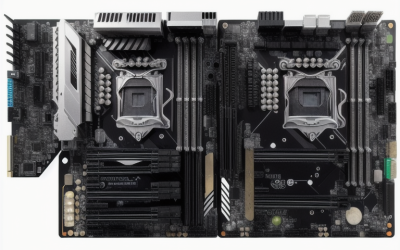
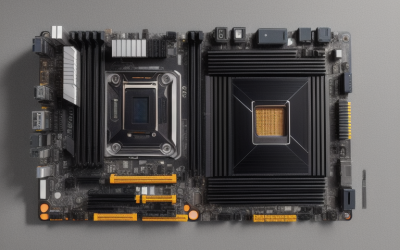
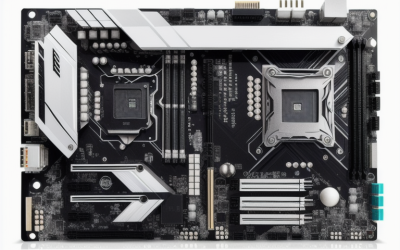
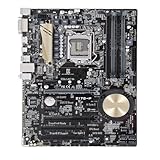
A Z170 board is an older-platform purchase, and that shapes every decision. These boards use the LGA 1151 socket with Intel’s Z170 chipset, and the ones in this list advertise DDR4 memory. The question is rarely “what is the newest feature” and almost always “which exact board gives me a clean, working build around a processor I already own.” Condition, listing accuracy and firmware version matter as much as the spec sheet.
This guide is for people repairing, extending or reviving a Skylake-era desktop in 2026, or building a budget machine around parts they already have. Ten listings are compared, from the ROG Maximus VIII Hero to a micro-ATX board and a listing that says “used.” Everything below comes from the titles, and several titles are short, so double-check the exact model on the manufacturer or seller page. If a spec is not mentioned in a title, assume it is unconfirmed.
Quick Picks
As an Amazon Associate we earn from qualifying purchases at no extra cost to you.



| Product | Best for | Key spec from the title |
|---|---|---|
| Asus Z170-A | Straightforward ATX rebuild | ATX, DDR4, Z170 |
| Z170-P (generic listing) | Basic LGA 1151 replacement | DDR4 64G, M.2, DVI, HDMI |
| Asus ROG Maximus VIII Hero | Enthusiast Skylake build | USB 3.1 Type-A and Type-C, M.2 |
| GIGABYTE GA-Z170X-UD5 | Full-size mainstream build | LGA1151, ATX, DDR4 |
| ASRock Z170 Extreme4 | Value ATX build | ATX, DDR4 |
| MSI Z170 Krait Gaming | Memory overclocking | DDR4 3000 (o.c.) |
| GIGABYTE GA-Z170X-Gaming 7 | Two graphics cards | 2-Way SLI, ATX |
| GIGABYTE GA-Z170MX-Gaming 5 | Compact cases | Micro ATX, DDR4 |
| Z170X-Gaming 7 (used listing) | Replacing a failed board | Used, I/O back plate shield |
| Asus Z170-P D3 | Matching an existing parts list | ATX, LGA1151 |
How to Choose
Match the socket, chipset and processor generation
Z170 means LGA 1151, which accepts Skylake processors, and many boards need a BIOS update before they boot a newer Kaby Lake chip. If you own a processor, look up the board’s supported-CPU list and the BIOS version required, and ask the seller what version is installed. A board that arrives on an older BIOS may refuse a newer chip until it is updated with a compatible processor.
Check the memory type and slots
Nearly every title here says DDR4, but the Z170-P D3 does not state a memory type at all, and a “D3” tag in a board name deserves a check. Memory type is not interchangeable, so a DDR4 kit will not fit a DDR3 board. Look up the number of memory slots, the maximum capacity and the maximum speed; the MSI title lists DDR4 3000 as an overclocked figure, which is not the same as a default speed.
Think about storage, ports and graphics cards
M.2 and SATA 6Gb/s are listed on a few boards, so check how many drives your build needs. USB 3.1 Type-C on the ROG Maximus VIII Hero is the only modern-style front or rear connector in these titles. If you want two graphics cards, the title for the Gaming 7 says 2-Way SLI, but remember that multi-card setups work for fewer games today than they once did.
Where budget and used boards cut corners
Budget boards usually reduce port counts, power design and heatsinks. Used boards add risk: bent socket pins, missing back plates and unknown history. A seller who includes the I/O shield and states the board model clearly is easier to trust than a listing that only says “fit for” a brand. Ask for photos of the socket and rear connectors, and check the return window before you rely on any board. When a board is the only part you are replacing, a short visual check of the socket, memory slots and power connector is the best protection against a dead-on-arrival surprise.
The 10 Best Options
Asus Z170-A
A plain ATX Z170 board with DDR4, listed as an Asus model. It suits a builder who wants a mainstream, full-size replacement without chasing extras, such as someone swapping a failed board in an otherwise healthy Skylake desktop and keeping the existing processor, memory and graphics card.
- Strength: the brand and model name are clear in the title.
- Strength: ATX size leaves room for add-in cards.
- Trade-off: the title lists no storage or port detail.
Skip it if you need a spec sheet in the listing, because the short title leaves most questions open.
Z170-P (generic listing)
A listing for an LGA 1151 Z170 board with support for i7, i5 and i3 chips, DDR4 up to 64G, M.2, SATA3, USB 3.0, DVI and HDMI, written “for ASUS.” The wording is unusual and the seller is not named, so confirm what you receive. The mention of i7, i5 and i3 chips and a 64G memory ceiling gives more detail than most listings here, which helps if you are matching a parts list.
- Strength: DVI and HDMI outputs are listed for integrated graphics.
- Strength: M.2 and 64G memory support are stated.
- Trade-off: the title reads like a reseller listing, not a manufacturer one.
Skip it if you want a clearly branded retail product with a manufacturer-backed listing.
Asus ROG Maximus VIII Hero
An ATX Z170 board with DDR4, M.2, SATA 6Gb/s and USB 3.1 in both Type-A and Type-C. It is the enthusiast board of the group, and the only one whose title lists a Type-C connector, which appeals to anyone wanting a more modern port mix on an older platform. A builder keeping a Skylake system running for years may find the extra connectors worth the premium.
- Strength: USB 3.1 Type-C is listed.
- Strength: M.2 and SATA 6Gb/s are both stated.
- Trade-off: it sits at the premium tier of this older platform.
Skip it if you only need a basic board for office tasks, where the extra connectors would sit unused.
GIGABYTE GA-Z170X-UD5
An LGA1151 Z170 ATX board with DDR4. The title is short, so the details have to come from the manufacturer page.
- Strength: the socket, chipset and size are clearly stated.
- Strength: DDR4 is listed.
- Trade-off: there are no storage or networking details, so the listing alone cannot tell you how many drives it supports.
Skip it if you want details in the title.
ASRock Z170 Extreme4
An ATX Z170 board with DDR4. The Extreme4 name suggests a step above entry level, though the title does not say how. It makes sense for a buyer who knows the brand and plans to read the manual for port counts.
- Strength: it is an ATX board from a known maker.
- Strength: DDR4 is listed.
- Trade-off: the title offers no port or storage details.
Skip it if you need to compare features from the listing alone.
MSI Z170 Krait Gaming
An ATX Z170 board with DDR4 3000 (o.c.). The overclock note signals support for faster memory profiles. It suits a builder who already owns a fast DDR4 kit and wants to see whether the board can run it near its rated speed.
- Strength: the title states a DDR4 3000 overclock figure.
- Strength: it is a Gaming-series board with ATX size.
- Trade-off: overclocked memory speeds are not guaranteed with every kit.
Skip it if you prefer to run memory at default speeds.
GIGABYTE GA-Z170X-Gaming 7
An LGA1151 Z170 ATX board with DDR4 and 2-Way SLI. It is the one for two graphics cards. A pair of matching cards was the reason to buy this class of board, but for a modern single-card build the feature is mostly extra.
- Strength: 2-Way SLI is stated.
- Strength: it is an ATX Gaming-series board.
- Trade-off: SLI matters for fewer modern games.
Skip it if you plan one graphics card, since a simpler ATX board covers that job.
GIGABYTE GA-Z170MX-Gaming 5
A Micro ATX LGA1151 Z170 board with DDR4. The compact option in the group. It fits a small living-room or office case where a full-size board will not, and the Gaming-series name suggests it still aims at gamers.
- Strength: Micro ATX fits smaller cases.
- Strength: Gaming-series naming and DDR4.
- Trade-off: fewer expansion slots than ATX.
Skip it if you need several add-in cards, such as a capture card, a sound card and a network adapter together.
Z170X-Gaming 7 (used listing)
A used board fit for the GIGABYTE Z170X-Gaming 7, with an I/O back plate shield, for Intel Z170 LGA 1151. The title is the only one that states condition. For a repair job, a board of the same model means the rest of the system, from the cooler to the case, stays the same.
- Strength: the I/O shield is included.
- Strength: it can replace a failed board of the same model.
- Trade-off: used condition carries risk.
Skip it if you want a new board with a clean history, or a board you can return without hassle.
Asus Z170-P D3
An ATX LGA1151 Z170 board listed as an Asus motherboard. The title does not state a memory type, and the D3 in the name should be checked against the specification before you pair it with memory. It is a match for a buyer following an existing parts list, not a pick for someone starting from scratch.
- Strength: ATX size and the LGA1151 socket are clearly stated.
- Strength: it is branded Asus.
- Trade-off: memory type is not stated.
Skip it if you own DDR4 and cannot verify the memory type, because a mismatch means a second purchase.
Which One Fits Your Situation
You want a mainstream full-size replacement
The Asus Z170-A, GIGABYTE GA-Z170X-UD5 or ASRock Z170 Extreme4 are all ATX with DDR4. Pick based on which brand’s BIOS and support pages you find easiest to work with.
You want the strongest feature set
The Asus ROG Maximus VIII Hero adds USB 3.1 Type-C and M.2. The Gaming 7 is the alternative if two graphics cards matter more than ports.
You need a small case
The GIGABYTE GA-Z170MX-Gaming 5 is the micro-ATX pick.
You are replacing a failed Gaming 7
The used Z170X-Gaming 7 listing matches that model, but check condition before buying. Ask for socket photos and confirm the return terms.
Common Mistakes
- Ignoring the BIOS version needed for a newer processor.
- Buying a board without confirming memory type.
- Trusting a listing that does not name the exact model.
- Overlooking condition on used boards, where bent pins and missing parts are the usual surprises.
- Planning an SLI build without checking game support, when one stronger card is often the simpler path.
Related guides
- Aio Liquid Coolers For High Performance Gaming
- How To Lower Input Delay In Competitive Shooters
- Wireless Gaming Headsets Under 100 For Pc
Frequently Asked Questions
Is Z170 still worth buying?
For reviving an existing system, yes. For a new build, newer platforms offer more memory speed, more storage lanes and longer support, so Z170 makes sense mainly when you already own the processor and memory.
Do all Z170 boards use DDR4?
No. Some Z170 boards use DDR3, so check the specification page for memory type before buying any memory.
What does 2-Way SLI mean?
It lets two compatible graphics cards work together, though many games no longer use it.
Is a used board a good idea?
Only with a clear return policy and photos. For a platform this old, a used board can be the only way to replace an exact model.