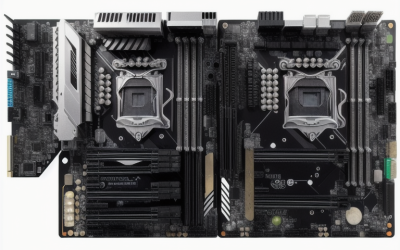
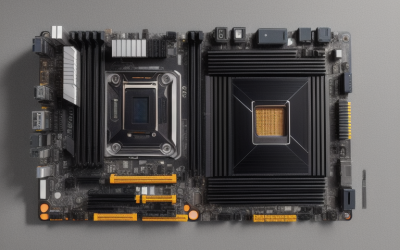
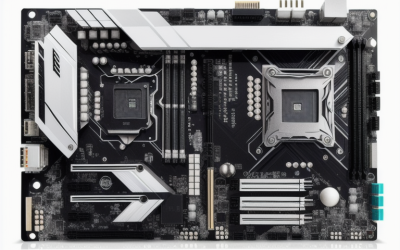
- Top Pick: MACHINIST Dual CPU Motherboard X99-D8-MAX Intel LGA 2011-3, E-ATX Server | Support Intel XEON E5 V3/V4, Core i7 5th/6th Gen Processors, PCIe 3.0, DDR4 Max 256GB, TPM 2.0, Dual LAN, M.2, SATA 6Gb/s
- Best Value: MACHINIST X99 Motherboard LGA 2011-3 for Intel Xeon E5 V3 V4 and Core i7 5-6th Series CPUs (M-ATX, DDR4 Max 128GB, NVME M.2, PCIe 3.0, WiFi M.2, Gigabit Network, SATA 3.0, USB 3.0), X99 V9S Mainboard
- Premium Choice: SHANGZHAOYUAN X99 Dual CPU Motherboard LGA 2011-3 Server Motherboard for Intel i7 5th/6th Gen Xeon E5 V3/V4 Series (E-ATX, 8*DDR4 ECC Max 256G, 2*NVME M.2, 2*Gb LAN, SATA 3.0, PCIe 3.0)
The X99 chipset launched alongside Intel’s LGA 2011-3 socket and never really went away. A big reason is the Xeon E5 v3 and v4 family: chips with many cores that work in X99 boards and show up on the used market in volume. That has kept a small ecosystem of newly made X99 boards alive, mostly aimed at people building a workstation, a home server, or a render box around a high-core-count Xeon. If that is you, the buying decision is about socket, memory capacity, form factor, and M.2 support rather than flashy gaming features.
This guide is for upgraders reusing an existing LGA 2011-3 processor, hobbyists building a multi-core machine for virtual machines or video encoding, and anyone who wants DDR4 and NVMe storage on an older platform. Nine X99 boards from the 2026 listings are compared using only their titles. One listing in the same search, an ASRock X299 board, was left out because X299 is a different socket and will not take X99 processors.
Quick Picks
As an Amazon Associate we earn from qualifying purchases at no extra cost to you.


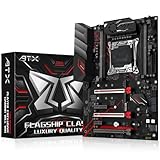


| Product | Best for | Key spec from the title |
|---|---|---|
| MACHINIST X99-D8-MAX | Dual-Xeon workstations | Dual LGA 2011-3, E-ATX, DDR4 up to 256GB, TPM 2.0 |
| MACHINIST X99 V9S | Compact single-CPU builds | M-ATX, DDR4 up to 128GB, M.2 WiFi slot, NVMe M.2 |
| SHANGZHAOYUAN X99 Dual CPU | Memory-hungry dual builds | E-ATX, 8 DDR4 ECC slots up to 256G, 2 NVMe M.2, 2 LAN |
| SHANGZHAOYUAN X99 PR9-H White | White-themed compact builds | Micro ATX, DDR4 up to 128GB, M.2, Gigabit LAN |
| MACHINIST X99 PR9-H | Plain micro-ATX Xeon build | Micro ATX, DDR4 up to 128GB, M.2, Gigabit LAN |
| MACHINIST X99 MR9A PRO MAX | Full-size ATX with two M.2 slots | ATX, Dual M.2, TPM 2.0, SATA 6Gb/s |
| SHANGZHAOYUAN X99 MD8 | Dual-CPU E-ATX with fast storage | Dual CPU, DDR4 up to 256GB, NVMe/NGFF M.2, USB 3.0 |
| SHANGZHAOYUAN X99 B9 | Single-CPU M-ATX with USB 3.0 | DDR4 up to 128GB, NVMe/NGFF M.2, SATA 3.0 |
| ASUS X99-A II | Buyers who want a mainstream brand | LGA2011-v3, ATX, 5-Way Optimization, SafeSlot |
How to Choose
Confirm the socket and processor family
X99 boards use the LGA 2011-3 socket, also written LGA2011-v3. Do not confuse it with the older LGA 2011 or with LGA 2066, which belongs to X299. Titles that list Xeon E5 v3/v4 and Core i7 5th and 6th generation tell you which chips are meant to work. Match the board to the exact processor you own or plan to buy, and read the supported-CPU list on the manufacturer’s page for the model. Some chips need a specific BIOS version, which a seller may or may not have already installed.
Pick the form factor before the features
Micro-ATX boards fit small cases and offer fewer slots. ATX is the standard desktop size. E-ATX is wider and needs a case that states E-ATX support. Dual-CPU boards usually come in E-ATX, so measure your case before ordering. A mismatch here is the most common reason a board cannot be installed. Also check the number of case standoffs, the power supply connectors, and whether a dual-CPU board needs two 8-pin CPU power leads.
Memory type and capacity
X99 uses DDR4. Titles list a maximum of 128GB on smaller boards and 256GB on dual-CPU designs. Xeon builds often use ECC registered memory, which one title lists explicitly; consumer Core i7 chips need ordinary non-ECC modules. Do not mix them casually. If the title does not say whether ECC is supported, check the product page before buying memory. Eight slots on a dual-socket board usually mean four per CPU, so populate them evenly.
Storage, networking, and where budget boards cut corners
Look for NVMe M.2 slots, SATA 6Gb/s ports, and Gigabit LAN. Some listings mention TPM 2.0 headers or a WiFi M.2 slot. Newer boards from small brands may skip audio polish, extra USB headers, or a long software track record. Ignore marketing words like “server” or “gaming” and read the port and slot lists. A graphics card and a cooler will also need to fit the case alongside the board. Update the BIOS carefully if the manufacturer provides one.
The 9 Best Options
MACHINIST X99-D8-MAX
This dual-CPU E-ATX board uses LGA 2011-3 with Xeon E5 v3/v4 and Core i7 5th and 6th generation support. The title lists PCIe 3.0, up to 256GB of DDR4, TPM 2.0, dual LAN, M.2, and SATA 6Gb/s. It is the most feature-dense dual-socket entry here, aimed at people who plan to run virtual machines or batch rendering across many cores.
- Strength: two CPU sockets and 256GB memory headroom for heavy parallel work.
- Strength: dual LAN and TPM 2.0 are listed.
- Trade-off: E-ATX size demands a case that supports it.
Skip it if you only own one Xeon or have a standard ATX case.
MACHINIST X99 V9S
An M-ATX board with DDR4 up to 128GB, NVMe M.2, PCIe 3.0, a WiFi M.2 slot, Gigabit network, SATA 3.0, and USB 3.0. The WiFi M.2 slot is unusual for this platform and frees a PCIe slot for other cards, which matters on a small board.
- Strength: compact size with a WiFi M.2 slot.
- Strength: NVMe M.2 storage support is listed.
- Trade-off: 128GB maximum and fewer expansion slots than ATX.
Skip it if you plan to install several large add-in cards, such as a capture card next to a graphics card and a storage controller.
SHANGZHAOYUAN X99 Dual CPU
An E-ATX dual-CPU board with eight DDR4 ECC slots up to 256G, two NVMe M.2 slots, two Gigabit LAN ports, SATA 3.0, and PCIe 3.0. Memory-heavy jobs such as databases, many small virtual machines, or large scene files are the reason to look at a board with this many slots.
- Strength: eight memory slots and ECC support are named directly.
- Strength: two M.2 slots and two LAN ports.
- Trade-off: it needs a roomy case and a pair of compatible processors.
Skip it if you want a single-CPU desktop build.
SHANGZHAOYUAN X99 PR9-H White
A micro-ATX LGA 2011-3 board in white with DDR4 up to 128GB, PCIe 3.0, M.2, and Gigabit LAN. Builders who care about a color-matched interior will notice it first, since white boards are rare on this platform.
- Strength: the white finish suits a light-themed build.
- Strength: micro-ATX fits compact cases.
- Trade-off: specs are basic and the listing is brief.
Skip it if you want dual M.2 or WiFi on board. It is a bare-bones route into an LGA 2011-3 build for someone who already owns the processor.
MACHINIST X99 PR9-H
This LGA 2011-3 micro-ATX board lists DDR4 up to 128GB, PCIe 3.0, M.2, and Gigabit LAN, and supports Xeon E5 v3 and v4. It shares its model name with the white SHANGZHAOYUAN board above, so the choice comes down to color and which brand listing you prefer.
- Strength: straightforward single-CPU layout.
- Strength: fits compact cases.
- Trade-off: the title describes it as a PC server board with minimal extras.
Skip it if you want extra storage slots. Treat it as the no-extras option for a first Xeon build in a small case.
MACHINIST X99 MR9A PRO MAX
An ATX LGA 2011-V3 DDR4 board for Xeon E5 v3/v4 and Core i7 5th/6th generation, with PCIe 3.0, dual M.2, SATA 6Gb/s, TPM 2.0, and Gigabit Ethernet. It is the natural choice for a single-CPU tower in a regular mid-tower case, where E-ATX is not an option.
- Strength: standard ATX size works in common cases.
- Strength: dual M.2 slots for NVMe storage.
- Trade-off: the memory maximum is not stated in the title.
Skip it if you need to confirm memory capacity before buying.
SHANGZHAOYUAN X99 MD8
A dual-CPU E-ATX board for LGA 2011-V3 with DDR4 up to 256GB, PCIe 3.0, NVMe and NGFF M.2, SATA 6Gbps, USB 3.0, and Gigabit LAN. It reads as the more storage-flexible of the two SHANGZHAOYUAN dual-socket boards, thanks to its explicit NGFF mention.
- Strength: dual CPU with 256GB headroom.
- Strength: both NVMe and NGFF M.2 are listed.
- Trade-off: large board with limited LAN listed.
Skip it if your case is not E-ATX capable. Before ordering, line up the rear I/O area, drive cages, and radiator mounts against the board size.
SHANGZHAOYUAN X99 B9
An M-ATX LGA 2011-3 board with DDR4 up to 128GB, PCIe 3.0, NVMe and NGFF M.2, Gigabit LAN, SATA 3.0, and USB 3.0. It is a plain, space-saving board for a single-Xeon build where the case dictates the size.
- Strength: compact with listed NVMe support.
- Strength: USB 3.0 and SATA are both listed.
- Trade-off: 128GB maximum.
Skip it if you want a larger board with more slots. It is a simple pick when the goal is a quiet, single-processor machine with modern storage.
ASUS X99-A II
The ASUS X99-A II is an LGA2011-v3 ATX board with 5-Way Optimization and SafeSlot. The title gives few other specs, so check the full page for details. Buyers who prefer a name with longer BIOS and support history may lean toward it despite the thin listing.
- Strength: it comes from a mainstream board brand.
- Strength: ATX size with SafeSlot reinforcement.
- Trade-off: the title does not list memory or storage details.
Skip it if you need dual CPU sockets or a spec list you can verify from the title.
Which One Fits Your Situation
You are building a dual-Xeon workstation
The MACHINIST X99-D8-MAX and the SHANGZHAOYUAN X99 MD8 both list 256GB maximum memory and dual CPU sockets. The SHANGZHAOYUAN X99 Dual CPU adds named ECC memory slots.
You want a compact single-CPU build
Choose between the MACHINIST X99 V9S and the SHANGZHAOYUAN X99 B9 for micro-ATX with NVMe support. The V9S adds the WiFi M.2 slot, while the B9 keeps things plain. The two PR9-H boards fit the same role.
You want a standard ATX board with two M.2 slots
The MACHINIST X99 MR9A PRO MAX is the fit, with dual M.2 and TPM 2.0 on a board that fits ordinary ATX cases. Confirm its memory limit on the full page first.
You want a mainstream brand
The ASUS X99-A II is the recognizable name, though its title is sparse. It suits someone with an existing Core i7 or Xeon who wants a conventional board and is willing to read the manufacturer’s page for the rest.
Common Mistakes
- Buying an X299 board for an LGA 2011-3 processor.
- Ordering an E-ATX board without checking case support.
- Mixing ECC and non-ECC memory without confirming support.
- Assuming every X99 board offers the same M.2 and NVMe features.
- Skipping the CPU compatibility list for a Xeon E5 v3 or v4 chip.
Related guides
- Aio Liquid Coolers For High Performance Gaming
- How To Lower Input Delay In Competitive Shooters
- Wireless Gaming Headsets Under 100 For Pc
Frequently Asked Questions
Is X99 still usable today?
For workstation or server tasks, yes, especially with a many-core Xeon. It lacks newer standards like PCIe 4.0 and DDR5, but for virtual machines and encoding the core count of an older Xeon still counts for more.
Can I use any Xeon on an X99 board?
No. Only chips for LGA 2011-3 work, and the board must list that family. Check the compatibility page.
Do I need ECC memory?
Not for a desktop build. ECC matters for servers and long-running workloads, where a single flipped bit could corrupt a result, and it only works when both the board and the processor support it.
Why do some boards list NVMe and NGFF M.2?
NGFF is the older name for the M.2 form factor, while NVMe is a storage protocol that runs over it. Some M.2 slots take only SATA drives, so check what the board supports before buying a drive.