

- Top Pick: Samsung 32" Odyssey (G55C) Series QHD 1000R Curved Gaming Monitor,
- Best Value: Sceptre New 22-Inch Gaming Monitor, FHD 1080p, Up to 144Hz, HDMI, DisplayPort, Built-in Speakers, Machine Black (E225W-FW144 Series, 2026)
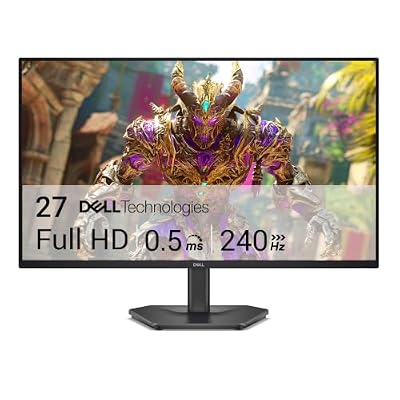
- Premium Choice: Dell 27 240Hz Gaming Monitor – SE2726HG – 27-inch FHD (1920×1080) Display, in-Plane Switching (IPS) Technology, AMD FreeSync Premium, TÜV 3-Star, 2X HDMI, DisplayPort 1.4, Tilt
HDMI 2.1 matters for one reason: it’s the only way to get 4K at 120Hz, or variable refresh rate, out of a PS5 or Xbox Series X. If you’re building a PC-only setup, DisplayPort 1.4 already covers most of what you need and you can stop reading. But if a console shares your desk, the HDMI port spec on your monitor determines whether you actually get the performance those boxes are capable of.
The catch is that “HDMI 2.1” on a spec sheet doesn’t guarantee much. Manufacturers have been loose with the label since 2020, slapping it on ports that only support a fraction of the full bandwidth. Here’s what to actually check before buying.
As an Amazon Associate we earn from qualifying purchases at no extra cost to you.




Why the bandwidth number actually matters
Full HDMI 2.1 supports up to 48Gbps. That’s what lets you push 4K at 120Hz with 10-bit color and no compression, or 1440p at 240Hz+. But a lot of “HDMI 2.1” monitors ship with controllers that cap out around 40Gbps or even less, which is usually fine, since 4K120 with chroma subsampling still fits in less bandwidth than true 4:4:4. The real problem is budget monitors that advertise HDMI 2.1 but only support 4K at 60Hz or 1440p at 144Hz over that port, with the higher refresh rates only reachable through DisplayPort. If your PS5 is the thing driving 120Hz, that distinction will bite you.
Always check the actual resolution/refresh combination the HDMI port supports, not just the version number. It’s usually buried in the spec sheet under “HDMI timing” or similar, and if it’s not listed clearly, that’s a red flag.
VRR, ALLM, and why console compatibility isn’t automatic
Variable refresh rate over HDMI 2.1 should eliminate screen tearing on console, the same way G-Sync or FreeSync does on PC. In practice, PS5 VRR support rolled out gradually and some early “HDMI 2.1” monitors needed firmware updates to work properly with it, and a few never got fixed. Xbox VRR has generally been more consistent. ALLM (Auto Low Latency Mode) is the other feature worth confirming, it’s what lets the console automatically switch the display into low-latency game mode without you digging through menus. Most mid-range and higher monitors released since 2022 handle both fine, but it’s still worth checking recent owner reviews rather than assuming.
Panel type still matters more than the HDMI spec
None of this HDMI talk matters if the panel itself is mediocre. For console gaming specifically:
VA panels give you the best contrast and deepest blacks, which matters a lot for the kind of cinematic, dark-scene games consoles are often used for. The trade-off is slower response times and noticeable black smearing in fast motion, a VA panel in a racing game or fast shooter will show trailing behind dark objects moving against light backgrounds.
IPS panels respond faster and have better color consistency off-angle, which matters if more than one person is on the couch. Contrast is weaker, blacks look more like dark gray in a dim room.
OLED, now common in 42-48 inch “TV-monitor” hybrids, gives you near-instant pixel response and perfect blacks. The downsides are real: burn-in risk with static HUD elements over thousands of hours, lower peak brightness in bright rooms, and higher prices. For a primary console display used for mixed content, OLED is genuinely the best image quality available right now, but it’s not a casual upgrade financially.
| Panel | Response Time | Contrast | Best For | Watch Out For |
|---|---|---|---|---|
| VA | Medium | Excellent | Story-driven, dark-scene games | Black smearing in fast motion |
| IPS | Fast | Average | Competitive, multiplayer, couch co-op | Weaker blacks, some glow |
| OLED | Instant | Best available | Mixed-use, cinematic and fast games | Burn-in risk, cost, brightness in daylight |
Size and viewing distance for console use
A lot of buyers moving from a TV to a “gaming monitor” undersize their purchase out of habit. If you’re sitting more than four feet back, as most people do with a console, 27-inch 4K monitors look dense but not dramatically different from a 42-inch OLED at the same distance in terms of perceived detail. The bigger panels in the 42-48 inch range are increasingly the better buy for console-first setups, since they double as a TV and the HDMI 2.1 implementation on these tends to be more complete, since the controllers originated in the TV side of these companies’ product lines.
If desk space is fixed and you’re sitting 24-30 inches away, stick with 27 to 32 inch panels. Anything larger at that distance means constant head movement to track action at the edges of the screen.
What to actually buy
For a PC-primary setup where a console is secondary, a mid-range 27-inch 4K 144Hz monitor with a confirmed full-bandwidth HDMI 2.1 port covers both uses without compromise. You don’t need to spend up for OLED if you’re mostly in competitive shooters, where IPS response time matters more than contrast.
For a console-primary living room or desk setup where image quality is the priority, a 42-inch OLED gaming monitor is the honest upgrade path, just budget for it accordingly and avoid leaving static UI elements on screen for extended periods.
If you’re on a tighter budget and mainly play at 1440p, don’t feel pressured into 4K just to get the HDMI 2.1 label. A well-reviewed 1440p high-refresh monitor with VRR support will look and feel better day to day than a 4K panel that’s secretly bandwidth-limited to 60Hz over HDMI.
Whatever you pick, confirm the HDMI port’s actual supported resolution and refresh combination before buying, not after. Return windows exist for exactly this reason.














