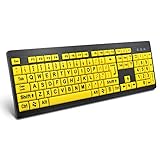
- Top Pick: Logitech K270 Full Size Wireless Keyboard for Windows – Black | Full-size keyboard with number pad, 8 multimedia keys, includes USB-A receiver, 2-year battery, compatible with PC, laptop
- Best Value: Wireless Keyboard and Mouse Combo, Full-Size Silent Ergonomic Keyboard and Optical Mouse, Long Battery Life, 2.4GHz Lag-Free Cordless Mice Keyboard for Computer, Mac, Laptop, PC, Windows
- Premium Choice: Wireless Keyboard And Mouse Combo, 2.4G Ergonomic Wave Keys(Black) | Full Size Wave Keyboard with Wrist Rest, 3-Level DPI Adjustable Ergonomic Mouse for Windows and Mac OS Desktop/Laptop/PC
A desktop PC does not need a wireless keyboard in the way a laptop needs a carrying case, so the decision is usually about the desk rather than the machine. You may want to sit back from a big monitor, type from a couch with the PC connected to a TV, clear cable clutter, or park a keyboard in a drawer when it is not needed. Each reason points to a different product: a number-pad full-size model for spreadsheets, a combo with a mouse for a fresh setup, a touchpad board for the living room, or a Bluetooth-only design that leaves every USB port free.
This guide ranks nine wireless keyboards and keyboard-and-mouse sets by the facts written in their titles. One wired Redragon gaming keyboard from the original product set was left out because it is not wireless. What remains runs from a plain Logitech full-size board with a long battery listing to RGB models with phone holders. Treat this as a 2026 shortlist: connection type, layout and battery behavior decide daily comfort far more than a long list of lighting modes.
Quick Picks
As an Amazon Associate we earn from qualifying purchases at no extra cost to you.

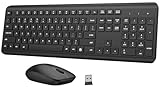


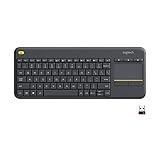


| Product | Best for | Key spec from the title |
|---|---|---|
| Logitech K270 | Plain, dependable typing | Full size, number pad, 8 multimedia keys, 2-year battery |
| Silent Ergonomic Combo (generic) | Quiet full-size setup | Silent keys, optical mouse, 2.4GHz |
| Wave Keys Ergonomic Combo (generic) | Wrist comfort | Wave keyboard with wrist rest, 3-level DPI mouse |
| Soueto RGB Keyboard | Backlit typing with device holder | 2.4G rechargeable, 7-color RGB, phone and tablet holder |
| Logitech MK270 | Starter keyboard and mouse pair | Spill-resistant, single USB-A Nano receiver |
| Logitech K400 Plus | Couch and TV control | Built-in touchpad, HTPC use |
| Silent Avocado Green Combo (generic) | Colorful, quiet office desk | Silent cordless keyboard, tilt legs, quiet mouse |
| Redragon S101M-KS | Gaming-style wireless pair | Tri-mode, RGB, 4800 DPI mouse, 10 multimedia keys |
| Logitech K250 | Bluetooth-only, no receiver | Bluetooth, full number pad, spill-resistant |
How to Choose
Decide between a receiver and Bluetooth
A 2.4GHz USB receiver, as on the K270, MK270 and the generic combos, connects with no pairing steps and works from a PC’s BIOS screen. Bluetooth, as on the K250, frees a USB port and pairs with tablets, but needs a Bluetooth adapter on older desktops. If your PC lacks Bluetooth, a receiver-based model is the simpler path. The Redragon lists tri-mode, which gives you more than one way to connect. Whichever you pick, keep the receiver within a few feet of the keyboard if your PC sits under the desk, because a receiver behind a metal case can weaken the link.
Pick the layout you actually use
Full-size boards with a number pad suit finance, data entry and gaming. Compact layouts free up desk space but drop keys. Check for multimedia keys if you control music or video, as the K270 and Redragon titles mention. For a TV-connected PC, a touchpad board like the K400 Plus replaces a mouse entirely. None of these is a tenkeyless board, so expect a wider keyboard that takes more desk space than a compact one.
Check battery and charging behavior
The Logitech K270 lists a 2-year battery, which signals low-power design with replaceable cells. Rechargeable boards like the Soueto trade that for lighting and need periodic charging. Backlit keyboards drain faster, so turn lighting down if runtime matters. Avoid any model that offers no power switch, since a keyboard left on in a bag can flatten its cells.
Know what budget models skip
Generic combos usually leave out software, backlight control and a stated range. They often include a wrist rest or silent keys instead. Spill resistance appears on the Logitech models and is a useful safeguard near a coffee cup. Ignore claims of lag-free or ultra-fast typing without a stated polling rate, and look for a stated receiver type or a Bluetooth version. Key feel also varies: deep-profile or membrane keys, the usual choice at this level, are quiet but soft, while mechanical boards are louder and rarely come in wireless office sets.
The 9 Best Options
Logitech K270
A full-size wireless keyboard with a number pad, eight multimedia keys, a USB-A receiver and a 2-year battery listing, for Windows PCs and laptops. It is a familiar office board with no fuss, the sort of keyboard that suits a home-finance desk or a family computer where nobody wants to learn software or manage charging cables.
- Strength: number pad and multimedia keys in a standard layout.
- Strength: the 2-year battery listing means few swaps.
- Trade-off: the title says for Windows and mentions no backlight.
Skip it if you use a Mac as your main system or want lit keys for dark rooms.
Silent Ergonomic Keyboard and Mouse Combo
This unbranded set pairs a full-size silent ergonomic keyboard with an optical mouse, a long battery life and a lag-free 2.4GHz link, for Mac, Windows and laptops. It is aimed at someone setting up a first wireless desk and wanting both devices in a single box, with quiet keys that will not disturb anyone nearby during a late call.
- Strength: silent keys suit shared rooms and late sessions.
- Strength: a keyboard and mouse arrive together and cover Mac and Windows.
- Trade-off: no brand name appears, so warranty and support are unclear.
Skip it if you want a recognized brand with a documented support page.
Wave Keys Ergonomic Combo
This 2.4G set lists a full-size wave keyboard with a wrist rest, plus a 3-level DPI ergonomic mouse, for Windows and Mac desktops and laptops. The curved key layout and built-in wrist support are aimed at long typing days, and the mouse offers three DPI steps for different monitors, though the title does not state the actual figures.
- Strength: a wrist rest is included in the set.
- Strength: three DPI levels on the mouse for quick speed changes.
- Trade-off: this generic listing gives no battery figure or brand details.
Skip it if you prefer a flat keyboard or a very compact layout.
Soueto RGB Wireless Keyboard
The Soueto lists a 2.4G rechargeable gaming-style keyboard with a 7-color RGB backlight, a phone holder, a tablet holder, quiet typing and a full-size layout. It suits desks that include a phone or tablet, since the holder keeps a screen at eye level while you type, and the lighting helps in a dim room.
- Strength: the built-in holder keeps a phone or tablet in view.
- Strength: backlit keys help in low light.
- Trade-off: rechargeable and lit, so charging becomes a recurring task.
Skip it if you want a plain, no-light keyboard with replaceable batteries.
Logitech MK270
A full-size keyboard and compact ambidextrous mouse pair, with a spill-resistant design and a single USB-A Nano receiver for both devices. The off-white finish is a change from the usual black, and one receiver means only one USB port is taken, which is a real advantage on a crowded PC front panel.
- Strength: one receiver connects both the keyboard and the mouse.
- Strength: a spill-resistant design copes with desk accidents.
- Trade-off: the mouse is compact, which may feel small in a large hand.
Skip it if you need a full-size mouse or a backlit keyboard.
Logitech K400 Plus
A wireless touch keyboard for PC-connected TVs, with a built-in touchpad, easy media control and compatibility with Windows, Android, Chrome OS, laptops and tablets. It targets HTPC setups, where one small board replaces both a keyboard and a mouse and can be used from a sofa without a desk.
- Strength: the touchpad removes the need for a separate mouse.
- Strength: broad system compatibility is listed in the title.
- Trade-off: the compact shape is not built for long typing sessions at a desk.
Skip it if you plan to type for hours or want a number pad.
Silent Avocado Green Combo
A generic 2.4G set with a silent full-size keyboard, tilt legs and a quiet mouse with 3-level DPI, offered in Avocado Green. It is a color-led option for an office or home desk, and the tilt legs let you adjust the typing angle to match your chair and desk height.
- Strength: silent keys and quiet mouse clicks.
- Strength: tilt legs adjust the typing angle.
- Trade-off: no brand or battery details appear in the title.
Skip it if you want a neutral black desk or a branded product.
Redragon S101M-KS
A wireless gaming keyboard and mouse pair with tri-mode connectivity, RGB lighting, a 4800 DPI mouse and 10 independent multimedia keys. It is the most gaming-oriented set here, and the dedicated media keys make it handy for anyone who skips tracks and adjusts volume without leaving a game.
- Strength: tri-mode connection options for flexibility.
- Strength: ten dedicated multimedia keys.
- Trade-off: RGB lighting normally shortens battery runtime.
Skip it if you want a quiet, understated office look.
Logitech K250
A compact Bluetooth keyboard with a full number pad, deep-profile keys, a spill-resistant build and Windows and Mac support. It has no USB receiver, so it connects only over Bluetooth, which keeps every USB port free and suits a desktop that already has a Bluetooth adapter or a laptop docked at a desk.
- Strength: no receiver keeps USB ports free.
- Strength: spill-resistant with a full number pad.
- Trade-off: your PC needs Bluetooth, since no dongle is included.
Skip it if your PC lacks Bluetooth and you would rather not add an adapter.
Which One Fits Your Situation
You want a dependable office keyboard
The Logitech K270 offers a number pad and a long battery listing in a standard layout. If you also need a mouse, the Logitech MK270 adds one on the same receiver.
You are connecting a PC to a TV
The Logitech K400 Plus has a built-in touchpad and is made for couch use. It lists Windows, Android and Chrome OS compatibility, so it also works with several streaming boxes and tablets.
You need a quiet keyboard for a shared space
The generic silent combos, including the Avocado Green set, list quiet keys and mice. The Wave Keys set adds a wrist rest if you spend long hours typing.
You want to keep a USB port free
The Logitech K250 uses Bluetooth only, so no receiver is needed. Check that your PC has a Bluetooth adapter first, or the board will not pair.
Common Mistakes
- Forgetting whether the PC has Bluetooth before buying a Bluetooth-only keyboard.
- Choosing RGB models and then complaining about battery life.
- Assuming every wireless keyboard works with a Mac.
- Skipping the power switch and flattening the battery in a bag.
- Buying a TV keyboard for a typing desk.
Related guides
- Aio Liquid Coolers For High Performance Gaming
- How To Lower Input Delay In Competitive Shooters
- Wireless Gaming Headsets Under 100 For Pc
Frequently Asked Questions
Is a wireless keyboard laggy for gaming?
A 2.4GHz receiver connection is generally fine for casual play. For competitive games, a wired board or a dedicated gaming model is safer.
Do wireless keyboards work in the BIOS?
Receiver-based models usually do, since they present as a standard USB device. Bluetooth models may not work before the OS loads.
How long do the batteries last?
The K270 lists a 2-year battery, while rechargeable RGB boards need charging every so often. Lighting shortens runtime, so a backlit board such as the Soueto is best used with the lights dimmed or off during the day.
Can one receiver run both keyboard and mouse?
Yes, on combos like the MK270 a single Nano receiver connects both devices.