A wired mouse removes battery worries and charging breaks, but the cable only stays out of the way if the shell actually fits your hand. On a full-size mouse, small hands reach forward for the main buttons, the palm never settles, and every swipe starts with a stretch. The real decision here is pairing a short shell, roughly 121 mm long or less, with a flexible cable that does not drag that light body off line during fast movements.


This guide is for small-handed players who use claw, fingertip, or a compact palm grip and want a wired connection. Every pick below was chosen from the names and specifications shown on its Amazon listing, keeping only models whose listing states a wired connection and dimensions at or under that length.
Quick Picks
As an Amazon Associate we earn from qualifying purchases
| Product | Best for | Key spec from title |
|---|---|---|
| Razer Viper Mini | Fingertip and claw players who want an ambidextrous shell | 61g ultralight design |
| Razer DeathAdder V2 Mini | Palm and relaxed claw players who want a right-handed ergonomic shape | 62g lightweight design |
| Glorious Model O- (Minus) | Players who want the lightest shell in this group | 58g superlight honeycomb design |
| Logitech G203 LIGHTSYNC | Players who want on-board memory in a compact wired shell | 8,000 DPI |
How to Choose
Shell Length and Grip Style
Start with length, because length decides where your fingers land. The shells here run from 4.5 inches on the Razer DeathAdder V2 Mini to 4.72 inches on the Glorious Model O-, and that small spread changes grip comfort a lot. Fingertip players usually prefer the shortest, flattest shells, claw players want a defined rear hump to brace against, and palm players need enough height under the hand. Check the listed width too: a short but wide shell can still force a stretched grip, so compare both figures against your current mouse before ordering.
Cable Type and Drag
A wired mouse lives or dies by its cable, especially when the shell weighs very little. Flexible braided designs such as the Razer Speedflex Cable named on both Razer listings are built to bend easily and produce minimal drag, which matters when a light mouse can be pulled slightly by a stiff cord. Think about your desk layout as well. A cable exiting toward a monitor stand or a crowded desk edge will snag more often, so leave a clear, straight run in front of the mouse and consider how much slack your setup allows before you choose.
Weight and Shell Construction
Weight changes how a small mouse feels during repeated flicks and stops. The lightest model here, the Glorious Model O-, is listed at 58g with a honeycomb design, while the Razer Viper Mini is listed at 61g and the DeathAdder V2 Mini at 62g, both without a perforated shell in their titles. Lighter shells reduce the effort of starting and stopping movement, which suits fingertip control, while a slightly heavier solid shell can feel calmer for palm grip. Decide which trade-off you prefer, and check whether an open honeycomb top suits your grip and your desk environment.
Sensor, Buttons, and Memory
Headline sensitivity figures differ across this group, from 8,000 DPI on the Logitech G203 to the Pixart 3360 sensor named on the Glorious Model O-, but the number alone does not decide tracking quality for everyday play. Look instead at the full package on the listing: how many programmable buttons you get, whether settings can be stored on the mouse itself, as with the on-board memory named on the G203, and whether the lighting system matches your setup. Six programmable buttons appear on both Razer models and the G203, giving enough inputs for most game profiles without crowding a small shell.
The 4 Best Options
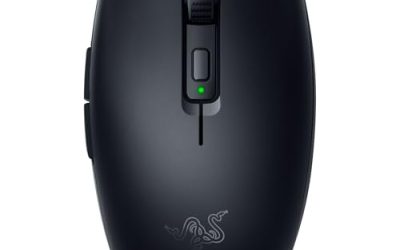
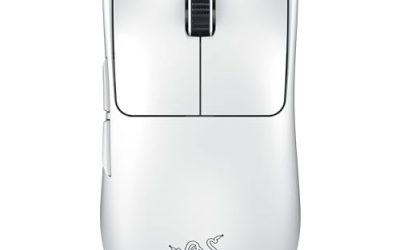
Razer Viper Mini
The Viper Mini suits small-handed claw and fingertip players who want a symmetrical shell they can move with their fingers rather than their whole arm. Its listing describes an ultralight 61g ambidextrous design, so neither hand is forced into a sculpted right-handed curve, and the short 11.9 cm length keeps the main buttons within easy reach. The Speedflex Cable named in the title addresses the main worry with a mouse this light, cable pull, while the optical sensor and Chroma RGB Illumination round out a specification aimed squarely at fast, low-sensitivity aiming in competitive games.
Specs
- Connection: Wired, Connectivity Technology USB
- Weight: 61g ultralight design, Item Weight 2.15 ounces
- Dimensions: 11.9L x 6.1W centimetres
- Sensor: 8,500 DPI Optical Sensor
- Cable: Razer Speedflex Cable
- Shape: Ambidextrous
- Buttons: 6
- Lighting: Chroma RGB Illumination
- Model Number: RZ01-03250100-R3M1
Best for: Fingertip and claw players with small hands who want a symmetrical wired shell.
Watch out for: Confirm the ambidextrous shape suits you, because the flat sides give less palm support than an ergonomic shell.
ASIN: B084W6W9WB
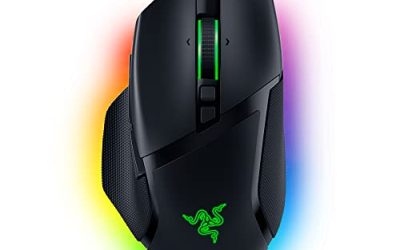
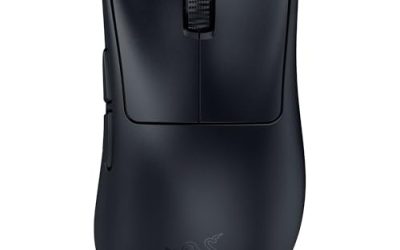
Razer DeathAdder V2 Mini
Choose this model if your small hand still prefers a shaped, right-handed shell over a symmetrical one. The listing pairs a 62g lightweight design with the contoured DeathAdder form scaled down to 2.57 x 4.5 x 1.52 inches, so palm and relaxed claw players get support under the hand without the stretch of the full-size version. Six programmable buttons cover the usual game inputs, Chroma RGB Lighting handles the visuals, and the included anti-slip grip tape is a practical touch for players whose grip shifts during long sessions or in warm rooms.
Specs
- Connection: Wired – Razer Speedflex Cable
- Weight: 62g lightweight design
- Dimensions: 2.57 x 4.5 x 1.52 inches
- Sensor: 8500 DPI Optical Sensor
- Buttons: 6 Programmable Buttons
- Lighting: Chroma RGB Lighting
- Included: Anti-Slip Grip Tape Included
- Colour: Classic Black
Best for: Palm and relaxed claw players who want an ergonomic right-handed shell in a mini size.
Watch out for: Check the right-handed shape works for you before ordering, since there is no left-handed option in this listing.
ASIN: B08B3K9K6P
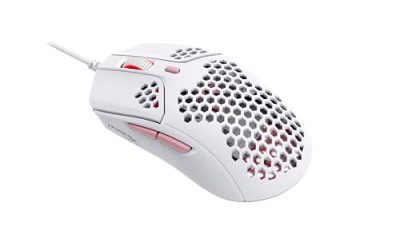
Glorious Model O- (Minus)
The Model O- is the pick for players who put the lowest possible weight first. Its title lists a 58g superlight honeycomb design, the lightest figure in this group, on a compact ambidextrous shell measuring 4.72 x 2.48 x 0.1 inches as listed. The Pixart 3360 sensor and Omron switches named in the title cover tracking and clicks, and the perforated top keeps the design focused on fast fingertip and claw movement. If you play low-sensitivity shooters with frequent lifts and resets, this is the specification built around that style of play.
Specs
- Connection: Compact Wired Gaming Mouse, Power Source USB
- Weight: 58g superlight design, Item Weight 2.05 ounces
- Dimensions: 4.72 x 2.48 x 0.1 inches
- Sensor: Pixart 3360 Sensor
- Switches: Omron Switches
- Design: Honeycomb Design, RGB
- Shape: Ambidextrous
- Finish: Matte Black
- Model Number: GOM-BLACK
Best for: Weight-focused fingertip and claw players who want the lightest wired shell here.
Watch out for: Decide whether the open honeycomb shell suits you, since the perforated top feels different from a solid shell and lets dust reach the inside.
ASIN: B07VMM5LKH
Logitech G203 LIGHTSYNC

The G203 fits small-handed players who want a straightforward wired mouse with settings that travel with the hardware. Its title lists 8,000 DPI, LIGHTSYNC RGB with a rainbow optical effect, six programmable buttons, and on-board memory with screen mapping, so a configured profile does not depend entirely on keeping software open. The listed dimensions of 1.5 x 2.45 x 4.59 inches keep it in the same compact class as the Razer models, and PC and Mac compatibility, as stated in the title, makes it the easiest pick here for a mixed-device desk.
Specs
- Connection: Wired Gaming Mouse, Power Source Corded Electric
- Sensor: 8,000 DPI
- Buttons: 6 Programmable Buttons
- Memory: On-Board Memory, Screen Mapping
- Lighting: Rainbow Optical Effect LIGHTSYNC RGB
- Dimensions: 1.5 x 2.45 x 4.59 inches
- Compatibility: PC/Mac Computer and Laptop Compatible
- Colour: Black
- Model Number: 910-005790
Best for: Players who want on-board memory and broad PC and Mac compatibility in a compact shell.
Watch out for: Check the listed dimensions against your current mouse, because the G203 shape is compact in length but has its own distinct height and width.
ASIN: B07YN82X3B
Which One Fits Your Situation
You Play Fingertip Grip in Fast Shooters
Pick the Razer Viper Mini or the Glorious Model O-. Both are ambidextrous, wired, and built around low weight, 61g for the Viper Mini and 58g for the Model O-, so finger-led aiming stays easy to start and stop. Choose the Viper Mini for a solid shell, and the Model O- if the honeycomb design and the lowest weight matter more to you.
You Palm Grip but Have Small Hands
Pick the Razer DeathAdder V2 Mini. It is the only ergonomic right-handed shell in this group, and its 4.5 inch length keeps that shaped support in a size small hands can actually cover. The included grip tape also helps a palm grip stay planted. The other three models use flatter, ambidextrous shapes that give a palm player less to rest on.
You Switch Between a PC and a Laptop
Pick the Logitech G203 LIGHTSYNC. Its title states PC and Mac computer and laptop compatibility, and the on-board memory named in the title means your settings are stored on the mouse itself when you move between machines. The wired connection also avoids pairing steps each time you change computers, which keeps a two-device desk simple to manage day to day.
You Want the Lightest Possible Setup
Pick the Glorious Model O-. At 58g in its listing title, it undercuts the 61g Viper Mini and the 62g DeathAdder V2 Mini, and its honeycomb construction is the reason that figure is possible. Pair that low weight with a clear cable run so the cord does not undo the benefit, and fingertip corrections stay as light as the specification suggests.
Common Mistakes
- Buying by DPI alone and ignoring shell length, when fit decides comfort long before the sensitivity ceiling matters.
- Choosing a symmetrical shell for a palm grip, or an ergonomic shell for fingertip play, without checking the shape description on the listing.
- Forgetting cable drag: a stiff or badly routed cable can pull a 58g to 62g mouse off line during slow aiming.
- Overlooking width and height and checking only length, even though all three dimensions shape how a small hand closes around the mouse.
- Skipping the button count and memory details, then finding a favourite game profile needs inputs or stored settings the mouse does not offer.
Frequently Asked Questions
What length wired mouse works for small hands?
Use the listings here as a guide: every pick is roughly 121 mm or less in length, from the DeathAdder V2 Mini at 4.5 inches to the Model O- at 4.72 inches. Compare the stated length, width, and height with your current mouse, and favour the shorter end of that range for fingertip and claw grips.
Does a wired connection still make sense for a small, light mouse?
Yes, provided the cable is flexible. A wired mouse needs no charging and keeps a constant connection, but a light shell shows cable drag more clearly. That is why flexible cable designs, such as the Speedflex Cable named on both Razer listings, matter so much in this size and weight class.
Is a honeycomb shell a good idea for everyday use?
It depends on your priorities. The Model O- uses its honeycomb design to reach a listed 58g, which helps fast movement, but the open top feels different under the fingers and allows dust inside more easily. If you prefer a solid feel and simpler upkeep, the Viper Mini or DeathAdder V2 Mini keeps a closed shell at 61g and 62g.
Which of these mice stores settings on the mouse itself?
The Logitech G203 is the clear answer in this group, because its title names on-board memory and screen mapping directly. That makes it the natural pick if you move between computers. For the other models, check the listing details for each one before assuming a profile will travel with the mouse between machines.