

- Top Pick: XLTTYWL® 2-in-1 Mount for Starlink Gen3/V4/4X HP Router & Power Supply
- Best Value: Beiyier Cable Box Mount and Adjustable Wall Mount for Small Wide Devices, Like Streaming Media Devices, DVD Players and Boxes(CableBoxM
- Premium Choice: Wall Mount Compatible with Xfinity XB8 & XB7 Gateway, Metal Cable Holder
🛒 Best Price Today on Amazon
Prime members get fast, free shipping on everything above, plus member-only deals. New members get a 30-day free trial — cancel anytime.
- Top Wall Mount Routers Picks for 2026
- Best Wall Mount Routers at a Glance
- 1. TP-Link AX1800 WiFi 6 Router (Archer AX21 V5) – Dual Band Gigabit
- 2. TP-Link Archer A7 AC1750 WiFi Router – Dual Band Gigabit
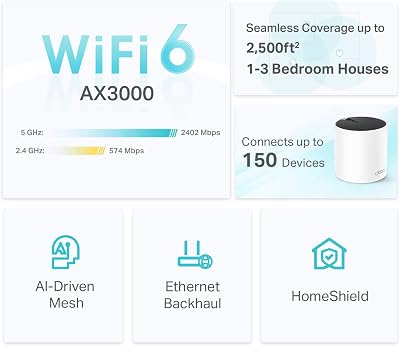
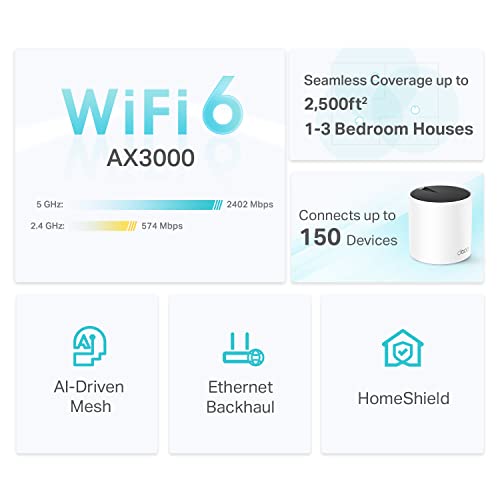
- 3. TP-Link Deco X55 AX3000 WiFi 6 Mesh System
- 4. TP-Link Deco S4 AC1900 Mesh WiFi System
- 5. Google Wifi – AC1200 Mesh WiFi System (Router Replacement)
- 6. Google WiFi System, 1-Pack – Router Replacement (NLS-1304)
- How to Choose a Wall Mount Router
- Related Guides
- Frequently Asked Questions
- Related Guides
- Related Articles
Top Wall Mount Routers Picks for 2026
Here are our current top wall mount routers picks, compared on real Amazon owner reviews, price, and features. Live prices update below.
As an Amazon Associate we earn from qualifying purchases at no extra cost to you.


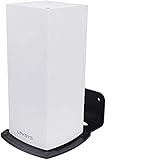


Mounting a router on the wall is one of the simplest ways to improve home Wi-Fi: lifting the unit off the floor and away from furniture clears obstructions, spreads the signal more evenly through the room, and tidies away the cable mess. But not every router is built to be wall-mounted — some have ready-made keyhole slots on the underside, some need a separate bracket or stand, and a few are designed to sit flat and simply are not meant to hang at all. This guide rounds up the best wall mount routers in 2026 and is honest about exactly how each one attaches, so you do not buy a unit expecting screw holes that are not there.
Our picks were chosen on a practical basis: wall-mountability first, then coverage, Wi-Fi standard, ease of setup, and value. We lead with the models that make wall mounting easiest — the ones with built-in keyhole slots — and we flag the puck-style mesh nodes that work on a wall only with an add-on bracket, plus the unit that has no native mounting option and really wants a shelf. Prices run from around $38 to around $96, and the list spans single-router upgrades and whole-home mesh systems. Below is an at-a-glance comparison of all six, then a closer look at each — with its real mounting story — and a buyer’s guide to mounting, placement and coverage.
Best Wall Mount Routers at a Glance
| Router | Best For | Mounting Reality | Approx Price |
|---|---|---|---|
| TP-Link Archer AX21 (AX1800) | Easiest wall mount, Wi-Fi 6 | Built-in keyhole slots | around $52 |
| TP-Link Archer A7 (AC1750) | Budget single-router mount | Built-in keyhole slots | around $38 |
| TP-Link Deco X55 (AX3000) | Wall-mount mesh, Wi-Fi 6 | Keyhole slots on each unit | around $70 |
| TP-Link Deco S4 (AC1900) | Affordable mesh coverage | Keyhole slots on each unit | around $96 |
| Google Wifi (AC1200) Mesh | Tidy mesh, needs bracket | Puck-style; add-on bracket needed | around $59 |
| Google Wifi 1-Pack (NLS-1304) | Single Nest-style node | Puck-style; no native mount | around $55 |
1. TP-Link AX1800 WiFi 6 Router (Archer AX21 V5) – Dual Band Gigabit
The TP-Link Archer AX21 is our top wall-mount pick because it does the one thing this guide is about properly: its underside has built-in keyhole slots, so you can hang it on two screws without buying anything extra. On top of that it is a modern Wi-Fi 6 (AX1800) dual-band router with gigabit ports and OFDMA, giving you a genuine speed and efficiency upgrade over older AC routers. At around $52 it is the standout combination of easy mounting and current standard.
For a wall-mounted setup this is exactly the unit to reach for. The flat, rectangular body sits cleanly against the wall, the keyhole slots let you orient it for the best antenna spread, and lifting it off the floor helps the Wi-Fi 6 signal reach further with fewer obstructions. Setup runs through the TP-Link Tether app, and the Archer AX21 is one of the most popular routers in its class for good reason. If you want a no-drama wall mount with a real performance step-up, start here.
Pros: Built-in keyhole mounting slots, modern Wi-Fi 6 (AX1800), gigabit ports, easy app setup.
Cons: External antennas need orienting after mounting; single unit, not whole-home mesh.
2. TP-Link Archer A7 AC1750 WiFi Router – Dual Band Gigabit

5
TP-Link Archer AC1750 WiFi Router – Dualband Gigabit, Qualcomm inside, Works with Alexa(A7), Black
In Stock



As an Amazon Associate we earn from qualifying purchases. Product prices and availability are accurate as of the date/time indicated.
The TP-Link Archer A7 is the budget wall-mount pick, and like the AX21 it ships with built-in keyhole slots on the underside for screw mounting straight out of the box. It is an AC1750 dual-band router with gigabit ports — an older Wi-Fi 5 standard rather than Wi-Fi 6 — but it remains a dependable, widely used workhorse. At around $38 it is the cheapest way here to get a router designed to hang on a wall.
This is the unit to choose when you want the floor cleared and the signal lifted without spending much, and your devices do not specifically need Wi-Fi 6. The keyhole slots make wall mounting straightforward, the flat body sits tidily, and AC1750 is still plenty for everyday browsing, streaming and video calls in a small-to-mid home. Just go in knowing it is a Wi-Fi 5 router: a sensible, mountable budget pick rather than a future-proof one.
Pros: Built-in keyhole mounting slots, affordable, reliable AC1750 dual-band, gigabit ports.
Cons: Wi-Fi 5 (AC) not Wi-Fi 6; coverage suits small-to-mid homes, not large ones.
3. TP-Link Deco X55 AX3000 WiFi 6 Mesh System

29
Prime
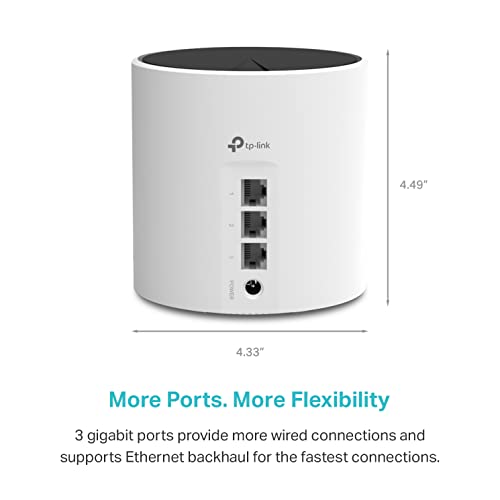
TP-Link Deco X55 AX3000 WiFi 6 Mesh System – Covers up to 2500 Sq.Ft., Replaces Wireless Router and Extender, 3 Gigabit Ports, Supports Ethernet Backhaul, Deco X55(1-Pack)
In Stock








As an Amazon Associate we earn from qualifying purchases. Product prices and availability are accurate as of the date/time indicated.
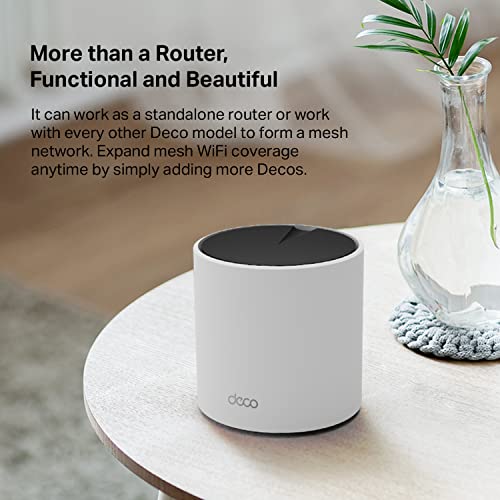
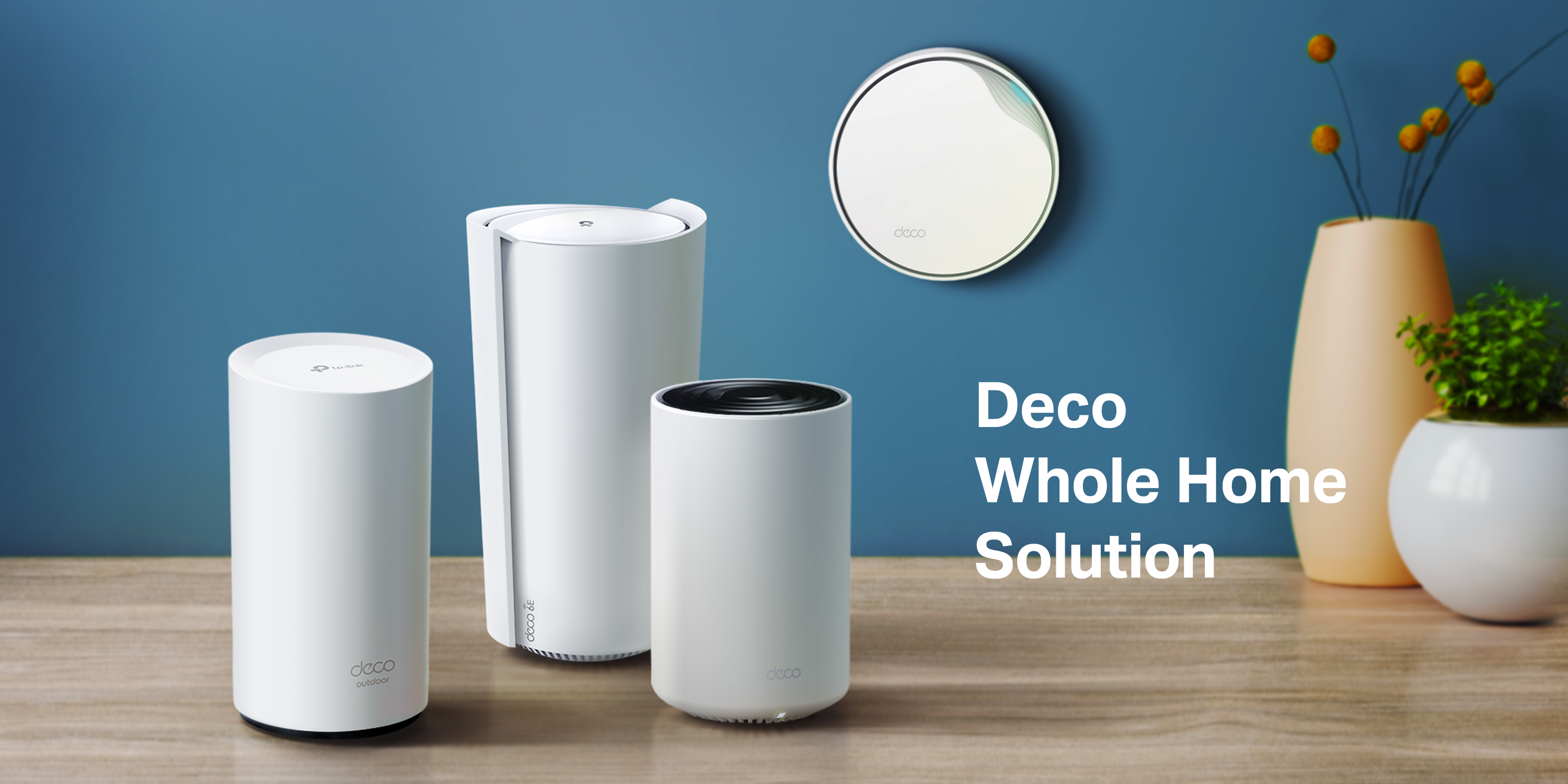
The TP-Link Deco X55 is the best wall-mount mesh pick. Each Deco unit has keyhole slots moulded into its base, so the whole-home system can be wall mounted node by node rather than left sitting on furniture. It is a Wi-Fi 6 (AX3000) mesh that covers up to around 2,500 sq ft, and at around $70 it brings modern standard and mountable nodes together for multi-room coverage.
This is the system for a home where one router cannot reach every corner and you want the nodes tidied onto walls. Mounting each unit high on a wall helps the mesh blanket the floorplan more evenly, the Wi-Fi 6 radios add speed and device efficiency, and the Deco app makes adding nodes simple. The cylindrical shape is a little less flush than a flat router, but the built-in keyhole slots mean genuine wall mounting without extra hardware — exactly what this list is looking for in a mesh.
Pros: Wi-Fi 6 mesh with keyhole slots on every node, ~2,500 sq ft coverage, easy app setup.
Cons: Cylindrical units sit slightly proud of the wall; coverage per the system, not endless.
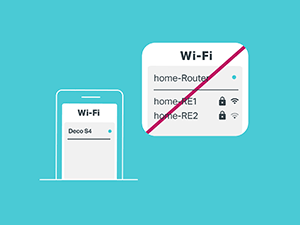
4. TP-Link Deco S4 AC1900 Mesh WiFi System

29
TP-Link Deco S4 Mesh AC1900 WiFi System – Up to 5,500 Sq.ft. Coverage, Replaces WiFi Router and Extender, Gigabit Ports, Works with Alexa, Deco S4(3-Pack)
In Stock















As an Amazon Associate we earn from qualifying purchases. Product prices and availability are accurate as of the date/time indicated.
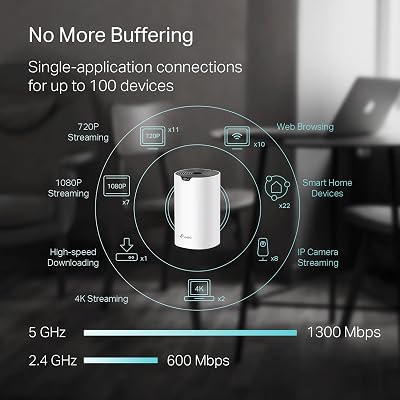
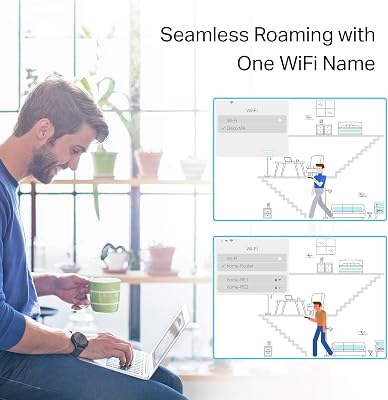
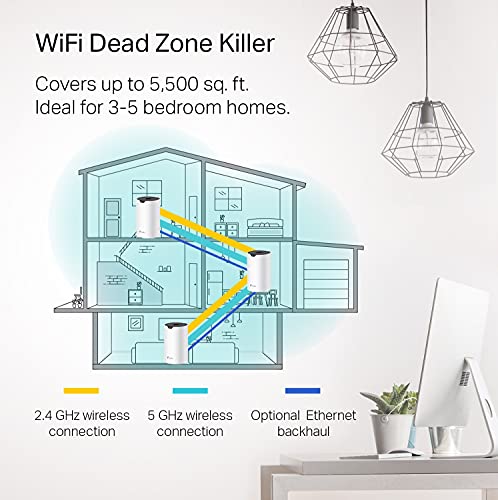
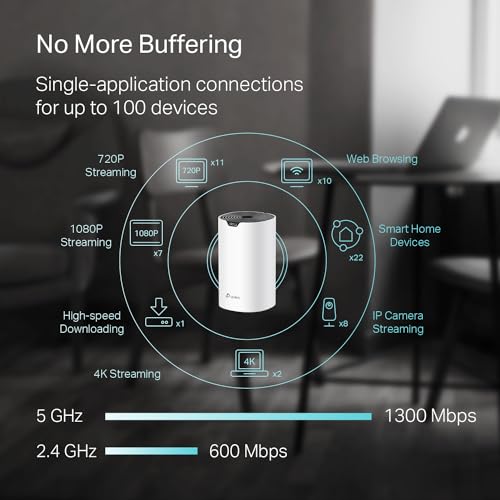
The TP-Link Deco S4 is the affordable mesh-coverage pick, and like its newer X55 sibling each unit includes keyhole mounting slots on the base for wall mounting. It is an AC1900 (Wi-Fi 5) mesh system rated for up to around 5,500 sq ft across multiple units, aimed at blanketing a larger home on a sensible budget. At around $96 it is the priciest entry here, reflecting the multi-unit coverage.
This is the system to choose when whole-home reach matters more than the latest standard and you want the nodes mountable rather than scattered on shelves. The keyhole slots let you fix each unit high on a wall for a cleaner spread, the AC1900 radios handle everyday streaming and browsing comfortably, and the Deco app keeps management simple. It is Wi-Fi 5 rather than Wi-Fi 6, so treat it as a budget large-coverage mesh you can wall mount — not a performance flagship.
Pros: Keyhole mounting on every unit, large multi-unit coverage, affordable, simple Deco app.
Cons: Wi-Fi 5 (AC) not Wi-Fi 6; real coverage depends on number of units and layout.
5. Google Wifi – AC1200 Mesh WiFi System (Router Replacement)
29
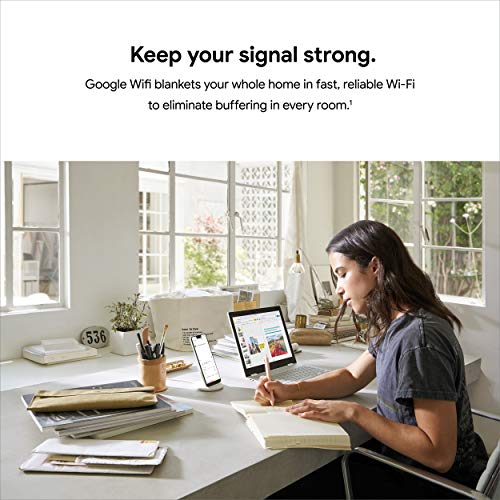
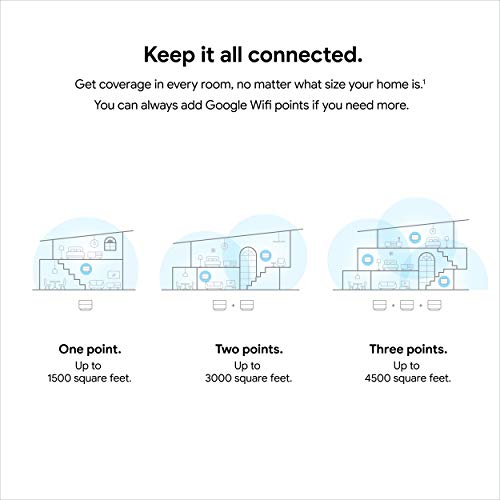
Google Wifi – AC1200 – Mesh WiFi System – Wifi Router – 1500 Sq Ft Coverage – 1 pack
In Stock







As an Amazon Associate we earn from qualifying purchases. Product prices and availability are accurate as of the date/time indicated.
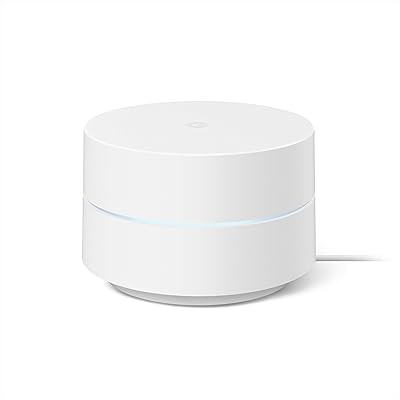
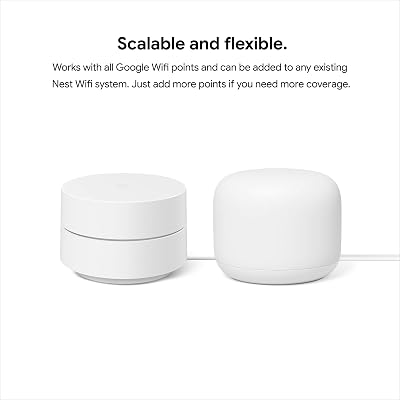
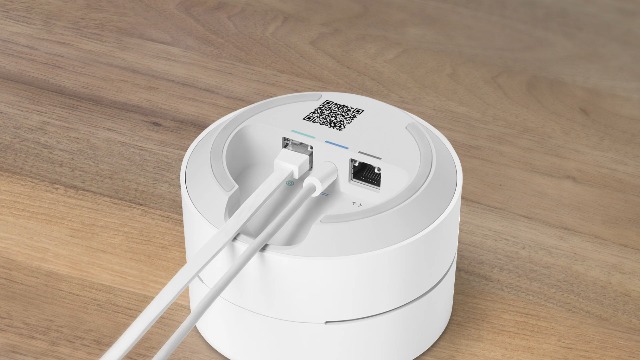
The Google Wifi (AC1200) mesh is a tidy, beginner-friendly system — but here is the honest mounting caveat: it is a round, puck-style node with no built-in keyhole slots, so to wall mount it you will need an add-on bracket (third-party wall mounts for Google Wifi are common and inexpensive). Out of the box it is designed to sit on a flat surface. At around $59 it is an approachable mesh, provided you accept the extra bracket for wall use.
This is the pick for someone who loves the clean Google Home app experience and simple mesh expansion, and does not mind buying a small bracket to get a node onto the wall. Mounted high with a bracket, the AC1200 radios spread a reliable everyday signal, and the rounded design looks unobtrusive. Just be clear-eyed that, unlike the TP-Link units here, wall mounting is not a screw-it-straight-on affair — it depends on an accessory the router itself does not include.
Pros: Clean Google Home app, simple mesh setup, unobtrusive design, brackets widely available.
Cons: Puck-style with NO built-in mounting; needs a separate bracket to wall mount; Wi-Fi 5.
6. Google WiFi System, 1-Pack – Router Replacement (NLS-1304)
9
Prime
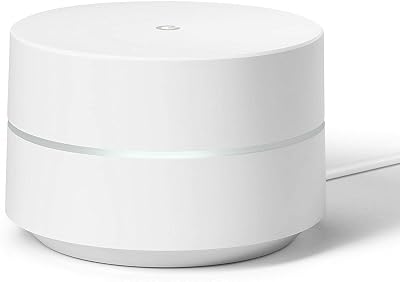
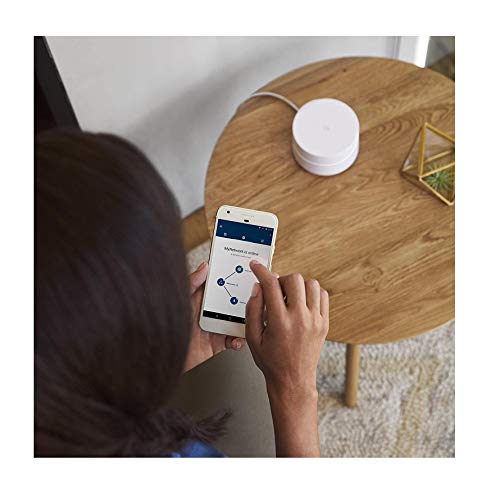
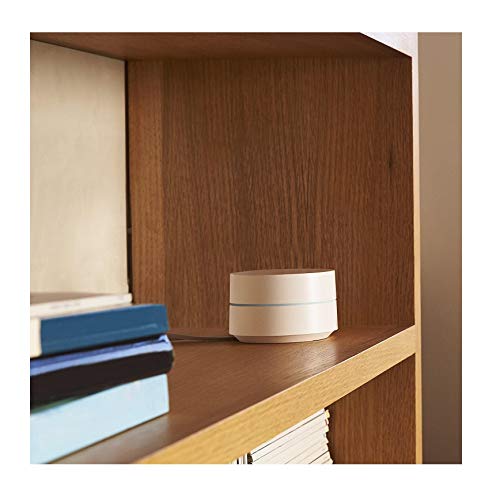
Google WiFi System, 1-Pack – Router Replacement for Whole Home Coverage – NLS-1304-25,white
In Stock



As an Amazon Associate we earn from qualifying purchases. Product prices and availability are accurate as of the date/time indicated.
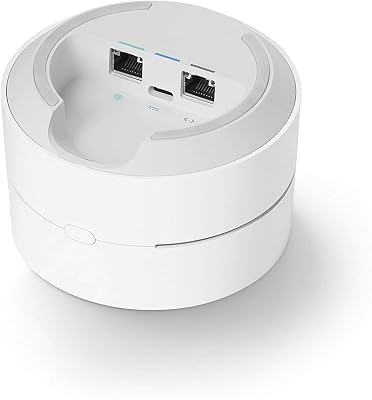
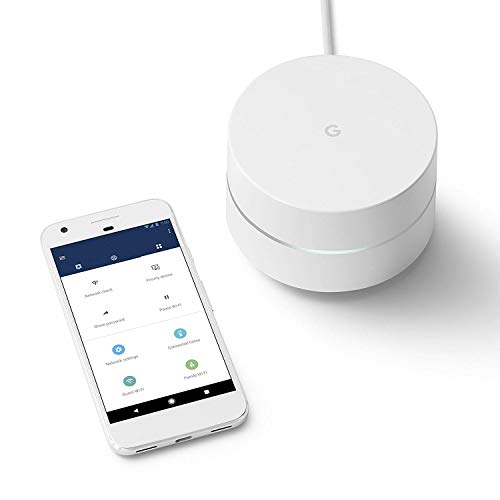
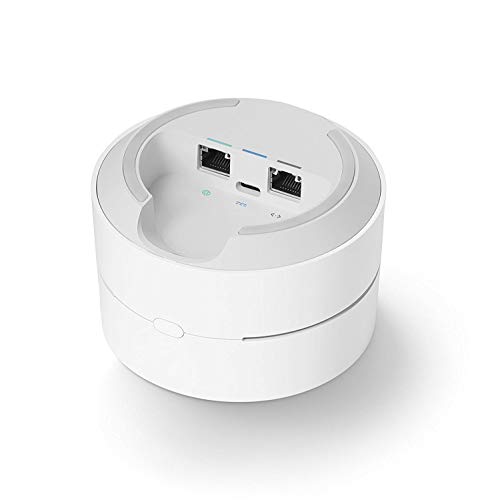
Rounding out the list is the single-pack Google WiFi (NLS-1304), included as a one-node option for smaller spaces or to extend an existing Google Wifi mesh. The same honesty applies as the AC1200 set: it is a puck-style unit with no native keyhole slots, so wall mounting means adding a third-party bracket. At around $55 it is a single, surface-first node rather than a wall-ready one.
This is the choice for a small apartment or a single dead-spot where one node is enough, or to grow a Google Wifi network you already run. With an aftermarket bracket it can be lifted onto a wall for a better spread, and the Google Home app keeps setup painless. But for the purposes of this guide it is the weakest wall-mount fit out of the box — it genuinely wants a shelf or a bracket, so factor that in if hanging it on the wall is the whole point.
Pros: Single-node simplicity, integrates with Google Wifi mesh, easy Google Home setup.
Cons: Puck-style with NO built-in mount; requires an add-on bracket; single node, Wi-Fi 5.
How to Choose a Wall Mount Router
The first thing to check — and the whole point of this guide — is how the router actually attaches to a wall. The cleanest option is a unit with built-in keyhole slots moulded into the underside, like the TP-Link Archer AX21 and A7 and every node in the Deco X55 and S4 mesh systems: you fit two screws, line up the slots, and hang it, no extra parts required. Puck-style nodes such as Google Wifi have no native slots and need a separate bracket, so confirm the mounting method before you buy rather than assuming every router can hang.
Decide next whether you need a single router or a mesh system, because that drives coverage. A single wall-mounted router like the Archer AX21 or A7 is ideal for a small-to-mid home where one well-placed unit reaches everywhere. For a larger or awkward floorplan with dead spots, a mesh such as the Deco X55 or S4 lets you mount several nodes around the home so the signal hands off seamlessly as you move. Match the number of units to the size and shape of your space, not just the headline square-footage claim.
Wi-Fi standard is the performance lever. Wi-Fi 6 (the AX models here — Archer AX21 and Deco X55) adds higher throughput and, crucially, better efficiency when many devices are connected at once, which matters in a busy modern home. Wi-Fi 5 (the AC models — Archer A7, Deco S4 and the Google Wifi units) is still perfectly capable for everyday browsing, streaming and calls, and usually costs less. If you have lots of devices or want longevity, lean Wi-Fi 6; if budget and simple coverage lead, Wi-Fi 5 is fine.
Finally, think about placement and the practicalities of mounting. Wall mounting works best when the unit is high and central, away from large metal objects, thick masonry and other electronics that cause interference; that height is exactly why people mount routers in the first place. Make sure a power outlet and (for the main unit) an incoming internet cable can reach the spot, orient any external antennas after mounting, and budget for a bracket if you pick a puck-style node. Confirm the mounting method, size the system to your home, choose your Wi-Fi standard, and the best wall mount router is the one that disappears onto the wall and just works.
Frequently Asked Questions
Which routers in this list can I wall mount without buying a bracket?
The TP-Link models. The Archer AX21 and Archer A7 routers, and every node in the Deco X55 and Deco S4 mesh systems, have built-in keyhole slots on the underside, so you can mount them on two screws with no extra hardware. The two Google Wifi units are puck-style with no native slots, so they need a third-party bracket to hang on a wall.
Does wall mounting a router actually improve Wi-Fi?
Often yes. Lifting the router off the floor and away from furniture reduces obstructions and helps the signal spread more evenly through the room, especially when the unit is mounted high and reasonably central. It will not create coverage that the radios cannot physically reach, but for many homes a well-placed wall mount noticeably improves how far and how consistently the signal travels.
Should I choose a single wall-mount router or a mesh system?
Pick a single router like the Archer AX21 or A7 for a small-to-mid home where one unit can cover everywhere. Choose a mesh such as the Deco X55 or S4 for a larger or awkward layout with dead spots, mounting several nodes so coverage hands off seamlessly as you move. The mesh systems here also have keyhole slots on each unit, so the whole system can be wall mounted.
Is Wi-Fi 6 worth it over Wi-Fi 5 for a wall-mounted router?
If you have many connected devices or want longevity, yes — Wi-Fi 6 units like the Archer AX21 and Deco X55 add throughput and handle crowded networks more efficiently. If you mainly browse, stream and make calls on a handful of devices, Wi-Fi 5 options like the Archer A7, Deco S4 and Google Wifi are still capable and usually cheaper. Match the standard to how busy your network is.
Related Guides
- Best Wi-Fi Routers
- Best Mesh Wi-Fi Systems
- Best Wi-Fi 6 Routers
- Best Gaming Routers
- Best Wi-Fi Extenders
- Best Powerline Adapters
Affiliate Disclosure: As an Amazon Associate, we earn from qualifying purchases. If you click a link and make a purchase, we may earn a small commission at no extra cost to you. Prices and availability are accurate as of publication and may change.










