- Top Pick: TCL 55 Inch T7 Series 4K 120Hz QLED Smart Google TV, 55T7 (Latest Model) | Dolby Vision HDR and Atmos, HDR10+, Game Accelerator 240 and VRR for Sports and Gaming, Alexa+, Native 120Hz Refresh Rate
- Best Value: TCL 50-Inch F8D Series 120Hz 4K UHD QLED Smart Fire TV, HDR, 50F8D (2026) | Dolby Vision HDR and Atmos, HDR10+, Game Accelerator 240 and VRR for Sports and Gaming, Alexa+, Native 120Hz Refresh Rate
- Premium: TCL 55-Inch F8D Series 120Hz 4K UHD QLED Smart Fire TV, HDR, 55F8D (2026) | Dolby Vision HDR and Atmos, HDR10+, Game Accelerator 240 and VRR for Sports and Gaming, Alexa+, Native 120Hz Refresh Rate
The LG C-series OLED is the pick most reviewers give to console and PC gamers who want one TV that does everything, while TCL and Hisense mini-LED sets are the value choices when you want large 4K 120Hz screens for less. Choose the LG C6 or the Samsung S90-series for premium gaming, a Hisense U8QG or TCL QM8L for a bright room and big screen, and a Hisense U6SF Pro or TCL QM6K when budget comes first.
As an Amazon Associate we earn from qualifying purchases at no extra cost to you.


Updated October 2026 – model lineup and generation notes rechecked for this month.
Best 4K TVs for gaming in 2026: the LG C6 OLED is the best all-round pick, the Samsung S90-series OLED is the best for PC players who skip Dolby Vision, the Hisense U8QG is the best bright-room mini-LED, and the TCL QM6K or Hisense U6SF Pro is the best on a budget. All of them output 4K at 120Hz or higher with VRR, which is what a PS5, PS5 Pro, Xbox Series X or gaming PC needs.
What to look for in a 4K 120Hz gaming TV
A 4K 120Hz TV can show up to 120 frames per second at 3840 by 2160, which is what the PS5, PS5 Pro and Xbox Series X support in many titles. Resolution and refresh rate are only the start. These are the specifications reviewers weigh when they rank gaming TVs:
- HDMI 2.1 ports. Look for ports with full 48Gbps bandwidth. Reviewers warn that not every port marked HDMI 2.1 is full spec, and some are limited to 4K at 60Hz or reduced bandwidth. If you plan to connect a console, a PC and a soundbar via eARC, the number of full-spec ports matters.
- VRR. Variable refresh rate, including FreeSync Premium or G-Sync compatibility, removes tearing when the frame rate dips.
- ALLM. Auto low latency mode switches the TV to its game picture mode when a console starts.
- Input lag. TechRadar reports about 9.8ms on the Hisense U75QG, an example of the very low figures current sets reach in game mode.
- HGiG and Dolby Vision gaming. HGiG helps games map HDR to the TV’s real brightness. Dolby Vision game mode is supported by LG, TCL, Hisense and others, but TechRadar notes Samsung TVs do not support Dolby Vision gaming.
- Beyond 120Hz. Several 2026 sets go to 144Hz or 165Hz for PC players, which consoles do not use.
At a glance
| Model | Tier | Key stated gaming specs | Best for | Limits |
|---|---|---|---|---|
| LG C6 OLED | Premium | Four HDMI 2.1 ports, 4K/165Hz VRR, ALLM, Dolby Vision game mode, HGiG | Console plus PC all-rounder | Highest cost tier; less bright than top mini-LED |
| LG C5 OLED | Premium (previous generation) | Four HDMI 2.1 ports, VRR up to 144Hz; What Hi-Fi? ranks it first | OLED gaming at a lower step | Older than the C6 |
| LG G5 OLED | Premium plus | 4K/120Hz and 4K/165Hz, VRR, ALLM, Dolby Vision game mode, HGiG | Brighter OLED for lit rooms | Costs more than the C-series |
| LG B6 OLED | Upper mid-range | TechRadar reports 4K 120Hz, full VRR, HGiG, ALLM, Dolby Vision gaming, four HDMI 2.1 ports | Cheapest route into LG OLED | Dimmer and simpler than C-series |
| Samsung S90-series OLED | Premium | Trusted Reviews: all HDMI inputs 4K/120Hz; up to 165Hz on PC, FreeSync Premium, G-Sync compatible | PC and bright-room OLED | No Dolby Vision |
| Hisense U75QG | Mid-range mini-LED | 4K 165Hz on all HDMI 2.1 ports, Dolby Vision gaming, 9.8ms lag reported by TechRadar | Value for high refresh | LED contrast, not OLED |
| Hisense U8QG | Mid-range mini-LED | Up to 165Hz, anti-reflection coating | Bright, large rooms | Three HDMI inputs |
| TCL QM8L | Mid-range mini-LED | 144Hz panel, SQD-Mini LED backlight, Dolby Vision IQ | Bright HDR gaming | Less refined processing than premium |
| Hisense U6SF Pro | Budget | 144Hz VA panel with Dolby Vision, RTINGS best budget TV | Cost-conscious gamers | Fewer dimming zones, lower brightness |
| TCL QM6K | Budget | QD-Mini LED; RTINGS notable mention | Large screen on a budget | Basic processing |
OLED versus mini-LED for gaming
OLED panels switch pixels off individually, giving perfect blacks and very fast pixel response, which is why reviewers favour them for motion clarity and dark-room play. Mini-LED sets reach much higher peak brightness, handle daytime rooms better and avoid any concern about static HUD elements. If you play long sessions with fixed on-screen elements, follow the maker’s guidance on screen care and use the OLED’s built-in protection settings. If your room is bright, a mini-LED such as the Hisense U8QG with its anti-reflection coating may look better in practice.
Budget tiers
Premium
The LG C6 raises its VRR ceiling to 165Hz from the 144Hz of the C5, uses LG’s Alpha 11 Gen 3 processor and keeps all four HDMI ports at full bandwidth. What Hi-Fi? compares it with the Sony Bravia 8, noting the Sony offers only two HDMI 2.1 inputs and a 120Hz top rate, and favours the LG for gaming. The Samsung S90-series suits players who value brightness and PC features, as long as Dolby Vision is not a priority.
Mid-range
The Hisense U75QG, U8QG and TCL QM8L give you mini-LED brightness and high refresh rates. Reviewers regularly highlight low input lag on Hisense models and strong HDR punch from TCL.
Budget
Trusted Reviews calls the TCL M80H its best-value gaming TV, listing 4K/120Hz, VRR, ALLM and AMD FreeSync Premium. RTINGS names the Hisense U6SF Pro its best budget TV. At this tier, confirm exactly which port runs at 120Hz before connecting a console.
Setup and fit notes
- Use the port labelled for 4K 120Hz and a certified Ultra High Speed HDMI cable. Older cables may not carry the full signal.
- Turn on Game Mode or let ALLM do it, then enable VRR in both the console and TV menus.
- On PS5, 120Hz output needs to be set in the console’s video settings; the Xbox Series consoles have a similar option.
- For desk or small-room use, LG’s 42-inch and 48-inch C6 sizes are far easier to place than 65-inch panels.
- Measure your viewing distance. A common guide for 4K is about one to one and a half times the screen diagonal.
Best 4K TVs for Gaming: Our Top Picks by Tier
Each pick below is chosen from manufacturer specifications and published reviewer findings, not from our own bench testing. The three that matter most are the LG C6, the Samsung S90-series and the Hisense U8QG: together they cover dark rooms, PC use and bright living rooms.
| TV | Panel | Top refresh rate | Best for |
|---|---|---|---|
| LG C6 | OLED | 165Hz | Console plus PC all-rounder |
| LG C5 | OLED | 144Hz | OLED at a lower step |
| Samsung S90-series | OLED | 165Hz on PC | PC gaming and bright rooms |
| Hisense U8QG | Mini-LED | 165Hz | Bright, large rooms |
| TCL QM8L | Mini-LED | 144Hz | Bright HDR gaming |
| Hisense U6SF Pro | Mini-LED | 144Hz | Budget 144Hz |
| TCL QM6K | Mini-LED | 144Hz | Big screen on a budget |
LG C6 OLED – Best Overall 4K TV for Gaming

The LG C6 is the TV to pick if you want one screen for a console, a PC and streaming. It keeps all four HDMI inputs at full bandwidth and raises the VRR ceiling over the previous generation. It suits mixed households where the TV also handles movies and sports.
- OLED evo panel with AI processing and a Brightness Booster mode
- Four HDMI 2.1 ports and VRR up to 165Hz
- ALLM, Dolby Vision game mode and HGiG support
- Available in compact sizes that fit a desk or small room
Pros: excellent contrast, very fast response, all ports full spec, strong feature set. Cons: premium price tier, less peak brightness than top mini-LED sets. Skip it if your room gets strong daylight and you want the brightest picture for the money.
LG C5 OLED – Best Previous-Generation OLED Value

The LG C5 offers the same core OLED gaming features as the C6 for less now that a newer model exists. Console players who run at 120Hz lose very little by choosing it, which makes it the smart step down.
- 55-inch OLED evo AI model (OLED55C5PUA, 2025)
- Four HDMI 2.1 ports at full bandwidth
- VRR up to 144Hz
- Dolby Vision and Dolby Atmos support
Pros: OLED contrast, full-spec ports, lower cost than the C6. Cons: 144Hz VRR ceiling instead of 165Hz, older processor. Skip it if you play on PC and want the highest refresh ceiling.
Samsung S90H OLED – Best for PC Gaming Without Dolby Vision

The Samsung S90-series is built for players who value brightness for an OLED, glare handling and PC features. Reviewers note that Samsung TVs do not support Dolby Vision gaming, so it is a better fit for HDR10+ and PC players than for people who rely on Dolby Vision on console.
- 55-inch OLED with NQ4 AI Gen3 processor and glare-free panel
- All HDMI inputs reported at 4K/120Hz, up to 165Hz on PC
- FreeSync Premium and G-Sync compatible
- OLED HDR+ with Alexa built in
Pros: bright OLED picture, strong PC support, glare control. Cons: no Dolby Vision, premium price tier. Skip it if Dolby Vision gaming matters to you.
Hisense U8QG – Best Bright-Room Mini-LED

The Hisense U8QG pushes high brightness and a native 165Hz panel at a mid-range price, with an anti-reflection coating for sunny rooms. It suits large living spaces and long sessions with static interface elements.
- 55-inch ULED Mini-LED panel with native 165Hz refresh
- Up to 5000 nits peak brightness listed by the maker
- HDR10+, Dolby Vision IQ and Dolby Atmos
- IMAX Enhanced with a 4.1.2 channel audio system
Pros: very bright, high refresh rate, no concerns about static HUDs. Cons: limited HDMI inputs, LED contrast rather than OLED. Skip it if you play mostly in a dark room and want perfect blacks.
TCL QM8L – Best Mini-LED for Bright HDR

The TCL QM8L is a mid-range mini-LED that reviewers praise for strong HDR punch. It suits players who want a large screen with high brightness and 144Hz output.
- 65-inch SQD-Mini LED QLED panel
- 144Hz refresh rate
- Dolby Vision IQ support
- Google TV with Gemini on 2026 models
Pros: bright HDR, quantum-dot color, strong value at 65 inches. Cons: less refined processing than premium sets. Skip it if you want the best motion handling from an OLED.
Hisense U6SF Pro – Best Budget 144Hz Mini-LED

The Hisense U6SF Pro is the budget pick that RTINGS names its best budget TV. It brings a 144Hz panel and Dolby Vision to a lower price tier, which suits cost-conscious console and PC players.
- 65-inch Mini-LED ULED 4K panel with native 144Hz
- Motion Rate 480 and glare-free screen
- Dolby Vision IQ, Dolby Atmos and HDR10+
- Fire TV platform with Alexa+
Pros: low cost for a large screen, 144Hz support, Dolby Vision. Cons: fewer dimming zones and lower brightness than the U8QG. Skip it if you have a very bright room.
TCL QM6K – Best Big Screen on a Budget
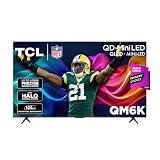
The TCL QM6K gives a large QD-Mini LED screen at a budget tier, with a 144Hz panel. It suits shared living rooms where screen size matters more than processing polish.
- 55-inch QLED Mini LED 4K HDR Google TV
- 144Hz panel
- High brightness with IMAX Enhanced support
- Available in sizes from 50 to 98 inches
Pros: low cost per inch, 144Hz, bright. Cons: basic processing. Skip it if you want premium upscaling or the cleanest motion.
Pick X if …
| If you … | Pick |
|---|---|
| Want the best mix of console, PC and streaming features | LG C6 |
| Play in a very bright room | Hisense U8QG, TCL QM8L or LG G5 |
| Use a PC at 165Hz and do not need Dolby Vision | Samsung S90-series |
| Want OLED for a smaller step in cost | LG B6 or the previous-generation C5 |
| Need a big screen on a small budget | TCL QM6K or Hisense U6SF Pro |
| Want PlayStation-specific features | Sony Bravia 7 (mini-LED) |
Alternatives
- Sony Bravia 8 II (QD-OLED): excellent picture, but What Hi-Fi? notes two HDMI 2.1 inputs and a 120Hz ceiling.
- A gaming monitor: for a desk setup, a 4K 144Hz monitor can cost less than a TV and offers lower pixel density concerns at close range.
- Previous-generation OLEDs: the LG C5 and earlier models are often easier on the budget and still carry full HDMI 2.1.
Console and PC setup tips
Getting 4K 120Hz working takes a few steps. First, connect the console to the port the maker labels for 4K 120Hz and use an Ultra High Speed HDMI cable. Second, enable the TV’s enhanced HDMI or “input signal plus” setting if it has one, since some brands switch full bandwidth off by default. Third, switch on 120Hz output and VRR in the console’s video settings, then confirm the TV’s information banner shows the expected resolution and refresh rate while a game runs.
Many console games offer a performance mode at 120Hz that uses lower internal resolution, and a fidelity mode at 60Hz. A TV with VRR smooths both if frame rates wander. If a game looks washed out in HDR, run the console’s HDR calibration and, on sets that support it, enable HGiG so the game does the tone mapping rather than the TV.
Common gaming-TV pitfalls
- Counting only one HDMI 2.1 port. Reviewers warn that some sets have a single full-bandwidth port, which is awkward if you own both a console and a PC.
- Assuming every VRR is equal. Support for FreeSync Premium, G-Sync compatibility and HDMI Forum VRR varies, so look at what the maker lists.
- Forgetting soundbar needs. The eARC port is often shared with one of the full-spec inputs on cheaper sets.
- Ignoring glare. Glossy panels reflect lamps and windows during daytime play.
- Static interface elements. On OLED, follow the maker’s screen-care guidance and use pixel-shift features for games with fixed HUDs.
Do you need the latest model?
Not necessarily. The step from the LG C5 to the C6 raises the VRR ceiling from 144Hz to 165Hz and refreshes the processor, which matters most to PC players. A console player running at 120Hz may be well served by a previous-generation OLED or a good mini-LED, particularly once stock of the older model is cleared. Match the generation to your actual use rather than the newest label.
What is the best 4K TV for gaming?
The LG C6 OLED is the best 4K TV for gaming overall because it has four full-bandwidth HDMI 2.1 ports, VRR up to 165Hz, ALLM and Dolby Vision game mode.
What is the best cheap 4K TV for gaming?
The Hisense U6SF Pro and TCL QM6K are the best cheap 4K gaming TVs, offering 144Hz panels and VRR at a budget tier. Check which HDMI port runs at 120Hz before connecting a console.
Is a 4K 120Hz TV worth it for PS5 and Xbox Series X?
Yes. Both consoles output 4K at up to 120Hz in supported games, and a 120Hz TV with VRR smooths frame-rate dips in performance modes.
Frequently Asked Questions
Do I need HDMI 2.1 for 4K 120Hz?
Yes, a console or PC needs an HDMI 2.1 port, or equivalent bandwidth, to output 4K at 120Hz with VRR. Check the TV’s manual, because on some models only one or two ports support the full signal.
Is OLED or mini-LED better for gaming?
OLED offers the best contrast and very fast pixel response, which reviewers favour for dark rooms. Mini-LED gets brighter and suits sunny rooms and long sessions with static interface elements. Both are strong choices at 4K 120Hz.
Does a PS5 benefit from 165Hz?
No. Consoles output up to 120Hz, so 144Hz and 165Hz only matter for PC gaming. A TV with a 165Hz ceiling still works perfectly well at 120Hz for consoles.
Does Samsung support Dolby Vision for games?
According to TechRadar, Samsung TVs do not support Dolby Vision gaming. They do offer HDR10 and FreeSync Premium, so the loss matters only if your console games or streaming apps use Dolby Vision.
What size is best for a gaming TV?
It depends on distance. For a sofa about two to three metres away, 55 to 65 inches is common. For a desk, a 42-inch or 48-inch model such as the smaller LG C6 sizes is easier to live with.
Is a cheap 4K 120Hz TV good enough?
Yes for many players. Budget sets such as the TCL M80H and Hisense U6SF Pro list 120Hz or higher with VRR. Expect lower brightness and weaker local dimming than premium sets, and confirm which HDMI port supports the full gaming signal.