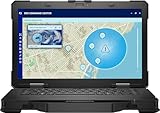
- Top Pick: Dell Latitude Rugged 5414 Laptop | 14" 1366×768 HD | Core i5-6300U – 512GB SSD Hard Drive – 16GB RAM | 2 cores @ 3 GHz Win 11 Pro Black (Renewed)
- Best Value: Dell Latitude Rugged 5430 Laptop (2022) | 14" 1920×1080 FHD | Core i7-1185G7-1TB SSD Hard Drive – 32GB RAM | 4 cores @ 4.4 GHz Win 11 Pro Black (Renewed)
- Premium Choice: Dell Latitude Rugged 5430 Laptop (2022) | 14" 1920×1080 FHD | Core i7-1185G7-512GB SSD Hard Drive – 32GB RAM | 4 cores @ 4.4 GHz Win 11 Pro Black (Renewed)
A rugged laptop is a tool for places where a standard notebook would not last: job sites, vehicles, warehouses, utility trucks, and field inspections. The choice is less about raw speed and more about whether the machine can tolerate daily abuse while still running the software your crew depends on. This list is dominated by Dell Latitude Rugged models plus one Panasonic Toughbook, many of them sold renewed.
That changes how you shop in 2026. Renewed units can stretch a fleet budget, but generation, storage, and memory vary a lot between listings. The sections below compare what each title states, so you can match a machine to a job before checking the full seller details.
Quick Picks
As an Amazon Associate we earn from qualifying purchases at no extra cost to you.




| Product | Best for | Key spec from the title |
|---|---|---|
| Dell Latitude Rugged 5414 | Light-duty, low-cost field use | 14″ 1366×768, Core i5-6300U, 16GB, 512GB SSD |
| Dell Latitude Rugged 5430, i7, 1TB | Heavy storage needs | 14″ FHD, i7-1185G7, 32GB RAM, 1TB SSD |
| Dell Latitude Rugged 5430, i7, 512GB | Memory-heavy work with moderate storage | 14″ FHD, i7-1185G7, 32GB RAM, 512GB SSD |
| Panasonic Toughbook FZ-55 | Connected field work | 14″ touchscreen, 4G LTE, USB-C, i7, 16GB |
| Dell Pro Rugged 14 | Newest-generation platform | Core Ultra 7 165U, 16GB DDR5, 512GB NVMe |
| Dell Latitude Rugged 5424 | Mid-tier older platform | 14″ FHD, Core i5-8350U, 16GB, 512GB SSD |
| Dell Latitude Rugged 5430, i5 | Balanced mid-range fleet unit | 14″ FHD, i5-1145G7, 16GB, 512GB SSD |
| Dell Latitude Rugged 5430 Touch | Touch-driven workflows | 14″ FHD touch, i7-1185G7, 32GB, 1TB SSD |
How to Choose
Durability ratings and what the title omits
Rugged machines are normally judged by drop, dust, and water standards, such as MIL-STD-810 and IP ratings. None of these titles state exact ratings, so look for them on the full spec sheet. Also ask whether the unit is sold renewed, since wear on hinges, ports, and seals matters more in a rugged laptop than cosmetic condition. A scuffed lid is cosmetic; a loose port door or a cracked rubber bumper can let dust and moisture reach the board. Ask the seller what was inspected, what was replaced, and how long the warranty runs, because a rugged chassis only protects you if its seals are intact.
Display readability
Most listings here show a 14-inch 1920×1080 panel, which is the practical minimum for modern field software. The Latitude Rugged 5414 lists 1366×768, a lower resolution that crams less onto the screen. Outdoor work also depends on brightness and glare handling, which the titles do not give, so verify those details before ordering. If the laptop will ride on a vehicle dock or sit in direct sun, brightness and an anti-glare finish usually matter more than a bump from FHD to anything higher. Touch input is helpful for signatures and forms, but it adds glare, so decide whether your crew will really use it.
Processor generation and memory
Older platforms like the Core i5-6300U and i5-8350U are fine for forms, email, and lightweight apps but may struggle with newer software. The 11th-generation parts, such as i7-1185G7 and i5-1145G7, are a reasonable middle ground. The Dell Pro Rugged 14 lists a Core Ultra 7 165U for buyers who want the newest platform. For memory, 16GB is a comfortable baseline, and 32GB suits mapping or multitasking. Storage is the other lever: 512GB covers most synced workflows, while 1TB makes sense when technicians keep project files, photo logs, or offline maps on the device. Do not pay extra for a faster chip if your real bottleneck is a small drive.
Connectivity and ports
Field work often means no Wi-Fi. The Toughbook FZ-55 lists 4G LTE, which can keep a technician connected away from a hotspot. USB-C appears on that listing too. For the others, check for serial, Ethernet, and docking support if your workflow relies on legacy equipment. Vehicle-mount docks, extra batteries, and hot-swap options are accessories that vary by model, so confirm compatibility with the exact generation you pick rather than assuming a 5424 dock fits a 5430.
The 8 Best Options
Dell Latitude Rugged 5414 (Core i5-6300U)
The oldest platform in this group pairs a 14-inch 1366×768 display with a Core i5-6300U, 16GB of RAM, and a 512GB SSD, sold renewed with Windows 11 Pro. It fits low-demand tasks like checklists, dispatch, and basic web apps where cost matters most.
- Strength: 16GB of memory and a 512GB SSD are generous for the age of the platform.
- Strength: it is the lowest-tier option for crews on a tight budget.
- Trade-off: the lower-resolution screen and two-core processor limit modern multitasking.
Skip it if your software is demanding or you need a sharper display.
Dell Latitude Rugged 5430 (Core i7-1185G7, 32GB, 1TB)
This renewed 2022 model lists a 14-inch FHD display, Core i7-1185G7, 32GB of RAM, and a 1TB SSD. It suits field engineers who carry large drawing sets, offline maps, or inspection photos.
- Strength: 32GB of RAM and 1TB of storage cover demanding workloads.
- Strength: the FHD display and 11th-generation i7 are well suited to current business apps.
- Trade-off: a premium configuration within the group.
Skip it if your tasks are light and you are buying many units on a budget.
Dell Latitude Rugged 5430 (Core i7-1185G7, 32GB, 512GB)
Same i7, FHD screen, and 32GB of RAM as the 1TB version, with a 512GB SSD. It works for people who need memory for multitasking but sync files to a server rather than keep them locally.
- Strength: 32GB of RAM leaves room for many applications at once.
- Strength: the 512GB drive is enough for most work profiles.
- Trade-off: offline-heavy users may outgrow the storage.
Skip it if you collect large local datasets or photo sets in the field.
Panasonic Toughbook FZ-55 MK1 (i7, 4G LTE)
The only non-Dell listing, this renewed Toughbook lists a 14-inch touchscreen, an i7, 16GB of RAM, a 512GB SSD, 4G LTE, USB-C, and Windows 11 Pro. It speaks to utility, public safety, and logistics users who need built-in cellular.
- Strength: integrated 4G LTE removes the need for a separate hotspot.
- Strength: a touchscreen helps with gloved or quick input.
- Trade-off: the exact i7 model is not given in the title.
Skip it if you always work near reliable Wi-Fi and do not need a cellular modem.
Dell Pro Rugged 14 (Core Ultra 7 165U)
This is the newest platform on the list: a 14-inch FHD laptop with a Core Ultra 7 165U, 12 cores, 16GB of DDR5, a 512GB NVMe SSD, and a webcam. It targets buyers who want a longer service life from a current-generation purchase rather than a renewed unit.
- Strength: the newest processor and DDR5 memory in the group.
- Strength: it is listed without the renewed label, which may appeal to fleet buyers.
- Trade-off: likely the most expensive tier here.
Skip it if a renewed 11th-generation unit already meets your needs.
Dell Latitude Rugged 5424 (Core i5-8350U)
A renewed 14-inch FHD model with a Core i5-8350U, 16GB of RAM, and a 512GB SSD. The 4-core, 8th-generation chip is a step above the 5414 and fits office-style apps and web tools.
- Strength: an FHD display on an affordable older platform.
- Strength: 16GB of RAM and 512GB of storage are practical for typical field use.
- Trade-off: the processor generation is older than the 5430 line.
Skip it if you want long software support or heavier multitasking headroom.
Dell Latitude Rugged 5430 (Core i5-1145G7, 16GB)
A renewed 2022 model with a 14-inch FHD display, Core i5-1145G7, 16GB of RAM, and a 512GB SSD. It is the middle-of-the-road pick for fleets that need a current-enough platform without paying for an i7 or 32GB.
- Strength: the 11th-generation chip is a good fit for modern business software.
- Strength: FHD resolution and 512GB of storage cover typical needs.
- Trade-off: only 16GB of RAM limits very heavy multitasking.
Skip it if you plan to run mapping, CAD viewers, or many apps at once.
Dell Latitude Rugged 5430 Touch (Core i7-1185G7, 1TB)
This variant adds a touchscreen to the i7-1185G7, 32GB of RAM, and 1TB SSD configuration. The title does not include the renewed tag, but check the listing for condition. It suits inspection and form-filling workflows built around tapping and swiping.
- Strength: touch input plus top-end memory and storage in one unit.
- Strength: FHD display suits detailed drawings and checklists.
- Trade-off: touch screens can be less pleasant under strong glare.
Skip it if your crew prefers keyboard and touchpad only.
Which One Fits Your Situation
You manage a field crew on a tight budget
The Latitude Rugged 5424 or 5414 gives you a rugged shell with 16GB of RAM at the lowest tier. Pick the 5424 if you want an FHD display, and the 5414 only for the simplest forms-and-email jobs where screen detail is not a concern. Either way, ask about battery condition before ordering a batch.
You work far from Wi-Fi
The Panasonic Toughbook FZ-55 is the one to shortlist, since its title lists 4G LTE. It keeps technicians connected without carrying a separate device.
You handle large offline files
Choose the Latitude Rugged 5430 with 32GB of RAM and a 1TB SSD, either the standard or touch version. Between the two, the touch variant suits form-driven inspection work, while the standard 512GB unit saves storage cost if files live on a server.
You want the newest platform for a multi-year fleet
The Dell Pro Rugged 14 with Core Ultra 7 165U is the forward-looking choice, particularly if you prefer not to buy renewed.
Common Mistakes
- Assuming every listing carries the same durability certifications when the titles do not state them.
- Overlooking that many units are renewed and not checking the seller’s condition and warranty terms.
- Buying a 1366×768 display for work that involves detailed drawings or dense spreadsheets.
- Skipping the cellular question until the crew is already in the field.
- Choosing the newest processor when 16GB of RAM or a larger SSD would help more.
Related guides
- Aio Liquid Coolers For High Performance Gaming
- Wireless Gaming Headsets Under 100 For Pc
- What Is A Dac And Do You Need One For Gaming
Frequently Asked Questions
Is a renewed rugged laptop a good idea?
It can be, since the rugged chassis is built to last and the savings are meaningful. Check the seller’s warranty, battery condition, and what has been replaced before you commit. Ask whether the battery was replaced and whether the keyboard and screen show wear, because those parts take the most daily abuse. A fleet buyer should request identical configurations so spare parts and images stay consistent across the crew.
How much RAM does a rugged laptop need?
Sixteen gigabytes covers most business and field apps. Choose 32GB if you run mapping tools, virtual desktops, or many applications together.
Do I need a touchscreen?
Only if your workflow involves tapping, signing, or annotating on screen. Otherwise a standard display avoids extra glare and cost.
Are these laptops waterproof?
The titles do not list ingress ratings, so do not assume it. Look up the exact model’s IP and MIL-STD specifications before using it in wet or dusty conditions. Manufacturer spec pages list the claimed standards, and port covers must be closed for any ingress rating to apply.