

- Top Pick: Dell Latitude 5420 14" FHD Business Laptop Computer, Intel Quad-Core i5-1145G7, 16GB DDR4 RAM, 256GB SSD, Camera, HDMI, Windows 11 Pro (Renewed)
- Best Value: Dell Latitude 5400 Laptop | 14"" 1920×1080 FHD | Core i5-8365U – 256GB SSD Hard Drive – 8GB RAM | 4 cores @ 4.1 GHz Win 11 Pro (Renewed), Black
- Premium Choice: Dell Latitude 5410 14" FHD Business Notebook PC (1920 x 1080), Intel 10th Gen Core i5-10310U 1.7GHz, 16GB RAM DDR4, 256GB SSD, HDMI, CAM, Windows 11 Pro (Renewed)
Business laptops hold their value because they were built for years of office use, which is why renewed Latitudes and EliteBooks make sense for anyone who wants a dependable work machine without buying new. The catch is that every unit is a used one, and the listing is the only evidence you get. Processor generation, memory, drive size and screen resolution are all spelled out, so those details do the heavy lifting when you narrow the field.
This guide covers ten renewed business laptops, nine from Dell’s Latitude line and one HP EliteBook, all listed with Windows 11 Pro. Judgments rest only on what each title states, so battery condition and cosmetic grade are things to confirm on the product page. If you are outfitting a small office in 2026 or replacing a worn-out personal laptop, the comparison below shows which generation and configuration suit which job.
Quick Picks
As an Amazon Associate we earn from qualifying purchases at no extra cost to you.


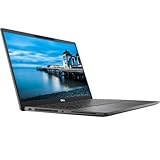


| Product | Best for | Key spec from the title |
|---|---|---|
| Dell Latitude 5420 (i5, 256GB) | General office work | Core i5-1145G7, 16GB, 256GB SSD |
| Dell Latitude 5400 | Light tasks, small drive | Core i5-8365U, 8GB, 256GB SSD |
| Dell Latitude 5410 | Memory with an older chip | Core i5-10310U, 16GB, 256GB |
| Dell Latitude 7420 (Core i7) | Premium-feel travel laptop | 11th Gen Core i7, 512GB, carbon fiber |
| Dell Latitude 5420 (NVMe 512GB) | Docking and fast I/O | 512GB NVMe, Thunderbolt 4 |
| Dell Latitude 5420 (PCIe 512GB) | Storage-focused buyers | 512GB PCIe SSD, non-touch FHD |
| Dell Latitude 5420 (Core i7) | More processing headroom | Intel Core i7, 16GB, 256GB |
| Dell Latitude 7490 | Memory and storage on a classic body | i7-8650U, 16GB, 512GB |
| HP EliteBook 820 G3 | Basic tasks only | Core i5-6300, 8GB, 180GB SSD |
| Dell Latitude 7420 (Core i5) | Thunderbolt with graded condition | Grade A, Thunderbolt 4, 16GB |
How to Choose
Processor generation sets the useful life
Windows 11 is officially supported from eighth-generation Intel Core chips onward, so the 8th-generation Latitude 5400 and 7490 sit near the edge. The 10th and 11th generation models, such as the 5410, 5420 and 7420, have more runway. A 6300-series chip, as on the EliteBook, is a sixth-generation part that falls outside the official requirements.
Memory and drive size
Sixteen gigabytes is the useful target for office suites, browser tabs and video calls together; 8GB works for basic tasks. Pick 512GB if you store files locally, because 256GB leaves limited room after updates and applications. Anything near 180GB is tight.
Screen resolution and ports
Full HD at 1920×1080 is standard on most of these listings, while the Latitude 7490 is listed at 1366×768, which shows less on screen. HDMI and a webcam appear on several titles; Thunderbolt 4 on the 5420 NVMe and the 7420 Grade A enables fast docking and external displays.
Condition, grade and warranty
Renewed means previously owned and resold after the seller’s own checks. Look for a stated grade, a warranty period, battery health information and whether a charger ships in the box. Titles rarely include these, so treat missing details as questions to answer before ordering.
The 10 Best Options
Dell Latitude 5420 (i5, 256GB)
A sensible default for an office worker. The title lists a 14-inch FHD display, 11th Gen quad-core i5-1145G7, 16GB DDR4, a 256GB SSD, camera, HDMI and Windows 11 Pro.
- 16GB of RAM supports multitasking.
- An 11th Gen processor has years of support left.
- Trade-off: 256GB of storage fills up with large files.
Skip it if you store big media libraries on the laptop. It suits an office employee who works mostly in cloud documents, email and video calls, and who wants a straightforward configuration without surprises in the memory line.
Dell Latitude 5400
For tasks that do not stress the machine. The title lists a 14-inch 1920×1080 display, Core i5-8365U, a 256GB SSD, 8GB RAM and Windows 11 Pro, with the quoted 4.1GHz as the top speed.
- A Full HD display suits spreadsheets and documents.
- The SSD keeps boot and application loading snappy.
- Trade-off: 8GB of RAM and an 8th Gen chip limit the long-term runway.
Skip it if you plan to keep it for many years. A short-term bridge for a seasonal worker or a student is a more realistic job, and the single Full HD panel at least keeps documents legible.
Dell Latitude 5410
A middle path for people who want 16GB without stepping up to the newest generation. The title lists a 14-inch FHD display, 10th Gen Core i5-10310U at 1.7GHz, 16GB DDR4, a 256GB SSD, HDMI, a camera and Windows 11 Pro.
- 16GB of DDR4 doubles the 5400’s memory.
- HDMI and a camera cover everyday meeting needs.
- Trade-off: it is a generation behind the 5420 and 7420.
Skip it if you need Thunderbolt for docking. Buyers who run a mix of cloud tools and local office software will appreciate the memory, and the earlier generation keeps the unit comfortably within the supported Windows 11 range.
Dell Latitude 7420 (Core i7, carbon fiber)
Aimed at travelers who want a more premium body. The title lists an FHD display, an 11th Gen Core i7, 16GB RAM, a 512GB SSD, Wi-Fi, Bluetooth, Windows 11 Pro and a carbon fiber finish.
- An i7, 16GB and 512GB make it the best-rounded 7420.
- The carbon fiber finish is a distinct design feature.
- Trade-off: the title gives no battery or grade information.
Skip it if condition details are essential to your decision. Business travelers who care about weight and finish will like the carbon fiber look, but should ask about battery health before ordering.
Dell Latitude 5420 (NVMe 512GB, Thunderbolt 4)
For desk workers with a dock. The title lists a 14-inch 1080P display, Core i5-1145G7, 16GB DDR4, a 512GB M.2 NVMe drive, Thunderbolt 4, HDMI, a webcam and Windows 11 Pro in silver.
- Thunderbolt 4 and HDMI give flexible monitor options.
- 512GB of NVMe storage doubles the entry configuration.
- Trade-off: it uses the same i5 as the other 5420 variants, so the gain is storage and ports.
Skip it if you do not use external displays. The extra storage is the clearest reason to choose this over the 256GB entry unit, particularly for people who keep project files offline.
Dell Latitude 5420 (PCIe 512GB, non-touch)
Matches buyers who want a straightforward configuration. The title lists a 14-inch FHD non-touch display, Core i5-1145G7, 16GB RAM, a 512GB PCIe SSD and Windows 11 Pro.
- The title specifies non-touch, which avoids confusion over screen type.
- 512GB PCIe storage and 16GB RAM are a solid pairing.
- Trade-off: no ports or camera are listed in this title.
Skip it if you want to confirm extras from the title alone. Checking the product page for the camera and port list is a small step that removes the guesswork for this particular unit.
Dell Latitude 5420 (Core i7, 256GB)
A step up in processing within the 5420 family. The title lists a 14-inch model with an Intel Core i7, 16GB RAM, a 256GB SSD and Windows 11 Pro.
- An i7 offers more performance headroom than the i5 variants.
- 16GB RAM supports regular multitasking.
- Trade-off: the title omits the exact processor model and generation.
Skip it if you need to know the exact chip before buying. A buyer who plans to run heavier spreadsheets or several browser profiles at once is the target, and the product page should clarify the generation.
Dell Latitude 7490
For buyers who want storage on a lower-resolution classic body. The title lists a Core i7-8650U, 16GB DDR4, a 512GB SSD, a 14-inch HD 1366×768 display, a camera, HDMI and Windows 11 Pro.
- 16GB RAM and 512GB SSD are generous for the generation.
- HDMI and a camera round out the connectivity.
- Trade-off: the 1366×768 screen shows less content than Full HD.
Skip it if you work with wide spreadsheets or side-by-side windows. It is better treated as a roomy, memory-rich workhorse for text, email and web applications than as a multi-window analysis station.
HP EliteBook 820 G3
For a spare machine that handles email and documents. The title lists a Core i5-6300, 8GB DDR4, a 180GB SSD, Wi-Fi, Bluetooth, a webcam and Windows 11 Pro.
- It is the only HP and offers an alternative brand to the Latitude line.
- An SSD keeps basic tasks responsive.
- Trade-off: a sixth-generation processor is the oldest in the group.
Skip it if you want long-term software support. As a loaner or a single-purpose machine for a front desk, it can still serve, provided you confirm the Windows 11 installation is genuine and fully updated.
Dell Latitude 7420 (Core i5, Grade A)
Suits buyers who value a stated condition grade. The title lists an i5 at 2.60GHz, 16GB RAM, a 256GB SSD, a 14-inch display, Thunderbolt 4, HDMI, a webcam and Grade A (Renewed).
- The listed Grade A condition indicates a stated cosmetic standard.
- Thunderbolt 4 supports docks and fast storage.
- Trade-off: the title does not state the exact i5 model.
Skip it if you need 512GB of storage. The stated Grade A label gives a rough idea of cosmetic wear, but because grading is the seller’s own scale, look for photos or a written description of what the grade means.
Which One Fits Your Situation
You need a main work laptop for several years
The Dell Latitude 5420 (NVMe 512GB, Thunderbolt 4) pairs an 11th Gen chip with 16GB and a larger drive. The Latitude 7420 Core i7 is the step up.
You are equipping a small office on a tight plan
The Latitude 5410 and the 5420 with 256GB cover mainstream tasks. Check warranty terms and charger inclusion for every unit, and keep all machines on one model family so spare parts and docks stay interchangeable.
You travel and dock at a hotel desk
The Latitude 7420 (Core i7, carbon fiber) offers a lighter feel, while the Grade A Latitude 7420 Core i5 adds Thunderbolt 4 and a stated condition grade.
You only need a backup for email and documents
The HP EliteBook 820 G3 or Latitude 5400 will do, provided you accept the older processor generations. Neither is a long-term main laptop, but both fit a drawer-ready spare or a loaner for guests.
Common Mistakes
- Skipping the processor generation and relying on the model name alone.
- Assuming Renewed means any specific condition grade when the title does not say.
- Buying a 1366×768 screen for spreadsheet-heavy work.
- Overlooking warranty length and what happens if the battery is weak.
- Choosing 8GB of RAM for a job that keeps many windows open.
Related guides
- Battery Operated Smoke And Carbon Monoxide Detectors
- Combination Smoke And Carbon Monoxide Detectors
- Aio Liquid Coolers For High Performance Gaming
Frequently Asked Questions
Is a renewed business laptop reliable?
Business models are built for heavy use, so many remain dependable. Reliability still depends on the individual unit, so confirm the warranty and return terms.
Will a renewed laptop run Windows 11 well?
Eighth-generation and newer Intel chips meet the official requirement, and 10th or 11th Gen models give extra runway. Sixth-generation parts are the weak spot.
How much storage do I need?
For cloud-based work, 256GB is workable. If you keep files locally, choose 512GB to avoid running out of space.
What does Grade A mean?
It is a seller-defined cosmetic category, usually describing minimal wear. Since definitions differ, read how the seller describes it on the product page.









